
Where Flight Simulation Enthusiasts Gather from Around the World!
AVSIM Library - Search Results

| Category: Flight Simulator X - Helicopters | |
| Bo 105 - Polizei NRW - Polizei Bayern |

|
File Description:
Two Repaints for the NemethDesigns Bo105 for FSX. They requires the Installation of the Payware Bo105 from NemethDesigns.com to use the repaints. Both Repaints are semi-fictional.
| Filename: | Bo_105__Polizei_NRW__Polizei_Bayern.zip |
| License: | Freeware |
| Added: | 28th December 2008, 19:27:27 |
| Downloads: | 303 |
| Author: | Dirk Hüschelrath |
| Size: | 2.26 MB |
| Category: Flight Simulator 2004 - Aircraft Repaints, Textures and Modifications | |
| North American Airlines Boeing 767-300ER |
|
File Description:
Hi...This is a repaint for the payware "Level-D 767" in the livery of the Airline "North American Airlines"...The payware "Level-D 767" is needed !!!
| Filename: | North_American_Airlines_Boeing_767300ER.zip |
| License: | Freeware |
| Added: | 26th May 2010, 19:17:19 |
| Downloads: | 607 |
| Author: | Umberto Ghislanzoni / Level-D |
| Size: | 6.94 MB |
| Category: Flight Simulator 2004 - Sounds | |
| FIX for Antigua airport |
|
File Description:
This file fix the AI aircrafts sinking bug into the runway and the tarmac at "VC Bird" airport of Antigua Island.Require the original file scenery: vc_bird2.zip
| Filename: | FIX_for_Antigua_airport.zip |
| License: | Freeware |
| Added: | 22nd May 2005, 05:22:56 |
| Downloads: | 1,313 |
| Author: | Delblond Christian |
| Size: | 199.12 KB |
| Category: Prepar3D V1-4 - Aircraft Repaints, Textures and Modifications | |
| Qantas 100 Years Livery QualitywWings 787 |
|
Images related to this file:
File Description:
The recently unveiled Qantas 100 Years livery for the Qualitywings 787-9. Must require the QW787 for this livery to work. Just install it via the dispatcher.
| Filename: | Qantas_100_Years_Livery_QualitywWings_787.zip |
| License: | Freeware |
| Added: | 12th November 2019, 02:51:40 |
| Downloads: | 1,900 |
| Author: | Conner Rocha |
| Size: | 9.67 MB |
| Category: Prepar3D V1-4 - Utilities | |
| Flightplan Visualizer 1.10 |
|
Images related to this file:
File Description:
Flightplan Visualizer (FV) version 1.10.0. Copyright 2018-2019 by Pelle F. S. Liljendal ([email protected]), all rights reserved.
FV comes with 300 Commercial-, and +380 BizJet AI pre-imported flightplans which the creators of those flightplans have gracefully allowed me to include with the installer, however you are able to import additional (AI) flightplans if you want to. Once imported these (AI) flightplans can be visualized on a map-view, and the user will be able to search accross all these. Hence you can use the program as inspiration as to which routes to fly. E.g. you can search across all imported flightplans to find all flights in an A321 flying into/out from LDDU, or simply to look for all flights in a Boeing 747-8F.
Simply run the included installer to install the software. The program will be installed into "C:\Program Files (x86)\Flightplan Visualizer" and all datafiles will be installed into: "C:\Users\[UserName]\AppData\Roaming\FlightplanVisualizer". The program comes with a full manual explaining everything, and a 3 page quick manual to get you started. The first 3 times you run the program the quick manual will automatically open. The forum is hosted here: https://forum.aerosoft.com/index.php?/forum/919-flightplan-visualizer/
Version 1.10 Contains the following changes: In the flightplan combo-box at the bottom of the main-form, "Active Search" have been renamed into "Last Search". Picking "Last Search" from the flightplan combo-box, will re-execute the last performed search, and populate the map accordingly. A new entry called "None", have been added flightplan combo-box (at the top of the list). Chosing this item will "deselect" the otherwise current search or selected flightplan, and clear the map of routes. A form have been added to assist enabling/disabling flightplans. Gate-letters/numbers are now by default written using a (5x7) Matrix-"font". If you want to revert to the segment-"font", used in previous versions, simply set the value of the "UseMatrixGateChars" tag in the settings-file to false. changed how the Gate-letters/numbers are written in the round gate-markers on the map. Previously all "chars" had the same width. Now the width is dependant on which sub-elements are in use by each "char" (e.g. a "1" is not as wide as an "8"), as a result the gate letter/number are more easy to read. Zulu- and local-time added to the "Selected airport" group-box in the upper/right corner of the main form. If no airport is selected, or no time-zone is registred for the selected airport, only zulu-time will be displayed. Selections of favorite aircraft can now be saved and loaded.⦠This selection of aircraft can be loaded as a selection of aircraft in the "Search leg" form. Video tutorials can now be accessed from the "Help" menu. These are simply "links" to the actual videos on YouTube, hence will launch the default browser. If you hold SHIFT the url will in stead be copied to the clipboard (e.g. in case you want to upen the link in another browser). In the same manner the "Help" menu now contains a link to the forum. The form with decoded METAR/TAF-messages now shows: name, city, and country/state for the selected station in the caption. This text will also be embedded when copying the content to the clipboard. Likewise UTC/Local-time is also embedded when copying the content to the clipboard as it can be used to show the "age" of the report and convert between UTC and Local -times (based on the difference of UTC- and local-time). The info presented when pressing the "Show Scenery Gates" button on the Airport Info form, can now be copied to the clipboard. Various minor "behind the scenes" changes and optimizations. Added support for additional aircraft: Airbus A220-100 (CS100), Airbus A220-300 (CS300), Boeing 777-8 and Boeing 777-9. Listviews containing both (aircraft) IATA and ICAO-codes now all list them in the following order: IATA, ICAO (both individual sortable). Hovering the mouse over gate-markers the hint window will no show the radius both in meters and feet. Editing gate-info you will now see more info for the gate being edited: Type, Size (meters and feet) and if applicable: airlines. Fixed: Minor bug in relation to how the airport size was calculated. Fixed: IATA/ICAO columns were swapped when choosing Favorite Aircraft. Fixed: Typo on the METAR/TAF-decoder form.
| Filename: | Flightplan_Visualizer_110.zip |
| License: | Freeware, limited distribution |
| Added: | 5th June 2019, 21:20:51 |
| Downloads: | 319 |
| Author: | Pelle Liljendal |
| Size: | 24.81 MB |
| Category: Flight Simulator 2004 - Scenery | |
| LIMN Cameri, Italy (v2) - closed Army area Babini |
|
Images related to this file:
File Description:

This scenery is complementary to the Cameri_V2's main one. It has been revised with complete new ground that solves the previous flickering problems, built up mainly with existing objects and through Generic Building system.
Historical Infos: the 31th Armored Brigade 'Curtatone' that was born after the reorganization of the Italian Army on 21th October 1975 and was incorporated into the 131th Armored Division 'Centauro', part of the 3th Corpo d'Armata of Milan, that also regiment the Mechanized Brigades 'Goito' e 'Legnano'. It got his name in honour of the Curtatone's historical battle, fought on 29th May 1848, during the first independent war between the royal Italian army and the Austrian one. The 'Curtatone' Brigade was placed with all their units in Piemonte area, as Novara, Vercelli and Bellinzago Novarese (this scenery place). On the November 1st 1986, the Curtatone Brigade was dissolved following the cleaning of the divisional level, and in its place the 31th Armored Brigade 'Centauro' was created.
Contents: several buildings by Generic Building system, few others by existing objects, one GMax custom made; military vehicles inside the area, as trucks, jeeps, cars and an armored cars patrol; lights on patrol zone and all over the boundaries; entrance gates by GMax, boundary by fences for the complete areas, connecting with the airport one; several trees all over the scenery. You can find separate further Cameri complementary scenery as airport Museum
| Filename: | LIMN_Cameri_Italy_v2__closed_Army_area_Babini.zip |
| License: | Freeware |
| Added: | 20th October 2011, 00:24:43 |
| Downloads: | 1,698 |
| Author: | Aldo Della Vedova, Daniele Lanfranchi |
| Size: | 4.46 MB |
| Category: Flight Simulator 2004 - Scenery | |
| Graskop Airfield, South Africa |
|
Images related to this file:
File Description:
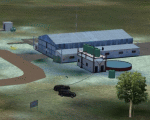
Graskop Airfield does not appear in the default FS2004, neither is the town included which is a pity as the airfield lies right on the edge of a gorge where bungee jumping and even a Gorge-lift (elevator) or a slide across the gorge can be enjoyed by the adrenaline junkies. Added to this, the airfield (and town of Graskop) is merely 10km from the world famous God's Window (also featured in the film, "The Gods must be Crazy").
This package will add a custom (Gmax & Sketchup) made Graskop Airfield, Mpumalanga, South Africa with photoreal textures and ground textures. The included Landclass file will also add the town.
The small airfield has been recreated with custom true to life models and photoreal textures. While being a very small airfield with only one hangar and a large antenna tower, the importance of the airfield far outweighs its size. The airfield plays a vital role in the fight against wildfires as there are water bombers based at the airfield during critical times. In real life the runway is quite challenging, being sloped quite significantly and very narrow, with a one-way-in one-way-out landing and takeoff procedure. Due to the limits within flightsim, the slope could not be replicated but all the other challenges are there.
The asphalt runway is aligned 15/33 and only 800m long by 8.5m wide and sits at an elevation of 4 854ft.
| Filename: | Graskop_Airfield_South_Africa.zip |
| License: | Freeware, limited distribution |
| Added: | 3rd September 2021, 00:55:30 |
| Downloads: | 161 |
| Author: | Kobus van Wyk & Morne van Wyk |
| Size: | 4.13 MB |
| Category: Prepar3D V1-4 - Scenery | |
| Arecibo Observatory, Puerto Rico N18.20.39 W66.45.09 |
|
Images related to this file:
File Description:
Arecibo Observatory, Puerto Rico N18.20.39 W66.45.09 also known as the National Astronomy and Ionosphere Center,
National Center for Astronomy and the Ionosphere), is located about 15 km south-southwest of Arecibo, island of Puerto Rico.
It operates through Cornell University under a cooperative agreement with the National Science Foundation (a US government agency). NAIC refers more specifically to the organization that directs both the observatory and the associated laboratories
and the offices of Cornell University. The observatory is equipped with a radio telescope consisting of a 305 meter diameter
single-aperture antenna, the largest in the world up to the entry into service, in September 2016, of the 500 meter FAST radio telescope, located in the province of Guizhou. in China (soon to be realized).
It is mainly used for three large research areas: radio astronomy, atmospheric physics (using both the radio telescope and the observatory Lidar function) and the radar observation of objects in the solar system.
The telescope received further international recognition in 1999, when it began collecting data for the SETI project.Important VFR point for approaching airport of Rafael Hernandez TJBQ and airport Eugenio Maria De Hostos TJMZ.
Within the downloaded package you will find readme files for scenery installation. Good fly VFR. Pasquale Marrulli.
| Filename: | Arecibo_Observatory_Puerto_Rico_N182039___W664509.zip |
| License: | Freeware |
| Added: | 19th December 2017, 00:35:59 |
| Downloads: | 278 |
| Author: | Pasquale Marrulli |
| Size: | 1.15 KB |
| Category: Flight Simulator 2004 - Scenery | |
| EGVL - RAF Little Rissington - Gloucestershire, England |
|
Images related to this file:
File Description:

Representative scenery of RAF Little Rissington in Gloucestershire.
RAF Little Rissington (ICAO: EGVL) is an RAF aerodrome and former RAF station in Gloucestershire, England. It was once home to the Central Flying School, the Vintage Pair and the Red Arrows.
Built during the 1930s, the station was opened in 1938 and closed in 1994. The married-quarters and main technical site were sold in 1996 (the former becoming the village of Upper Rissington), but the aerodrome has been retained by the Ministry of Defence and remains active along with the southern technical sites, under the operational control of No.2 Flying Training School at RAFC Cranwell.
It is now home to 637 Volunteer Gliding Squadron as the primary military unit, who provide elementary flying training for Combined Cadet Force and Air Training Corps cadets. The airfield is also used by the forces as a relief landing ground, training area and parachute dropping area. In previous years, the Royal Air Force estate has been used as a film set, including The Avengers, part of the ice chase in Die Another Day, and the Thunderbirds film.
This scenery has been made using various scenery libraries, mainly from MAIW. Full listing in the docs.
| Filename: | EGVL__RAF_Little_Rissington__Gloucestershire_Engla.zip |
| License: | Freeware, limited distribution |
| Added: | 28th July 2014, 09:17:31 |
| Downloads: | 1,058 |
| Author: | Brian Clarke, Daryl Payne, Stewart Pearson |
| Size: | 448.92 KB |
| Category: Flight Simulator X - Scenery | |
| CVN68_Carrier_North Sea_V1 |
|
Images related to this file:
File Description:
This scenery is based on the great CVN 68 Nimitz carrier model from Javier Fernandez.
The scenery shall replace my current CVN 75 scenery in the North Sea.
The scenery includes the following scenery elements, objects and dynamic traffic:
The carrier CVN 68 Nimitz and a lot of stuff on deck, 2 flying Helicopters over the Carrier,
4 Navy-Destroyers escorting the Carrier, 2 moving Destroyer based on a "Boats Traffic Plan
which are traveling around the group, 1 moving Tanker,a Oilrig about 30 nm northwest from the Carrier with a landable Platform !!
Seven F-18 Hornets as AI traffic, three F-18 Hornets based on recorded flights.
For the re-play of the start and landing traffic, the tool FSRecorder is required. The tool is part of this scenery package.
The carrier is built up as an airport with the code " CV68 ".
For installation and more info see the documentation inside the zip file.
For full carrier operation (catapul/cable catch) you need one of the two tools: RCBCO-30.zip, or ArrCab26.zip both available at the AVSIM lib.
CREDIT goes to :Javier Fernandez for his super great carrier model and to
Matthias Neusinger for his excellent FSRecorder tool.
| Filename: | CVN68_Carrier_North_Sea_V1.zip |
| License: | Freeware |
| Added: | 2nd June 2010, 01:37:06 |
| Downloads: | 2,919 |
| Author: | Dietmar Loleit |
| Size: | 32.58 MB |


© 2001-2026 AVSIM Online
All Rights Reserved
Privacy Policy |