
Where Flight Simulation Enthusiasts Gather from Around the World!
AVSIM Library - Search Results

| Category: Flight Simulator X - Original Aircraft | |
| Travel Air 'Magic One' |

|
File Description:
This is a wonderful 1929 Travel Air biplane, Magic One, based in Orcas Island, WA. The original model is by Bill and Lynn Lyons, and has been modified by Bill Schulz of The Cielo Co. for FSX (distributed with permission). This version is for FSX only and uses some default gauges for the virtual cockpit--there is no functioning 2D cockpit.
| Filename: | Travel_Air_Magic_One.zip |
| License: | Freeware |
| Added: | 1st December 2006, 00:28:23 |
| Downloads: | 6,593 |
| Author: | Modified for FSX by Bill Schulz of The Cielo Company. Original Aircraft by Bill and Lynn Lyons. (Distributed with Permission) |
| Size: | 6.87 MB |
| Category: Flight Simulator 2004 - Scenery | |
| Dolores |
|
File Description:
Dolores scenery for fs2004. this scenery works with rw12 objects that you can find it here or in fs2004.com
| Filename: | Dolores.zip |
| License: | Freeware |
| Added: | 11th February 2010, 13:15:55 |
| Downloads: | 98 |
| Author: | Juan Avenda������±o and felipe perez mollo |
| Size: | 3.85 KB |
| Category: Flight Simulator 2004 - Scenery | |
| FS9 - KGRR - Grand Rapids Airport |
|
Images related to this file:
File Description:
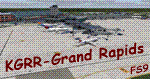
A FS2004 scenery of the “Gerald R. Ford International Airport - KGRR in Grand Rapids, Michigan, USA, original made for FSX by Dillon Rocque. He was so kind to give permission for a conversion that is done by Greg Peters, Greg Putz, Hans Günther Schnell, Claus-Peter Sassen, Kobus van Wyk and Dedl Klemmt – all members of the FS2004-Team-Forum. The scenery has custom made buildings, custom runway and taxiways and a seasonal changing photo texture and lots of “eye candy†(please read the installation instructions).
| Filename: | FS9__KGRR__Grand_Rapids_Airport.zip |
| License: | Freeware |
| Added: | 15th February 2022, 00:28:03 |
| Downloads: | 966 |
| Author: | Dillon Rocque, FS9 conversion: Greg Peters, Greg Putz, Hans Günther Schnell, Claus-Peter Sassen, Kobus van Wyk and Dedl Klemmt |
| Size: | 114.26 MB |
| Category: X-Plane - Utilities | |
| X-Camera 2.2.1 |
|
Images related to this file:
File Description:
The X-Camera 2.1.1 plugin for X-Plane 9 and 10 is a replacement camera system that lets you define multiple view categories and multiple views within those categories that are associated with specific aircraft. X-Camera is similar to EzDok for FSX only for X-Plane. Watch this short X-Camera demo on YouTube: https://www.youtube.com/watch?v=PgOxG8ejq9A
Each view can have options:
- TrackIR:
Each view can enable or disable the TrackIR input. If the view is out the cockpit window having TrackIR enabled is desirable. However, if the view is a close-up of an instrument panel then having TrackIR disabled is probably the better choice since the view will be stable making it easy to click on cockpit controls with the mouse. We also support LinuxTrack on Linux and Mac systems.
- HeadShake:
If the HeadShake plugin from SimCoders is installed then the view can accept input from HeadShake. Similar to the TrackIR feature you will likely want this enabled for certain views but disabled for views on instrument panel close-ups where a stable camera makes it easier to use a mouse to control cockpit knobs and switches. The HeadShake plugin must be at version 1.3 or higher for the integration to work.
- Scenic Flyer:
If the Scenic Flyer plugin from Digital Avionics is installed then the view can choose to display either the Scenic Flyer Glass panel or GA panel.
- Smooth Transition:
When this option is enabled the camera with smoothly transition from one view to another over approximately half a second. When the option is off the view will transition immediately.
- Views can be controlled in a number of ways:
> Each view can be positioned by using keyboard keys or a control panel
> The camera'™s X, Y, Z, Heading, and Pitch can all be adjusted for each view
> Views can be assigned to a HotKey or JoyStick button for easy selection
> HotKey or JoyStick button can be used to navigate to next or previous views
> The views for a specific aircraft can be saved to a CSV file for easy editing
- Walk Mode:
Any view'™s camera can be placed in Walk Mode. While in this mode the camera can be walked or floated around using keyboard input. If you ever played the video game asteroid that is what walk mode is like. The mode is particularly useful for pre-flight inspections of your aircraft. You can create a external view and after selecting that view you can "Walk" the camera around checking out your landing gear, props, etc.
- Linear Transitions and Auto Advance:
Linear transitions allows you to define a transition between two adjacent cameras in category. This capability, in conjunction with the auto advance feature, allows you define fairly sophisticated animations that can be used for automated Pre-flight inspections, scenery viewing, and cool transitions affects that can be used when creating flight videos. All the transitions in our YouTube video were done with X-Camera.
- Bezier Curve Transitions:
Bezier curve transitions allows you to define a transition between three or more adjacent cameras in a category. This capability, in conjunction with the auto advance feature, allows you define fairly sophisticated animations that have an ultra smooth movement between the curve control points.
- Many Unique Camera Attributes:
Tracking Cameras - Camera Leveling - Smooth Camera Joining - Auto Advance to the Next Camera - Individual Zoom and Field of View Setting - External Cameras - Free Cameras - Target Following Cameras - Cineflex Cameras - Automatically Generate Unique Orbit and Fly-By Animations
X-Camera can create unique orbit and fly-by camera sequences by providing a few key parameters
- Airport Cameras:
You can define a set of free cameras associated with an airport. You can create up to 2,000 cameras per airport. X-Camera can also automatically populate airport cameras by reading the airport scenery files and creating cameras at runways, starting locations, taxiway signs, and airport viewpoints. You can map a joystick button to quickly switch between your aircraft camera set and the nearest camera at the nearest airport.
- Target Following Cameras:
Targets are locations defined by a latitude, longitude, and elevation in meters. Target following cameras are a special type of external camera that is attached to your plane and it has the ability to track a selected target. You can also view the target reciprocal which as a view from the target back to you plane.
X-Camera Tutorial Videos: There is also a four part series of tutorial videos that will help you get started with X-Camera. You can access them from the X-Camera Tutorial Page: https://www.stickandrudderstudios.com/x-camera-tutorial-videos/
The full manual is included in the zip file you can also view it here: https://www.stickandrudderstudios.com/downloads/User_Guide.pdf
| Filename: | XCamera_221.zip |
| License: | Shareware, limited functionality |
| Added: | 27th January 2017, 15:14:21 |
| Downloads: | 478 |
| Author: | Mark Ellis |
| Size: | 4.61 MB |
| Category: Flight Simulator 2002 - Original Aircraft | |
| 1937 TWA Douglas DC-3 'Lindberg Line' N17312 |
|
File Description:
TWA Douglas DC-3 N17312 "Lindberg Line" circa 1937. Based on Jan Visser's legendary DC-3 model for FS2000, updated for FS2002, includes transparent cabin windows, nightlighting, a 3D interior, a closing entrance door and stairs.
| Filename: | 1937_TWA_Douglas_DC3__Lindberg_Line_N17312.zip |
| License: | Freeware |
| Added: | 13th December 2003, 06:13:29 |
| Downloads: | 4,480 |
| Author: | Model By Jan Visser / Paint and Updated Model By Jay Schneider / Light Fix By Paul Pridmore / Bare Metal Repaint By Mark Beaumont |
| Size: | 2.89 MB |
| Category: Flight Simulator 2004 - Aircraft Repaints, Textures and Modifications | |
| LAN-AI-Pack |
|
File Description:
LAN-A320,A343 and B732 and LADECO(LXP)-A320 and B732-Textures for the models of FSPainter and AIAardvark.
| Filename: | LANAIPack.zip |
| License: | Freeware |
| Added: | 9th October 2003, 21:02:03 |
| Downloads: | 778 |
| Author: | Matthias Döring,FSPainter,AIAarvark |
| Size: | 1.92 MB |
| Category: Flight Simulator 2004 - AFCAD Files | |
| KIAD Update |
|
File Description:
renames rwy 1L and 19R to 1C and 19C and adds new rwy 1L and 19R with taxiways and apron to the same point as the real KIAD
| Filename: | KIAD_Update.zip |
| License: | Freeware |
| Added: | 15th December 2008, 02:03:04 |
| Downloads: | 1,021 |
| Author: | Harry Nelson, Glen Broome |
| Size: | 9.91 KB |
| Category: Flight Simulator 2004 - Scenery Design | |
| SBuilder 2.05 |
|
File Description:
SBuilder produces almost all type of scenery for FS2004 such as: Mesh Scenery, Land and Water Class Scenery, Standard and High Resolution Photo Scenery, LWM and VTP Scenery, Exclusion Scenery and Object Placement (FS8 and FS9 Library Objects, API and ASD macros and Rwy12 Objects). SBuilder reads default BGL files (LWM and VTP types) and GIS files (lines, polygons and points of interest). It has also some other capacities as Re-Projection of Raster or Vector files.
| Filename: | SBuilder_205.zip |
| License: | Freeware |
| Added: | 9th May 2005, 07:06:40 |
| Downloads: | 16,067 |
| Author: | Luis Sá |
| Size: | 2.84 MB |
| Category: Fly! II - Development | |
| FLY2 Tweaker |
|
File Description:
FLY2tweaker 1.6 is a little tool to check and improve the fly.ini and render.ini files, switch *.dll and *.py files on and off, to select between different key and controller files, copy, move and install scenery files, create a config-file for and run fly2slice.exe, create a matching scf-file and create/backup different FLY!2 folders used during scenery slicing.
| Filename: | FLY2_Tweaker.zip |
| License: | Freeware |
| Added: | 5th May 2005, 00:52:50 |
| Downloads: | 382 |
| Author: | Georg A. Vollnhals |
| Size: | 336.52 KB |
| Category: Flight Simulator X - Aircraft Repaints, Textures and Modifications | |
| BMI Boeing 737-500 Star Alliance |
|
File Description:
Textures re-done and improved!!
Textures only for Wilco/Feelthere's 737PIC basepack,winzip and notepad required..
Tried and tested in FS2004 and FSX
| Filename: | BMI_Boeing_737500_Star_Alliance.zip |
| License: | Freeware |
| Added: | 1st August 2011, 22:50:17 |
| Downloads: | 269 |
| Author: | Dave Leesley |
| Size: | 4.19 MB |


© 2001-2026 AVSIM Online
All Rights Reserved
Privacy Policy |