
Where Flight Simulation Enthusiasts Gather from Around the World!
AVSIM Library - Search Results

| Category: Flight Simulator 2004 - Gauges | |
| Pattern Gauge V2 |

|
File Description:
FS2004 only. This is a gauge in two parts. The display screen and the control bar can be installed in separate places on a panel and each sized to suit your needs. The gauge calculates the heading for all five pattern legs around an airport for both left and right turns. After the pilot enters the two-digit runway data, heading information will be displayed for any desired leg by pressing an appropriate button.
| Filename: | Pattern_Gauge_V2.zip |
| License: | Freeware |
| Added: | 6th October 2005, 15:44:18 |
| Downloads: | 1,950 |
| Author: | Glenn Copeland |
| Size: | 119.58 KB |
| Category: Flight Simulator 2004 - Gauges | |
| ATC Interactive Gauge |
|
File Description:
This file will add an interactive ATC gauge to the cockpit of any aircraft, default or 3rd. party. It enables the pilot to respond to ATC using a mouse (er, "as real as it gets", you see!), instead of reaching across to the keyboard all the time in order to press number keys.
| Filename: | ATC_Interactive_Gauge.zip |
| License: | Freeware |
| Added: | 30th December 2005, 04:37:20 |
| Downloads: | 3,270 |
| Author: | Martin Stebbing |
| Size: | 94.55 KB |
| Category: Flight Simulator 2004 - Gauges | |
| Display_Smoke_ Cntrl_ Gauge |
|
File Description:
This simple gauge is for the Alphasim T6 Harvard/Texan airplane (airplane package required), design to stop the 3 display smoke effects from coming on when the lights are first turned on from the spot view mode.
Since both the Harvard or Texan are not using the Taxi lights, this gauge works based on the state of the Taxi light bool. When you first turn on all lights via the "L" key from the keyboard, the on state of the Taxi lights in turn, turns off the 3 Display Smoke Switches, then after a 2 second delay the Taxi lights are reset to the off state again, ready for the next cycle of the keyboard "L" key.
Just want to reiterate, this is not a auto display smoke gauge in the sense, this is an invisible gauge (no visual references) that just stops the 3 display smoke switches from being turned on with the lights, so you don't get that big ball of colored smoke around the airplane when in "spot view" mode, and you turn the lights on via the "L" key on the keyboard.
Note: Has not been verified in FSX, but should work though!
| Filename: | Display_Smoke__Cntrl__Gauge.zip |
| License: | Freeware |
| Added: | 15th March 2007, 13:16:45 |
| Downloads: | 537 |
| Author: | Greg Spellmen |
| Size: | 2.33 KB |
| Category: Flight Simulator 2004 - Gauges | |
| Random Number Gauge |
|
File Description:
A gauge to generate quasi-random numbers for use in XML gauges.
| Filename: | Random_Number_Gauge.zip |
| License: | Freeware |
| Added: | 23rd July 2007, 02:42:14 |
| Downloads: | 395 |
| Author: | Doug Dawson |
| Size: | 25.57 KB |
| Category: Flight Simulator 2004 - Gauges | |
| Digital Checklist Gauge |
|
File Description:
FS2004 Gauge, Digital Checklist. This gauge is designed for the F16 Air Show Tour panel, file f16ast_1. It fits seamlessly with the F16 radio without requiring a separate panel installation or popup window. Seven pages of checklist items cover all phases of this F16's flight procedures. Most items on each page are monitored and when a check has been accomplished, the gauge changes that item's display color from green to grey. Also included in this D/L are enhancements for six of the original F16AST gauges. Installation requires only a Copy/Paste. By Glenn Copeland
| Filename: | Digital_Checklist_Gauge.zip |
| License: | Freeware |
| Added: | 20th January 2007, 02:30:07 |
| Downloads: | 1,684 |
| Author: | Glenn Copeland |
| Size: | 510.72 KB |
| Category: Flight Simulator 2004 - Gauges | |
| Selection Correction gauge |
|
File Description:
Does one of these problems sound familar ??
1. In my multi-engine aircraft, I suddenly find that my throttle controller
only works for Engine-1, and I cannot correct this by typing (default
keys) the keysequence E 1 2 (3 4).
2. In my aircraft that has an Exit-2, I cannot open/close Exit-2 by typing
(default keys) the keysequence Shift-E 2 (instead Exit-1 opens/closes).
If so, adding this invisible gauge to your panel should solve these problems.
Easy to install, and fully documented.
By Rob Barendregt.
| Filename: | Selection_Correction_gauge.zip |
| License: | Freeware, limited distribution |
| Added: | 3rd July 2005, 15:20:56 |
| Downloads: | 8,554 |
| Author: | Rob Barendregt |
| Size: | 6.39 KB |
| Category: Flight Simulator 2004 - Gauges | |
| Heli Trim Gauge |
|
File Description:
This is a basic heli trim gauge, its kinda half of a project im working on (a heli autopilot).
| Filename: | Heli_Trim_Gauge.zip |
| License: | Freeware |
| Added: | 23rd January 2005, 07:37:13 |
| Downloads: | 1,240 |
| Author: | Chris Mineburg |
| Size: | 4.65 KB |
| Category: Flight Simulator 2004 - Gauges | |
| Digital Heading Gauge |
|
File Description:
Digital heading window for any aircraft.
The digital heading window opens in the middle of the cockpit screen but can be resized and dragged to any suitable panel location.
Handy in complex cockpits for a quick heading reference, or in older aircraft cockpits with only conventional compasses available.
| Filename: | Digital_Heading_Gauge.zip |
| License: | Freeware |
| Added: | 21st February 2021, 20:34:40 |
| Downloads: | 66 |
| Author: | Peter Bendl |
| Size: | 1.9 MB |
| Category: Flight Simulator 2004 - Gauges | |
| Tri-Altitude Gauge |
|
File Description:
FS2004 Tri-Altitude Gauge. This analog instrument displays pressure altitude, rates of climb/descent, plus radio altitudes. Altimeter needles have been redesigned so they can be seen and read easier. HG window has been made larger so settings can be made at smaller gauge sizes. Vertical speed range plus/minus 4000 ft. Radio altimeter has non-linear scale so lower altitudes are more precise. Upper limit is 5000 ft. By Glenn Copeland
| Filename: | TriAltitude_Gauge.zip |
| License: | Freeware |
| Added: | 5th December 2005, 13:47:52 |
| Downloads: | 2,515 |
| Author: | Glenn Copeland |
| Size: | 179.93 KB |
| Category: Flight Simulator X - Gauges | |
| Flypad Gauge V2.0 |
|
Images related to this file:
File Description:
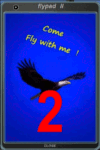
FSX, Flypad Gauge Version 2.0
This gauge has been developed on Win7 for FSX Flight Simulator SP2 or SP1.It should also work with Acceleration, but this is not guaranteed by the author. The gauge is a little extra addon based on the design of a smart phone and provides 9 different displays which are different from all of the standard gauge displays on a regular aircraft panel. It is mainly helpful for the user flying small propeller aircraft, and old timer aircraft.
However, the displays are as well attractive for sim pilots flying modern jet aircraft. Use it as if you just grabbed to your smart phone during a flight and check on the status of your aircraft, or how the terrain awareness situation looks like, how the AI traffic on the radar is, while you proceed with your flight plan. Enjoy the new design of a simple aircraft attitude display during an ILS approach. A new screen for LAT/LON coordination control and distance/bearing calculation has been added to this version in addition with a number of improvements.For credits look at the pdf documentation inside the zip file. By Dietmar Loleit
| Filename: | Flypad_Gauge_V20.zip |
| License: | Freeware |
| Added: | 2nd August 2014, 17:50:45 |
| Downloads: | 779 |
| Author: | Dietmar Loleit |
| Size: | 4 MB |


© 2001-2026 AVSIM Online
All Rights Reserved
Privacy Policy |