
Where Flight Simulation Enthusiasts Gather from Around the World!
AVSIM Library - Search Results

| Category: Flight Simulator X - Scenery | |
| Wynoochee Lake WA - (Bob's Fly-in Cabin) |

|
File Description:
Wynoochee Lake WA (Bob's Fishing Cabin) - Airport ID: BOB (FSX). - -
This is a fictitious fly-in lodge that I created for a quiet spot to fly into for weekend trips from the Seattle area. My cabin is located about 40 miles due south of Port Angeles, WA and about 50 miles due west of Seattle. - -
Wynoochee Lake is a real location, but my scenery around the lake is fictitious. - -
You will find my dirt airstrip to be quite challenging, although completely fly-able. My location is even more challenging at dawn or dusk with Weather. There are no approach lights, its just a rugged bush strip. - -
It is extra challenging with crash detection turned on - watch out for those birds, they're everywhere and that old tree just of the side of the dirt strip - don't get too close! - -
This is freeware. I hope you enjoy it. - -
Designed with the FS X Sdk Scenery function of the Mission builder,Abacus Scenery shortcut tool and Lee Swordy's AFCAD. - -
This scenery is frame rate friendly. - - Please read the "readme" - -
by Bob Caparoula
www.flydeervalley.com
| Filename: | Wynoochee_Lake_WA___Bobs_Flyin_Cabin.zip |
| License: | Freeware |
| Added: | 2nd February 2007, 21:10:37 |
| Downloads: | 1,455 |
| Author: | Bob Caparoula |
| Size: | 4.64 KB |
| Category: Flight Simulator 2004 - Utilities | |
| LJSceneGen V 1.0 |
|
File Description: LJSceneGen is a scenery creation utility for the Microsoft (MS) Flight Simulator FS9 (aka FS2004 or Century of Flight). The program presents a series of forms where various options for VORs, NDBs, Exclusion Rectangles, Markers, Waypoints and Scenery Library objects can be entered. The program will try to connect FS9 via FSUIPC or WideFS. If a FSUIPC connection is found, the location (Lat. Long. and Alt and others if available and appropriate) will be automatically retrieved. You can also move the aircraft to a new location by entering a Lat. and Long. pair and clicking "Move Aircraft". Multiple combinations VORs, NDBs, Exclusion Rectangles, Markers, Waypoints and Scenery Library objects can be saved and each saved object can be edited. After all the desired objects are created, an XML file can be created. This file can be submitted to the FS2004 SDK BGL compiler "BGLCOMP.exe". A file with an extension of .BGL will result which you then place in your Addon Scenery/scenery/ folder to view your just created scenery object(s) after you restart FS9. This or other properly formulated .XML scenery files can be imported and reviewed. For example, the FS9 file NVNAMC0.bgl can be decompiled, imported into LJSceneGen and then viewed. Alessandro Antonini's excellent BGLXMLdecompiler program makes possible the conversion from NVNAMC0.bgl. to NVNAMC0.xml which can then be read by LJSceneGen. (This file is available at Alec's site: http://www.cpinf.net ). Each VOR and NDB found in this decompiled xml file can be reviewed and if you want, you can move your aircraft to the object's location by clicking "Move Aircraft". This program is written in MS's C# language using .NET framework 1.1. The CLR .NET Framework 1.1 must be installed on your computer before the program will run. The freeware version of Pete Dowson's FSUIPC is not supported. Users should be very familar with the FS2004 scenery SDK. This version only knows VORs, NDBs, Exclusion Rectangles, Markers, Waypoints, and Scenery Library objects. It doesn't yet know about Airports Runways ILSes etc. This is not a "What You See Is What You Get" program but instead takes a semi-automated fill-in-the-blanks approach. The program is a scenery creation utility. As such, inexperienced scenery designers may not find it user friendly.
| Filename: | LJSceneGen_V_10.zip |
| License: | Freeware, limited distribution |
| Added: | 14th March 2004, 01:10:12 |
| Downloads: | 2,411 |
| Author: | Larry Jones |
| Size: | 469.34 KB |
| Category: Flight Simulator X - Original Aircraft | |
| Piaggio P-180 V3.0 |
|
Images related to this file:
File Description:

This is a true FS-X (SP2) SDK aircraft! Version 3.0 brings an entirely new cockpit (2D/3D, 2D panel available in Widescreen and 4/3) and cabin down to almost every single switch, entirely new flight dynamics, advanced systems and avionics, new sound and panel sound effects, and much more!
The Piaggio P-180 is a high-speed high-efficiency turboprop aircraft. Capable of speeds up to 395 KTAS (or M0.68) up to its service ceiling of 41000ft. This performance is achieved by extreme aerodynamic optimization instead of sheer power. The end result is an aircraft that burns 40% less fuel than the average jet of comparable size, while flying at the same speed range, or 30% less than an equivalent size turboprop, as it flies much faster. The pusher propellers on the wings mounted much backwards thanks to the forward wing set make it a comfortable and quiet ride for the passengers, that also enjoy a very spacious cabin for an aircraft of this size.
Features Clickable Dynamic Photortreal VC with Night Lighting, night lighted internals, Photoreal 2D Cockpit, Engine start Effect, advanced FDE, Customizable Payloads.
| Filename: | Piaggio_P180_V30.zip |
| License: | Freeware |
| Added: | 30th July 2012, 23:25:47 |
| Downloads: | 7,270 |
| Author: | Mario Noriega |
| Size: | 68.37 MB |
| Category: Flight Simulator 2004 - Utilities | |
| GaugeGlow v2.0 |
|
File Description:
GaugeGlow is an easy to use tool that allows you to quickly set or adjust an aircraft's 2D panel lighting and the luminous glow of your MS Flight Simulator aircraft's lumious instruments. The virtual cockpit (VC) lighting is controlled by gauge designer and aircraft modeller, and cannot be modified by GaugeGlow.
GaugeGlow gives you a WYSIWYG (what you see is what you get) view of a sample aircraft panel & instrument with easy to use but sophisticated tools to discover the RGB lighting values to create the right lighting effect for your panel. Before GaugeGlow, a panel designer would have to "estimate" desired RGB values for lighting settings, modify configuration files, and then run Flight Simulator to see if they got it right. With GaugeGlow, you can select colors easily with slider controls, and imediately see the effects on panel and gauge lighting just as it will appear in FS under any lighting conditions.
The licensed registered user will be able to easily open any aircraft's panel, to load existing settings, make changes, then save them. Unregistered you'll have to take the data you see and using your knowledge of the SDK, edit the aircraft's config files to make the actual change in that aircraft's night lighting.
| Filename: | GaugeGlow_v20.zip |
| License: | Shareware, limited functionality |
| Added: | 24th August 2006, 14:24:13 |
| Downloads: | 1,758 |
| Author: | Patrick Waugh (Benchmark Avionics) |
| Size: | 692.17 KB |
| Category: Flight Simulator X - Scenery | |
| Remote Tower Base, Washington State USA |
|
File Description:
Remote Tower Base Operations, Washington State - Airport ID: TOWR (FSX). -
OK, all you Rotorheads - This is a fictional version of a very remote Helicopter landing pad on the Olympic Penn.. You must fly a Helo. I created it for my personal enjoyment and now I am releasing to the public as freeware. I hope you enjoy the "eye-candy". There are multiple radio and fire spotting towers in the area to check out. -
At least it gives you something to travel there for. -
This is an extremely challenging spot to land, especially using real Wx. The landing pad is basically a postage stamp. I created it and have a tough time landing here myself, so have fun with this one. -
You may also go directly to this airport by selecting TOWR as your starting airport. I also added a series of images so you can figure out how to get there from somewhere else. If you have my Wynoochie Lake scenery, its only 6 miles from there. (Just a heads-up) -
Designed with the FS X Sdk Scenery function of the Mission builder, Lee Swordy's AFCAD & the Abacus Scenery shortcut tool. -
This scenery is frame rate friendly.
| Filename: | Remote_Tower_Base_Washington_State_USA.zip |
| License: | Freeware |
| Added: | 3rd May 2007, 21:13:18 |
| Downloads: | 758 |
| Author: | Bob Caparoula |
| Size: | 5.85 MB |
| Category: Flight Simulator X - Original Aircraft | |
| ARX-5X Coyote, Version 2.1 |
|
Images related to this file:
File Description:

The ARX-5X (Concept 5) is a single-seat unlimited category aerobatic aircraft built around the 495c.i. 600hp Trace-Orenda OE600 V-8 aircraft engine and designed specifically for freestyle airshow type aerobatics.
Version 2 has a totally new airfile and flight dynamics - the plane can easily handle compulsory competition maneuvers as well as more advanced gyroscopic maneuvers such as lomcovaks and tumbles.
The ARX-5X cruises around 200kts, with a never-exceed speed of 240kts. This FSX native model contains animations, reflections, environment mapping, spec mapping and a full dynamic virutal cockpit. Although it is not a real aircraft it does have several real-world components such as the Chelton Fligh Systems EAU (engine airdata unit) display, and a Hartzell "scimitar" swept blade propeller.
This release is not a quick & dirty update simply "ported" into FSX, it is a full FSX rebuild by the original authors, compiled with XtoMDL and conforming the FSX SDK using dds textures and new modeling techniques for the best overall end-user performance. Includes 2 configs, 7 models, and 20 schemes with a custom smoke system and night time pyrotechnic effects. Aircraft, effects, and panel by Jason L. Terry and Mike VIvaldi. Aditional Skins by Brady Duros and Joshua B. Nyhus.
| Filename: | ARX5X_Coyote_Version_21.zip |
| License: | Freeware |
| Added: | 21st September 2012, 12:42:46 |
| Downloads: | 1,204 |
| Author: | Jason L. Terry, Mike Vivaldi, Josh Nyhus, Brady Duros |
| Size: | 41.04 MB |
| Category: Flight Simulator X - Panels | |
| F-111A |
|
File Description:
The purpose of this up date is because of the restore issue at the AVSIM lib. Secondly, this version V1.01 includes a bug fix for the compass gauge and the logic of the sonic sound. This panel has been designed according to the �F-111 Aardvark Pilot's Flight Operating Instructions� document published by the USAF. The design goal was to develop a panel and gauges
as close as possible to the original aircraft. It was not possible to program all the functionsand sub-panels, because of the complexity of the system and because of limitations in FSX.
The panel is a 2D panel. The panel has been developed from scratch as well as all the gauges.
All gauges are programmed in XML with the ACE tool from the MS SDK SP2 package.
The aircraft model, development by Mike Stone, has been used as the model for this panel. The model is part of the package. Other models may by used as well. However, the Light section and Flaps section in the aircraft.cfg may be modified accordingly in order to meet the requirements of this panel. There is an SP1 and SP2 Version. There are no tooltips in the SP1 Version. For installation and functional instructions, please read the PDF-Document
�F-111A-Panel-Documentation" which is included in the ZIP-File.
| Filename: | F111A.zip |
| License: | Freeware |
| Added: | 1st November 2009, 22:18:36 |
| Downloads: | 334 |
| Author: | Dietmar Loleit |
| Size: | 12.95 MB |
| Category: Flight Simulator 2002 - Miscellaneous Files | |
| Reality XP GPS Navigation Tutorial |
|
File Description:
This is a higly illustrated 40 pages GPS Navigation Tutorial that will take you from Meigs Parking 8 to Oshkosh! With this guide, you will be able to understand and master all the rich features presented in the Reality XP's Flight Line Avionics GPS and Radios!
Flight Line Avionics v1.2 is the latest edition of our Flight Simulator 2002 add-on, with 29 new features added to the other 25 new of v1.10, an extended User’s Manual, an improved Navigation Database tool and the support for third party developers through a new SDK. Our customers will welcome the addition of our EZConfig tool to add Flight Line Avionics to any aircraft with a simple point-and-click!
Reality XP Flight Line Avionics gives you a fully interactive avionics stack featuring the UPS-AT advanced GPS GX 50 with moving map, SL30 next-generation Nav/Comm, SL70 Mode A/C transponder with altitude alerting feature and a full audio panel. With Flight Line Avionics you'll be flying a simulated avionics package capable of providing the same features and benefits as the real avionics package. The Reality XP Flight Line Avionics package is so realistic that pilots can use it as a training tool to familiarize themselves with the workings of the actual equipment. Each button and knob is fully functional and performs identically to its real-world counterpart. The system even creates audio and visual alerts, like the actual avionics. For more information, fly direct to www.reality-xp.com.
| Filename: | Reality_XP_GPS_Navigation_Tutorial.zip |
| License: | Freeware, limited distribution |
| Added: | 26th June 2002, 18:01:06 |
| Downloads: | 1,446 |
| Author: | Reality XP |
| Size: | 1.91 MB |
| Category: Flight Simulator X - Scenery | |
| Carnes Farm |
|
Images related to this file:
File Description:
These are the files that I talked about in the Prepar3d forums. I created these objects for Fs9, then upgraded them to the scenery SDK for FSX. They were created 10 years ago in GMAX, and I have used them successfully ever since in Prepared 1.4 as well.
For some reason the individual farmhouse and other objects that I created are not showing up in Prepar3d version 2.0.
That's where you guys come in! These files are free to use in anyway you want as long as proper attribution is given, but, I would like you guys who have both Prepar3d 1.4 and 2.0 to try them out in both and report back to me as to whether you have the same problems that I do. That's your only fee. And I'd like you guys to give it a shot in both, or all four( I am not sure that they will work in FS9 anymore, but try it out. Unfortunately I can't recompile my FSX SDK Files back to FS9 if it doesn't work).
What's included:
1. Photo real scenery of Barbourville, 10 miles to the north west of stinking Creek where we live, and;
2. Photo real scenery of the farm area and stinking Creek, upon which I have placed my GMAX objects;
A. The farm house.Carnes Farm From the Bridge at 500 AGL.jpg
B. The barn, shed and the RV in back of the farmhouse.
C. A two-story long structure the top of which is an apartment but the bottom of which is a re-creation of Mama Carne's store, along with all the real wood floors shelves and original contents.. It is also o n Google earth in 3-D as it is here with further description .
... A little note on Gmax.. Mama Carne's store was one the first structures that I built in Gmax. It was just a box. Later, I added the true architectural features that you see including the steps and rails which took about as long to create as it would have to Saw and fit and hammer the real rails, risers and steps.
D. K-6, my little 2300 foot strip for runways 03 and 21. It has VOR - (117.55), ILS(110.1), and NDB(222).
E. Gerald Bingham's house, 1/4 mile up Warriors Path North from us.( mostly dirt road with gravel topping).
F. Dewitt Baptist Church.
Off property Knox county
G.Escoe's Store and Post Office complete with great prices for gas at the included pumps.
Escoes.jpg
H. Rex allen's killer corner...sheds and farm equipment on the sharpest bend on Stinking Creek...my son went off it with a flat tire, unscathed, but more than several have lost their lives on that curve... there may be several iterations of the sheds...just delete or rename the wrong ones...I was experimenting with ModelConverterX, Arno Gerretsen's wonderful model and object scenery tool.
I. sitting on top of the Barbourville Photo real scenery Barbourville PhotoReal over the shopping center.jpg is the Barbourville P3D Shopping Center2.jpg shopping center all the stores and all the storefronts ... it's on 25 E. as you head into Barbourville.
Recreated, is the entire shopping center with the now outmoded Wal-Mart sign. Probably my magnum opus.
note on the Gmax scenes.
All of the scenery was either directly measured and if not practical for a such a long measuring device, walked off, as in the Stinking Creek Bridge and shopping center. All of the objects were then photographed, in 360° where possible and saved as texture for inclusion in the Gmax model.
Enjoy!
...oh... how do you get there? Wellllll.... situate yourself at Middlesboro (1a6), and tune your Nav radio to K-69's VOR, 117.55, take off and climb to 3500 feet...grinnnnn
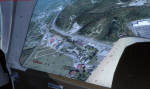
Welcome to Knox County Kentucky!
| Filename: | Carnes_Farm.zip |
| License: | Freeware |
| Added: | 2nd December 2013, 05:34:20 |
| Downloads: | 453 |
| Author: | Chas Honce |
| Size: | 91.13 MB |
| Category: Flight Simulator X - Scenery | |
| Silloth Aerodrome plus Great Orton |
|
File Description:
RAF Station Silloth is a former Royal Air Force station located 1 mile (1.6 km) north-east of Silloth, Cumbria, England and 6.7 miles (10.8 km) south-west of Kirkbride, Cumbria. The station was used by RAF Coastal Command during WW2.
I designed this scenery primarily for my own pleasure using Airport Design Editor and FSX SDK. I use FSX Acceleration and Horizon VFR photo scenery but it should work with standard FSX SP2.
This scenery depicts the airfield as closely as i can get it with the available information. I have modelled all of the Airfield buildings as closely as I could with the information available to me and this was done using Sketchup, the models were then converted for use in FSX using Model converter X.
It is not 100% accurate and no claim is being made by the author that it is. I have depicted the buildings in wartime camo.
All the buildings can be used as as you wish. My only request is that if you should design better textures for them that you let me have a copy, my textures are pretty basic.
Some buildings have night lighting, lights and smoke effects, these should be in your FSX effects files already.
I have not yet completed the Domestic Site but i may do this in the future...(I've hit the buffers for now though!!)
Included in this scenery pack is the Satellite Airfield RAF Great Orton. Built in 1943 to accommodate the larger bombers now being used by the RAF. This airfield is very sparse as i am unable to get much info about it.
Runways, Taxiways, Watch Office and Ground Signals are all that is included in this scenery pack, along with Sloped flattens, crosswind runways and AGN files.
I have included this as a destination for the Bristol Beaufort AI aircraft that i have included with the scenery.
The Bristol Beaufort AI is a freeware model from Alphasim and is used with their permission. I have altered the model textures and aircraft file and it works well enough as AI.
I have used other scenery libraries within this scenery (mainly to depict the village of Silloth) and these will need to be downloaded from the appropriate sources and activated within FSX.
| Filename: | Silloth_Aerodrome_plus_Great_Orton.zip |
| License: | Freeware |
| Added: | 6th December 2015, 22:32:18 |
| Downloads: | 490 |
| Author: | Mark Byers |
| Size: | 357.87 MB |


© 2001-2026 AVSIM Online
All Rights Reserved
Privacy Policy |