
Where Flight Simulation Enthusiasts Gather from Around the World!
AVSIM Library - Search Results

| Category: Flight Simulator X - Aircraft Repaints, Textures and Modifications | |
| FS2004/FSX Air Canada Boeing 777-333ER - C-FITW "2024 Olympic livery" ***Texture Fix*** |

|
Images related to this file:
File Description:
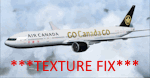
FS2004/FSX Air Canada Boeing 777-333ER, registration C-FITW - Fin #733. Air Canada "2024 Paris Olympics - GO Canada GO" livery ****TEXTURE FIX**** update to the "Go Canada Go" sections - Fuselage Textures only. Textures include HD 2048x2048 and 1024x1024 (for FS2004 users). You will need to add to your existing SkySpirit2012 or POSKY 777-300ER GE. Repaint by Phillip Hughes. **See: air_canada_boeing_777-333er_c-fitw_go_canada_go.zip for full set of textures***
| Filename: | FS2004FSX_Air_Canada_Boeing_777333ER__CFITW_2024_O.zip |
| License: | Freeware |
| Added: | 14th June 2024, 13:45:32 |
| Downloads: | 224 |
| Author: | Skyspirit2012 | Phillip Hughes |
| Size: | 9.34 MB |
| Category: Flight Simulator X - AI Aircraft | |
| Boeing 787-9 Base Pack Update Version1.1 |
|
Images related to this file:
File Description:

FSX/P3D Boeing B787-9 for AI traffic. MDL update - Version 1.1(Note:This model pack cannot be used in FS9).Fixed incorrect night lighting and distortion of belly part texture. Included fixed MDL for both GE and RR. By Mitsushi Yutaka(FSpainter).
For those who doesn't install FSPX B787-9 yet, before use this file set, please download "fspxai_b789.zip" from avism library. This file is an update for "fspxai_b789.zip"
| Filename: | Boeing_7879_Base_Pack_Update_Version11.zip |
| License: | Freeware, limited distribution |
| Added: | 9th June 2016, 22:43:42 |
| Downloads: | 3,242 |
| Author: | Mitsushi Yutaka (FSpainter) |
| Size: | 849.23 KB |
| Category: Flight Simulator X - Miscellaneous Files | |
| Boeing 737-600/700/800 NGX - Wing Views |
|
Images related to this file:
File Description:
PMDG NGX 737-600/700/800 Wing Views. I created this set of Wing Views, because i wanted something new.. in my eyes a very realistic set of viewpoints.. hope you enjoy as i do..
| Filename: | Boeing_737600700800_NGX__Wing_Views.zip |
| License: | Freeware |
| Added: | 11th July 2012, 20:27:20 |
| Downloads: | 1,433 |
| Author: | Julian Beyen |
| Size: | 3.3 MB |
| Category: Flight Simulator X - Aircraft Repaints, Textures and Modifications | |
| Bell 212 Italian SAR AWTI |
|
Images related to this file:
File Description:
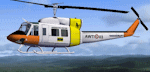
Real repaint for Jordan Moore Bell 212 in italian air force SAR colors in AWTI (Air Weapon Training Installation) set in Decimomannu NATO base, set in Sardinia. Good for FSX and FS2004. File ReadMe included
| Filename: | Bell_212_Italian_SAR_AWTI.zip |
| License: | Freeware |
| Added: | 8th March 2024, 15:07:29 |
| Downloads: | 38 |
| Author: | Luca "Mib" Paoloni |
| Size: | 2.25 MB |
| Category: Flight Simulator X - Miscellaneous Files | |
| State Capitals.zip |
|
File Description:
I have been using BAsys excellent Visit series in free flight and collected a large number.
But the USA just has too many airports for my lifetime.
Therefor I have created a set or rewards for state capitals and Washington DC.
Comprise a seal with the flag as detail for each state and one for the complete collection 52 in all.
I automated the creation of xml files, GUID generation etc by creating macros for excel 2007 and up.
create your XML file add the two images small and large and drag to BGLcomp.exe
and your reward is created.
Incidently the original fsx 2009 sizes of 100x80 and 300x370 is no longer a restriction that is found in old reward compilers. I use 100x100 for the small and upto nnnx370 for detail. nnn=upto 680
You can therefore use real holiday photos id you wish.
The folder that does this is also included in the attached State Capitals.zip
Unzip drop the folder US States into ..\fsx|rewards and start flying.
| Filename: | State_Capitalszip.zip |
| License: | Freeware |
| Added: | 25th February 2017, 07:17:58 |
| Downloads: | 139 |
| Author: | Brian Bean |
| Size: | 3.63 MB |
| Category: Prepar3D V1-4 - Scenery | |
| KILE, Killeen Texas airport |
|
Images related to this file:
File Description: Instructions: There are 3 folders in this package; effects, scenery and texture.
Create a subfolder under the C:\Program Files (x86)\Lockheed Martin\Prepar3D v3\Scenery folder and call this new folder KILE.
Place the scenery and texture folders (with their associated contents) under this newly created KILE subfolder.
Place only the contents (not the folder) of the effects folder in the P3D effects folder often located at C:\Program Files (x86)\Lockheed Martin\Prepar3D v3\Effects.
Now start up P3D.
On the menu at the top of the P3D screen click on World > Scenery Library > Add Area. This will bring up the Add Scenery Area dialog box. Click the Browse button and browse to find the newly created KILE folder. It should be located at C:\Program Files (x86)\Lockheed Martin\Prepar3D v3\Scenery. Once you select the KILE folder, click the OK button. This will place that folder in the P3D scenery library. You will notice that the library is organized by priority starting at 1. I have my KILE scenery set as #4 priority but I am not sure if it needs to be that high. I did notice during design that sometimes my ground texture at the airport would act strange and I found that by setting KILE to a higher priority, it fixed that. As a last step make sure the checkbox to enable the scenery is checked and click OK.
You should now have the new KILE scenery available to use.
This package covers KILE, Killeen Texas airport. It is a city owned public use airport located 3 miles east of Killeen Texas. It has one runway that is 5,495 x 100 feet.
Almost 100 custom objects are included in this package. They include:
All hangers and buildings on the airport grounds made from on site photos.
Several buildings surrounding the airport grounds.
All taxiway and runway signs.
All taxiway, runway and approach lighting.
ILS antenna, localizer, etc.
Fuel tanks and parking T's.
Night lighting where appropriate.
Currently I am using the default land class instead of photo real because I couldn't find any photo real that suited my needs.
I welcome your feedback good or bad. Currently this airport is only for P3D. I may create an FSX version if I have enough requests. I started learning to make 3d objects and airports last year and I am learning something new every day. I hope you enjoy!
I plan on improving the night lighting for the runway lights, runway end lights, taxiway lights, etc. to make them more visible from a distance at night. I also want to replace the stock P3D vehicles with my own design and a few other things to come in an updated version down the road.
| Filename: | KILE_Killeen_Texas_airport.zip |
| License: | Freeware |
| Added: | 11th May 2017, 19:54:19 |
| Downloads: | 492 |
| Author: | Shannan Landreth |
| Size: | 23.83 MB |
| Category: Flight Simulator 2004 - AFCAD Files | |
| Mc Carran International Airport, Las Vegas, Nevada (KLAS) ILS Runway 1L |
|
File Description:
AFCAD 2 file for KLAS - Las Vegas McCarran International Airport. This is the default KLAS airport with the activation of ILS Runway 1L (frequency 110.10) which was omitted from Flight Simulator.
| Filename: | Mc_Carran_International_Airport_Las_Vegas_Nevada_K.zip |
| License: | Freeware |
| Added: | 10th December 2005, 23:08:56 |
| Downloads: | 1,540 |
| Author: | Brian C. Selb |
| Size: | 262.45 KB |
| Category: Flight Simulator 2004 - Scenery | |
| ILS LBW, Runway 25 of Le Bourget (LFBP), France Bug Fix |
|
File Description:
The ILS "LBW" for runway 25 of Le Bourget (LFPB) is totally misplaced and points to the
wrong direction. I have patched the approbiate BGL file to fix this bug.
| Filename: | ILS_LBW_Runway_25_of_Le_Bourget_LFBP_France_Bug_Fi.zip |
| License: | Freeware |
| Added: | 6th July 2004, 01:33:59 |
| Downloads: | 2,597 |
| Author: | Holger Maass |
| Size: | 138.43 KB |
| Category: Flight Simulator 2004 - Miscellaneous Files | |
| Creation of an "Invisible Runway" - a Step by Step Illustrated Tutorial |
|
File Description:
How to create an "Invisible Runway" - a step by step Illustrated Tutorial. In response to several e-mails asking for information about the "invisible runway" technique, I have prepared this Illustrated Tutorial which will guide you step by step in the creation and use of them. Invisible runways can be used to allow start locations and special airports to show in your "go to airport " menu. They also allow them to be displayed on your "nearest airport" listings. Please unzip to a temporary folder - with the folders option checked. Compiled for your flying enjoyment by David "Opa" Marshall.
| Filename: | Creation_of_an_Invisible_Runway__a_Step_by_Step_Il.zip |
| License: | Freeware |
| Added: | 26th March 2005, 17:02:41 |
| Downloads: | 1,538 |
| Author: | David Marshall |
| Size: | 1.21 MB |
| Category: Flight Simulator 2002 - AFCAD Files | |
| AFCAD File For Biber Salsa's LTBA2002 With The Third Runway Update |
|
File Description:
Added the new 3rd runway of LTBA to be used with LTBA-update(http://www.ghsstudents.com/ltbaup.zip) by Samet with LTBA2002 scenery of Biber Salsa can be found on avsim.com or ltba.net. 13 new parking spots were created on A1 South of the new international terminal according to real life parking numbers and 6 new cargo ramps in front of the terminal C and cargo terminal. Also new parkings were created on A13 for general aviation. Runway 36L/18R is not operational yet so there is no ILS for the 3rd runway.
| Filename: | AFCAD_File_For_Biber_Salsas_LTBA2002_With_The_Thir.zip |
| License: | Freeware |
| Added: | 23rd June 2003, 13:26:31 |
| Downloads: | 959 |
| Author: | oguz sengezer |
| Size: | 52.72 KB |


© 2001-2026 AVSIM Online
All Rights Reserved
Privacy Policy |