
Where Flight Simulation Enthusiasts Gather from Around the World!
AVSIM Library - Search Results

| Category: Prepar3D V1-4 - Aircraft Repaints, Textures and Modifications | |
| Cessna 421 advanced physics |

|
File Description:
C421C advanced physics
Modification for the Alabeo C421 C Golden Eagle
Version: tested for P3DV4; should work also with P3DV5 (and probably FSX)
1. Why I developed the advanced physics version
I was asked via this forum, via PMs and also by e-mails to provide a modified version of the Alabeo C421C which can be used for serious multi-engine training. It should have accurate type specific performance for both AEO (all engine operative) and OEI (one engine inoperative), the latter for either a windmilling prop at various speeds and for a feathered engine. Feathering should work as realistic as possible.
Thus, I developed an advanced physics version of the Alabeo C421C. It shows realistic physics for negative thrust (prop drives engine). This is necessary for OEI training and more realistic idle power simulation.
2. Modified files
Modification includes “c421.air†and “aircraft.cfg†files. Data is based on real world Cessna 421C, N100L, 421C-0313.
Aircraft data, equipment list, checklist and other documents for N100L,
as well as some images of C421C, registration N100L, can be found here, too.
Unfortunately, due to copyrights, I can’t upload the full files and can’t provide the AFM and other copyright protected documents.
3. How to install
To update “c421.airâ€:
- Copy the original Alabeo C421 to another aircraft folder, e.g. “C421C advanced physicsâ€.
- Use AirEd (freeware) and open the original “c421.airâ€.
Open AirEd a second time and open “modifications advanced physics c421.airâ€.
Copy the modified tables 511 and 512 to the original .air file
(right click in modification file -> copy -> right click on original file -> replace from clipboard)
To update “aircraft.cfgâ€:
Just copy the modifications to the corresponding position in the original file.
4. Legend of modifications
Modifications in aircraft.cfg:
- Basic Empty Mass (actual mass for N100L 5,154 lbs inserted; most C421C are more heavy, ours is on diet)
- correct basic data for engines + props
- engine friction included (necessary for all negative thrust scenarios)
- flaps lift + drag scalar adjusted (split flaps)
- 2 vacuum pumps
- VMO = 151 KIAS; VNE= 240 KIAS
- cabin: max. differential pressure: 5.0 psi
Modifications in c421.air:
- implemented negative thrust scenarios in prop thrust and efficiency curves (tables 511 + 512); adjusted thrust curves for high TAS at high ALT
5. Side effects of modifications:
- more realistic engine starting:
starting the engine needs the throttle to be 2 cm above idle (see checklist) for the first 15 seconds
- if you start the engine and don’t retard the prop to medium RPMs immediately, you will overstress engine and prop. So be careful when doing an air start, you might lose the prop and the aircraft. (In the real aircraft, these effects are less severe, but you have to avoid high RPMs until the engine is warmed up and have to avoid rapid change of RPM.)
6. Additional Notes:
- Basic aircraft data as published by the manufacturer, like range and service ceilings, especially OEI, are based on MTOM.
- The use of high payloads close to MTOM and higher ambient temperatures are making for a more challenging OEI training.
- In the sim, climb power is too low compared to full power (about 65 % instead of 75 %). I have to find a way to adjust that.
- I have buttons for engine failure under the mixture (see images)
- Seat Position is, like in many Aircraft, higher than as per Default by the sim. For the C421C and me being 5 ft 7 in, that's about 7 clicks arrow up.
| Filename: | Cessna_421_advanced_physics.zip |
| License: | Freeware |
| Added: | 20th March 2021, 01:09:34 |
| Downloads: | 191 |
| Author: | Andreas Kunzi |
| Size: | 18.06 KB |
| Category: Flight Simulator 2004 - Aircraft Repaints, Textures and Modifications | |
| Air Ceylon, Lockheed L-749A Constellation, 1956-1958 |
|
Images related to this file:
File Description:
Air Ceylon was formed in 1947 by the government of the newly independent Republic of Ceylon (nowadays Sri Lanka). That same year three Lockheed L-749 Constellations were ordered for the connection Colombo-London. The order for the Connies lapsed and in 1949 Air Ceylon started a service operating Douglas DC-4s leased from Australian National Airways (ANA), who owned 49% of the shares (the other 51% were owned by the government of Ceylon). However, fierce competition from BOAC's DH-104 Comet 1 and TWA's L-749 Constellation forced Air Ceylon to close the London connection in 1953. In 1955 KLM Royal Dutch Airlines took over the shares from ANA. From 7 February 1956 till 1 November 1958 Air Ceylon leased KLM's L-749A Constellation PH-LDP for its new, weekly connection Colombo-(Bombay)-Karachi-Bahrain-Cairo-Rome-London-Amsterdam. For a limited period this route was extended from Colombo to Bangkok. PH-LDP was sprayed in a very pretty, exotic livery and received the name 'Mahadevi', its previous name having been 'Rotterdam'. In November 1958 PH-LDP was superseded by KLM's L-1049G Super Constellation PH-LKA/4R-ACH which also received a full Air Ceylon livery. On 3 November 1958 PH-LDP was written from use at Schiphol (Amsterdam) and has been scrapped sometime in 1962.
These are textures only. You will require Team 749's (Manfred Jahn & Co) Lockheed L-749 Constellation Basic Pack (lockheed749.zip), the folder Lockheed_L749_1 (twin stack exhausts). Also required Team 749's Lockheed L-749 Constellation Models Update (749_models_update.zip). Included mdl's custom made by Manfred Jahn. Repaints (based on Manfred Jahn's textures) by Maarten Brouwer.
| Filename: | Air_Ceylon_Lockheed_L749A_Constellation_19561958.zip |
| License: | Freeware, limited distribution |
| Added: | 26th April 2010, 19:25:22 |
| Downloads: | 468 |
| Author: | Maarten Brouwer |
| Size: | 7.04 MB |
| Category: Flight Simulator 2004 - Original Aircraft | |
| Dinfia I.A.35-II "Huanquero" |
|
Images related to this file:
File Description:
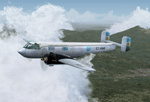
The IA-35 "El Justicialista del Aire" (renamed "Huanquero" in 1955) was the first design from the Dinfia Organisation of Argentina to enter production and the head of a family of succesful planes that later included the Ia-35 X "Pandora", the "Guarani I" and the turbopowered Ia-50 "Guarani".
A twin-engined all metal (except for fabric covered ailerons) low-wing cantilever monoplane with a high-mounted tailplane with two fins and rudders; and a retractable tricycle landing gear. Powered by two IA 19R "El Indio" radial engines of 750 HP each that allowed a maximum cruise speed of 370 km\h and a maximum range of 1250 KM with a full load of 2300 kg.
The major design was done by Paul Klages under the direct supervision of Prof. Kurt Tank, former Focke Wulf designer who also built the I.Ae 33 "Pulqui II" jet fighter in 1950.
The first series prototype of the Ia-35 made its maiden flight the 21st September of 1953 flown by First Lt. Pilot Connan Doyle, and was followed by a planned production batch of 100 aircraft but in the end less than half of the aircraft were built when production ceased in the mid-1960s.
Most of the Ia-35 Type II were assigned to the "II Brigada Aerea" of Parana to the "II Grupo de Exploracion y Ataque" where remained in service until 1974, when the lasts "Huanqueros" were replaced with the newest Ia-58 "Pucara".
Original 3D modeling (external and internal), flight dynamics, and "A-316" textures by Victor Astiz; sound set by Gary Jones; additional textures and general modding by Damian Radice.
| Filename: | Dinfia_IA35II_Huanquero.zip |
| License: | Freeware |
| Added: | 4th June 2010, 18:39:07 |
| Downloads: | 1,240 |
| Author: | Victor Astiz, Gary Jones, Damian Radice |
| Size: | 50.66 MB |
| Category: Flight Simulator 2004 - AI Aircraft | |
| McDonnell Douglas F-4J(UK) Phantom F.3 (AI Phantoms Phorever Part 5) |
|
Images related to this file:
File Description:
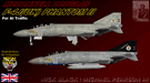
McDonnell Douglas F-4J(UK) Phantom F.3 (AI Phantoms Phorever Part 5). This is one of the most iconic military aircraft of all time, ushering in the modern age of air combat; from Asia to the Middle East; and many of the 5,195 manufactured airframes are still in active use today, after over five decades of excellent service. This model set utilized FSDS source files for Nick Black's original F-4E Phantom II 8-LOD AI model, and has been heavily modified for this project. Numerous changes are listed in the extensive documentation with this file. This file contains one F-4J(UK) base model, but is split into two time periods, representing use of both Sparrow and Sky Flash missiles. There are two full squadron paints for 74 Squadron, including eight loadouts and 15 serials per squadron; representing these aircraft in service from 1984-1990. I am not including the usual paint kit because these aircraft were only used by one RAF squadron, and I have included all serials. This project is the next part of what will hopefully be a comprehensive and fairly complete (AI traffic) history of this aircraft. I learned a lot from previous releases, and these models are vastly improved from the original releases I have done recently (v2 models for those will be forthcoming). I did not do this alone by any means, and all contributors that I can think of are listed in the documentation. This is the complete aircraft, with all main FS textures and effects included. Original FSDS source and paint kit by Nick Black; FDE by Mike MacIntyre, all model/paint kit modifications and repaints by Michael Pearson.
| Filename: | McDonnell_Douglas_F4JUK_Phantom_F3_AI_Phantoms_Pho.zip |
| License: | Freeware |
| Added: | 22nd February 2012, 16:08:07 |
| Downloads: | 881 |
| Author: | Michael Pearson |
| Size: | 14.46 MB |
| Category: Flight Simulator 2004 - Scenery | |
| CYRL & CKS4 - Red Lake & Fishing Lodge Outposts - Ontario, Canada |
|
Images related to this file:
File Description:
Red Lake is in Ontario, 90 miles east of the Manitoba border & 120 miles north of the US border. The town is at what was the northern end of "the road" for many years, & this has led to it becoming a centre for floatplane flights north to fishing lodges etc. It has also become THE centre of Noorduyn Norseman floatplanes in Canada & there is a Norseman on display & an annual Norseman festival. Red Lake CYRL airport is 3 miles north of the town with 5,000 feet of asphalt runway aligned 08-26 with PAPI at both ends. The apron is in two parts; the western for the fire fighting planes & the eastern for the new terminal & the hangars for North Star, Superior, and Wasaya. There is also a scruffy hangar that is used for storage & to the south of the east apron some private hangars. The town & the float base (CKS4) are at the southern end of Howey Bay. Planes taxi north before going to full power for take off, & there are two main companies based at CKS4, Chimo & Green's, both of them using Norsemans (or Norsemen?) among other planes. Chimo service their fishing lodge & outposts in the Roderick Lake area, & Green's (who have a base on the west side of Howey Bay) service their own outposts on Trout Lake & Nungesser Lake in the AI. There are other Red Lake float operations using Norsemans from further north on the lake & they service fishing lodges in the AI on Peisk Lake and Uchi Lake. The AI also includes some GA float planes, & there are numerous GA & scheduled flights into CYRL.
| Filename: | CYRL__CKS4__Red_Lake__Fishing_Lodge_Outposts__Onta.zip |
| License: | Freeware, limited distribution |
| Added: | 15th November 2015, 14:29:42 |
| Downloads: | 504 |
| Author: | Roger Wensley |
| Size: | 32.92 MB |
| Category: Miscellaneous Files - General Utilities | |
| P3D FSX FS2004 Flight Analyzer Utility FsQC V6.19 |
|
File Description:
Flight Data Recorder - with Logbook.
Now with a graphical Chart from the entire flight.
Also Prepar3D, FS2004 and FSX Steam supported.
Very easy to use, just make a flight plan in the simulator or in this utility. (But please read the readme.txt file)
What this program does: quickly change the settings of P3D/FSX/FS2004, such as time, date, fuel, weight, traffic etc. Start a failure sytem, such as gear, flaps, engine, etc. runway detecting system to see wich runways are in use.
Quickly look at Airport Info for all possible info such as: ILS, Radio, RW length, Elevation, etc, etc.
This is all fully freeware.
Only Limited demo for: The flight analyzing/data recording, Logbook and the PDF Flightreport.
Flight analysis start recording at the moment when you begin taxiing.
It gives you huge information such as:
- takeoff- and landing-weight.
- takeoff- and landing-roll in m. and ft.
- separate fuel consumption in taxi, climb, cruise and descent.
- maximum banking in flight.
- which speed you using the flaps and gear.
- when autopilot on or off.
- vertical speed on touchdown.
- reverser set after landing.
- wich speed you cancel reverser.
- bouncing at landing.
- graphical landingchart.
- and lots of more.
You can better look the example of the pdf document.
Requirements:
Computer with Windows7 or higher and internet access.(XP also supported look in the help/manual)
Flightsimulator P3D FSX or 2004 and FSUIPC installed.
Note: requires paid activation for full use of the Flight Analyzer.
Register and you have 1 month free.
Program fully works without registration at airport Athens and Iraklion (Greece). By Evander Tholen.
| Filename: | P3D_FSX_FS2004_Flight_Analyzer_Utility_FsQC_V619.zip |
| License: | Shareware, time limited |
| Added: | 29th July 2020, 18:39:49 |
| Downloads: | 79 |
| Author: | Evander Tholen |
| Size: | 3.9 MB |
| Category: Flight Simulator 2004 - Miscellaneous Files | |
| Some Curved or Angled Approaches, Beirut, Washington Reagan, Lugano and Swiss valleys |
|
File Description:
This little project started from my Air Glaciers package when I noticed how indifferent the AI pilots were to terrain. Intrigued by the work of Jim Vile on his "active approach" series I have experimented with interesting approaches that FS9 has not implemented. Using XML files I created curved approaches for Beirut Runway 21 ILS (inbound flights arc across the city), the visual turn to final for Washington Reagan's Runway 19, the circling approach for runway 19 at Lugano in Switzerland (just an arc in this case) and valley approaches for airports in Switzerland at Sion, Samedan and Locarno. Due to AI limitations in FS9 these have all needed to be created as ILS approaches, even at airports without an ILS. Note that your AFCAD layouts do not need to have ILS added to airports that don't have it. In some cases the approach will be called an ILS by the controller, if you can live with that, you might like these. Note that I've included the source XML for each of the approaches so that you can improve upon them if you wish. Note also that they have been tested with the default Microsoft mesh and an addon mesh might alter the proximity of terrain to aircraft. AI aircraft FDEs will, in some cases, be stretched to (and beyond?) their limits. In the case of Beirut I have included two approaches (BOB NDB and "Wide Arc"), the latter less demanding than the former, in case your AI can't fly the BOD NDB approach.
Note that although the approaches are designed for AI, I have built full procedures for Lugano and Sion for the user to fly.
| Filename: | Some_Curved_or_Angled_Approaches_Beirut_Washington.zip |
| License: | Freeware, limited distribution |
| Added: | 8th April 2005, 03:19:33 |
| Downloads: | 2,763 |
| Author: | Matthew Ministry |
| Size: | 478.08 KB |
| Category: Flight Simulator 2004 - Scenery | |
| Replacement 'Moon Light Water' Textures |
|
File Description:
Replacement "moon light water" textures for FS2004. The default FS9 night water texture is the same for all moon positions and it is clear that MS did not complete their intention to finish this section as they include “high moon”, “low moon”, and “new moon” textures for the FS9 code to work with but all the textures are exactly the same. As a result of not finishing this section MS had to make a compromise and opted for a hint of color and brightness to all the night time water environment textures. In other words upto now we have not really seen a new moon or a full moon with FS9. I’ve changed all that and maybe using these textures will give us a hint of what to expect in FS2006 or FS10. Textures included are; new moon light water textures and a new "new moon" texture. Now when you fly by moonlight you can actually see the moon kissed water and even see some wave action. The new darker "new moon" water texture allows for a dramacic difference It actually feels like you are there! Please NOTE: I've read quite a bit recently on the forums and noticed some people want no wave action. Personally, I like the wave action as it gives an impression of movement. Of course it could be better and hopefully will be in FS10 or FS2006 but that's upto MS, and it is not out yet. Meanwhile please be advised it is not possible to see environment textures and to turn the wave action off! By Peter Wilding
| Filename: | Replacement_Moon_Light_Water_Textures.zip |
| License: | Freeware |
| Added: | 11th January 2004, 18:37:22 |
| Downloads: | 3,582 |
| Author: | Peter Wilding |
| Size: | 810.56 KB |
| Category: Flight Simulator 2004 - Scenery | |
| VVCR Cam Ranh Airport |
|
Images related to this file:
File Description:
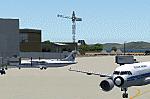
Cam Ranh is currently a fast-growing beauty spot and tourist area on the Vietnamese coast. In May 2004, Cam Ranh airport (VVCR) opened to commercial traffic, initially only serving domestic traffic but international flights will commence in 2005. The airport was once a massive US Air Force base, but was later used as a base for Russion spy plane activities.
This scenery adds this "missing" airport to Flight Simulator, but much is based around satellite views of the airport when the US were spying on the Russian base and other historical information and it may not accurately reflect the airport as it is today. Furthermore, my capabilities at scenery design are limited and restricted to scenery objects available through the Rwy12 scenery creation programme.
You do NOT need to download and install the full 45 MB Rwy 12 Object Placer programme, which is for the designers and not the end user.
Some of the scenery objects will appear without any extra downloads, but to get the greatest benefit from this scenery, you may optionally download following files, which should be installed according to the instructions within this download and not as described in their own download archive:
Level 2 objects
rwy12-lvl2.zip (Israel Roth and Seev Kahn/John Hinson),
Level 3 objects
jw_rwy12.zip (Shehryar Ansari),
tl_rwy12.zip (Todd Lucas) ,
ford_transit_collection.zip (S Legg),
hgrrwy12.zip (ESDG), and
ga-hangers_lib_for_rwy12.zip (S Legg)
Also included with this scenery are two EditVoicepack files which may be imported to that programme so that the controllers will be heard referring to "Cam Ranh".
[File re-uploaded at request of AVSIM] See also file vvcru11.zip.
| Filename: | VVCR_Cam_Ranh_Airport.zip |
| License: | Freeware |
| Added: | 15th May 2010, 01:13:46 |
| Downloads: | 4,180 |
| Author: | John Hinson |
| Size: | 21.36 KB |
| Category: Flight Simulator 2004 - Scenery | |
| Elim ELI and Moses Point MOS in Alaska |
|
Images related to this file:
File Description:
Elim is a coastal village 90 miles east of Nome, living from fishing and with a population of around 330. The airfield has a gravel runway 3,000 feet long. The majority of flights to and from the airfield originate in Nome, but there are also others to and from nearby fields such as Golovin, Unalakleet, Shaktoolik, and Koyuk. A further 7 miles or so east of Elim is another field called Moses Point MOS, which is included here and was an Army Airforce field before being transferred to the private ownership of the Elim Native Corporation. Until Elim ELI was established (date unknown, but after 1988) this served the village of Elim and although the runway is now unlit and not in very good condition (translate that as "full of potholes") it is stated that the longer runway can still be used if Elim is not adequate. However, the note is undated and there are no details of how often it is used or even if it is actually still currently in use. There is one hangar still in existence; all the rest has been demolished and (mostly) removed. A note here about my scenery making. This is post number 502 and there will not be many more to follow this as I am almost at the end of the photos I either took or found for scenery purposes. There is a limit to what can be located online and I have already been making use of the little there is; eg Unalakleet. So, if you are near an airport (preferably Canadian or Alaskan) and have a camera..... Let me know.
| Filename: | Elim_ELI_and_Moses_Point_MOS_in_Alaska.zip |
| License: | Freeware, limited distribution |
| Added: | 2nd August 2019, 16:11:35 |
| Downloads: | 103 |
| Author: | Roger Wensley |
| Size: | 4.69 MB |


© 2001-2026 AVSIM Online
All Rights Reserved
Privacy Policy |