
Where Flight Simulation Enthusiasts Gather from Around the World!
AVSIM Library - Search Results

| Category: Flight Simulator 2004 - Scenery | |
| Replacement 'Overcast' Water Texture V. 4.0 |

|
File Description:
Replacement dynamic "overcast" water texture for FS2004 (VERSION 4). The default milky "white/green" texture is highly unrealistic in most overcast conditions. The replacement texture will change this dramactically to a much more convincing and realistic "blue/grey" cast, with improved lighting and refections. Version 4 has been further improved to allow a more convincing dynamic wave action missing on version 1 and 2. It is also superior to version 3. Version 4 of my water texture is also better in respect of colours and tonal balance. Most importanly in version 4 attention has been paid to the lighting reflection on the water surface.
| Filename: | Replacement__Overcast_Water_Texture_V_40.zip |
| License: | Freeware |
| Added: | 23rd December 2003, 22:44:10 |
| Downloads: | 2,846 |
| Author: | Peter Wilding |
| Size: | 693.95 KB |
| Category: Flight Simulator 2002 - AFCAD Files | |
| Lago's Milan Airports LIML Linate |
|
File Description:
AFCAD file for Lago's Milan Airports Linate LIML. For use with Runways 36R/18L. Optimized for use with flight One Ultimate Traffic. The default FS AI traffic shold also work. All runways and taxiways are corrected for Lago's LIML.
| Filename: | Lagos_Milan_Airports_LIML_Linate.zip |
| License: | Freeware, limited distribution |
| Added: | 1st July 2003, 21:41:21 |
| Downloads: | 262 |
| Author: | Peter Wilding |
| Size: | 5.29 KB |
| Category: Flight Simulator 2002 - AFCAD Files | |
| LAGO LIML linate Version 2 |
|
File Description:
AFCAD file for Lago's Milan Airports Linate LIML. For use with Runways 36R/18L. Optimized for use with flight One Ultimate Traffic. The default FS AI traffic should also work. All parking, runways and taxiways are corrected for Lago's LIML. This is version 2 of my AFCAD for Lago's LIML. My first AFCAD file works fine except I found a few things that could be improved. I have learnt a few tricks to make it look more realistic in the way it works in version 2. In particular traffic movements have been tweaked in version 2. More parking has been added and the accuracy of the taxiways improved. I also prioritized the gates at terminal A to be used first.
| Filename: | LAGO_LIML_linate_Version_2.zip |
| License: | Freeware, limited distribution |
| Added: | 3rd July 2003, 21:31:00 |
| Downloads: | 379 |
| Author: | Peter Wilding |
| Size: | 6.59 KB |
| Category: Flight Simulator 2002 - AFCAD Files | |
| Update to Lago's Milan Airports AFCAD LIML (Linate) |
|
File Description:
Update to my earlier version of the Lago Milan Airports AFCAD for LIML. Last version did not make use of the main docking gates as intended. Hopefully, this is the final. The AFCAD is optimized for use with Flight 1 Ultimate Traffic.
| Filename: | Update_to_Lagos_Milan_Airports_AFCAD_LIML_Linate.zip |
| License: | Freeware, limited distribution |
| Added: | 7th July 2003, 00:45:13 |
| Downloads: | 268 |
| Author: | Peter Wilding |
| Size: | 6.64 KB |
| Category: Flight Simulator 2004 - Miscellaneous Files | |
| Shoot 1.6.3' Voice Contro File |
|
File Description:
"Shoot 1.6.3" voice control file for use with FS2004. You will need to download the main "freeware" program from http://clans.gameclubcentral.com/shoot/downloads.php which will allow you to make use of this control file for FS2004. The program is brilliant and allows you to control FS2004 by voice and it's totally free! All I have done is made a config file that works very well with FS2004.
It will allow you to; speak to ATC and instead of fighting with the keyboard or yoke/stick so you can fly more like a real pilot and keep your hands on the yoke more of the time. For example a commercial jet pilot calls out to the co-pilot to get the gear up and simply says "gear up". That's just what you will have to do, just like the real thing; the gear will go up when you make the call. When FS2004 ATC controller tells you to reply you can just say "roger" or "hello" or "ATC" or "air traffic" etc, etc, and the ATC window will pop up. Then all you have to do is call out the command instead of pushing buttons that real pilots don't use. Does a real pilot push a button to look out of the window or use a "mouse" to engage the autopilot?
Similarly you can call out "autopilot engage" or "autopilot master" or "autopilot disengage" and that's just what happens; the autopilot comes on/off. The best part though is when you try looking around the cockpit. If you want to move your head up you just say "move up" and presto you are higher up in your seat. You can move to the left or
Right, back or forward. You can say "zoom in" and that's what happens. You can say "reset zoom" and so on. You can say "next view" and then the view may be outside or another panel. Alternatively, you can say "panel 2" and the radio panel will come up in the 737 so you can tune the radios. If you have FS navigator installed all you have to
do is say "navigator" and the map comes up, and then say navigator again and off it goes. Just for once it is easy and possible to make full use of FS2004. Using this program has afforded me the opportunity of making better use of the views available, (and I have CH products yoke so if was never hard) but now it's even easier.
All the panels can be activated in this way, and control of the autopilot and control of FS2004. It's probably the best kept secret. I've made a file so we can all share in this freebie of a program. I've included a readme and instructions of how to make the best use of the program.
Config file for FS2004 only is provided.
| Filename: | Shoot_163_Voice_Contro_File.zip |
| License: | Freeware |
| Added: | 7th January 2004, 19:52:26 |
| Downloads: | 8,796 |
| Author: | Peter Wilding |
| Size: | 21.83 KB |
| Category: Flight Simulator 2004 - Scenery | |
| Replacement Overcast Water Texture |
|
File Description:
The default milky "white/green" texture is highly unrealistic in very grey overcast conditions such as we often find here in Europe. The replacement texture will change this to a more convincing "blue/grey" cast. Version 2 has a darker blue/grey than my version 1 and presents a more realistic colour and in particular it's much improved in "dark overcast" conditions. Version 2 also offers better transitions from "overcast" conditions to "clear" conditions. It should be understood the default "milky green - overcast water texture" colour is dependant on the display settings. The replacement texture supplied will only work on DX9 compliant video cards. You must be able to move the "Water Effects" slider all the way to the right! If not then don't install them as you won't be able to see them!
| Filename: | Replacement_Overcast_Water_Texture.zip |
| License: | Freeware |
| Added: | 22nd December 2003, 21:08:19 |
| Downloads: | 1,056 |
| Author: | Peter Wilding |
| Size: | 668.32 KB |
| Category: Flight Simulator 2004 - Scenery | |
| Replacement Dynamic Water Textures v11 |
|
File Description:
Replacement dynamic water texture-sets for FS2004 (VERSION 11). These newer version 11 moon light textures are a completely new type than my earlier versions. The results are much improved and there is also a "new moon" texture in this version which is a more realistic and darker blue/black which contrasts nicely with my moon light textures. This compares quite drastically to the default over lit pinkish brown tones the default FS9 uses for a new moon. Now when you fly by moonlight you can actually see the moon kissed water and even see some wave action. It actually feels like you are there! There are 2 moon light textures in this download. The default reflections and water colors leave a lot to be desired in FS2004. As an example; The default milky "bright green" overcast texture is highly unrealistic in overcast conditions. The replacement textures will change this dramatically to a much more convincing and realistic "blue/grey", cast, with improved lighting and reflections in respect to the sun. These replacement textures will generally give a much more realistic tone and color to the water effects in FS2004. The change is quite dramatic and transforms the flight sim experience to a much greater level of realism. It is important to stress the default FS9 textures are fully compatible with these new textures and they can be used in any combinations and can be mixed and matched with the new textures. For example it may be that some users want to keep some of the water environment textures as they are by default but change only one or two textures. The choice is yours. As a further added bonus a voice control file has been included for "Shoot" which will control FS2004 by voice. It is brilliant and it's free.
| Filename: | Replacement_Dynamic_Water_Textures_v11.zip |
| License: | Freeware |
| Added: | 11th January 2004, 20:38:03 |
| Downloads: | 3,058 |
| Author: | Peter Wilding |
| Size: | 3.49 MB |
| Category: Flight Simulator 2004 - AFCAD Files | |
| EDHK - St. Peter Ording |
|
File Description:
EDXO - St. Peter Ording Nordsee AFCAD File with a AI Traffic File for this airport. More Schleswig-Holstein AFCAD and AI Traffic here and soon at www.softwave.de
| Filename: | EDHK__St_Peter_Ording.zip |
| License: | Freeware |
| Added: | 3rd September 2004, 12:11:33 |
| Downloads: | 416 |
| Author: | Frank Böhrnsen |
| Size: | 400.37 KB |
| Category: Flight Simulator 2004 - Aircraft Repaints, Textures and Modifications | |
| Touch Airways Boeing 737-400 |
|
File Description:
A Boeing 737-400 for Touch Virtual Airways.
Visit Touch Airways at www.euroairlinegroup.co.uk/touch.htm
| Filename: | Touch_Airways_Boeing_737400.zip |
| License: | Freeware, limited distribution |
| Added: | 4th December 2004, 18:51:50 |
| Downloads: | 58 |
| Author: | David Wilding |
| Size: | 1.47 MB |
| Category: Flight Simulator 2004 - Scenery | |
| Peter Slater Scenery Pack 2 |
|
Images related to this file:
File Description:
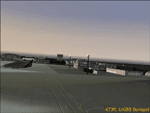
Peter Slater's Scenery Pack 2 which includes: Barcelona El Prat LEBL by William Morgan, Bangkok Scenery VTDB by Martin Strong, Johannesburg International Airport FAJS by Johan van Wyk, Belgrade LYBE by Radoslav Tucakov, Berlin Brandenburg International EDDB by Gernot Zander, Boryspil International Airport UBBB by Alex Berezovsky. All authors gave original permission to Peter to upload their work. Please see main installation for EULA. Freeware only. By Peter Slater, Gareth Abbott. Visit his web site for his other projects at http://fsprojects.webs.com or search 'peter slater' here on AVSIM.
| Filename: | Peter_Slater_Scenery_Pack_2.zip |
| License: | Freeware |
| Added: | 12th January 2012, 19:36:22 |
| Downloads: | 2,227 |
| Author: | Peter Slater, Gareth Abbott |
| Size: | 24.41 MB |


© 2001-2026 AVSIM Online
All Rights Reserved
Privacy Policy |