
Where Flight Simulation Enthusiasts Gather from Around the World!
AVSIM Library - Search Results

| Category: Flight Simulator 2004 - Scenery | |
| Rotterdam, Netherlands (EHRD/RTM) version 1.03 |

|
File Description:
This is version 1.03 - complete package (no previous update files necessary). This is a highly realistic rebuilt of the default EHRD. In this version I have changed the ILS rwy 24 frequency to 110.90 as in real-life. Furthermore, I have added a Word-document, containing some information about the airport. For full detail, please check the readme file. The previous original version has been downloaded 2775 times until now (6th April 2009).
| Filename: | Rotterdam_Netherlands_EHRDRTM_version_103.zip |
| License: | Freeware |
| Added: | 7th April 2009, 08:48:20 |
| Downloads: | 2,915 |
| Author: | Harmen Bosma |
| Size: | 1007.74 KB |
| Category: Flight Simulator 2004 - Miscellaneous Files | |
| Flight dynamics Douglas DC-3 V7.0 |
|
File Description:
This Corrected Aircraft.cfg VERSION.7 dated OCTOBER 13th, 2003 Features the Following....
1. The DC-3 will now not level itself out on a coordinated turn
(This was the biggest issue and is now fixed)
2. Flaps now have a little more drag when used.
(Will realistically slow down for landings and you
wont roll down the runway so much)
3. Differential braking now has a little more power.
(Will realistically allow for tighter turns during taxi)
4. The DC-3 itself now has a little more power.
(Default version is underpowered and used up too much runway,
and.. Default version cruise speed was a little low).
5. Corrected Manifold pressure from 47" to 48" full power
(Default version had it slightly wrong)
6.Fuel is now down to 200 per tank
(Default has version was a little over)
7. All control surfaces, ailerons, rudder and elevators now have delay
(There is a certain lag time when flying a DC-3 and it now shows
with these corrections which delays your input to the controls)
8. Elevator trim is now fixed
(To much play in the default elevator trim , it is now fixed with
less play and also has a delay/lag effect)
9. Rudder trim now with delay/lag
10. Aileron trim now with delay/lag
11. Fuel Flow is now fixed, the DC-3 will burn 90 GPH instead of the original 118 GPH
12. Increased power scalar very slightly for correct cruise airspeed
13. Manifold pressure will decrease 1" MAP per 1,000 feet after 2,000 feet Altitude
13.Exactly 140 kias on full tanks at 9,000' ASL
14. Added Strobe Lights to the wings
15. Adjusted steering (just a tad) for better taxiing
16.Prop (rpm) and Power (map) throttles interact correctly
Took off some delay with ailerons and rudder
Removed some drag and pitch up from the flaps
Added more brake power to the differentials
17. Added a working NAV light to the Nose
I have also added a corrected DC-3 reference sheet". In the zip there are two aircraft.cfg's.. one is modified if you are already using the add-on for special effects.
| Filename: | Flight_dynamics_Douglas_DC3__V70.zip |
| License: | Freeware |
| Added: | 13th October 2003, 19:43:08 |
| Downloads: | 4,569 |
| Author: | Trev Morson |
| Size: | 16.58 KB |
| Category: Microsoft Flight Simulator (2020) - Utilities | |
| Flightplan Visualizer 1.21.1 |
|
Images related to this file:
File Description:
Flightplan Visualizer (FV) version 1.21.1. Copyright 2018-2021 by Pelle F. S. Liljendal ([email protected]), all rights reserved.
FV comes with 1482 pre-imported AI flightplans (of which +690 are BizJet flightplans, the rest are commercial). However you are able to import additional (AI) flightplans yourself. Once imported these (AI) flightplans can be visualized on a map-view, and the user will be able to search accross all these. Hence you can use the program as inspiration as to which routes to fly. E.g. you can search across all imported flightplans to find all flights in an A321 flying into/out from LDDU, or simply to look for all flights in a Boeing 747-8F.
Simply run the included installer to install the software. The program will be installed into "C:\Program Files (x86)\Flightplan Visualizer" and all datafiles will be installed into: "C:\Users\[UserName]\AppData\Roaming\FlightplanVisualizer". The program comes with a full manual explaining everything, and a 3 page quick manual to get you started. The first 3 times you run the program the quick manual will automatically open. The forum is hosted here: https://forum.aerosoft.com/index.php?/forum/919-flightplan-visualizer/
Version 1.21.1 Contains the following changes:
- Due to a bug introduced in version 1.19 regrading the (automatic/manual) version-check, version 1.20 was skipped and this version was released as 1.21.1 (in stead of 1.21.0).
- Beside the season based commercial flightplans, the "Download AIG flightplans" menu-item (found in the "Flightplan" menu) is now able to download (AIG) GA- and Military-flightplans. A big thank you to AIG for granting access to these.
- Reorded the download-folders (in the combo-box), so the season-based AIG commercial folders are displayed in chronological order (e.g. "SUMMER_2020" is before "WINTER_2020-2021").
- When scanning for/loading flightplans the program will now automatic look for flightplans marked as defunct or obsolete, and if found these will be move to the "Disabled" sub-folder. Two new settings have been added, so you can disable this feature if you want to.
- Aircraft-types can now be grouped in families of similar aircraft (e.g. a group containing all the Airbus A318, A319, A320 and A321). These families can be managed via the "User Aircraft" menu-item.
- Removed menu-item "Index of AIG flightplans" in the "Flightplan" menu, as its not needed since the "Download AIG flightplans" was added in version 1.16 (May 2020).
- Minor changes to the flightplan-name grooming algoritm (e.g. spaces are inserted before/after ampersand, if not already present) and prefix can be added to indicate the type of flightplan (e.g. for biz-jet, government or military flights). Detection of this prefix can be disable in settings.
- Dropped support for the old ".FPL" flightplan file-format. Since version 1.11 (july 2019) FV have been using the binary ".BFP" file-format in stead.
- Based on active flightplans, the program will try to detect primary- and secondary-hubs for each airline. An airport must have flights to atleast 10 different airports for that airline, in order to be considdered being either a primary/secondary hub for that airline. This information is displayed both in the airline edit-form and the airline usage-report.
- The airline usage-report will also list all destinations served by the airline (ordered by which airports are flying to most different airports).
- The airline usage-report will now also contain a list of the routes served by that airline (as carrier or operator). This list is sorted so the routes that are most flown (per week) comes first.
- Added an extra tab-page to the Airport-info form that shows which airlines have routes to/from the airport, and which airlines are using the airport as a primary or secondary hub.
- Added (right-click) context-menu to many aircraft/airline list-views, that lets you lookup aircraft-/airline -information.
- Added power-conversion to the unit-conversion form, to convert between HP (Horse-Power) and kW (kilo watt).
- Also added context-menu to the carrier/operator labels in the Leg-info form to show more details for the airline. Likewise the aircraft-labels have a context-menu for showing aircraft-details
- Removed a few columns from the form choosing favorite aircraft-types, as this info can now be obtained via the new context-menu.
- Added a column with engine-type/count in the aircraft browser.
- Minor changes to the airport redirection report (to align some values in columns, making it more easy to read the report).
- Added a few hard-coded names to the author-name grooming-method, to unify differnt spellings of the "same names". Also added flightplan/author-count to the "Flightplan per author" report.
- Swapped the operator/carrier-count showed next to size-category in the user-airline edit form (now first value is operator and 2nd is carrier).
- Minor change to the airline-criteria in the leg-search to simplify selection (removed options: "Carrier only" and "Operator only").
- Fixed: The "Download AIG flightplans" form was not able to download flightplans with an ampersand ("&") in the name.
- Fixed: Once again improved importing of AIGFP flightplans where airport data is using different ICAO-codes (observed with 15 or so of the new BizJet flightplans, e.g. "ESAI_Aero-TechServices(GA-C)_Winter_2020-2021").
- Fixed: Issued with the program version-check (both automatic and manual) introduced in version 1.19. Resulting in this version being released as 1.21.1.
- Fixed: Sometimes closing (without saving) the form for editing user-aircraft it would sometime report there were unsaved changes, even though it was not the case.
- Fixed: Only the active sub fp-folders were scanned for backup files. Now the main fp-folder is scanned for backups as well.
- Data: Some of the aircraft-types sharing the same IATA/ICAO-codes have been split into multiple new types (e.g. the Beechcrafts, Cessnas, Pipers and Learjets). This was done to better detect the specific aircraft-types in use (all bundled flightplans have been reprocessed to re-detect the specific types).
- Data: A few aircraft can now be detected (during flightplan import) using their millitary designation (e.g. Boeing C-22, C-32, C-40, and Gulfstream C-20 and C-37).
- Data: Improved detection of a few "De Havilland" aircraft.
- Data: Added a couple of new aircraft-types (Lockheed C-141 Starlifter, Transall C-160 and a few aircraft without official IATA/ICAO-codes, hence using "---" as the IATA-code for these).
- Flightplans: Thanks to the new feature to download (AIG) GA/Military-flightplans a LOT of new flightplans have been bundled with the installer (a few government and military flightplans, but mostly BizJet). The previous installer came bunled with 385 Bizjet flightplans, however in this version many of these have been updated and a lot more have been added, bringing the total count of BizJet flightplans to +690. All BizJet are prefixed by "Bz_", all Government are prefixed by "Gv_" and all military are prefixed by "Ml_", in case you want to move these to differnt sub-folders using the "enable/disable flightplans" menu-item.
- Flightplans: All new/updated flightplans have been added to the installer, and all obsolete/defunct have been marked/removed. A total of 1481 active flightplans are bundled with the installer (incl. all of the previous mentioned BizJet's).
Pelle
| Filename: | Flightplan_Visualizer_1211.zip |
| License: | Freeware, limited distribution |
| Added: | 20th June 2021, 19:45:19 |
| Downloads: | 791 |
| Author: | Pelle Liljendal |
| Size: | 36.74 MB |
| Category: Prepar3D V1-4 - Aircraft Repaints, Textures and Modifications | |
| SKHV/KluHV, T-6 Texan/Harvard, PH-TBR/B-182, 50 Years Edition |
|
Images related to this file:
File Description:

This packet includes a updated repaint of the harvard PH-TBR of the SKHV/KluHV
(Koninklijke Luchtmacht Historische Vlucht aka Royal Netherlands Air Force
Historical Flight). Stationed at Gilze Rijen Airbase in the Netherlands.
The PH-TBR/B-182 scheme is from the so called "BAFO Vlucht" (Photo Flight)
stationed at Deelen Airbase until 1967.
For more info on the RNLAF Historical Flight please pay a visit to there homepage:
https://kluhv.nl/home-eng/
The repaint is both on the outside and inside (Virtual cockpit & pilots).
As much detail is added as possible, accurate decals/stencils, also the
bump-map was modified, some latches removed some other added, also modified
the baggage compartment to look more like a Harvard then the Texan one.
In this 50 Years edition the stencils and decals are updated to 99% accurate
to the real one. The VC textures got a major update.
To be used with the payware A2A Simulations T-6 TEXAN/HARVARD.
Buy it here: https://a2asimulations.com/
Works both in FSX and Prepar3D.
| Filename: | SKHVKluHV_T6_TexanHarvard_PHTBRB182_50_Years_Editi.zip |
| License: | Freeware, limited distribution |
| Added: | 15th December 2019, 19:10:17 |
| Downloads: | 160 |
| Author: | Marcel Ritzema |
| Size: | 39.95 MB |
| Category: Prepar3D V1-4 - Scenery | |
| Telluride United States N37 56'21 W107 48'59 |
|
File Description:
Telluride United States N37 56'21 W107 48'59 Telluride is the county seat of the county and the most populous city of San Miguel County in the southwestern part of the US state of Colorado at the end of a gigantic canyon located Telluride, Colorado (8,750ft), a national historical landmark surrounded by the highest concentration of 13,000 'and 14,000' peaks in the United States. The city is a former silver mining camp on the San Miguel River in the western mountains of San Juan, a major center for winter sports. Telluride is more accessible than ever, as more flight options have been added for the 2017-18 winter season. Charlotte Douglas International is the last airport added to the list of direct flights to the Montrose-Telluride Regional Airport (MTJ) which brings the total of 15 non-stop flights (16 during the holiday season) from 12 major hubs to the 2017 - 18 winter. In the scenery you will find the city of Telluride and the airport infrastructure of the Charlotte Douglas International airport.
| Filename: | Telluride_United_States_N37_5621_W107_4859.zip |
| License: | Freeware |
| Added: | 11th March 2018, 00:23:20 |
| Downloads: | 152 |
| Author: | Pasquale Marrulli |
| Size: | 407.63 KB |
| Category: Flight Simulator X - Scenery | |
| Branson Airport KBBG--New Airport, Scenery, and Flight Plans |
|
Images related to this file:
File Description:
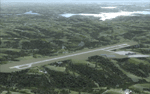
This project adds a new, detailed Branson Airport KBBG (Missouri) to FSX, which opened in May 2009, and is a privately developed commercial airport. The construction of the airport, which involved the flattening of several Ozark Mountains, is claimed to be the largest earthmoving project in Missouri history. As a result, the airport actually sits on a manmade plateau, surrounded by rolling hills. The airport uses the ICAO identifier BBG, however, the airlines use the IATA code BKG. The airport is served by AirTran, Frontier, and ExpressJet (Branson AirExpress), and is located in hilly terrain. Aircraft equipped with a terrain avoidance warning system may experience system activation on final approach. Birds are in the vicinity of the airport. AFCAD with sloping terrain created using Airport Design Editor X v1.47.07, and the hilltops were cleared and flattened and roads were added using SBuilderX 3.13. The terminal, hangar, FBO, and cars were added and modified from stock FSX scenery, using the FSX Object Tool, to resemble as closely as possible the actual airport.
| Filename: | Branson_Airport_KBBGNew_Airport_Scenery_and_Flight.zip |
| License: | Freeware |
| Added: | 5th August 2010, 01:08:33 |
| Downloads: | 2,003 |
| Author: | Carlyle Sharpe |
| Size: | 6.02 MB |
| Category: Flight Simulator X - Scenery | |
| California Central Coast with Megascenery Earth and FSGenesis Mesh |
|
Images related to this file:
File Description:
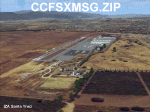
California Central Coast Scenery for FSX with Megascenery Earth and FSGenesis mesh. CCFSXMSG.ZIP covers the California coastal region from N36° 10' (Coalinga) to N34° 25' (Santa Barbara) and from the coast East to W119° 40'. It is a version of my previously created California Central Coast scenery redesigned and expanded to work with FSX MegaScenery Earth and FSGenesis USA Terrain Mesh for FSX V2 by Justin Tyme. Airstrips in the area covered by this scenery have been added for a total of 27 airports and airstrips. 6 imaginary water runways are also added for AI float plane traffic. Several other areas of interest such as the Santa Barbara marina, Morro Bay, etc. are included for a total of 41 points of interest. All airports, airstrips and related structures have been adjusted and realigned to conform to actual positions and dimensions as indicated by the MegaScenery Earth satellite textures. Megascenery Earth California-13, -14 and -15 are required and -12, -28 and -29 are recommended. By Al Wheeler 9/25/09.
| Filename: | California_Central_Coast_with_Megascenery_Earth_an.zip |
| License: | Freeware |
| Added: | 7th January 2010, 19:54:57 |
| Downloads: | 870 |
| Author: | Al Wheeler |
| Size: | 8.13 MB |
| Category: Flight Simulator 2004 - Gauges | |
| HSI window |
|
File Description:
Installation of resizable default HSI gauge to any panel.
There were many occasions when I needed a functional HSI in the newly downloaded aircraft cockpit. Also sometimes to replace the one I did not like, or to add one to the existing gauges in the panel.
Some cockpits were missing HSI and I have replaced some unessential existing gauge with HSI or added it to any available panel space.
IMPORTANT! I respect all the panel designers and realize that HSIs in some cockpits are missing for a good reason since actual aircraft just did not have them. Therefore, if you choose to install any of these HSIs, it is just a convenience to suit your flying experience.
All the HSI are FS2004 default gauges therefore there is no need for other gauges install. The exception is the button for making the HSI visible, which I have designed. There is no need to install this button though, since the HSI can be simply added through the menu Views/Instrument panel drop-down.
| Filename: | HSI_window.zip |
| License: | Freeware |
| Added: | 8th May 2021, 17:44:23 |
| Downloads: | 84 |
| Author: | Peter Bendl |
| Size: | 301.47 KB |
| Category: Flight Simulator X - AFCAD Files | |
| MDLR - La Romana International Airport / Casa de Campo/La Romana, Dominican Republic |
|
Images related to this file:
File Description:
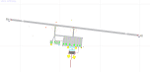
MDLR - La Romana International Airport / Casa de Campo/La Romana, Dominican Republic
This airport update was made with the latest version of ADE (Airport Design Editor) and made for FSX as a replacement for the stock (default) airport. I found that most stock airports in FSX lack a decent amount of character and realism and this area in particular was dreadful! The stock airport was rather inaccurate. I've made several additions to the airport which are listed below. All these enchancements are as close to the real airport as I can get with stock library objects. I've used satellite images, terminal photos and maps throughout the whole process so building locations are as accurate as possible. Happy landings in the Dominican Republic!
Features:
*Expanded parking apron with 6 gates for commercial traffic
*Seperate parking aprons for GA traffic
*Main terminal building
*Hangar and other airport buildings added
*Airport vehicles and objects throughout the airport
*Birds near the airport
*Main road in front of airport added with static vehicles
*Parking lots with static vehicles
*Vegetation in front of airport
| Filename: | MDLR__La_Romana_International_Airport__Casa_de_Cam.zip |
| License: | Freeware |
| Added: | 18th July 2012, 06:13:46 |
| Downloads: | 594 |
| Author: | Jaison Diaz |
| Size: | 6.72 KB |
| Category: Flight Simulator X - Scenery | |
| North Victoria v2 for ORBX v2 YBLA Benalla YECH Echuca YYWG Yarrawonga |
|
Images related to this file:
File Description:
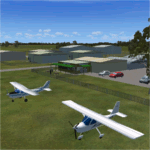
'North Victoria v2' is made to match ORBX Australia v2 scenery. Use 'YBLA Benalla' 'YECH Echuca' 'YYWG Yarrawonga' for ORBX v1 or no ORBX. There are 3 airports YBLA Benalla YECH Echuca YYWG Yarrawonga. ORBX has done these as they have done every airport included with FSX in Australia to a reasonable standard. If I had not already done them for ORBX V1 I would not have bothered. However these are better than ORBX because the surroundings have been modified to match real life. Towns have been added or shifted. Forests cut down or added. There are also custom accurate versions of the actual terminal buildings/hangers. In short a lot more time spent. ORBX had to do every airport has in Australia! Orbx have AI traffic files that cover all 3 airports. These files are for Flight Simulator X. Made using Airport Design Editor using some objects borrowed from Robert Budd's excellent Baccus Marsh and 'Static aircrafts' by Jean-Pierre Fillion. REQUIRED The scenery is designed to interface with ORBX FTX_AU V2 scenery for Australia (payware).
| Filename: | North_Victoria_v2_for_ORBX_v2___YBLA_Benalla_YECH_.zip |
| License: | Freeware |
| Added: | 2nd November 2019, 18:57:53 |
| Downloads: | 325 |
| Author: | Colin Jeffery |
| Size: | 10.01 MB |


© 2001-2026 AVSIM Online
All Rights Reserved
Privacy Policy |