
Where Flight Simulation Enthusiasts Gather from Around the World!
AVSIM Library - Search Results

| Category: Prepar3D V5 - Aircraft Repaints, Textures and Modifications | |
| Captain Sim B767-II Varig Airlines PP-VOI |

|
Images related to this file:
File Description:
Enclosed is a Varig (PP-VOI) repaint for the Captain Sim B767-II with the GE Expansion. This repaint was built in P3D v5.2.
This particular aircraft, PP-VOI (SN 24752), is a GE CF6-80C2B6 powered variant and was delivered new from Boeing to Varig (Viação Aérea Rio-Grandense) Airlines on December 12, 1989.
The relatively new ETOPS-120 certification was first awarded for TWA's B762's in May 1985 with ETOPS-180 certification for GE equipped B767's approved in 1989 through the demonstrated reliability and the continued confidence from the design of this long haul, wide bodied, twin engined aircraft.
PP-VOI was the first of sixteen B767-300's delivered that, along with the new fleet of MD11's, were intended to support Varig's long haul network and replace the aging, expensive, and limited numbers B747-300 fleet, with plans of further route expansion.
She was adorned from delivery with the "classic/retro" paint scheme seen here, which was prominent for Varig Airlines between 1961 and 1996. VOI served both scheduled and chartered North American, South American and Trans-Atlantic International Routes in this livery from Varig's bases in Rio de Janeiro (SBGL) and Sao Paulo (SBGR) for almost a dozen years before being repainted in the "newer" 1996 design scheme.
This particular airframe continued to serve Varig Airlines (once Brazil's Flag Carrier) until that airline's unfortunate split/financial restructuring into Flex Linhas Aéreas and Gol Airlines in 2006, continuing to fly charter routes for Flex until 2010.
Between 2010 and 2015, this airframe went on to be leased to Business Air Thailand continuing to fly passenger charter revenue flights under registration HS-BIC.
As of December 2021, this particular airframe continues to fly freight (an ERBDSF conversion) since 2016 for Kalitta Airways under contract to DHL as registration N761CK.
Hope you enjoy the photos and the brief history of this particular B767-341ER!
Note: This repaint was completed for the CS B767-II with the GE Expansion.
| Filename: | Captain_Sim_B767II_Varig_Airlines_PPVOI.zip |
| License: | Freeware |
| Added: | 17th December 2021, 17:11:16 |
| Downloads: | 65 |
| Author: | Rob Meier |
| Size: | 95.12 MB |
| Category: Flight Simulator X - Utilities | |
| FSDbBuild V1.0.2 for FStarToFS2K (Fully functional Release with Installer) |
|
File Description:
FSDbBuild is a Supplement for FStarToFS2K, it provides the possibility to build or update the Airport/Runway Database as used in FStarToFS2K. This Database is required because the from Jeppesen FliteStar/FliteMap exported Flight plans lack some important information as provided by FliteStar/FliteMap. The exported Flight plans don't provide the Information for the Departure Runway, which is a Requirement in Microsoft Flight Simulator 2000/2002/2004/FSX and Lockheed Martin Prepar3D.
In this current Version of the Utility, only the old plain Text-type Airport/Runway Data file - a Relict from Erni Alston's FSBuild 1.3.9 around the Year 2000 or even older - will be created, accompanied by a simple Indexing Mechanism Index file to speed-up the Search. A future Release will create a SQLite Database, which will be implemented also in FStarToFS2K V1.2.0 which will be released within the coming Weeks or Month. In Fact, this Airport/Runway Data file could also be used by Erni Alston's FSBuild, if there are any Users still around of this Flight Planning Software from 2000.
This program evolved from the necessity, that the with FStarToFS2K Program Package supplied Airport/Runway Data file was totally outdated, dating back to 2000 or even older! This shortcoming will now be eliminated, the User has now the possibility to build the Information according to the Data contained in his installed Microsoft Flight Simulator 2000/2002/2004/FSX or Lockheed Martin Prepar3D according the Scenery Configuration. For Installation and other Information consult the FSDbBuild Readme.txt file in the Zip-file.
Several Issues have been discovered and (hopefully) fixed. The detection of any Flight Simulator (MS FS 2002/2004/FSX or LM P3D V1.x) works now also correctly, also on 64bit machines. If you have the previous Versions of FSDbBuild (V1.0.0 & V1.0.1) installed, you should install now V1.0.2. Please note, this Utility is not only for Microsoft Flight Simulator X, it also supports Lockheed Martins Prepar3D V1.x!
| Filename: | FSDbBuild_V102_for_FStarToFS2K_Fully_functional_Re.zip |
| License: | Freeware |
| Added: | 25th July 2014, 00:00:24 |
| Downloads: | 396 |
| Author: | Conrad F. Staeheli |
| Size: | 4.43 MB |
| Category: Flight Simulator X - Aircraft Repaints, Textures and Modifications | |
| Airlift International C-46 1965 |
|
Images related to this file:
File Description:

This is a repaint of the C-46 in Airlift International 1965 colors. The freeware C-46 by Libardo Guzman and Tom Gibson is needed for this repaint. My previous uploads were the of Riddle Airline's fleet. This is a continuation of that airline's affairs. Riddle Airlines faced financial difficulties and in June 1962 all services were suspended. This crisis led to a reorganization of the airline in July 1962, under an entirely new management team. Subsequently, the airline was renamed Airlift International on November 29, 1963, and the corporate takeover took effect in March 1964. Airlift, got off on the right foot as they received 31 of Riddle's aircraft. They started international operations to Rome and Milan with their solo DC-8F aircraft, with another DC-8F joining the fleet in June 1964. By 1965 Airlift was on cloud nine as they earned and a net profit of $1,744,907. In 1966 they were able to take over Slick Airways, itself a big cargo carrier. In fact, it was previously the largest all-cargo airline in the USA, in 1951. Also, in 1966 they recorded a net profit of $3 million dollars. Airlift went from strength to strength, posting profits, and enhancing the quality of their fleet. In 1967 they received L-100 Hercules, 727-172Cs, and 707-365Cs. In 1970 however, they had a downturn due to the U.S. recession, and cutbacks in Vietnam airlift operations. For Airlift the 1970s did not allow them to reach the heights of the 1960s. They battled on, but financial problems plagued them that by 1981 Airlift had no physical assets and only $44,000 in cash on hand. They almost collapsed that year, but with restructuring, and a few ups and downs, they survived until 1993, when they eventually ceased operations. This repaint is of an Airlift C-46 (N75388) which was with the airline from 1956 to 1966.Airlift International had a lot of C-46s in their fleet over the years, 48 in total. N75388 was with Airlift from 1963 to 1966. Before that it was with Riddle Airlines from 1956 to 1963. This repaint was tested on FSX-SE. Textures are 32bit bmp. It should work on FSX, P3D v1-3, & FS2004.
| Filename: | Airlift_International_C46_1965.zip |
| License: | Freeware |
| Added: | 16th April 2019, 22:50:05 |
| Downloads: | 178 |
| Author: | Ted Giana |
| Size: | 4.14 MB |
| Category: Flight Simulator X - Original Aircraft | |
| Grumman "Turbo" Goose for FSX |
|
Images related to this file:
File Description:
FSX version that modifies default or OzX Redux Grumman G21A Goose into a G21G turbine-powered Goose. It is a "revised" model built with GMax and FSDS based on the default FSX Grumman Goose model file and adds a completely new aircraft to your simobjects folder. That said, you must have either the default flyable FSX Grumman G21 Goose (FSX Deluxe or higher) or the OzX Grumman Goose G21a Redux HP model installed for this modification to work. I do not know if it will work in the FSX-SE version, but I believe it will. Nor do I know if it will work in any version of P3D. All I can suggest is try. This download “accesses†your existing Goose texture folders to turn that Goose into a Turbine Goose. It does not modify your existing Piston Goose install, so you will have the Piston Goose as flyable options. It only uses the default files to generate the visual display of the texture in the Turbo Goose. I did this to avoid any perceived or potential copyright violations. They will not work on any other version of the Grumman G21A Goose and will not make the AI Goose that comes with FSX Standard a flyable aircraft. The Turbine Goose has 2 680hp P&W PT6A-27 turboprop engines to replace the Wasp R-985 radials and seats 9 passengers and the pilot. The payload and aircraft weight is almost double that of the piston-powered Goose and has an 800 to 1,000 nm range, burning JetA instead of 100LL. The constant speed 3-blade propellers have reverse pitch and give the Turbo Goose a 2,000 fpm climb and 200+ knot cruise airspeed. This is my first attempt at aircraft modeling with GMax, so it is not a "payware" quality model, but I have flown it over 2,000 miles in FSX and enjoyed every minute of it. Uses a modified FDE and airfile by permission from Pam Brooker, default FSX Kingair 350 turbine gauges, and either the default FSX Kingair 350 sound file or the incredibly great sounding TPE331 sound file by Alex Jorda.
| Filename: | Grumman_Turbo_Goose_for_FSX.zip |
| License: | Freeware |
| Added: | 28th October 2018, 02:04:47 |
| Downloads: | 1,399 |
| Author: | Randy Tyndall |
| Size: | 95.03 MB |
| Category: Prepar3D V1-4 - Scenery | |
| EDJA Allgäu Memmingen (DE) - V1 |
|
Images related to this file:
File Description:
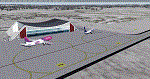
Airport: Allgäu (DE) EDJA V1
Release: January 2018
Simulation: P3D v4.1
This scenery is an update of the stock Airport (ICAO code: EDJA).
"Memmingen Airport (IATA: FMM, ICAO: EDJA), also known as Allgäu-Airport Memmingen, is an international airport in the town of Memmingerberg near Memmingen, in the Swabia region of Germany. It is the smallest of the three commercial airports in Bavaria after Munich Airport and Nuremberg Airport and has the highest altitude of any commercial airport in Germany. It is operated by Allgäu Airport GmbH & Co. KG, a limited partnership of 71 mostly local, medium-sized companies with only minor public shares.
Located about 3.8 km (2.4 mi) from the centre of Memmingen and 110 km (68 mi) from the city centre of Munich, it serves Memmingen and the Allgäu area and also provides a low-cost alternative to Munich Airport and therefore is sometimes referred to as Memmingen/Munich-West Airport or similar by some low-cost airlines, despite the fact that it is 110 kilometres from the centre of Munich. It mostly features flights to European leisure and some metropolitan destinations and handled nearly 1,18 million passengers in 2017."
Source: Wikipedia, the free encyclopedia
Link: https://en.wikipedia.org/wiki/Memmingen_Airport
What to expect?
The entire airport has been updated with correct RWY, Taxiways, APRON's, COMM's (ATIS, GND, TWR), markings and some objects. RWY 24 got it's ILS and go arround information acc. to the charts. The main Terminal is a custom building with custom day and night textures. Also all ground textures are custom made. Other objects INCLUDING the tower are from stock ADE!
In time I will add more custom buildings to further releases of this airport. Currently I have already started to work on the Tower building.
Ground textures will not receive shadows unless you turn "Buildings" receieve shadows to ON!
General:
I'm not a proffessional scenery builder or texture artist but I did try to do my best to update the stock Airport and offer it as freeware to the simming community. I have tested the scenery and did not find any issues with it. GSX services work, AI traffic with Ultimate Traffic Live works, COMM's work, APPR on ILS24 does work, and so on.
Entire work and object placing has been done using a photo overlay image from Google Earth, yet don't expect a photoreal scenery. The used background image has been removed due to Google's copyright policy.
Big thanks to the guys from FS Developer (Don, Arno) who I have kept busy during the birth of the scenery and those who offered the tools to build it (ADE, MCX, Sketchup, Gimp,...).
| Filename: | EDJA_Allgu_Memmingen_DE__V1.zip |
| License: | Freeware |
| Added: | 21st January 2018, 17:07:14 |
| Downloads: | 1,623 |
| Author: | Gerald Krutsch |
| Size: | 19.08 MB |
| Category: Flight Simulator X - Scenery | |
| Mesolonghi Airport - Rio-Antirio Bridge - Greece ** UPDATED VERSION ** |
|
Images related to this file:
File Description:
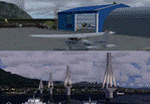
These are actually two sceneries offered in one pack. I started building the small airport of Mesolonghi in Western Greece. When nearing completion, I thought that FS was really missing the big suspension Bridge that connects mainland Greece with Peloponese that was finished in 2004, being the biggest in the world of the fully suspended type. The bridge project turned out bigger than the airport as I ended up doing the typical, Greek-style double ended ferries that served the straights for decades before the bridge and still offer a cheaper and, to some, more relaxing alternative.
Mesolonghi airport is situated 5 kilometers east of the historic city of Mesolonghi and is close to the technical school of fisheries. There is no ICAO code (ZZZZ) so I had to give it the fictional LGME in the sim. A purely day field, it houses the local Aeroclub and ultralight school. due to its small size and hospitable atmoshpere, it is a popular GA pilots destination, receiving also often international arrivals. The runway is asphalt and 800m (2635') in length. No PAPI or VASI are provided. There is no tower service and unicom frequency of 119.7MHz is used by the traffic. Closest controlled airport is Araxos (LGRX), a civil and military field, quite common in Greece, 12.5 nautical miles S-SE. The nearby city of Mesolonghi is famous for its heroic resistance and fall in 1826 during the Greek war of indepence. It is also famous for its fishery production, due to the natural lagoon, formed by the shallow waters.
Features of the Mesolonghi airport scenery include:
- Photoreal area with seasonal variations and watermask.
- Custom hangars and containerised buidings.
- AI default trike performing TnGs (in P3D it will work only if you copy over the FSX trike).
- The technical shool of fisheries on the north side.
- Customized shorelines, to fit with ORBX Global Vector.
- Optional shoreline fix for default scenery.
The Rio-Antirio bridge is located 14.5 nautical miles to the east of the airport. It connects the towns of Rio on the south side and Antirio on the north side. More data on the bridge can be found on Wikipedia.
Features of the Rio-Antirio bridge scenery include:
- Custom bridge model, bump mapped textures with hard platform surface and vehicle traffic.
- Night lighting textures and custom roadlights.
- Photoreal scenery for north and south shores, including hand placed autogen and night textures.
- Custom castle models on north and south sides, with bump mapped textures and night lighting.
- Custom model of the toll post on the north side.
- Custom AI ferry boats with constant shuttle service between Rio and Antirion piers.
- Customized shorelines, to fit with ORBX Global Vector.
- Optional shoreline fix for default scenery.
- Optional HDR optimized photoreal textures.
| Filename: | Mesolonghi_Airport__RioAntirio_Bridge__Greece___UP.zip |
| License: | Freeware |
| Added: | 16th March 2016, 09:15:21 |
| Downloads: | 2,627 |
| Author: | Vassilios Dimoulas |
| Size: | 300.05 MB |
| Category: Microsoft Flight Simulator (2020) - Utilities | |
| Flightplan Visualizer 1.18 |
|
Images related to this file:
File Description:
Flightplan Visualizer (FV) version 1.18.0. Copyright 2018-2020 by Pelle F. S. Liljendal ([email protected]), all rights reserved.
FV comes with 787 pre-imported Commercial AI flightplans (+380 BizJet flightplans are available as a separate download). However you are able to import additional (AI) flightplans yourself. Once imported these (AI) flightplans can be visualized on a map-view, and the user will be able to search accross all these. Hence you can use the program as inspiration as to which routes to fly. E.g. you can search across all imported flightplans to find all flights in an A321 flying into/out from LDDU, or simply to look for all flights in a Boeing 747-8F.
Simply run the included installer to install the software. The program will be installed into "C:\Program Files (x86)\Flightplan Visualizer" and all datafiles will be installed into: "C:\Users\[UserName]\AppData\Roaming\FlightplanVisualizer". The program comes with a full manual explaining everything, and a 3 page quick manual to get you started. The first 3 times you run the program the quick manual will automatically open. The forum is hosted here: https://forum.aerosoft.com/index.php?/forum/919-flightplan-visualizer/
Version 1.18 Contains the following changes:
- GREATLY improved the search-legs feature (by a factor of +50).
- In the past the application was forced to 32 bit. This is no longer the case, hence if needed its able to allocate more memory than before. I have never heard of anyone getting an "out of memory" exception, buy anyway.
- In the settings form, the field for entering the path to where to look for the Make Runways -files, have been replaced with a (MRU) combo-box, remembering the last 5 paths entered. So now you don't need to remember these paths each time you want to change it (e.g. if you switch between a set of files generated for P3D and another generated for MSFS). Remark that when this path is changed, FV will automatically restart when saving the settings, as the MkRwy-data are only loaded at startup.
- Added new command-line argument /MkRwy="G:\FS\MakeRunways". If this argument is set, FV will try to locate the files generated by Pete Dowson's MakeRunway in the specified folder, no matter the value of the MkRwy-path set in the settings-form.
- Added new command-line argument /FilePrefix=XXX. If this prefix is set (in the short-cut starting FV) it will look for files in the UserData-folder using this prefix and an underscore (e.g. open "XXX_UserAirportInfo.xml" in stead of "UserAirportInfo.xml"). If FV is started with this argument it will be displayed in the caption of the main-form to notify the user "which prefix is in use".
- Added new command-line argument /ForceReprocessFlightplans which forces all flightplans to be reprocessed on startup (e.g. process all airport redirections according to loaded redirection file).
- Added new command-line argument /? or /help. Using either of these, or having specified a wrong command-line argument will show a small example of the correct way to use these arguments.
- Added a new "Auto-activation prefixes" entry field to the "Edit owned aircraft" form where you can now enter a comma separated list of prefixes for which each aircraft should set to active. If entered, the aircraft will automatically be set active when FV have been started with the /FilePrefix argument set to the entered value (e.g. P3D). If one or more prefixes have been entered into this field, and FV have been started with another prefix, those aircraft will be set to not-active.
- Added new setting to reprocess all loaded flightplans on startup if FV was started with another /FilePrefix argument than used the previous time FV was started (e.g. if you switch between two different simulators).
- Improved how pseudo-airports tries to look-up airport data from the bundled airport-database. So there is now a higher chance that: name, country/state, and time-zone will be populated with useful data for the pseudo airports.
- In previous versions when opening the airport-info form, the checkbox "Exclude small/grass/dirt" (runways) was always checked, meaning you had to uncheck this checkbox before being able to see any runway-information for small airports. In this version a new setting have been added where you can chose if this checkbox should default to being: Checked, Unchecked or (default) Automatic. if choosing "Automatic", this checkbox will default to un-checked for airports only having few/small runways.
- Redesigned the settings-form so things are less "cluttered", and it will be more easy for me to add additional items in the future.
- The Search Airport form now contains fields that lets you specify min/max criteria for rwy-length and airport elevation, and min/max distance to a specified airport (e.g. find all airports within 20-50 Nm of XXXX). Also you can specify required rwy-type (e.g. "All Hard", "Have Soft" ...).
- Added an "Edit" menu-item to the context menu in the Search Airport form, which opens the Airport Info form, and returns back to the Search Airport form (e.g. see details for a few found airports before chooing one of them).
- If Transition Altitude (TA) is not known for a particular airport, the program will now try to estimate TA based on nearby airports in the same country, where those nearby are weighted more than those further away (its not perfect, but "better" than 0). An estimated TA will be postfixed by a asterisk to mark that it is estimated.
- Minor (internal) changes to the automatic version-check.
- Fixed: Issue importing some AigFP flightplans where airports were being redirected (e.g. "AIG_AviaTrafficCompany_Winter_2019-2020v2").
- Fixed: Using the context menu in the list-view showing all owned aircraft, the changes were sometimes not saved.
- Fixed: In the conversion-form when converting weight/volume into US-Gal, the calcuation was wrong (converting from US-Gal was not an issue).
- Fixed: In the leg-info report the value of Transition Altitude was in some cases used in stead of the length of the longest runway.
- Fixed: Leg-info report only contained taxi-out time for all airports. Now it only contains the taxi-out time for the departure airport, but both departure- and destination airports contains a taxi-in time.
- Fixed: In some cases an airport that was currently being edited, could be edited in another window at the same time (opening multiple Airport Info forms).
- Data: The bundled airport-database had a MAJOR face-lift. Various data were corrected, and it have more than doubled in number of airports/helipads contained within the database.
- Data: Improved detection of aircraft-type "IAI 1126 Galaxy" (as "Gulfstream G200"). Thanks to Bruce Nicholson for notifying me of the issue when importing a particular AIG flight-plan.
- Flightplans: All new/updated flightplans have been added to the installer, and all obsolete/defunct have been marked/removed. A total of 787 active flightplans are bundled with the installer.
Pelle
| Filename: | Flightplan_Visualizer_118.zip |
| License: | Freeware, limited distribution |
| Added: | 9th November 2020, 20:09:24 |
| Downloads: | 479 |
| Author: | Pelle Liljendal |
| Size: | 34.48 MB |
| Category: Flight Simulator X - Scenery | |
| Carnes Farm |
|
Images related to this file:
File Description:
These are the files that I talked about in the Prepar3d forums. I created these objects for Fs9, then upgraded them to the scenery SDK for FSX. They were created 10 years ago in GMAX, and I have used them successfully ever since in Prepared 1.4 as well.
For some reason the individual farmhouse and other objects that I created are not showing up in Prepar3d version 2.0.
That's where you guys come in! These files are free to use in anyway you want as long as proper attribution is given, but, I would like you guys who have both Prepar3d 1.4 and 2.0 to try them out in both and report back to me as to whether you have the same problems that I do. That's your only fee. And I'd like you guys to give it a shot in both, or all four( I am not sure that they will work in FS9 anymore, but try it out. Unfortunately I can't recompile my FSX SDK Files back to FS9 if it doesn't work).
What's included:
1. Photo real scenery of Barbourville, 10 miles to the north west of stinking Creek where we live, and;
2. Photo real scenery of the farm area and stinking Creek, upon which I have placed my GMAX objects;
A. The farm house.Carnes Farm From the Bridge at 500 AGL.jpg
B. The barn, shed and the RV in back of the farmhouse.
C. A two-story long structure the top of which is an apartment but the bottom of which is a re-creation of Mama Carne's store, along with all the real wood floors shelves and original contents.. It is also o n Google earth in 3-D as it is here with further description .
... A little note on Gmax.. Mama Carne's store was one the first structures that I built in Gmax. It was just a box. Later, I added the true architectural features that you see including the steps and rails which took about as long to create as it would have to Saw and fit and hammer the real rails, risers and steps.
D. K-6, my little 2300 foot strip for runways 03 and 21. It has VOR - (117.55), ILS(110.1), and NDB(222).
E. Gerald Bingham's house, 1/4 mile up Warriors Path North from us.( mostly dirt road with gravel topping).
F. Dewitt Baptist Church.
Off property Knox county
G.Escoe's Store and Post Office complete with great prices for gas at the included pumps.
Escoes.jpg
H. Rex allen's killer corner...sheds and farm equipment on the sharpest bend on Stinking Creek...my son went off it with a flat tire, unscathed, but more than several have lost their lives on that curve... there may be several iterations of the sheds...just delete or rename the wrong ones...I was experimenting with ModelConverterX, Arno Gerretsen's wonderful model and object scenery tool.
I. sitting on top of the Barbourville Photo real scenery Barbourville PhotoReal over the shopping center.jpg is the Barbourville P3D Shopping Center2.jpg shopping center all the stores and all the storefronts ... it's on 25 E. as you head into Barbourville.
Recreated, is the entire shopping center with the now outmoded Wal-Mart sign. Probably my magnum opus.
note on the Gmax scenes.
All of the scenery was either directly measured and if not practical for a such a long measuring device, walked off, as in the Stinking Creek Bridge and shopping center. All of the objects were then photographed, in 360° where possible and saved as texture for inclusion in the Gmax model.
Enjoy!
...oh... how do you get there? Wellllll.... situate yourself at Middlesboro (1a6), and tune your Nav radio to K-69's VOR, 117.55, take off and climb to 3500 feet...grinnnnn
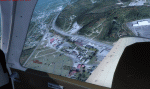
Welcome to Knox County Kentucky!
| Filename: | Carnes_Farm.zip |
| License: | Freeware |
| Added: | 2nd December 2013, 05:34:20 |
| Downloads: | 453 |
| Author: | Chas Honce |
| Size: | 91.13 MB |
| Category: Microsoft Flight Simulator (2020) - Utilities | |
| Flightplan Visualizer 1.19 |
|
Images related to this file:
File Description:
Flightplan Visualizer (FV) version 1.19.0. Copyright 2018-2021 by Pelle F. S. Liljendal ([email protected]), all rights reserved.
FV comes with 1164 pre-imported AI flightplans (of which +380 are BizJet flightplans, the rest are commercial). However you are able to import additional (AI) flightplans yourself. Once imported these (AI) flightplans can be visualized on a map-view, and the user will be able to search accross all these. Hence you can use the program as inspiration as to which routes to fly. E.g. you can search across all imported flightplans to find all flights in an A321 flying into/out from LDDU, or simply to look for all flights in a Boeing 747-8F.
Simply run the included installer to install the software. The program will be installed into "C:\Program Files (x86)\Flightplan Visualizer" and all datafiles will be installed into: "C:\Users\[UserName]\AppData\Roaming\FlightplanVisualizer". The program comes with a full manual explaining everything, and a 3 page quick manual to get you started. The first 3 times you run the program the quick manual will automatically open. The forum is hosted here: https://forum.aerosoft.com/index.php?/forum/919-flightplan-visualizer/
Version 1.19 Contains the following changes:
- The release-version of the application is now aimed at 64-bit (granting access to more memory if needed). Enabling 64-bit adds a memory overhead of approx 50% compared to 32-bit, but its the "price to pay" to have access to more memory (for those of you with many active flightplans loaded into memory at the same time).
- FV can now connect to your simulator using FSUIPC (tested both with P3D and MSFS). By default you will have to manually connect/disconnect (using new menu-items in the File-menu). However in settings you can choose to do it automatic. When automatic-connection is selected the connect/disconnect menu-items becomes inactive.
- When connected to a sim, the location/heading of your aircraft can be displayed on the map, using an orange aircraft-marker, and hoovering the mouse over this marker will display some key data (GPS-location, altitude, heading, speed and so on).
- Added abillity to playback audio-files. In settings you can choose which audio-device to use, and set the volume at which these files are played (defaults to 50%). If volume>0 these files will automatically be played back whenever FV connects to/disconnects from the Sim.
- Added additional icons that are automatically selected to indicate when the program is connected to the simulator. Hence the icon in the main-form will indicate if FV is connected to a simulator or not.
- In the form for editing (user)-airlines and in the form for searching airlines the context menu now have a menu-item called "Show usage". When selected, it will generate a report showing all the (active) flightplans in which the airline is used.
- Added a new "Manual" check-box next to the load-factor when editing user-airlines. This check-box needs to be checked if you want to manually enter a load-factor. When not checked (default) the load-factor will automatically be set to the default value of the selected country.
- When editing user-airlines, the airline just added/edited will be visible and selected in the list-view. Likewise when deleting an airline, the previous item will be be visible/selected (in stead of always scrolling to the top afterwards, as in previous versions).
- The Insert/Delete keyboard-keys can now be used as shortcuts adding/deleting user-airlines and user-aircraft (both owned and types).
- The gate-map context-menu (Airport Info), now allows you to re-center the map (in case your have been panning the map, and can't locate the airport again).
- Added a new menu-item/form to calculate head/cross-wind from manually entered flight/runway-heading and wind-direction/speed. Don't forget the runways tab-page in the Airport-info form already calculates this for each runway (and wind-direction/speed is automatically obtained from METAR).
- Added a new menu-item/form to convert plain-text into morse-code. There is also a button that lets you listen to the generated morse-code, so you can practice your morse-code listening skills (e.g. entering an ILS/VOR-ident, to know which morse-code to listen for in the aircraft, to verify the correct ident is reqeived).
- The "Cruise speed" column have been removed from the aircraft tab-page of the Edit Flightplan form to make more room for the Carrier/Operator-columns. In the past these simply contained the ICAO for the airlines. Now it both contains: ICAO, IATA (if not blank) and Name.
- The criteria in the leg-search window now allows you to filter on departure/arrival week-days (e.g. only include flights departing a particular airport on a Saturday or Sunday).
- When using the flightplan-filter on the main-form, it will favour the current active flightplan (as in previous versions), however if not able to, it will select the first flightplan included in the filtered list (in stead of choosing "[None]").
- Improved import of AIGFP-flightplans where the airport is not contained within the embedded airport.txt file and is using a different ICAO-code in route-files (observed for "AIG_UTair_Summer2018v6" and "AIG_S7Airlines_Winter2019-2020v3").
- Added runway-info (for both Departure/Destination-airports) to the flightplan leg-report. For ILS-eqiupped runways its lists the ID (both as text, as morse-code), frequency and ils-slope.
- Morse-code also added to ILS-ID column on the "Runways" tab-page of the airport-info form. Above the list-view there is also a label showing the morse-code (using a larger font), and next to it there is a button that lets you listen to the morse-code.
- Traffic-pattern direction (for take-off and landing) are now displayed for each runway. These data are extracted from the scenery by MakeRunways, hence the info can't be "better" than the info in the scenery (hence most default airports simly shows 'Left').
- Current/peak- memory usage is now logged at various stages while running, and when closing the program. These values can also be observed opening the about-box, which will also forcefully append these values to the log.
- When using MkRwy with MSFS it can't obtain the country-name, hence these are taken from the airport-database embedded with FV. However the name for USA ("United States of America") is too long to be shown together with state-name, hence code have beed added it to shorten it to "United States" (which was the default country-name used in FSX/P3D).
- Changed font in Comments-box for user-aircraft to a fixed font, in case some users what to enter text "in columns" (e.g. if you make "tables" with speed-restrictions).
- Changed the color of the splitter-bars in the Airport-info and leg-search forms to a draker color, to better indicate where it is.
- The build-part of the version-number can now be ignored when performing the automatic version-check at start-up. This new setting is by default disabled. If enabled it will ignore changes from version 1.x.0 to 1.x.1 (e.g. an update from 1.19.0 to 1.19.1). However major/minor versions-updates (e.g. from 1.19.x to 1.20.x) will not be ignored.
- Fixed: Excessive logging while importing AIGFP flightplans removed (leftover from fixing a bug before the release of version 1.18).
- Fixed: When using kg in the leg-info report, the weight of Luggage incl. pax weight (shown in parentees) was wrong.
- Fixed: Button to open filter-manual on Gate-page of the Airport-info form was not visible/position was not fixed.
- Fixed: The wind-speed obtained from the METAR and used to calc head/tail-wind on the Runway tab-page of the Airport-info form, did not considder the unit (e.g. Khp or meters-per-second).
- Data: A VERY BIG THANK YOU to Bruce Nicholson for assistance updating the Airline-database, both with new/missing entries and marking defunct airlines as such.
- Data: A lot of "fictios airlines" was added as well. These are used for companies without official ICAO/IATA codes. To indicate they are fictios the ICAO-code is set to "---" and the IATA-code is used to indicate the kind of traffic (e.g. the combination "---/BZ" is used for biz-jet flights).
- Data: Also thanks to Bruce for pointing out that a few aircraft were not being detected as they should. So this version should do a better job with Cessna T206H, Cessna Citation SII/S550 and Global 7500.
- Flightplans: The bundled AIG flightplans have been updated to the latests versions/revisions available from AIG (there were a few defunct that was removed, a few new versions that was added, and a lot of new revisions being updated).
- Flightplans: Eric Steinmetz's Bizjet (AI) flightplans that have previously been available as a separate download are once again bundled with the installer (they are only installed if you choose the option during installation). These have all been updated to use the new "---/BZ" airlines (for companies without official ICAO/IATA-codes), and the Author/Provider have been set to "Eric Steinmetz"/"ESAI" (the previous/separate download was created before adding author/provider to the software).
Pelle
| Filename: | Flightplan_Visualizer_119.zip |
| License: | Freeware, limited distribution |
| Added: | 2nd May 2021, 00:02:01 |
| Downloads: | 280 |
| Author: | Pelle Liljendal |
| Size: | 35.71 MB |
| Category: Prepar3D V1-4 - Utilities | |
| Flightplan Visualizer 1.12 |
|
Images related to this file:
File Description:
Flightplan Visualizer (FV) version 1.12.0. Copyright 2018-2019 by Pelle F. S. Liljendal ([email protected]), all rights reserved.
FV comes with 540 pre-imported Commercial AI flightplans (+380 BizJet flightplans are available as a separate download). However you are able to import additional (AI) flightplans yourself. Once imported these (AI) flightplans can be visualized on a map-view, and the user will be able to search accross all these. Hence you can use the program as inspiration as to which routes to fly. E.g. you can search across all imported flightplans to find all flights in an A321 flying into/out from LDDU, or simply to look for all flights in a Boeing 747-8F.
Simply run the included installer to install the software. The program will be installed into "C:\Program Files (x86)\Flightplan Visualizer" and all datafiles will be installed into: "C:\Users\[UserName]\AppData\Roaming\FlightplanVisualizer". The program comes with a full manual explaining everything, and a 3 page quick manual to get you started. The first 3 times you run the program the quick manual will automatically open. The forum is hosted here: https://forum.aerosoft.com/index.php?/forum/919-flightplan-visualizer/
Version 1.12 Contains the following changes: ⦠Ability to automatically check for available program-updates. The actual download of the new installer is still a manual process, but the program will at least list the download-URL. However You cannot see this feature in action until the next version will be released ;-) Updated the flightplan file-format to accommodate changes in the latest versions of (AI) flightplans. The program remains backward compatible and can still read older flightplans, however these might “miss†some (at this time) non-essential information. As a result all “Wi18-19†and “Su19†(and a few “Su18) flightplans have been re-imported and have been bundled with the version 1.12 installer, using the new file-format. Added new "Generate redirection report" button to the redirection edit form. Pressing this button will generate- and display a report of all active pseudo airports and redirections per flightplan. Added new menu-item to re-process all flightplans, according to specified airport-redirections. The "UserAirportRedirect.xml" file bundled with the installer have been updated, based on output from the new "Generate redirection report". These updated airport-redirections have been used to re-process/update all flightplans bundled with the installer. Buttons have been added to the "Leg Info" which allows you to transfer data for a particular leg/flight from FV to SimBrief in order to kick-start your "paper work" for a flight to fly. The "Leg Info" form also got buttons to show decoded METAR/TAF, and the raw METAR/TAF is also embedded in the text copied to the clipboard (when pressing the appropriate button). In settings you can now speficy the path of the folder holding the files that MakeRunway generates (if not specified it will use the UserData folder). Once set to the folder where MakeRunway generates its files (e.g. the P3D folder), you only have to run MakeRunway, you no longer have to copy the 3 files to the UserData folder. A few new traffic-charts were added to the "Airport Info" form (traffic per: region, sub-region and country), and a combo-box was added to switch between inbound- and outbound-traffic. The "Nearby Airport" form that can be opened from the "Flightplan Import" form now have an extra comment-column with information about the non-pseudo/pseudo airports. The comment column on the airport tab-sheet of the "Flightplan Import" form now also contains more info about non-pseudo/pseudo airports. The Generic Randomizer form got a new button called "Pick random flight", which will display info for a flight, randomly picked from all flights for the selected flightplan, or last search. In the "Search legs" form, you can now enter multiple ICAO-codes (separated by comma) to search for flights to/from these (e.g. search for all flights to/from EBLG or ELLX, by entering "EBLG,ELLX"). If you press SHIFT while clicking the airport browser button, the selected airport will be added to the comma separated list. If you do not hold SHIFT, the list will only contain the newly selected airport. Added support for using FS Global Real Weather (FSGRW) as a Weather provider for METAR-messages (FSGRW does not support TAF-messages). To use FSGRW you must go to settings and specify a full path (including filename) of the file generated by FSGRW. When editing a flightplan the user will be warned if trying to close the form, if changes were made. The menu-item to generate report with all defuct-/obsolete flightplans have been removed from the main-menu, but can now be generated using a button on the "Enable/disable flightplans" form. Now all applicable authors are shown when hoovering the mouse over the flightplan combo-box when a search is active. In previous versions the "Edit" buttons next the flightplan combo-box (on the main form) was only active when a flightplan was selected. Now its also active when "[Last Search]" is selected. However it will instead launch the "Search Legs" form, where you can then edit the criteria of the search. A few airports and airlines have been added/updated in the data-files bundled with the updated installer to accommodate the additional bundled flightplans. The Beluga XL Freighter was added as well as many of the other aircraft were updated with various changes. Added support for a bunch of military aircraft: A6/AE6, A10, C5, C17, E2, E3, EF2000, F14, F15, F16, F18, F22, F35, F111, F117, JAS39, KC10, KC135, MiG 21/23/25/27/29/31, Mirage III/5/2000, Rafale, SU 17/20/22/24/25/27/30/32/34, V22. New "Exclude military aircraft" setting have been added (defaults to true). When true military aircraft will not be shown (can be changed in the settings form). Added new menu-item to load/display current log-file. FV tend to be somewhat memory-hungry while (re)loading all active flightplans, and you might see a peek in memory consumption. But from this release and forward it will try to free up most of the memory once all flightplans have been loaded. Minor changes to the "Enable/disable flightplans" form, to make it more responsive, and added a progressbar that is visible while flightplans are being moved, copied or deleted. Fixed: issue when trying to import a flightplan zip-file containing multiple "Flightplan_XXX" files. If the same zip contains multiple sets of matching files (Flightplan, Aircraft and Airport) the user will now be presented with a combo-box from where the user can pick which set of files to import (only the flightplan-file will be shown). Fixed: The file "f5.csv" was missing from previous installers. Fixed: issue with pseudo-airports when using the "Nearby airports" tab-sheet in the Airport Info form. Fixed: Saving a flightplan that was edited, it would try to save it in the (flightplan) [ROOT] folder even if it was loaded from a sub-folder. Now it will always try to save it in the same location with the same filename. If you want it saved elsewhere/with another filename use the "Save As" button in stead. Imported flightplans will still be saved to the [ROOT] flightplan folder. Fixed: Pressing ENTER in the Flightplan import/edit-form while the comments-field had focus, would close the form (saving the flightplan). Fixed: Result-viewer will no longer display with all text selected. Fixed: METAR/TAF decoder will no longer display with raw-message selected. Fixed: In some cases the program needed to be restarted if changes were made to the weather-provided data in the settings-form. Installer: Comes with +30 new pre-imported (Summer 2019) flightplans of which some are replacements of obsolete flightplans (from previous installers), and 2 of the "old" flightplans have been marked as defunct.
Pelle
| Filename: | Flightplan_Visualizer_112.zip |
| License: | Freeware, limited distribution |
| Added: | 23rd August 2019, 17:15:13 |
| Downloads: | 195 |
| Author: | Pelle Liljendal |
| Size: | 30 MB |


© 2001-2026 AVSIM Online
All Rights Reserved
Privacy Policy |