
Where Flight Simulation Enthusiasts Gather from Around the World!
AVSIM Library - Search Results

| Category: Flight Simulator 2004 - Original Aircraft | |
| Dassault Falcon 7x Pack |

|
File Description:
Dassault Falcon 7x Pack
Gold Livery
New GMAX model and Panel with full interior views and new day and night lights.
More accourate 32 sides fuselage and more realistic cockpit.
Texturized in new reflectve metallic colors with custom sounds, AI recognize and effects.
FSNavigator 460 (instruments only) Open pax door.
Optimized to cross Oceans around the world (5700 NM - 4,313 US Gallons).
| Filename: | Dassault_Falcon_7x_Pack.zip |
| License: | Freeware |
| Added: | 1st September 2003, 01:48:51 |
| Downloads: | 41,829 |
| Author: | Peter Brun/Mario Coelho |
| Size: | 18.68 MB |
| Category: Flight Simulator 2004 - Scenery | |
| Roxburgh Aerodrome - NZRX |
|
Images related to this file:
File Description:
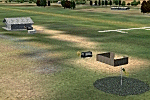
Situated between Dunedin and Queenstown, New Zealand. An important centre during the Central Otago goldrush of the 1860s, in more recent times Roxburgh has relied on a mixture of livestock and
stone fruit production. Roxburgh Trotting Club.
Made for Christian Stock's NZ mesh in the form of "Mountains of New Zealand" and topo in the form of "Lakes and Rivers of New Zealand".
| Filename: | Roxburgh_Aerodrome__NZRX.zip |
| License: | Freeware |
| Added: | 12th January 2011, 02:59:10 |
| Downloads: | 273 |
| Author: | Godfrey Tier |
| Size: | 1.28 MB |
| Category: Flight Simulator X - Original Aircraft | |
| SWISS Airbus A220-300 V6 |
|
Images related to this file:
File Description:

FSX SWISS Airbus A220-300 V6. Mainly the version 6 is for the new ground animations.
New animations and static display has been added from previous versions, including multiple animation effects to one object.
Aircraft cockpit featuring a new 2D panel.
Note: all CamSim aircraft models included exclusive Animated Ground Servicing (AGS) and static displays.
Model design and paint by Camil Valiquette.
| Filename: | SWISS_Airbus_A220300_V6.zip |
| License: | Freeware |
| Added: | 24th September 2018, 17:25:34 |
| Downloads: | 1,124 |
| Author: | Camil Valiquette |
| Size: | 10.49 MB |
| Category: Flight Simulator X - Original Aircraft | |
| SWISS Airbus A220-200 V6 |
|
Images related to this file:
File Description:

FSX SWISS Airbus A220-200 V6. Mainly the version 6 is for the new ground animations.
New animations and static display has been added from previous versions, including multiple animation effects to one object.
Aircraft cockpit featuring a new 2D panel.
Note: all CamSim aircraft models included exclusive Animated Ground Servicing (AGS) and static displays.
Model design and paint by Camil Valiquette.
| Filename: | SWISS_Airbus_A220200_V6.zip |
| License: | Freeware |
| Added: | 24th September 2018, 17:25:07 |
| Downloads: | 508 |
| Author: | Camil Valiquette |
| Size: | 10.43 MB |
| Category: Flight Simulator 2004 - Panels | |
| Boeing 737 Classic Analogue Panel PsPanel modification |
|
File Description:
New look for the 737 Ps panel by Paul Scarrat, no original panel needed.
Boeing Callouts of David MArshall included on the file
Early 737 Classic panel with all analogue engine gauges. Built from the ground up with all new XML gauges. New features include 6 mode EHSI with moving map, custom throttle, upper and radio stack panels.
Modification by David Gutierrez.
| Filename: | Boeing_737_Classic_Analogue_Panel_PsPanel_modifica.zip |
| License: | Freeware |
| Added: | 23rd December 2008, 16:49:41 |
| Downloads: | 6,505 |
| Author: | David Gutierrez (FeelRealDesigns)/Paul Scarrat/David Marshall |
| Size: | 11.93 MB |
| Category: Flight Simulator 2004 - Aircraft Repaints, Textures and Modifications | |
| United Express/Air Wisconsin Canadair Regional Jet 200 |
|
File Description:
A repaint of Project Opensky's CRJ-200 in the brand new United livery, first seen today San Francisco for the offical unveiling. The new livery was created to complete United's latest marketing themes, and give the carrier a fresh new look coming out of bankruptcy.
N466AW is one of Air Wisconsin's newest regional jets. Textures only, requires original aircraft by Project Opensky.
| Filename: | United_ExpressAir_Wisconsin_Canadair_Regional_Jet_.zip |
| License: | Freeware, limited distribution |
| Added: | 19th February 2004, 15:58:54 |
| Downloads: | 2,597 |
| Author: | Scott Sherman, Project Opensky |
| Size: | 2.28 MB |
| Category: Flight Simulator 2004 - Original Aircraft | |
| SWISS Airbus A220-300 AGS V6 |
|
Images related to this file:
File Description:

FS2004 SWISS, Airbus A220-300 AGS V6. Mainly the version 6 is for the new ground animations.
New animations and static display has been added from previous versions, including multiple animation effects to one object.
Aircraft cockpit featuring a new 2D panel.
Note: all CamSim aircraft models included exclusive Animated Ground Servicing (AGS) and static displays.
Model design and paint by Camil Valiquette.
| Filename: | SWISS_Airbus_A220300_AGS_V6.zip |
| License: | Freeware |
| Added: | 24th September 2018, 17:25:23 |
| Downloads: | 454 |
| Author: | Camil Valiquette |
| Size: | 3.06 MB |
| Category: Flight Simulator X - Original Aircraft | |
| FSX Delta Airbus A220-100 V6 |
|
Images related to this file:
File Description:

FSX Delta Airbus A220-100 V6. Mainly the version 6 is for the new ground animations.
New animations and static display has been added from previous versions, including multiple animation effects to one object.
Aircraft cockpit featuring a new 2D panel.
Note: all CamSim aircraft models include exclusive Animated Ground Servicing (AGS) and static displays.
Model design and paint by Camil Valiquette.
| Filename: | FSX_Delta_Airbus_A220100_V6.zip |
| License: | Freeware |
| Added: | 20th October 2018, 02:42:43 |
| Downloads: | 904 |
| Author: | Camil Valiquette |
| Size: | 10.5 MB |
| Category: Flight Simulator X - Scenery | |
| Stansted Xtreme |
|
Images related to this file:
File Description:
Extremely accurate scenery for London Stansted Airport. Includes large amount of animation vehicles, replacement AFCAD file. All textures made to the highest standard based on actual photographs. This new Version also has a new Lighting system, the renamed runway 22-04 and the new RyanAir Hanger
DEMO FILE, fully functional but has 'demo signs' - Full price £13.00(GBP)
| Filename: | Stansted_Xtreme.zip |
| License: | Commercial demo |
| Added: | 18th December 2009, 13:35:37 |
| Downloads: | 2,154 |
| Author: | G. Summons, UK2000 scenery |
| Size: | 44.88 MB |
| Category: Prepar3D V1-4 - Utilities | |
| Flightplan Visualizer 1.12 |
|
Images related to this file:
File Description:
Flightplan Visualizer (FV) version 1.12.0. Copyright 2018-2019 by Pelle F. S. Liljendal ([email protected]), all rights reserved.
FV comes with 540 pre-imported Commercial AI flightplans (+380 BizJet flightplans are available as a separate download). However you are able to import additional (AI) flightplans yourself. Once imported these (AI) flightplans can be visualized on a map-view, and the user will be able to search accross all these. Hence you can use the program as inspiration as to which routes to fly. E.g. you can search across all imported flightplans to find all flights in an A321 flying into/out from LDDU, or simply to look for all flights in a Boeing 747-8F.
Simply run the included installer to install the software. The program will be installed into "C:\Program Files (x86)\Flightplan Visualizer" and all datafiles will be installed into: "C:\Users\[UserName]\AppData\Roaming\FlightplanVisualizer". The program comes with a full manual explaining everything, and a 3 page quick manual to get you started. The first 3 times you run the program the quick manual will automatically open. The forum is hosted here: https://forum.aerosoft.com/index.php?/forum/919-flightplan-visualizer/
Version 1.12 Contains the following changes: ⦠Ability to automatically check for available program-updates. The actual download of the new installer is still a manual process, but the program will at least list the download-URL. However You cannot see this feature in action until the next version will be released ;-) Updated the flightplan file-format to accommodate changes in the latest versions of (AI) flightplans. The program remains backward compatible and can still read older flightplans, however these might “miss†some (at this time) non-essential information. As a result all “Wi18-19†and “Su19†(and a few “Su18) flightplans have been re-imported and have been bundled with the version 1.12 installer, using the new file-format. Added new "Generate redirection report" button to the redirection edit form. Pressing this button will generate- and display a report of all active pseudo airports and redirections per flightplan. Added new menu-item to re-process all flightplans, according to specified airport-redirections. The "UserAirportRedirect.xml" file bundled with the installer have been updated, based on output from the new "Generate redirection report". These updated airport-redirections have been used to re-process/update all flightplans bundled with the installer. Buttons have been added to the "Leg Info" which allows you to transfer data for a particular leg/flight from FV to SimBrief in order to kick-start your "paper work" for a flight to fly. The "Leg Info" form also got buttons to show decoded METAR/TAF, and the raw METAR/TAF is also embedded in the text copied to the clipboard (when pressing the appropriate button). In settings you can now speficy the path of the folder holding the files that MakeRunway generates (if not specified it will use the UserData folder). Once set to the folder where MakeRunway generates its files (e.g. the P3D folder), you only have to run MakeRunway, you no longer have to copy the 3 files to the UserData folder. A few new traffic-charts were added to the "Airport Info" form (traffic per: region, sub-region and country), and a combo-box was added to switch between inbound- and outbound-traffic. The "Nearby Airport" form that can be opened from the "Flightplan Import" form now have an extra comment-column with information about the non-pseudo/pseudo airports. The comment column on the airport tab-sheet of the "Flightplan Import" form now also contains more info about non-pseudo/pseudo airports. The Generic Randomizer form got a new button called "Pick random flight", which will display info for a flight, randomly picked from all flights for the selected flightplan, or last search. In the "Search legs" form, you can now enter multiple ICAO-codes (separated by comma) to search for flights to/from these (e.g. search for all flights to/from EBLG or ELLX, by entering "EBLG,ELLX"). If you press SHIFT while clicking the airport browser button, the selected airport will be added to the comma separated list. If you do not hold SHIFT, the list will only contain the newly selected airport. Added support for using FS Global Real Weather (FSGRW) as a Weather provider for METAR-messages (FSGRW does not support TAF-messages). To use FSGRW you must go to settings and specify a full path (including filename) of the file generated by FSGRW. When editing a flightplan the user will be warned if trying to close the form, if changes were made. The menu-item to generate report with all defuct-/obsolete flightplans have been removed from the main-menu, but can now be generated using a button on the "Enable/disable flightplans" form. Now all applicable authors are shown when hoovering the mouse over the flightplan combo-box when a search is active. In previous versions the "Edit" buttons next the flightplan combo-box (on the main form) was only active when a flightplan was selected. Now its also active when "[Last Search]" is selected. However it will instead launch the "Search Legs" form, where you can then edit the criteria of the search. A few airports and airlines have been added/updated in the data-files bundled with the updated installer to accommodate the additional bundled flightplans. The Beluga XL Freighter was added as well as many of the other aircraft were updated with various changes. Added support for a bunch of military aircraft: A6/AE6, A10, C5, C17, E2, E3, EF2000, F14, F15, F16, F18, F22, F35, F111, F117, JAS39, KC10, KC135, MiG 21/23/25/27/29/31, Mirage III/5/2000, Rafale, SU 17/20/22/24/25/27/30/32/34, V22. New "Exclude military aircraft" setting have been added (defaults to true). When true military aircraft will not be shown (can be changed in the settings form). Added new menu-item to load/display current log-file. FV tend to be somewhat memory-hungry while (re)loading all active flightplans, and you might see a peek in memory consumption. But from this release and forward it will try to free up most of the memory once all flightplans have been loaded. Minor changes to the "Enable/disable flightplans" form, to make it more responsive, and added a progressbar that is visible while flightplans are being moved, copied or deleted. Fixed: issue when trying to import a flightplan zip-file containing multiple "Flightplan_XXX" files. If the same zip contains multiple sets of matching files (Flightplan, Aircraft and Airport) the user will now be presented with a combo-box from where the user can pick which set of files to import (only the flightplan-file will be shown). Fixed: The file "f5.csv" was missing from previous installers. Fixed: issue with pseudo-airports when using the "Nearby airports" tab-sheet in the Airport Info form. Fixed: Saving a flightplan that was edited, it would try to save it in the (flightplan) [ROOT] folder even if it was loaded from a sub-folder. Now it will always try to save it in the same location with the same filename. If you want it saved elsewhere/with another filename use the "Save As" button in stead. Imported flightplans will still be saved to the [ROOT] flightplan folder. Fixed: Pressing ENTER in the Flightplan import/edit-form while the comments-field had focus, would close the form (saving the flightplan). Fixed: Result-viewer will no longer display with all text selected. Fixed: METAR/TAF decoder will no longer display with raw-message selected. Fixed: In some cases the program needed to be restarted if changes were made to the weather-provided data in the settings-form. Installer: Comes with +30 new pre-imported (Summer 2019) flightplans of which some are replacements of obsolete flightplans (from previous installers), and 2 of the "old" flightplans have been marked as defunct.
Pelle
| Filename: | Flightplan_Visualizer_112.zip |
| License: | Freeware, limited distribution |
| Added: | 23rd August 2019, 17:15:13 |
| Downloads: | 195 |
| Author: | Pelle Liljendal |
| Size: | 30 MB |


© 2001-2026 AVSIM Online
All Rights Reserved
Privacy Policy |