
Where Flight Simulation Enthusiasts Gather from Around the World!
AVSIM Library - Search Results

| Category: Flight Simulator X - Aircraft Repaints, Textures and Modifications | |
| De Havilland Beaver DHC-2 (G-DHCZ) |

|
Images related to this file:
File Description:
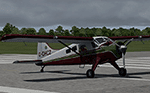
Beautiful restoration. As of 13/9/2014 G-DHCZ resided at Duxford and as far as I know is still there. Textures only for Milviz' DHC-2 Beaver. Paint is good for all iterations of MSFS
| Filename: | De_Havilland_Beaver_DHC2_GDHCZ.zip |
| License: | Freeware |
| Added: | 14th June 2017, 19:39:09 |
| Downloads: | 550 |
| Author: | Ron Attwood |
| Size: | 4.34 MB |
| Category: Fly! II - Scenery | |
| FS importer V 1.03 |
|
File Description:
This converter package takes ADD-ON MSFS sceneries and generates similar ones for Fly!II. A WINDOWS dialog application is provided. It can generate static 3D models (buildings, parked aircraft, vehicles, fences, taxi signs etc.), taxiways and can update Fly!II databases. The conversion process is automatic and produces ready-to-fly results. A dynamic loader is provided which can also maintain frame rates (FPS).
It now includes a UI and dynamically active runways. FSI can convert ADD-ON sceneries even if you do not have MSFS at all. See the README.TXT for more details.
| Filename: | FS_importer_V_103.zip |
| License: | Freeware |
| Added: | 6th February 2003, 23:54:41 |
| Downloads: | 1,467 |
| Author: | Padraic Morgan |
| Size: | 669.34 KB |
| Category: Microsoft Flight Simulator (2020) - Utilities | |
| FSTramp v8.84 for MSFS, FSX(-SE), Prepart3D, X-Plane (Win) |
|
Images related to this file:
File Description:

This add-on is an EXE application for Microsoft Flight Simulator and a DLL module for all other simulators. The DLL variant is activated via hotkeys or the simulator menu add-ons or plugins. Window size and layout are configurable for one or more screens. To avoid dazzling, the brightness of the entire application is customizable. Primarily it is a flight management system (FMS) with automatic control from start to landing. This also includes the observance of SID, STAR and Approaches in unmatched quality. The flight plan required for the FMS can be created manually or automatically, interactive changes and additions during the flight are possible. The basis of the flight planner is the 3D world map and the search function for airfields and navigation aids. The FMS by FSTramp relies on the autopilot of the aircraft. In case of incompatibility, the autopilot integrated in FSTramp will be used. This allows FSTramp to control almost all aircraft from airport to airport. The altitude profile of the flight plan, SID, STAR and approach is taken into account. This means that FSTramp extends the often incomplete airport procedures to and from the runway so that they can be flown completely automatically. During the fully automatic flight, the autopilot values ​​for HDG, ALT, VSPEED, SPD and MACH can be manually overridden. This is e.g. useful for being able to react to the instructions of the tower in the final approach without completely stopping the automatic flight. The rotating or north pointing 3D world map with numeric display of the terrain elevation under the mouse arrow is another special feature. It does not need an internet but is synthesized from included height profiles of the globe. The Data of continents, mountains and rivers are included in the setup. Airspaces, Airways, Waypoints and SID, STAR and Approaches are also included in the setup, but can be updated by installing additional AIRAC cycles. Airfields and navigation stations are taken from the simulator. NVIDIA: If the frame rate of the simulator drops sharply about 20 seconds after FSTramp's visibility, the power management of the GPU slows down prematurely. In the NVIDIA Control Panel, change the 'Manage 3D settings - Power management mode' option to 'Adaptive'.
| Filename: | FSTramp_v884_for_MSFS_FSXSE_Prepart3D_XPlane_Win.zip |
| License: | Shareware, time limited |
| Added: | 7th July 2023, 04:35:12 |
| Downloads: | 110 |
| Author: | Helge Schroeder |
| Size: | 358.21 MB |
| Category: Flight Simulator X - Utilities | |
| FSTramp v8.84 for MSFS, FSX(-SE), Prepart3D, X-Plane (Win) |
|
Images related to this file:
File Description:
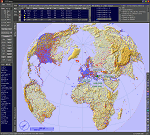
This add-on is an EXE application for Microsoft Flight Simulator and a DLL module for all other simulators. The DLL variant is activated via hotkeys or the simulator menu add-ons or plugins. Window size and layout are configurable for one or more screens. To avoid dazzling, the brightness of the entire application is customizable. Primarily it is a flight management system (FMS) with automatic control from start to landing. This also includes the observance of SID, STAR and Approaches in unmatched quality. The flight plan required for the FMS can be created manually or automatically, interactive changes and additions during the flight are possible. The basis of the flight planner is the 3D world map and the search function for airfields and navigation aids. The FMS by FSTramp relies on the autopilot of the aircraft. In case of incompatibility, the autopilot integrated in FSTramp will be used. This allows FSTramp to control almost all aircraft from airport to airport. The altitude profile of the flight plan, SID, STAR and approach is taken into account. This means that FSTramp extends the often incomplete airport procedures to and from the runway so that they can be flown completely automatically. During the fully automatic flight, the autopilot values ​​for HDG, ALT, VSPEED, SPD and MACH can be manually overridden. This is e.g. useful for being able to react to the instructions of the tower in the final approach without completely stopping the automatic flight. The rotating or north pointing 3D world map with numeric display of the terrain elevation under the mouse arrow is another special feature. It does not need an internet but is synthesized from included height profiles of the globe. The Data of continents, mountains and rivers are included in the setup. Airspaces, Airways, Waypoints and SID, STAR and Approaches are also included in the setup, but can be updated by installing additional AIRAC cycles. Airfields and navigation stations are taken from the simulator. NVIDIA: If the frame rate of the simulator drops sharply about 20 seconds after FSTramp's visibility, the power management of the GPU slows down prematurely. In the NVIDIA Control Panel, change the 'Manage 3D settings - Power management mode' option to 'Adaptive'.
| Filename: | FSTramp_v884_for_MSFS_FSXSE_Prepart3D_XPlane_Win.zip |
| License: | Shareware, time limited |
| Added: | 7th July 2023, 04:35:43 |
| Downloads: | 130 |
| Author: | Helge Schroeder |
| Size: | 358.21 MB |
| Category: Microsoft Flight Simulator (2020) - Aircraft Repaints, Textures and Modifications | |
| Zlin Savage Cub (SE-GCK) |
|
Images related to this file:
File Description:

This folder contains a repaint for the Zlin Savage Cub in MSFS2020. It shows SE-GCK, which in reality is a Piper Cub based in Sweden.
Repaint by Jan Kees Blom, based on the textures from MSFS.
| Filename: | Zlin_Savage_Cub_SEGCK.zip |
| License: | Freeware |
| Added: | 10th October 2020, 22:32:03 |
| Downloads: | 82 |
| Author: | Jan Kees Blom |
| Size: | 10.12 MB |
| Category: Microsoft Flight Simulator (2020) - Aircraft Repaints, Textures and Modifications | |
| Daher TBM French Army (160 ABV) |
|
Images related to this file:
File Description:

This folder contains a repaint for the Daher TBM930 in MSFS2020. It shows #160 ABV, which in reality is a Socata TBM700 of the French Army.
Repaint by Jan Kees Blom, based on the textures from MSFS.
| Filename: | Daher_TBM_French_Army_160_ABV.zip |
| License: | Freeware |
| Added: | 10th October 2020, 22:34:27 |
| Downloads: | 94 |
| Author: | Jan Kees Blom |
| Size: | 828.26 KB |
| Category: Microsoft Flight Simulator (2020) - Aircraft Repaints, Textures and Modifications | |
| Daher TBM (JA8894) |
|
Images related to this file:
File Description:
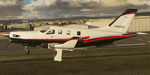
This folder contains a repaint for the Daher TBM930 in MSFS2020. It shows JA8894, which in reality is TBM-700 c/n 38, based in Japan.
Repaint by Jan Kees Blom, based on the textures from MSFS.
| Filename: | Daher_TBM_JA8894.zip |
| License: | Freeware |
| Added: | 23rd November 2020, 20:15:30 |
| Downloads: | 51 |
| Author: | Jan Kees Blom |
| Size: | 3.23 MB |
| Category: Flight Simulator 2004 - AFCAD Files | |
| Gothenburg - Landvetter, Sweden (ESGG) |
|
File Description:
AFCAD2-bgl-file for use with ESGG-Scenery (Goteburg-Landvetter) done by B.Härlin, B.Wiberg and J.Andersson (http://files.fsnordic.net/files/msfs/Scenery/Sweden/). Scenery was designed for FS2000 but is perfectly usable in FS9 and still great.
| Filename: | Gothenburg__Landvetter_Sweden_ESGG.zip |
| License: | Freeware |
| Added: | 1st November 2003, 16:25:28 |
| Downloads: | 1,205 |
| Author: | Benjamin Schumann |
| Size: | 3.68 KB |
| Category: Flight Simulator 2004 - Panels | |
| RealCRT Single Engine Prop Glass |
|
File Description:
A Next Generation panel for single engine props with retractable gear for MSFS 2004. Features large screen PFD, EHSI, moving map, GPS, FMC, and more. Requires the shareware REALCRT gauges and "NaVData" (nd2k_202.zip) by Tony D'Ambrosio.
| Filename: | RealCRT_Single_Engine_Prop_Glass.zip |
| License: | Shareware, time limited |
| Added: | 17th June 2004, 06:46:07 |
| Downloads: | 1,551 |
| Author: | Greg Gott |
| Size: | 2.63 MB |
| Category: Microsoft Flight Simulator (2020) - AFCAD Files | |
| Minor enhancements for LEAS - "Aeropuerto de Asturias" (Spain) - 17 |
|
File Description:
This is a version of the default MSFS scenery for LEAS "Aeropuerto de Asturias", with some minor but very necessary enhancements, made with the Alpha version of ADE 2020 (many thanks to Jon Masterson for his wonderful tool).
| Filename: | Minor_enhancements_for_LEAS__Aeropuerto_de_Asturia.zip |
| License: | Freeware, limited distribution |
| Added: | 5th March 2021, 04:19:12 |
| Downloads: | 63 |
| Author: | Felix Fernandez de Castro |
| Size: | 559 KB |


© 2001-2026 AVSIM Online
All Rights Reserved
Privacy Policy |