
Where Flight Simulation Enthusiasts Gather from Around the World!
AVSIM Library - Search Results

| Category: Flight Simulator X - Aircraft Repaints, Textures and Modifications | |
| Aena Boeing 727-200 Adv |

|
Images related to this file:
File Description:

Aena, S.A. It is a Spanish corporation that manages the airports and heliports in the general interest of the State in Spain. B727 One of the few that can still be seen in Spain. This, preserved by AENA in a place away from the slopes. I hope so, although the last pictures I've seen of him I think this almost scrapped. Full aircraft, addon FMC, Callouts, V-Speeds, GPWS. Model by Thomas Ruth, texture by Juan Villamor. See more at http://simrepaints.envaldemoro.com.
| Filename: | Aena_Boeing_727200_Adv.zip |
| License: | Freeware |
| Added: | 2nd December 2015, 21:16:25 |
| Downloads: | 975 |
| Author: | Juan Villamor |
| Size: | 34.99 MB |
| Category: Flight Simulator 2004 - Scenery | |
| Tibet Scenery v9.3 |
|
File Description:
This is very likely the final version of the Tibet AddOn Scenery for Microsoft Flight Simulators FS2004 both missing airports in Tibet ZULS LXA Lhasa Gongkar Airport (other names: Gonggar, Gonga) and ZUBD BPX Changdu International Airport (other names: Bangda, Bamda, Pomda, Qamdo). Includes Potala Palace, seasonal textures and new terminal at Lhasa. Corrected river and mesh. Now ready for AI traffic. Requires AFCAD files (download info in readme.txt). Please read the new installation manual in the readme.txt (english/german).
| Filename: | Tibet_Scenery_v93.zip |
| License: | Freeware |
| Added: | 29th November 2003, 11:45:36 |
| Downloads: | 3,942 |
| Author: | Jan Martin |
| Size: | 416.3 KB |
| Category: Flight Simulator 2004 - Scenery | |
| Key West EYW / KEYW |
|
Images related to this file:
File Description:

FRF Studio presents Key West, Florida. One of the smallest US airports to still host mainline service, KEYW has been modelled in great detail from the ground up. This project also reflects the recent upgrades to the main terminal. Static aircraft populate the tiny field as well as a representation of Hwy 1 which extends from Key West to mainland Florida via numerous island-hopping bridges. This scenery is compatible with FreeFlow Florida, and was made with FlightOne's Instant Scenery.
| Filename: | Key_West_EYW__KEYW.zip |
| License: | Freeware |
| Added: | 15th May 2011, 21:56:01 |
| Downloads: | 4,420 |
| Author: | www.FRFStudio.net / William Morgan |
| Size: | 15.03 MB |
| Category: Flight Simulator 2004 - AFCAD Files | |
| Republic Of Congo AFCADs |
|
Images related to this file:
File Description:

The Freightshifters 2013 brings you 32 AFCAD's for the Republic Of Congo for FS2004 (Not to be confused with the Neighbouring Democratic Republic of the Congo) - Included in this pack are AFCAD's based on Google Earth images where possible and best guess interpretation of most of the obscure Airfields and Dirt Strips listed in FS2004. They include basic Parking, Traffic Comm's frequencies and a tower view point for all AFCAD's, also included are minor Airports and Military Bases, more Info in the Readme.
| Filename: | Republic_Of_Congo_AFCADs.zip |
| License: | Freeware, limited distribution |
| Added: | 4th October 2013, 02:47:01 |
| Downloads: | 573 |
| Author: | Kevin McCarthy - Freightshifters 2013 |
| Size: | 28.5 KB |
| Category: Flight Simulator X - Scenery | |
| SVMI Simon Bolivar International Airport of Maiquetia |
|
File Description:
Simon Bolivar International Airport of Maiquetia (IATA: CCS, ICAO: SVMI) (Spanish: Aeropuerto Internacional de Maiquetia Simon Bolivar) is located in Maiquetia, about 13 miles (21 kilometers) from downtown Caracas, Venezuela.Simply called 'Maiquetia' by the local population, it is the top international air passenger gateway to Venezuela among the twelve international airports in the country.
This file has the right coordinates, with the apron and characteristics of the airport. The runways and runways were resized the gates placed on correct location.
| Filename: | SVMI_Simon_Bolivar_International_Airport_of_Maique.zip |
| License: | Freeware |
| Added: | 3rd April 2011, 00:02:43 |
| Downloads: | 5,037 |
| Author: | Anwar Gonzalez |
| Size: | 41.32 KB |
| Category: Flight Simulator 2004 - Scenery | |
| Jandakot Airport (YPJT) - Perth, Western Australia |
|
File Description:
Jandakot Airport for FS2004 only (FS2002 version also available). One of Australia's busiest general aviation airports. Package includes highly detailed photoreal scenery, accurate airport layout, immediate roads, lakes, tracks and other navigation points. Several reference points around Perth also included. All objects custom built for the scenery, all textures are photoreal. Pilot Activated Lighting functional (daytime), LOD models used throughout to assist performance. AFCAD and AI flight plans included. Please read user guide before installing. Designed by Westsim Design Group. http://www.westsim.com.au/
| Filename: | Jandakot_Airport_YPJT__Perth_Western_Australia.zip |
| License: | Freeware, limited distribution |
| Added: | 12th December 2003, 16:54:29 |
| Downloads: | 5,246 |
| Author: | Westsim Design Group - Jarrad Marshall, Derek Kippo and Leon Markich |
| Size: | 4.63 MB |
| Category: Flight Simulator 2004 - Scenery | |
| Melchior Ndadaye International Airport (HBBA) V1 |
|
Images related to this file:
File Description:
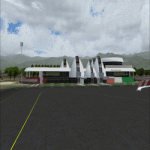
Hello FS9 sim fans who love flying in Africa, In my quest to bring you more African airports, I bring you Melchior Ndadaye International Airport (Fomerly Bujumbura International Airport) (IATA: BJM, ICAO: HBBA). This is Burundi's only internernational airport. Scenery was built using Sketchup, ADE,AFLT, SbuilderFs9. Trees Macros credit goes to Bill Melichar (tropical trees). Needs RWY12 object library for airport objects to show up. You can get RWY12 object library in AVSIM/Flightsim. See readme for install instructions
| Filename: | Melchior_Ndadaye_International_Airport_HBBA_V1.zip |
| License: | Freeware |
| Added: | 2nd January 2020, 20:24:57 |
| Downloads: | 627 |
| Author: | Emmanuel Mwandosya |
| Size: | 35.56 MB |
| Category: Microsoft Flight Simulator (2020) - Utilities | |
| Flightplan Visualizer 1.18 |
|
Images related to this file:
File Description:
Flightplan Visualizer (FV) version 1.18.0. Copyright 2018-2020 by Pelle F. S. Liljendal ([email protected]), all rights reserved.
FV comes with 787 pre-imported Commercial AI flightplans (+380 BizJet flightplans are available as a separate download). However you are able to import additional (AI) flightplans yourself. Once imported these (AI) flightplans can be visualized on a map-view, and the user will be able to search accross all these. Hence you can use the program as inspiration as to which routes to fly. E.g. you can search across all imported flightplans to find all flights in an A321 flying into/out from LDDU, or simply to look for all flights in a Boeing 747-8F.
Simply run the included installer to install the software. The program will be installed into "C:\Program Files (x86)\Flightplan Visualizer" and all datafiles will be installed into: "C:\Users\[UserName]\AppData\Roaming\FlightplanVisualizer". The program comes with a full manual explaining everything, and a 3 page quick manual to get you started. The first 3 times you run the program the quick manual will automatically open. The forum is hosted here: https://forum.aerosoft.com/index.php?/forum/919-flightplan-visualizer/
Version 1.18 Contains the following changes:
- GREATLY improved the search-legs feature (by a factor of +50).
- In the past the application was forced to 32 bit. This is no longer the case, hence if needed its able to allocate more memory than before. I have never heard of anyone getting an "out of memory" exception, buy anyway.
- In the settings form, the field for entering the path to where to look for the Make Runways -files, have been replaced with a (MRU) combo-box, remembering the last 5 paths entered. So now you don't need to remember these paths each time you want to change it (e.g. if you switch between a set of files generated for P3D and another generated for MSFS). Remark that when this path is changed, FV will automatically restart when saving the settings, as the MkRwy-data are only loaded at startup.
- Added new command-line argument /MkRwy="G:\FS\MakeRunways". If this argument is set, FV will try to locate the files generated by Pete Dowson's MakeRunway in the specified folder, no matter the value of the MkRwy-path set in the settings-form.
- Added new command-line argument /FilePrefix=XXX. If this prefix is set (in the short-cut starting FV) it will look for files in the UserData-folder using this prefix and an underscore (e.g. open "XXX_UserAirportInfo.xml" in stead of "UserAirportInfo.xml"). If FV is started with this argument it will be displayed in the caption of the main-form to notify the user "which prefix is in use".
- Added new command-line argument /ForceReprocessFlightplans which forces all flightplans to be reprocessed on startup (e.g. process all airport redirections according to loaded redirection file).
- Added new command-line argument /? or /help. Using either of these, or having specified a wrong command-line argument will show a small example of the correct way to use these arguments.
- Added a new "Auto-activation prefixes" entry field to the "Edit owned aircraft" form where you can now enter a comma separated list of prefixes for which each aircraft should set to active. If entered, the aircraft will automatically be set active when FV have been started with the /FilePrefix argument set to the entered value (e.g. P3D). If one or more prefixes have been entered into this field, and FV have been started with another prefix, those aircraft will be set to not-active.
- Added new setting to reprocess all loaded flightplans on startup if FV was started with another /FilePrefix argument than used the previous time FV was started (e.g. if you switch between two different simulators).
- Improved how pseudo-airports tries to look-up airport data from the bundled airport-database. So there is now a higher chance that: name, country/state, and time-zone will be populated with useful data for the pseudo airports.
- In previous versions when opening the airport-info form, the checkbox "Exclude small/grass/dirt" (runways) was always checked, meaning you had to uncheck this checkbox before being able to see any runway-information for small airports. In this version a new setting have been added where you can chose if this checkbox should default to being: Checked, Unchecked or (default) Automatic. if choosing "Automatic", this checkbox will default to un-checked for airports only having few/small runways.
- Redesigned the settings-form so things are less "cluttered", and it will be more easy for me to add additional items in the future.
- The Search Airport form now contains fields that lets you specify min/max criteria for rwy-length and airport elevation, and min/max distance to a specified airport (e.g. find all airports within 20-50 Nm of XXXX). Also you can specify required rwy-type (e.g. "All Hard", "Have Soft" ...).
- Added an "Edit" menu-item to the context menu in the Search Airport form, which opens the Airport Info form, and returns back to the Search Airport form (e.g. see details for a few found airports before chooing one of them).
- If Transition Altitude (TA) is not known for a particular airport, the program will now try to estimate TA based on nearby airports in the same country, where those nearby are weighted more than those further away (its not perfect, but "better" than 0). An estimated TA will be postfixed by a asterisk to mark that it is estimated.
- Minor (internal) changes to the automatic version-check.
- Fixed: Issue importing some AigFP flightplans where airports were being redirected (e.g. "AIG_AviaTrafficCompany_Winter_2019-2020v2").
- Fixed: Using the context menu in the list-view showing all owned aircraft, the changes were sometimes not saved.
- Fixed: In the conversion-form when converting weight/volume into US-Gal, the calcuation was wrong (converting from US-Gal was not an issue).
- Fixed: In the leg-info report the value of Transition Altitude was in some cases used in stead of the length of the longest runway.
- Fixed: Leg-info report only contained taxi-out time for all airports. Now it only contains the taxi-out time for the departure airport, but both departure- and destination airports contains a taxi-in time.
- Fixed: In some cases an airport that was currently being edited, could be edited in another window at the same time (opening multiple Airport Info forms).
- Data: The bundled airport-database had a MAJOR face-lift. Various data were corrected, and it have more than doubled in number of airports/helipads contained within the database.
- Data: Improved detection of aircraft-type "IAI 1126 Galaxy" (as "Gulfstream G200"). Thanks to Bruce Nicholson for notifying me of the issue when importing a particular AIG flight-plan.
- Flightplans: All new/updated flightplans have been added to the installer, and all obsolete/defunct have been marked/removed. A total of 787 active flightplans are bundled with the installer.
Pelle
| Filename: | Flightplan_Visualizer_118.zip |
| License: | Freeware, limited distribution |
| Added: | 9th November 2020, 20:09:24 |
| Downloads: | 479 |
| Author: | Pelle Liljendal |
| Size: | 34.48 MB |
| Category: Flight Simulator 2004 - Scenery | |
| Carrier Division Two off Cape Cod |
|
File Description:
This scenery places the two Yorktown-class aircraft carriers of the pre-WW2 U.S. Navy with a screen of four cruisers at sea 100 miles due east of Provincetown, Massachusetts, on the tip of Cape Cod. The ships are the Virtual Navy's Task Force 16 relocated and with the Hornet posing as the Yorktown. This package contains the carriers, cruisers, ship wakes, AFCAD files for all six ships and Arrestor Cables catch zones for the carriers. It provides start points on both carriers, on the catapults of all four cruisers, and in the water between the carriers for seaplanes. Also included are flight starts for Paul Clawson's Curtiss SOC Seagull on the catapults of the cruisers and for the plane of your choice on the carriers, and authentic repaints of the SOC for aircraft assigned to the cruisers plus one for the personal aircraft of the Admiral commanding CarDiv2. There is also a selection of Golden Wings splash screens featuring the ships and planes of CarDiv2. Carrier Division 2 is being released in celebration of Golden Wings 3, but works just as well in a standard FS9 installation. Catapult floatplane operations require the Carrier Operations Gauge Package and Paul Clawson's Curtiss SOC Seagull or another catapult floatplane. Ships and wake effects by The Virtual Navy, modified AFCAD files, SOC repaints, flights and ship placement by Mick Morrissey. A big Thank you to the Virtual Navy for allowing this use of their ships!
| Filename: | Carrier_Division_Two_off_Cape_Cod.zip |
| License: | Freeware, limited distribution |
| Added: | 17th September 2005, 12:50:26 |
| Downloads: | 3,294 |
| Author: | Mick Morrissey |
| Size: | 5.19 MB |
| Category: Flight Simulator 2004 - Miscellaneous Files | |
| Display Your Information on the Kneeboard - an Illustrated Tutorial |
|
File Description:
Display Your Information - an Illustrated Tutorial. Ever wish you could display information that is important to you without pausing the flight? You can, and it is easier to do than you might think. This illustrated tutorial will show you how to add your information to the kneeboard display of your favorite aircraft. No programming knowledge is needed. I use it to display radio frequency information for airports which have animated hanger doors. Compiled in .doc and .pdf formats for your flying enjoyment by David "Opa" Marshall.
| Filename: | Display_Your_Information_on_the_Kneeboard__an_Illustrated_Tutorial.zip |
| License: | Freeware |
| Added: | 3rd October 2005, 18:43:04 |
| Downloads: | 2,570 |
| Author: | David Marshall |
| Size: | 285.02 KB |


© 2001-2026 AVSIM Online
All Rights Reserved
Privacy Policy |