
Where Flight Simulation Enthusiasts Gather from Around the World!
AVSIM Library - Search Results

| Category: X-Plane - Original Aircraft | |
| Piaggio P180 Avanti II |

|
Images related to this file:
File Description:
Features:
-Flight model within 10% of the real aircraft (as per manual);
-Autopilot operations as the real aircraft;
-Many functions and screen indications are SASL driven;
-X-Plane 10 64 bit full compatible;
-Main landing gear object has added (was missing for XP10 in the previous version);
-Electronic checklist in MFD;
-Real clock functions;
-Engine indication turn red when limits exceeded;
-UFMC and X-FMC config files are included. Those files have been adapted specially for this aircraft;
-New 2-page checklist to be printed in a single sheet;
-Updated Operating manual;
-You can use now the condition levers and flap lever by mouse.
PAY ATTENTION:
Use caution when using the throttles! As in the real aircraft, be advancing the throttles too full, torque limits can be exceeded by a lot!
PLEASE: Any questions or problems post them to the forum for this aircraft. I'm visiting it daily so I can respond as quick as possible.
At last, I want to THANK Tony Day, who, with his experience and work, helped me to make this aircraft as real as possible.
| Filename: | Piaggio_P180_Avanti_II.zip |
| License: | Freeware |
| Added: | 24th April 2013, 23:20:42 |
| Downloads: | 631 |
| Author: | Ilias Tselios |
| Size: | 49.42 MB |
| Category: Flight Simulator X - Scenery | |
| NZWV - Waihi Beach Airfield, New Zealand |
|
Images related to this file:
File Description:
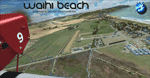
Waihi Beach (ICAO: NZWV) is a small airstrip north of Tauranga and near the small beach settlement of the same name, in the Bay of Plenty of New Zealand. It is a grass strip with offset thresholds giving usable landing lengths of 640m and 517m for RWY 13 and 31 respectively, a width of 55m and a group rating of 5. No night lighting or fuel is available. A very basic airstrip, there is only one recently built hanger and the airstrip is slowly being encroached on by
new housing developments. The airstrip itself is usually very sodden due to its low elevation but is a nice stop over for sightseeing from Tauranga and up the Coromandel peninsula.
The FSX model includes custom textures and models placed on a high resolution aerial image and a 15m mesh. It makes extensive use of items from the free VLC object libraries which are required to be installed (Available from www.vectorlandclass.co.nz Downloads menu). This scenery and
the VLC libraries have been funded by sales of VectorLandClass and although you do not need VLC to use it, your purchase helps further development.
| Filename: | NZWV__Waihi_Beach_Airfield_New_Zealand.zip |
| License: | Freeware, limited distribution |
| Added: | 1st November 2012, 10:01:38 |
| Downloads: | 1,006 |
| Author: | Tim Barnes / VectorLandClass |
| Size: | 11.13 MB |
| Category: Flight Simulator X - Scenery | |
| Goma Intl (FZNA) DRC and Gisenyi (HRYG) Rwanda |
|
Images related to this file:
File Description:
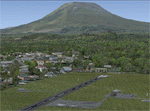
This project includes the neighboring Goma Intl (FZNA) and Gisenyi (HRYG) airports. After Goma's only runway was severely damaged by the eruption of Mount Nyiragongo in 2002, the runway, originally 3000m long, was reduced to 1800m of serviceable pavement after lava flowed onto the northern part runway and through the city center. In 2013, German NGO Welthungerhilfe ("World Hunger Aid") signed a contract to rehabilitate 500m of runway damaged by the lava flow. Goma resumed scheduled international flights in 2015, and this project reflects the airport as of March 2016, with runway 18/36 renumbered to 17/35. SRTMGL1 (30m) mesh brings the volcanoes in the area into much greater detail. This scenery is complimented by the Kigali Intl (HRYR) scenery (FSX_HRYR_Kigali_2016.zip).
Updates were created or rebuilt in a manner which carefully aligns airport data with current satellite imagery. Scenery was created using Airport Design Editor X v1.70.6042, SBuilderX 3.13, and the FSX Object Placement Tool. Scenery objects were added and modified from stock FSX scenery to resemble as closely as possible the actual airports. The FSX apron lights included are from the set created by Jim Dhaenens.
| Filename: | Goma_Intl_FZNA_DRC_and_Gisenyi_HRYG_Rwanda.zip |
| License: | Freeware |
| Added: | 4th August 2016, 21:11:20 |
| Downloads: | 2,276 |
| Author: | Carlyle Sharpe |
| Size: | 5.25 MB |
| Category: Flight Simulator X - Scenery | |
| 2016 Kigali Intl (HRYR) Rwanda |
|
Images related to this file:
File Description:
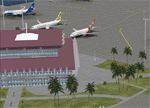
This sequel to the 2009 Kigali Intl (HRYR) Rwanda scenery (by Jacques Botha and Frits Beyer) brings it up to date with the current layout and enables full compliance with FTX Global/Vector and FSX. Buildings are added and adjusted to their real-world locations, and the new taxiway and south apron are added according to the May 2016 satellite imagery. In addition to real-world gate locations, custom apron markings are added along with apron lighting. The landclass around Kigali is also updated, and SRTMGL1 (30m) mesh is included. This scenery can be complemented by the Goma (FZNA) and Gisenyi (HRYG) scenery (FSX_FZNA-HRYG_CS.zip), and GA flightplans are included to supplement the commercial traffic at Kigali and provide more activity at FZNA and HRYG.
Updates were created or rebuilt in a manner which carefully aligns airport data with current satellite imagery. Scenery was created using Airport Design Editor X v1.70.6042, SBuilderX 3.13, and the FSX Object Placement Tool. Scenery objects were added and modified from stock FSX scenery to resemble as closely as possible the actual airports. The FSX apron lights included are from the set created by Jim Dhaenens.
| Filename: | 2016_Kigali_Intl_HRYR_Rwanda.zip |
| License: | Freeware |
| Added: | 4th August 2016, 21:10:09 |
| Downloads: | 3,382 |
| Author: | Carlyle Sharpe, Jacques Botha, and Frits Beyer |
| Size: | 17.12 MB |
| Category: Flight Simulator X - Scenery | |
| HALA - Hawassa Intl. - Hawassa, Ethiopia |
|
Images related to this file:
File Description:
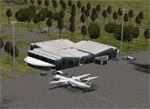
This project adds the booming city of Hawassa, Ethiopia, creates the new international airport (HALA), moves (and rebuilds) the downtown airport (recoded to HALX), and includes AI flight plans for the Ethiopian Airlines service that began April 2016. Tested in both the default FSX: Acceleration and with FTX Global/Vector, accurate coastlines, lakes, road data, and SRTMGL1 (30m) mesh, as well as corrected landclass are provided based on the latest available satellite imagery. The Hawassa International Airport was created using information from the current satellite footprint and the promotional video from Ethiopian Airports Enterprise (EAE). Although there is still very little published data on the airport, it is fully functional.
Updates were created or rebuilt in a manner which carefully aligns airport data with current satellite imagery. Scenery was created using Airport Design Editor X v1.70.6042, SBuilderX 3.13, and the FSX Object Placement Tool. Scenery objects were added and modified from stock FSX scenery to resemble as closely as possible the actual airports. The FSX apron lights included are from the set created by Jim Dhaenens. Thanks to Ron Blehm for bringing this part of the world to my attention.
| Filename: | HALA__Hawassa_Intl___Hawassa_Ethiopia.zip |
| License: | Freeware |
| Added: | 20th July 2016, 09:06:40 |
| Downloads: | 1,019 |
| Author: | Carlyle Sharpe |
| Size: | 10.41 MB |
| Category: Flight Simulator X - Scenery | |
| Bhutan Airports and Paro Valley |
|
Images related to this file:
File Description:
This project adds and updates all of the airports of Bhutan. Bathpalathang (VQBT) and Gelephu (VQGP) are added, Yongphulla (VQ10) is updated and recoded as VQTY, and Paro (VQPR) is fully updated to reflect current satellite imagery. These are all fully functioning AI airports as well. Special attention was given to the entire Paro Valley, and numerous road/river vectors were updated around Gelephu. Accurate coastlines, lakes, road and river data, as well as corrected landclass are provided based on the latest available satellite imagery. They are optimized to fit seamlessly with FTX Vector's roads/water, but they should be fully functional in all FSX configurations.
GA-encoded flight plans for the Buddha Air/Kathmandu charter are provided to enhance service to Paro. NASA SRTM Global 3 arc second terrain mesh is also included for all of Bhutan. Updates were created or rebuilt in a manner which carefully aligned airport data with current satellite imagery, when available. Scenery was created using Airport Design Editor X v1.61.5298, SBuilderX 3.13, and the FSX Object Placement Tool. Scenery objects were added and modified from stock FSX scenery to resemble as closely as possible the actual airports.
| Filename: | Bhutan_Airports_and_Paro_Valley.zip |
| License: | Freeware |
| Added: | 19th January 2015, 06:09:17 |
| Downloads: | 11,417 |
| Author: | Carlyle Sharpe |
| Size: | 21.4 MB |
| Category: Flight Simulator 2004 - Scenery | |
| Colombian Airports |
|
File Description:
33 Colombian Airports for FS9 default scenery and the Colombia freeware mesh by Raimondo Taburet. I also recommend the San Andres Landclass and modified coastlines by Juan Sebastian Gonzalez (sandres_lc.zip at avsim.com). However, the scenery should also work with the default or any other mesh but I have not tested it.
The airports are based on GoogleEarth and airport layout data with generic objects added. Position of the airports has been corrected, ramps added, some generic buildings and objects added to most of the airports. All files start with the ICAO identifier of the airport; so you can take out what you don't like or use only what you like.
The package includes the following airports:
SKAM, SKAO (now SKMJ), SKAS, SKBN, SKBO, SKBQ, SKCB, SKCC, SKCL, SKFL, SKGO, SKGY, SKIB, SKLA, SKLT, SKMG, SKMP, SKMR, SKMU, SKOC, SKOT, SKPB, SKPV, SKQU, SKRG, SKSP, SKTJ, SKTL, SKTM, SKUC, SKUL, SKVP, Z09A.
NOTE:
There a two files, colapts1.zip with the airport sceneries and screenshots, and colapts2.zip with the object libraries; colapts2.zip is only needed if you don't have already the rwy12 and ez-objects libraries used.
| Filename: | Colombian_Airports.zip |
| License: | Freeware |
| Added: | 24th May 2014, 18:34:00 |
| Downloads: | 3,351 |
| Author: | Detlev J. Rohmer |
| Size: | 64.72 MB |
| Category: Prepar3D V1-4 - Scenery | |
| KILE, Killeen Texas airport |
|
Images related to this file:
File Description: Instructions: There are 3 folders in this package; effects, scenery and texture.
Create a subfolder under the C:\Program Files (x86)\Lockheed Martin\Prepar3D v3\Scenery folder and call this new folder KILE.
Place the scenery and texture folders (with their associated contents) under this newly created KILE subfolder.
Place only the contents (not the folder) of the effects folder in the P3D effects folder often located at C:\Program Files (x86)\Lockheed Martin\Prepar3D v3\Effects.
Now start up P3D.
On the menu at the top of the P3D screen click on World > Scenery Library > Add Area. This will bring up the Add Scenery Area dialog box. Click the Browse button and browse to find the newly created KILE folder. It should be located at C:\Program Files (x86)\Lockheed Martin\Prepar3D v3\Scenery. Once you select the KILE folder, click the OK button. This will place that folder in the P3D scenery library. You will notice that the library is organized by priority starting at 1. I have my KILE scenery set as #4 priority but I am not sure if it needs to be that high. I did notice during design that sometimes my ground texture at the airport would act strange and I found that by setting KILE to a higher priority, it fixed that. As a last step make sure the checkbox to enable the scenery is checked and click OK.
You should now have the new KILE scenery available to use.
This package covers KILE, Killeen Texas airport. It is a city owned public use airport located 3 miles east of Killeen Texas. It has one runway that is 5,495 x 100 feet.
Almost 100 custom objects are included in this package. They include:
All hangers and buildings on the airport grounds made from on site photos.
Several buildings surrounding the airport grounds.
All taxiway and runway signs.
All taxiway, runway and approach lighting.
ILS antenna, localizer, etc.
Fuel tanks and parking T's.
Night lighting where appropriate.
Currently I am using the default land class instead of photo real because I couldn't find any photo real that suited my needs.
I welcome your feedback good or bad. Currently this airport is only for P3D. I may create an FSX version if I have enough requests. I started learning to make 3d objects and airports last year and I am learning something new every day. I hope you enjoy!
I plan on improving the night lighting for the runway lights, runway end lights, taxiway lights, etc. to make them more visible from a distance at night. I also want to replace the stock P3D vehicles with my own design and a few other things to come in an updated version down the road.
| Filename: | KILE_Killeen_Texas_airport.zip |
| License: | Freeware |
| Added: | 11th May 2017, 19:54:19 |
| Downloads: | 491 |
| Author: | Shannan Landreth |
| Size: | 23.83 MB |
| Category: X-Plane - Scenery | |
| BR CE - SSVV Jericoacoara Cruz Airport v1.1.0 |
|
Images related to this file:
File Description:
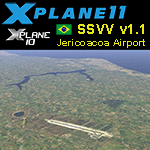
This is an X-Plane 11 and X-Plane 10 scenery package for Jericoacoara Airport (Portuguese: Aeroporto de Jericoacoara) (IATA: JJD, ICAO: SSVV), which is a brand new airport built to serve Cruz and Jijoca de Jericoacoara, two costal cities in the Brazilian state of Ceará. It includes corrected aprons, ramps, taxiways, lighting system, ortho photoscenery for the airfield area, and (XP11 only) ground services (like push back). This scenery was tested and is operational (as of March 09, 2017) in "X-Plane 11 Public Beta #13 64 bit", Windows 10 Home. It was also tested and is also operational (as of March 09, 2017) in "X-Plane 10.51 64 bit", Windows 10 Home. v1.1.0 adds orthophoto scenery for the airfield area, adjusted ramps stands, and now only uses default XP library objects (no 3rd party libraries needed, for better performance).
| Filename: | BR_CE__SSVV_Jericoacoara_Cruz_Airport_v110.zip |
| License: | Freeware |
| Added: | 10th March 2017, 07:16:21 |
| Downloads: | 80 |
| Author: | Rui Mesquita |
| Size: | 9.18 MB |
| Category: Flight Simulator 2002 - Aircraft Repaints, Textures and Modifications | |
| USAF Laughlin 87 FTS FSD Freeware T-38A |
|
File Description:
USAF Laughlin 87 FTS Repaint of the FSD Freeware T-38A by Tom "Tomcattwo" Stevenson
Based on Original T-38 model by FSD
Please read included readme for installation instructions.
This repaint is designed to be used with the FSD Freeware FS2K2 T-38A aircraft, filename "fsd_t38.zip" (which can be used with either FS2002 or FS2004 - has not been tested in FSX). It contains modified files which represent the 87th Flying Training Squadron ("Red Bulls") based at Laughlin AFB near Del Rio TX. The aircraft is used for training Air Force pilots in flying fighter jet aircraft. This repaint has not been tested with the payware version of FSD's T-38A Talon.
Make Sure that the Freeware FSD T-38A has been installed first!
You can get this excellent package in this library -(search for "T-38" or for filename "fsd_t38.zip").
| Filename: | USAF_Laughlin_87_FTS_FSD_Freeware_T38A.zip |
| License: | Freeware |
| Added: | 16th October 2006, 00:20:47 |
| Downloads: | 382 |
| Author: | Tom Stevenson |
| Size: | 1.42 MB |


© 2001-2026 AVSIM Online
All Rights Reserved
Privacy Policy |