
Where Flight Simulation Enthusiasts Gather from Around the World!
AVSIM Library - Search Results

| Category: Flight Simulator 2004 - Aircraft Repaints, Textures and Modifications | |
| FS2004/P3D British Airways A350-1000 G-XWBR |

|
Images related to this file:
File Description:

FS2004/P3D British Airways A350-1000. Registration G-XWBR. This repaint on the TDS A350-1000 of one of British Airways newest deliveries. The aircraft was delivered to BA on 16/12/2023. The repaint has some custom textures including custom passenger entry, custom fan blades, custom engine cowlings, custom Michelin Air-X tires. - Texture only - includes standard 1024x1024 32bit, HD 2048x2048 32bit bmp and PBR dds. You will need to add to your existing TDS A350-1000 G2 model. Repaint by Phillip Hughes. For support with aircraft please visit Tenkuu Developers Studio's Facebook page: https://www.facebook.com/groups/tds350. Works in FS9 and P3D.
| Filename: | FS2004P3D_British_Airways_A3501000_GXWBR.zip |
| License: | Freeware |
| Added: | 11th April 2024, 18:43:26 |
| Downloads: | 354 |
| Author: | TDS A350 | Phillip Hughes |
| Size: | 30.71 MB |
| Category: Flight Simulator 2004 - AI Aircraft | |
| Lockheed Constellation for AI Traffic (Part 1) |
|
Images related to this file:
File Description:

Lockheed Constellation for AI Traffic (Part 1). The Lockheed Constellation was a medium-to-long range airliner, military transport, and later an electronic warfare platform, in production from 1943 to 1958, and in service long after that, many eventually finishing up their careers as freighters in remote parts of the world. I present an 8-LOD AI traffic model to bring this vintage transport aircraft to the flightsim world. Part 1 contains the electronic warfare and reconnasaince variants, with 15 models and 34 repaints. This is an FS9-native model, so it is compatible up through P3Dv3. Aircraft model, flight dynamics, and repaints by Michael Pearson.
| Filename: | Lockheed_Constellation_for_AI_Traffic_Part_1.zip |
| License: | Freeware |
| Added: | 2nd October 2017, 18:53:52 |
| Downloads: | 441 |
| Author: | Michael Pearson |
| Size: | 15.02 MB |
| Category: Flight Simulator 2004 - AI Aircraft | |
| Lockheed Constellation for AI Traffic (Part 2) |
|
Images related to this file:
File Description:

Lockheed Constellation for AI Traffic (Part 2). The Lockheed Constellation was a medium-to-long range airliner, military transport, and later an electronic warfare platform, in production from 1943 to 1958, and in service long after that, many eventually finishing up their careers as freighters in remote parts of the world. I present an 8-LOD AI traffic model to bring this vintage transport aircraft to the flightsim world. Part 2 contains the military transport variants, with 8 models and 32 repaints. This is an FS9-native model, so it is compatible up through P3Dv3. Aircraft model, flight dynamics, and repaints by Michael Pearson.
| Filename: | Lockheed_Constellation_for_AI_Traffic_Part_2.zip |
| License: | Freeware |
| Added: | 2nd October 2017, 18:54:06 |
| Downloads: | 412 |
| Author: | Michael Pearson |
| Size: | 12.54 MB |
| Category: Flight Simulator X - Scenery | |
| Merrill Field PAMR |
|
Images related to this file:
File Description:
This is a version for FSX of the Merrill Field made by Roger Wensley (me) for FS9, converted by John B Loney jnr. "PAMR read this first" explains this but I have modified John's original procedure, and instead of first installing the Merrill Field original plus two updates I have included here the current FS9 version as installed on my computer. Note that to see the apron lighting working in FS9 it was necessary to have Sidney Schwartz's light library installed, along with his updated textures (to avoid severe blurries caused by a faulty texture). The original installation instructions are included giving file library priorities etc. Just ignore the bits that do not apply, such as installing AI that is not included. I have of course omitted the original AI as this is replaced by John's version. I have no comment to make on installing in FSX as I have not done so, and I have not tested it in FSX. If you have comments or questions I will respond as much as I am able. Merrill Field is in Anchorage Alaska, between Anchorage International to the southwest and and Elmendorf Air Force Base to the north. It caters for general aviation and is the land equivalent of the Lake Hood float plane base, with fuel and numerous maintenance facilities, and several hundred parking spots for small planes. There are three runways, and the longest is 4,000 feet of 100 feet wide asphalt, the second 2,635 feet of asphalt 75 feet wide, and the third 2,000 feet of 60 feet wide gravel. The first two have runway lights. It is a controlled airfield with a relatively new control tower to cater for the numerous flights and to coordinate with Elmensdorf and Anchorage International, the latter also controlling flights from Lake Hood and the adjacent gravel strip Z41. (See my Lake Hood scenery). The gravel runway at Merrill Field is not connected with active taxiways to the rest of the airfield; this avoids you being ordered to land on it when flying a plane too large to do so.
| Filename: | Merrill_Field_PAMR.zip |
| License: | Freeware, limited distribution |
| Added: | 3rd July 2017, 18:00:19 |
| Downloads: | 452 |
| Author: | Roger Wensley and John B loney jnr |
| Size: | 21.73 MB |
| Category: Flight Simulator 2004 - Scenery | |
| Anaktuvuk PAKP Runway and Taxiway Lighting in Alaska |
|
Images related to this file:
File Description:
Anaktuvuk is in Alaska, and this posting adds proper runway and taxiway lighting to the scenery, as shown in the screenshots. There will be runway and taxiway lights visible during the day and at night there will be lit lights that properly illuminate the runway for landing, and at a lower level of brightness the taxiways. Put the bgl's into the existing scenery folder of your previous Anaktuvuk PAKP installation and say yes to replace the existing bgl's that have the same names. Instal the Library objects once and for all by placing the CONTENTS of the Lighting Library scenery folder in your static objects scenery folder and the CONTENTS of the texture folder in the static objects texture folder (which is how I install scenery objects libraries). Alternatively, put them in the scenery and texture folders of your Add on scenery folder, or even in the main scenery and texture folders. They just have to be in related scenery and texture folders that are always active when FS9 is running. If you do all this and there are no textures to the lights then put the library textures into the Anaktuvuk texture folder too; FS9 has done some strange things while I was making scenery so I would never rule out a possibility.
There will be further retro upgrades to other recent scenery that was posted with temporary lighting. Say thank you to Greg Putz for making the lighting.
| Filename: | Anaktuvuk_PAKP_Runway_and_Taxiway_Lighting_in_Alas.zip |
| License: | Freeware, limited distribution |
| Added: | 25th November 2019, 17:52:18 |
| Downloads: | 136 |
| Author: | Roger Wensley |
| Size: | 699.17 KB |
| Category: Prepar3D V5 - Aircraft Repaints, Textures and Modifications | |
| Delta A350-900 Livery Pack |
|
File Description:
This pack is a Delta Air Lines Airbus A350-900 pack. I have included every registration that Delta flies to this day in 2022. This pack included N501DN-N576DZ. N502DN "The Delta Spirit" is one of the unique livery's. Some history on N575DZ, N576DZ, both were from another airline (LATAM Brasil) Delta acquired them and are using them. I have utilized care when painting the registration numbers for this livery pack. This Delta Air Lines livery pack includes the A330 VC from Aerosoft. I included the textures for the A330 which every cockpit registration number is accurate as would be. I want to thank the awesome Tenkuu Development Studios team for an excellent job on releasing this A350-900 model for P3D and FS2004. Textures only. Model developed by Tenkuu Developers Studio, features high resolution textures, dynamic flexing wings, nose gear steering, rudder lock, ground spoilers, low speed aileron locks at high speed, fully animated control surfaces, fully independent suspension, trim animation, opening passenger doors, rolling wheels, animated thrust reverse with reverser block doors, detailed textures, full night lighting, ground service vehicles and more. Model design by Hiroshi Igami. Flight dynamics design by Nate Rosenstrauch. Master textures by Carlos Eduardo Salas and Stian Svensen. For support visit Tenkuu Developers Studio's Facebook page: https://www.facebook.com/groups/tds350 . Will work in P3D and FS9. For FS9 you will need to delete the VC textures. I am planning for future Skyteam member releases of the A350-900.
| Filename: | Delta_A350900_Livery_Pack.zip |
| License: | Freeware, limited distribution |
| Added: | 9th July 2022, 14:18:25 |
| Downloads: | 417 |
| Author: | Joe Burner |
| Size: | 331.78 MB |
| Category: Flight Simulator 2004 - Aircraft Repaints, Textures and Modifications | |
| JetBlue 'Circles' Airbus A320 |
|
Images related to this file:
File Description:
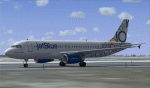
This repaint is of the very unusual but striking "JetBlue - Circles" livery for the Project Airbus A320 model (included in zip). This is a complete file and for FS9 (FS2004). While it may work in FSX, I cannot and will not confirm that as these textures have only been tested in FS9. All repainted textures, which were completely hand painted (other than the JetBlue text) have been saved and formatted in 32 bit. This model comes with all of the standard PA animations. New Alpha channels have been created to highlight the detail which has also been highlighted in terms of the doors and windows to resemble the actual aircraft. This has been an intense repaint to do due to the very nature of the livery so please PLEASE DO NOT count the circles and email me to say I missed one. If I have (which I haven't I don't think) pretend it is due to excessive weathering :) While there are some screen shots here, there are more in the Read Me file so if you have any doubts, please take a look at all of them. Installation, Distribution and Contact Details for me can be found in the enclosed PA TC Read Me File. Enjoy this paint and download it lots just so I know the work, frustration, a bottle and half of Capt Morgan and lots of Asprin were worth it :) Cheers and safe flying!
| Filename: | JetBlue_Circles_Airbus_A320.zip |
| License: | Freeware, limited distribution |
| Added: | 11th March 2012, 19:40:09 |
| Downloads: | 594 |
| Author: | Tony Cannon, Project Airbus |
| Size: | 13.54 MB |
| Category: Flight Simulator 2004 - Aircraft Repaints, Textures and Modifications | |
| Beech King Air C90B |
|
Images related to this file:
File Description:
Beechcraft King Air C90B for FS9
This is a series of repaints for Dee Waldron's King Air C90B. I have recently revised the textures, adding details and shadowing thanks to Henry Tomkiewicz' AI paint kits. There are 12 repaints in this file. Screen shots are enclosed. I have also included a paint kit. The visual model, aircraft configuration file and air files are included.
This aircraft, and other members of the King Air family are projects Dee and I worked together on some years ago. The textures are newly refreshed. I have many hours happily flying these aircraft. Dee's model is very sparing of resources. This aircraft may be used as an AI aircraft or a fully flyable aircraft.
As far as panels and sounds, I've left this to the user. The stock Microsoft King Air is an obvious starting point. Pierre Fasseux has designed three alternatives to the default panel, which represent a better choice. Leon Medado has created a very good freeware alternative to the default sounds. These are all available in the Flightsim.com library.
Instructions:
Unzip into a separate folder. Move the folder named labeled Dee Waldron King Air C90B into your FS9 folder. Add panel and sound of your choice.
These files are provided on an as-is basis. I have tested them and have found them to work as intended.
Michael Verlin
[email protected]
January 29, 2015
| Filename: | Beech_King_Air_C90B.zip |
| License: | Freeware, limited distribution |
| Added: | 29th January 2015, 12:21:12 |
| Downloads: | 258 |
| Author: | Michael Verlin, Dee Waldron |
| Size: | 7.76 MB |
| Category: Flight Simulator 2004 - Aircraft Repaints, Textures and Modifications | |
| Beech King Air A100 |
|
Images related to this file:
File Description:
Beechcraft King Air A100 for FS9
This is a series of repaints for Dee Waldron's King Air A100. I have recently revised the textures, adding details and shadowing thanks to Henry Tomkiewicz' AI paint kits. There are 14 repaints in this file. Screen shots are enclosed. I have also included a paint kit. The visual model, aircraft configuration file and air files are included.
This aircraft, and other members of the King Air family are projects Dee and I worked together on some years ago. The textures are newly refreshed. I have many hours happily flying these aircraft.
Dee's model is very sparing of resources. This aircraft can be used for AI and can be flown as well. As far as panels and sounds, I've left this to the user. The stock Microsoft King Air is an obvious starting point. Pierre Fasseux has designed three alternatives to the default panel, which represent a better choice. Leon Medado has created a very good freeware alternative to the default sounds. These are all available in the Flightsim.com library.
Instructions:
Unzip into a separate folder. Move the folder named labeled Dee Waldron King Air A100 into your FS9 folder. Use it as an AI aircraft or add panel and sound of your choice if you wish to fly it.
These files are provided on an as-is basis. I have tested them and have found them to work as intended.
Michael Verlin
[email protected]
January 27, 2015
| Filename: | Beech_King_Air_A100.zip |
| License: | Freeware, limited distribution |
| Added: | 29th January 2015, 12:23:39 |
| Downloads: | 325 |
| Author: | Michael Verlin, Dee Waldron |
| Size: | 6.38 MB |
| Category: Flight Simulator 2004 - Aircraft Repaints, Textures and Modifications | |
| Beech King Air 200 |
|
Images related to this file:
File Description:
Beechcraft King Air 200 for FS9
This is a series of repaints for Dee Waldron's King Air 200. I have recently revised the textures, adding details and shadowing thanks to Henry Tomkiewicz' AI paint kits. There are 11 repaints in this file. Screen shots are enclosed. I have also included a paint kit. The visual model, aircraft configuration file and air files are included.
This aircraft, and other members of the King Air family are projects Dee and I worked together on some years ago. The textures are newly refreshed. I have many hours happily flying these aircraft.
Dee's model is very sparing of resources. This aircraft can be used for AI and can be flown as well. As far as panels and sounds, I've left this to the user. The stock Microsoft King Air is an obvious starting point. Pierre Fasseux has designed three alternatives to the default panel, which represent a better choice. Leon Medado has created a very good freeware alternative to the default sounds. These are all available in the Flightsim.com library.
Instructions:
Unzip into a separate folder. Move the folder named labeled Dee Waldron King Air 200 into your FS9 folder. Use it as an AI aircraft or add panel and sound of your choice if you wish to fly it.
These files are provided on an as-is basis. I have tested them and have found them to work as intended.
Michael Verlin
[email protected]
January 27, 2015
| Filename: | Beech_King_Air_200.zip |
| License: | Freeware |
| Added: | 29th January 2015, 12:24:22 |
| Downloads: | 241 |
| Author: | Michael Verlin, Dee Waldron |
| Size: | 5.35 MB |


© 2001-2026 AVSIM Online
All Rights Reserved
Privacy Policy |