
Where Flight Simulation Enthusiasts Gather from Around the World!
AVSIM Library - Search Results

| Category: Flight Simulator 2004 - Scenery | |
| Tiemcen, Algeria - DAON |

|
File Description:
The FS2004 default looks outdated and not accurate right ramps and taxiways. I created more improvement detailed.
| Filename: | Tiemcen_Algeria__DAON.zip |
| License: | Freeware |
| Added: | 16th July 2019, 00:34:45 |
| Downloads: | 248 |
| Author: | Stuart John Gilbert II |
| Size: | 1.55 MB |
| Category: Flight Simulator 2004 - Scenery Design | |
| EZhangers for Abacus EZ-Scenery |
|
File Description:
Collection of 9 hangers (9 with opening and closing doors and 9 static) for Abacus EZ-Scenery
| Filename: | EZhangers_for_Abacus_EZScenery.zip |
| License: | Freeware |
| Added: | 5th December 2005, 19:10:05 |
| Downloads: | 13,126 |
| Author: | Dennis Waggoner |
| Size: | 3.46 MB |
| Category: Flight Simulator 2004 - AI Aircraft | |
| Learjet 31 Package |
|
Images related to this file:
File Description:

Learjet 31 AI package. 24 repaints and AI flight plans, model and master textures by Henry Tomkiewicz.
| Filename: | Learjet_31_Package.zip |
| License: | Freeware |
| Added: | 14th April 2011, 17:04:27 |
| Downloads: | 39,026 |
| Author: | Henry Tomkiewicz, Ralf Maylin |
| Size: | 2.5 MB |
| Category: Flight Simulator 2004 - Scenery | |
| Chatham Islands NZCI |
|
File Description:
Chatham Islands scenery for FS2002 & 04.
Adds basic buildings and apron and new runway.
Requiures Nova textures
| Filename: | Chatham_Islands_NZCI.zip |
| License: | Freeware |
| Added: | 31st January 2007, 05:33:03 |
| Downloads: | 812 |
| Author: | Tui McInnes |
| Size: | 408.73 KB |
| Category: Prepar3D V1-4 - Aircraft Repaints, Textures and Modifications | |
| Carenado Citation Excel (C56X) - N557QS |
|
Images related to this file:
File Description:
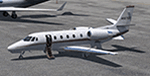
NetJets N557QS repaint for the Carenado Citation 560XL (C56X). Tested with both FSX and P3Dv4.4 (and up).
| Filename: | Carenado_Citation_Excel_C56X__N557QS.zip |
| License: | Freeware |
| Added: | 29th February 2020, 00:11:17 |
| Downloads: | 742 |
| Author: | Trevor Bair |
| Size: | 35.67 MB |
| Category: Flight Simulator 2004 - Original Aircraft | |
| Ilyushin IL-28 "Beagle" |
|
File Description:
Ilyushin IL-28 "Beagle". Includes also IL-28P and Harbin H-5.
Gauges and soundset not included.
| Filename: | Ilyushin_IL28_Beagle.zip |
| License: | Freeware |
| Added: | 30th July 2007, 20:22:38 |
| Downloads: | 4,078 |
| Author: | Ralf Kreibich |
| Size: | 29.47 MB |
| Category: Flight Simulator 2004 - Miscellaneous Files | |
| Nick's Prop Dust with Control Gauges |
|
File Description:
Prop aircraft users are in for a real treat. This gauge/effects package automatically senses the terrain the aircraft is in contact with or flying over and changes the dust and water effects for the aircrafts prop/rotor wash based on dirt, dry mud or clay, snow, rain, water, ice, sand, gravel and short grass. In addition the real time surface conditions are also sensed. In example, a dry asphalt or concrete runway will produce no dust, however, the same runway with snow conditions present will automatically produce a throttle controlled snow blowing effect. The 25 included effects files and 5 gauges have been tuned to reflect a realistic representation of the dust/mist produced by different types of aircraft taking off or touching down on different terrains and surface conditions. The effects are properly influenced by cross wind conditions and reverse pitch is also supported. Effects files and gauges are included for large and small, single engine, multi-engine, amphibians, helicopters and massive scale military and commercial transports. It requires editing/adding lines in the aircraft.cfg and panel.cfg files. The README files include very complete and comprehensive instructions including a quick and easy copy/paste file for all the Microsoft prop aircraft and tutorial on making custom gauges from the ones provided.
By Nick Needham
| Filename: | Nicks_Prop_Dust_with_Control_Gauges.zip |
| License: | Freeware |
| Added: | 8th December 2003, 17:07:07 |
| Downloads: | 7,298 |
| Author: | Nick Needham |
| Size: | 1.22 MB |
| Category: Flight Simulator 2004 - Scenery | |
| Union Island TVSU in the Grenadines, eastern Caribbean Version 1.1 |
|
Images related to this file:
File Description:
This is a self-contained version 1.1 that modifies the terrain flattens around the airport. I found that suddenly, and for no apparent reason, the Lesser Antilles mesh and my flattens were at war and creating hills within the airport boundary. If you are not having problems then you do not need this.
Union Island is in the southern tail of the chain of islands known as St Vincent and the Grenadines, between Canouan and Carriacou. Union is another small island, 3.5 miles long and at its widest 1.5 miles wide; the resident population is around 3,000, mostly in the two towns Clifton and Ashton. The airport is at the eastern end of the island, and has been extended into the sea on landfill. The runway is now around 2,480 feet long, aligned 08 (and with the southeast trade winds it is unlikely that you will find yourself using 26) and with a displaced threshold of 530 feet due to the hill to the west. The terminal is adjacent to a rather small apron; there is parking on the grass north of the taxiway. There are connecting flights by SVG to Barbados and the other islands and these are reflected in the AI. The airport has no lighting, and flights are obliged to land and depart in daylight hours only, outside of which the airport is closed.
| Filename: | Union_Island_TVSU_in_the_Grenadines_eastern_Caribb.zip |
| License: | Freeware, limited distribution |
| Added: | 16th June 2013, 18:46:33 |
| Downloads: | 526 |
| Author: | Roger Wensley |
| Size: | 2.02 MB |
| Category: Flight Simulator 2004 - Scenery | |
| Carp CYRP updated, near Ottawa in Ontario Canada |
|
Images related to this file:
File Description:
This version updates the post of 2006 with specifically modelled buildings for the east apron, plus a new AFCAD file. This is a stand-alone version and does not require you to have downloaded and installed the previous post. Carp airfield is fifteen miles west of Ottawa and two miles south of the town of Carp. There are two runways, 10/28 which is asphalt and almost 4,000 feet long and 100 feet wide, and 04/22 which is gravel and 2,000 feet long. The airfield has a fairly large polulation of general aviation residents and two years ago was expanding under new ownership, with a new terminal building and a large hangar opened and the "Touch'n Go" aviation warehouse that has opened more recently. The first version of Carp really included only the west apron, as that is where all (or almost all) the general aviation is located. I "represented" the east apron buildings without modelling any of them. This version corrects that, and the modeled east apron buildings are the HQ of Helicopter Transport Services Inc. and the adjacent Bell Helicopter service hangar, and the old First Air hangar and offices which are now under new ownership. The smaller hangars on the other side of the apron belong to chapter 245 of the Experimental Aircraft Association.
| Filename: | Carp_CYRP_updated_near_Ottawa_in_Ontario_Canada.zip |
| License: | Freeware, limited distribution |
| Added: | 16th February 2010, 03:18:39 |
| Downloads: | 562 |
| Author: | Roger Wensley |
| Size: | 6.03 MB |
| Category: Flight Simulator X - AFCAD Files | |
| RPMD - Francisco Bangoy International Airport/ Davao International Airport, Philippines |
|
File Description:
This Afcad/AFD for RPMD - Francisco Bangoy International Airport/ Davao International Airport in Davao City, Mindanao, Philippines was made with ADE V1.37 and is for the default RPMD airport in FSX. The Afcad/AFD was was made with ADE V1.37 and is for the default RPVM airport in FSX. It was made in response to a user request.
Francisco Bangoy/Davao International is a significant hub for the southern part of the Philippines and sees domestic traffic from Philippines Airlines (PAL Express through to A343's), Air Philippines, Cebu Pacific. Asian Spirit and South East Asian Airlines. The airport handles international traffic - currently limited to Cebu Pacific flights to and from Hong Kong and Singapore and Silkair flights from Singapore.
Aprons and taxiways have been changed, additional GA maintenance aprons added, taxiways re-aligned and surfaced correctly, jetways added, gates and parking spaces coded for airlines and aircraft types using the airport. The tower was changed to be more representative of the real thing.
The default airport lacks coding and the radius of gates is inadequate for the any of the commercial aircraft coming to RPMD, so use of this file very significantly increases traffic. Tested with WOAI, Henry Tomkiewicz's Cessna Props package and custom AI.
| Filename: | RPMD__Francisco_Bangoy_International_Airport_Davao.zip |
| License: | Freeware |
| Added: | 17th August 2008, 20:09:18 |
| Downloads: | 1,457 |
| Author: | Matthew Brooks |
| Size: | 5.86 KB |


© 2001-2026 AVSIM Online
All Rights Reserved
Privacy Policy |