
Where Flight Simulation Enthusiasts Gather from Around the World!
AVSIM Library - Search Results

| Category: Flight Simulator X - Scenery Design | |
| Airport Design Editor 1.50 |

|
File Description:
This is the first significant upgrade of ADE since version 1.47 almost two years ago and contains a number of new and improved features and fixes for old problems.
New and updated features include
- ProKey features include Custom Hiding objects, ADE responds to key presses in FS, Load last saved project and improvements to the Move Airport Feature
- List third party libraries used. This is currently a basic feature to list the libraries for objects used in your project
- Beacons and Effects can now be placed
- New List for helper shapes and many lists now support multiple selection and delete
- Improved multiple selection in the main display including 'rubber band'
- Most objects can now be copied and pasted
- Undo/Redo extended to support actions with vertices
- Select and drag a taxi link rather than dragging its end nodes
Fixes include
- Improvements to the handling of background images that should help the performance issues found in the past
- Stopping the display drift that can be exhibited when ADE is connected to FSX and the display Locked to the user aircraft
- Problem of dialog buttons being lost where users used dpi settings greated than 96.
| Filename: | Airport_Design_Editor_150.zip |
| License: | Freeware, limited distribution |
| Added: | 17th August 2011, 16:15:08 |
| Downloads: | 4,606 |
| Author: | Jon Masterson, ScruffyDuck Software |
| Size: | 26.33 MB |
| Category: Flight Simulator X - Utilities | |
| AI Traffic Editor v1.1 |
|
Images related to this file:
File Description:
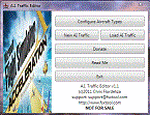
A.I. Traffic tool is created to provide a way for the average flight simulator players to be able to utilize the Traffic Builder SDK included with Microsoft�® Flight Simutor X. The tool's main functionality is to create A.I. Traffic that uses all aircraft textures present in the user's FSX directory.
NEW TO THIS VERSION: 1. Fixed the error in duplicate aircraft ID, 2.Added manual FSX and FSX directory search, 3. Fixed the issues where in aircraft flies in a wrong day for weekly schedules, 4. Revised documentation, added tutorials.
| Filename: | AI_Traffic_Editor_v11.zip |
| License: | Freeware |
| Added: | 20th February 2011, 21:01:27 |
| Downloads: | 3,473 |
| Author: | Christopher Flordeliza |
| Size: | 4.05 MB |
| Category: Orbiter - Miscellaneous Files | |
| Orbiter Processing Facility version 1.2 |
|
File Description:
This addon reproduces the Orbiter Processing Facilities at the Kennedy Space Center.
-OPF history and facts:
OPF facilities are located to the west and north of the Vehicle Assembly Building(VAB) in part of the Launch Complex 39 area. The dual facility located to the west of VAB is composed of two highbays and one lowbay which is centered between the two highbays. Each highbay is 60 m (197 ft) long by 45.7 m (150 ft) wide. OPF3 is located to the north of the VAB and is composed one highbay and lowbay.
| Filename: | Orbiter_Processing_Facility_version_12.zip |
| License: | Freeware |
| Added: | 24th November 2003, 00:39:27 |
| Downloads: | 851 |
| Author: | David Sundstrom |
| Size: | 26.72 KB |
| Category: Flight Simulator X - Scenery | |
| KWAL, Wallops Flight Facility Airport |
|
Images related to this file:
File Description:
Revision of the FSX stock airport, made with ADE. Only tested in FSX.
Wallops Flight Facility is operated by the Goddard Space Flight Center, primarily to support science and exploration missions for NASA. Shows only the airport. The launch site is not included.
| Filename: | KWAL_Wallops_Flight_Facility_Airport.zip |
| License: | Freeware |
| Added: | 13th August 2017, 21:30:52 |
| Downloads: | 451 |
| Author: | Tim van Ringen |
| Size: | 553.36 KB |
| Category: Flight Simulator 2004 - Scenery | |
| Coventry Airport Temporary Passenger Facility |
|
File Description:
At last some detail on where Thomsonfly actually fly from! This is my first scenery so it is basic but it does realistically represent the Temporary Passenger Facility currently being used at Coventry Airport. This scenery does not reconstruct the airport but simply adds the correct new buildings to the south side of the airport in the default scenery. Also included is an AFCAD2 file which allows all the aircraft to park and it also adds the passenger walkway in which passengers travel to and from the aircraft. Departures and arrivals are located separately, unconnected in any form. The arrivals hall only has one baggage belt! This scenery is based upon what I saw when I flew into Coventry. It is basic but at last we can fly from Coventry!
| Filename: | Coventry_Airport_Temporary_Passenger_Facility.zip |
| License: | Freeware |
| Added: | 13th June 2004, 13:59:42 |
| Downloads: | 2,192 |
| Author: | Mat Wilson |
| Size: | 551.98 KB |
| Category: Fly! II - Development | |
| Advanced Logbook for Fly! II v1.0 |
|
File Description:
This is a Fly! II add-on that provides a usable logbook facility. Advanced
Logbook files are constructed using the XML format. However, Advanced Logbook
files are not necessarily customizable. Advanced Checklist files are extensible
and new features are planned for. This version supports logbooks that record
flights for all aircraft models into one logbook file. This version provides an
editor tool that can be used to create and edit (within very narrow constraints)
Advanced Logbook files.
| Filename: | Advanced_Logbook_for_Fly_II_v10.zip |
| License: | Freeware |
| Added: | 5th August 2002, 11:47:21 |
| Downloads: | 250 |
| Author: | Tony Crider |
| Size: | 86.91 KB |
| Category: Fly! II - Development | |
| Advanced Logbook v1.1 |
|
File Description:
This is a Fly! II add-on that provides a usable logbook facility. Advanced
Logbook files are constructed using the XML format. However, Advanced Logbook
files are not necessarily customizable. Advanced Checklist files are extensible
and new features are planned for. This version supports logbooks that record
flights for all aircraft models into one logbook file. This version provides an
editor tool that can be used to create and edit (within very narrow constraints)
Advanced Logbook files.
| Filename: | Advanced_Logbook_v11.zip |
| License: | Freeware |
| Added: | 12th August 2002, 11:51:43 |
| Downloads: | 265 |
| Author: | Tony Crider |
| Size: | 3.31 MB |
| Category: Flight Simulator 2004 - Scenery | |
| Area 51 - Groom Lake Facility FS2004 |
|
File Description:
The mysterious and intriguing Nevada Test
Site airport that is not charted or
included with FS2004.
Made with public domain satellite imagery
and AFCAD. Includes correct runways, even
the combination runway/taxiway 30/12.
| Filename: | Area_51__Groom_Lake_Facility_FS2004.zip |
| License: | Freeware |
| Added: | 29th August 2005, 19:21:45 |
| Downloads: | 3,753 |
| Author: | TJ Synkral |
| Size: | 2.41 MB |
| Category: Flight Simulator X - Utilities | |
| Texture Max Load Editor v1.2.197 |
|
Images related to this file:
File Description:

TMLE was designed to make the use of High Definition and Super High Definition textures easier. By default, FSX's maximum texture resolution is set to the 1024x1024 scale. TMLE can modify this to 2048x2048, and even 4096x4096, allowing you to take full advantage of HD textures. TMLE is not available in very many places these days, as the original Frosty Software website is no loner active. One day, a friend asked me if I had the original installer exe. Fortunately, after some searching on my hard drive, I was able to locate it. The idea came to us that it would be cool to make TMLE available to the public again, but not before contacting the original author. I contacted Steve Frost and he was kind enough to grant me permission to upload it. A huge thanks goes out to him for the permission and for developing such a simple, yet useful tool!
| Filename: | Texture_Max_Load_Editor_v12197.zip |
| License: | Freeware |
| Added: | 30th December 2011, 18:18:03 |
| Downloads: | 1,423 |
| Author: | Steve Frost, Brandon Filer |
| Size: | 2.59 MB |
| Category: Flight Simulator X - Utilities | |
| 'MyConfig' Configuration Editor v1.1.0 (Final) |
|
File Description:
After changing the display settings in FSX, the values for e.g. TEXTURE_MAX_LOAD, CLOUD_COVERAGE_DENSITY and LOD_RADIUS are reset to their default values, which is mostly not preferred. FSX MyConfig automatically restores your preferred parameter values as kept in the configuration file fsx.cfg. I wrote the progam because the alternative: copy/paste a backed up fsx.cfg, has the risk of replacing the present fsx.cfg with an outdated one resulting in valid (recent) changes made by FSX or an add-on are lost, Moreover, managing a few parameter values, which you want never to be changed, is much easier accomplished by means of the relatively short FSXMyConfig.cfg file.
| Filename: | MyConfig_Configuration_Editor_v110_Final.zip |
| License: | Freeware |
| Added: | 25th January 2012, 15:48:46 |
| Downloads: | 1,871 |
| Author: | Edward Sluijter |
| Size: | 12.28 KB |


© 2001-2026 AVSIM Online
All Rights Reserved
Privacy Policy |