
Where Flight Simulation Enthusiasts Gather from Around the World!
AVSIM Library - Search Results

| Category: Flight Simulator X - Utilities | |
| AI Cull Traffic Density Tool for FSX/P3D (Version 1.1) |

|
Images related to this file:
File Description:

The AICull.exe utility provides intelligent traffic density for AI aircraft. The user enters the ICAO(s) of the airports the user (typically) departs from and arrives at. AICull then removes AI that is not departing from or arriving at these ICAO(s) in order to boost frame rate, but still maintain an immersive AI experience for the user. That is, the user will perceive normal traffic density at the airports the user departs or arrives at, however all other AI in the area will be deleted saving frame rates and memory. The user may also enter an unlimited number of ICAO(s) to monitor. The user may also update the list of ICAO(s) while the program is running. AICull.exe requires SimConnect and the latest, registered version of FSUIPC ver. 4.9x (or later version). For best results, use with traditional bgl-based AI traffic (e.g., default, Word of AI, My Traffic X, etc.) although the program does work to lesser effect with the simconnect-based Ultimate Traffic 2 (see the included ReadMe). Revision: fixed "Problem Opening FSUIPC Link" for P3D.
| Filename: | AI_Cull_Traffic_Density_Tool_for_FSXP3D_Version_11.zip |
| License: | Freeware |
| Added: | 22nd March 2014, 00:16:44 |
| Downloads: | 3,127 |
| Author: | Roland Foster |
| Size: | 306.83 KB |
| Category: Microsoft Flight Simulator (2020) - Utilities | |
| FBWA320_LINDA_Module_ByJujunet_v0.2 |
|
File Description:
This module allow to control hidden controls of the FBW A320, using LINDA software and FSUIPC
Require : FSUIPC ver 7 full licence, Microsoft Flight Simulator
Installation :
Uncompress archive in any place.
Move A32nx.evt file to your FSUIPC root folder.
Move A320.hvar on \Community\fsuipc-lvar-module\modules
On LINDA software :
Click on "Maintenance", on top, select "--aircrafts--".
Click on "Select Source Folder", below "Import Aircraft Module", browse to the folder FBWA320, click on "Import", or "Overwrite" if updating
This module for Linda freeware allows to bind :
-Landing and Nose light independently
-Seat-belt
-No Smoking
-Mode and zoom on ND
-Display function ARPT, VOR, WPT, NDB... on ND
-Terrain on ND
-Eicam pages, with an encoder
-ILS
-Barometer increment and decrement with automatic detection of position (HPA or inHg)
-Toggle between HPA and inHg
-Toggle between QNH setting and STD
-Autobrake Cycle
-Full compatibility for Managed/Selected on SPD, HDG, ALT and Selected mode on VS
To create your own module, or customize this one, go to my Youtube Tutorial :
My channel : https://www.youtube.com/channel/UCVgdlnaAk2Q4EOSCICW_0iA
Changelog :
Version 0.1 : Initial Release
Version 0.2 : Update to working with FBWA320 v0.8.0
| Filename: | FBWA320_LINDA_Module_ByJujunet_v02.zip |
| License: | Freeware |
| Added: | 12th July 2022, 18:21:02 |
| Downloads: | 47 |
| Author: | Julien GICQUIAUD |
| Size: | 17.55 KB |
| Category: Microsoft Flight Simulator (2020) - Utilities | |
| WorkingTitleCJ4_LINDA_Module_ByJujunet_v0.2 |
|
File Description:
This module allows to use hidden controls of the default MSFS CJ4, using FSUIPC and LINDA software. Require : FSUIPC ver 7 full licence, Microsoft Flight Simulator and LINDA software. Installation : Uncompress archive in any place. Move CJ4.hvar on \Community\fsuipc-lvar-module\modules On LINDA software : Click on "Maintenance", on top, select "--aircrafts--". Click on "Select Source Folder", below "Import Aircraft Module", browse to the folder CJ4, click on "Import", or "Overwrite" if updating. This module for Linda freeware allows to bind : - Menu choice, menu inc/dec and puch : bind a key to browse to all screen menus, and scroll with an encoder to move up and down inside the menus. Push a key to validate. - Map zoom in/out - Terrain/WX - PFD functions (FRMT/TFC/NAV) - Seatbelt light - Safety light - Baro inc/dec - Baro std - AP modes : FLC, HDG, ALT, VS, APPR and Toga button. To create your own module, or customize this one, go to my Youtube Tutorial : My channel : https://www.youtube.com/channel/UCVgdlnaAk2Q4EOSCICW_0iA Changelog : Version 0.2 : Correction to working with the default CJ4 since AAU1 update, the Working title mod no longer exist.
| Filename: | WorkingTitleCJ4_LINDA_Module_ByJujunet_v02.zip |
| License: | Freeware |
| Added: | 16th January 2024, 14:29:33 |
| Downloads: | 37 |
| Author: | Julien GICQUIAUD |
| Size: | 6.35 KB |
| Category: Microsoft Flight Simulator (2020) - Utilities | |
| FBWA320_LINDA_Module_ByJujunet_v0.3 |
|
File Description:
This module allow to control hidden controls of the FBW A320, using LINDA software and FSUIPC. Require : FSUIPC ver 7 full licence, Microsoft Flight Simulator and LINDA software. Installation : Uncompress archive in any place. Move A32nx.evt file to your FSUIPC root folder. Move A320.hvar on \Community\fsuipc-lvar-module\modules. On LINDA software : Click on "Maintenance", on top, select "--aircrafts--". Click on "Select Source Folder", below "Import Aircraft Module", browse to the folder FBWA320, click on "Import", or "Overwrite" if updating. This module for Linda freeware allows to bind : -Landing and Nose light independently -Seat-belt -No Smoking -Mode and zoom on ND -Display function ARPT, VOR, WPT, NDB... on ND -Terrain on ND -Eicam pages, with an encoder -ILS -Barometer increment and decrement with automatic detection of position (HPA or inHg) -Toggle between HPA and inHg -Toggle between QNH setting and STD -Autobrake Cycle -Reverse ON/OFF -Full compatibility for Managed/Selected on SPD, HDG, ALT and Selected mode on VS. To create your own module, or customize this one, go to my Youtube Tutorial : My channel : https://www.youtube.com/channel/UCVgdlnaAk2Q4EOSCICW_0iA Changelog : Version 0.1 : Initial Release Version 0.2 : Update to work with FBWA320 v0.8.0, Version 0.3 : Update to work with FBWA320 v0.11.0
| Filename: | FBWA320_LINDA_Module_ByJujunet_v03.zip |
| License: | Freeware |
| Added: | 16th January 2024, 14:31:38 |
| Downloads: | 35 |
| Author: | Julien GICQUIAUD |
| Size: | 14.32 KB |
| Category: Prepar3D V1-4 - Utilities | |
| AICull In-Sim Traffic Density Setting Tool |
|
Images related to this file:
File Description:

AICull v1.0.1 is a simconnect utility designed to provide AI traffic limiter options from within the P3D simulation via a menu system located under the “Add-ons†menu. AICull uses a “Smart Retain X Current ICAO†mode (accessible via the AICull in-sim menu under add-ons) that automatically maximizes arrival and departure activity at the user’s current ICAO while still retaining “X†number of AI. Alternately,the user can chose to simply retain “X†number of AI closest to the user’s aircraft. AICull also provides the options to limit AI traffic to the user’s departure and destination airports (if a P3D flight plan loaded). In all of the above cases, exceptions can be made for enroute AI (e.g., higher than 10,000 ft AGL or 18,000 ft AGL). The user can also customize preset values for the “X†retention number. AICull works best for .bgl file based traffic solutions (e.g., AIG). Although AICull will also work with simconnect-based traffic injectors (e.g., UTL), they typically perform their own AI traffic limiting and may also re-inject traffic that AICull deletes. AICull require the installation of FSUIPC v5 or later, registered (preferred) or unregistered. AICull is fully compatible with AIFlow and AIGround. Ver 1.0.1 FIX: changes to AICull.ini file not being read.
| Filename: | AICull_InSim_Traffic_Density_Setting_Tool.zip |
| License: | Freeware |
| Added: | 10th July 2020, 18:21:59 |
| Downloads: | 704 |
| Author: | Roland Foster |
| Size: | 946.98 KB |
| Category: Flight Simulator X - Utilities | |
| AI Aircraft SID and STAR Controller - Version 1.4B <b>for FSX, FSX Steam and P3D</b> |
|
Images related to this file:
File Description:
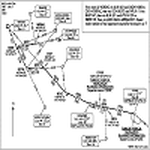
The AIController utility automatically vectors FSX, FSX-Steam or Prepar3D Artificial Intelligence (AI) aircraft through predefined Standard Instrument Departures (SIDs), jet routes, Standard Instrument Arrivals (STARs) (or alternatively generic traffic patterns), and/or final approaches. AIController automatically selects the most appropriate SID, jet route or STAR for each AI aircraft. AIController also lands arriving AI using published, custom or automatic final approach procedures, then provides taxi service to parking. The user can customize the procedures to fine tune AI arrival and departure patterns at each airport, such as specifying landing runways on-the-fly.
AIController optionally enforces spacing minimums between arriving AI aircraft by commanding speed changes and/or commanding the AI to hold at waypoints, thus reducing go-arounds. AIController can also enforce spacing minimums between the AI aircraft and the user's aircraft.
A stand-alone, windows based AI traffic monitoring program (AIMonitor.exe) is also included to provide the user with a graphical front-end. A converter (SIDSTARConverter) is included to automatically convert SID and STAR files from standard, aircraft format to the format used by AIController.
AIController requires an installed FSX or P3D SimConnect and can be run on a networked computer. The latest, registered version of FSUIPC ver. 4.9x (or later version) is also required.
| Filename: | AI_Aircraft_SID_and_STAR_Controller__Version_14B_b.zip |
| License: | Freeware |
| Added: | 18th July 2015, 00:11:26 |
| Downloads: | 14,186 |
| Author: | Roland Foster |
| Size: | 16.23 MB |


© 2001-2026 AVSIM Online
All Rights Reserved
Privacy Policy |