
Where Flight Simulation Enthusiasts Gather from Around the World!
AVSIM Library - Search Results

| Category: Flight Simulator 2004 - Scenery | |
| Grande Prairie CYQU in Alberta, Canada, Updated |

|
Images related to this file:
File Description:
This is a new version of the original post from March 2014, made in 2018. It was made mainly to provide some missing textures, but has been modified to also add parked trucks and floodlights to the de-icing area (the floodlights are inoperative as they will not be on when there is no de-icing in progress) and also street and car parking lighting, a few more parked planes, and some further objects on the terminal apron area. The runway approach lighting was also corrected; moving the airport so that the ILS on 29 did not coincide with the roads would have been nice, but meant too many complications at this stage. The scenery is complete in itself and can be installed as-is if you do not have the original post. Grande Prairie is at 2,195 feet asl, 65 miles southeast of Dawsons Creek, 90 miles southwest of Peace River and around 60 miles east of the Rockies. The town has a population of around 55,000 and growing. The name comes from the wide expanse of prairies all around the town, and there is also a large forested area to the southwest leading up to the Rockies which supplies raw material for industries in the town. The airport is just to the west of the town. It was originally a military base, built during WW2. The two runways are 07-25 and 11-29 and 6,200 and 6,500 feet respectively, both 200 feet wide; runway headings had changed by 2010 in real life but take this as it was in 2008. When one is the active runway then the other is used as a taxiway. Taxiway A is very wide with in real life a repaired central section marked out for use.
| Filename: | Grande_Prairie_CYQU_in_Alberta_Canada_Updated.zip |
| License: | Freeware, limited distribution |
| Added: | 13th December 2018, 04:12:11 |
| Downloads: | 208 |
| Author: | Roger Wensley |
| Size: | 34.97 MB |
| Category: Prepar3D V1-4 - Scenery | |
| KILE, Killeen Texas airport |
|
Images related to this file:
File Description: Instructions: There are 3 folders in this package; effects, scenery and texture.
Create a subfolder under the C:\Program Files (x86)\Lockheed Martin\Prepar3D v3\Scenery folder and call this new folder KILE.
Place the scenery and texture folders (with their associated contents) under this newly created KILE subfolder.
Place only the contents (not the folder) of the effects folder in the P3D effects folder often located at C:\Program Files (x86)\Lockheed Martin\Prepar3D v3\Effects.
Now start up P3D.
On the menu at the top of the P3D screen click on World > Scenery Library > Add Area. This will bring up the Add Scenery Area dialog box. Click the Browse button and browse to find the newly created KILE folder. It should be located at C:\Program Files (x86)\Lockheed Martin\Prepar3D v3\Scenery. Once you select the KILE folder, click the OK button. This will place that folder in the P3D scenery library. You will notice that the library is organized by priority starting at 1. I have my KILE scenery set as #4 priority but I am not sure if it needs to be that high. I did notice during design that sometimes my ground texture at the airport would act strange and I found that by setting KILE to a higher priority, it fixed that. As a last step make sure the checkbox to enable the scenery is checked and click OK.
You should now have the new KILE scenery available to use.
This package covers KILE, Killeen Texas airport. It is a city owned public use airport located 3 miles east of Killeen Texas. It has one runway that is 5,495 x 100 feet.
Almost 100 custom objects are included in this package. They include:
All hangers and buildings on the airport grounds made from on site photos.
Several buildings surrounding the airport grounds.
All taxiway and runway signs.
All taxiway, runway and approach lighting.
ILS antenna, localizer, etc.
Fuel tanks and parking T's.
Night lighting where appropriate.
Currently I am using the default land class instead of photo real because I couldn't find any photo real that suited my needs.
I welcome your feedback good or bad. Currently this airport is only for P3D. I may create an FSX version if I have enough requests. I started learning to make 3d objects and airports last year and I am learning something new every day. I hope you enjoy!
I plan on improving the night lighting for the runway lights, runway end lights, taxiway lights, etc. to make them more visible from a distance at night. I also want to replace the stock P3D vehicles with my own design and a few other things to come in an updated version down the road.
| Filename: | KILE_Killeen_Texas_airport.zip |
| License: | Freeware |
| Added: | 11th May 2017, 19:54:19 |
| Downloads: | 491 |
| Author: | Shannan Landreth |
| Size: | 23.83 MB |
| Category: Flight Simulator X - Scenery | |
| RAF Docking - Norfolk, England |
|
File Description:
RAF Docking was a RAF Station of the Second World War a few miles from Bircham Newton in Norfolk.
It was a satellite airfield for the RAF Coastal Command station at RAF Bircham Newton and was mostly used for overflow from there. Opening in mid 1940 there no plans to use the airfield after the war and therefore the station was closed in 1945 and finally sold off in 1958.
This scenery is a representation of RAF Docking I am not claiming it to be in anyway an accurate reflection of the actual Station, however, I know the buildings I have used were in use at RAF Docking except for the B1 hangar, Docking had an A1 hangar. The station was so busy Drem lighting was installed to enable night operations to take place from the base.
| Filename: | RAF_Docking__Norfolk_England.zip |
| License: | Freeware |
| Added: | 13th January 2016, 22:32:53 |
| Downloads: | 224 |
| Author: | Terry Boissel |
| Size: | 1.04 MB |
| Category: X-Plane - Scenery | |
| BR RS SBSM - Santa Maria Airport v1.0.0 |
|
Images related to this file:
File Description:
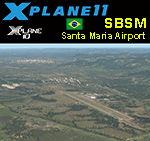
This is an X-Plane 11 and X-Plane 10 scenery package for Santa Maria Airport (IATA: RIA, ICAO: SBSM), which is the airport serving Santa Maria, Brazil. It is operated by the Brazilian Air Force. Some of its facilities are shared with the Santa Maria Air Force Base of the Brazilian Air Force. It includes corrected aprons, ramps, gates, taxiways, lighting system, city buildings, ortho-photoscenery for the airfield area, and (XP11 only) airport ground services (like push back). This scenery was tested and is operational (as of May 23, 2017) in "X-Plane 11.01 64 bit", Windows 10 Home. It was also tested and is also operational (as of May 23, 2017) in "X-Plane 10.51 64 bit", Windows 10 Home. Only the default X-Plane 11 libraries, by Laminar Research, are needed. No third party libraries are used.
| Filename: | BR_RS_SBSM__Santa_Maria_Airport_v100.zip |
| License: | Freeware |
| Added: | 24th May 2017, 04:29:04 |
| Downloads: | 84 |
| Author: | Rui Mesquita |
| Size: | 14.65 MB |
| Category: X-Plane - Scenery | |
| BR CE - SNQX Quixada Airport v1.0.0 |
|
Images related to this file:
File Description:
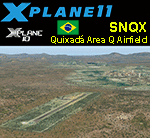
This is an X-Plane 11 and X-Plane 10 scenery package for Quixada Airport (ICAO: SNQX), which is the airport serving Quixada and "Area Q" region of Ceara, in Brazil. The "Area Q" regeon is a reference to the nearby towns of Quixadá, Quixeramobim, Quixelô, Quixeré e Quiterianópolis. It includes corrected aprons, ramps, gates, taxiways, lighting system, city buildings, ortho-photoscenery for the airfield area, and (XP11 only) airport ground services (like push back). This scenery was tested and is operational (as of May 30, 2017) in "X-Plane 11.02b1 64 bit", Windows 10 Home. It was also tested and is also operational (as of May 30, 2017) in "X-Plane 10.51 64 bit", Windows 10 Home. Only the default X-Plane 11 libraries, by Laminar Research, are needed. No third party libraries are used.
| Filename: | BR_CE__SNQX_Quixada_Airport_v100.zip |
| License: | Freeware |
| Added: | 30th May 2017, 15:25:46 |
| Downloads: | 65 |
| Author: | Rui Mesquita |
| Size: | 26.03 MB |
| Category: X-Plane - Scenery | |
| BR RR SJKQ - Caramambatai Monte Roraima v1.0.0 |
|
Images related to this file:
File Description:
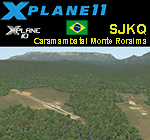
This is an X-Plane 11 and X-Plane 10 scenery package for Caramambatai Monte Rorraima Airport (ICAO: SJKQ, no IATA code) which is an airport serving Uiramuta, Roraima, Brazil, located in the vicinity of "Monte Rorraima" (or Mount Roraima), the highest of the Pakaraima chain of tepui plateaus in South America. It includes corrected aprons, ramps, gates, taxiways, lighting system, village buildings, ortho-photoscenery for the airfield area, and (XP11 only) airport ground services (like push back). This scenery was tested and is operational (as of April 15, 2017) in "X-Plane 11.00 RC #1 64 bit", Windows 10 Home. It was also tested and is also operational (as of April 15, 2017) in "X-Plane 10.51 64 bit", Windows 10 Home. Only the default X-Plane 11 libraries, by Laminar Research, are needed. No third party libraries are used.
| Filename: | BR_RR_SJKQ__Caramambatai_Monte_Roraima_v100.zip |
| License: | Freeware |
| Added: | 15th April 2017, 19:10:33 |
| Downloads: | 93 |
| Author: | Rui Mesquita |
| Size: | 14.71 MB |
| Category: X-Plane - Scenery | |
| BR SP SBSJ - Sao Jose dos Campos Embraer Airport v1.0.0 |
|
Images related to this file:
File Description:
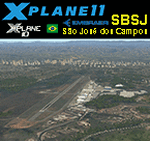
This is an X-Plane 11 and X-Plane 10 scenery package for São José dos Campos-Professor Urbano Ernesto Stumpf Airport (IATA: SJK, ICAO: SBSJ), is the airport serving São José dos Campos, Brazil. It includes corrected aprons, ramps, gates, taxiways, lighting system, city buildings, ortho-photoscenery for the airfield area, and (XP11 only) airport ground services (like push back). Embraer main plant and headquarters is the main operator. This scenery was tested and is operational (as of March 18, 2017) in "X-Plane 11 Public Beta #15 64 bit", Windows 10 Home. It was also tested and is also operational (as of March 18, 2017) in "X-Plane 10.51 64 bit", Windows 10 Home. Only the default X-Plane 11 libraries, by Laminar Research, are needed. No third party libraries are used.
| Filename: | BR_SP_SBSJ__Sao_Jose_dos_Campos_Embraer_Airport_v1.zip |
| License: | Freeware |
| Added: | 19th March 2017, 08:13:08 |
| Downloads: | 111 |
| Author: | Rui Mesquita |
| Size: | 15.45 MB |
| Category: X-Plane - Scenery | |
| BR MS SBCG - Campo Grande Airport v1.0.0 |
|
Images related to this file:
File Description:
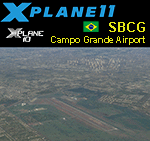
This is an X-Plane 11 and X-Plane 10 scenery package for Campo Grande International Airport (IATA: CGR, ICAO: SBCG), sometimes also informally referred to as Antônio João Airport, after the neighborhood where it is located, which is the airport serving Campo Grande, MS, in Brazil. It includes corrected aprons, ramps, gates, taxiways, lighting system, city buildings, ortho-photoscenery for the airfield area, and (XP11 only) airport ground services (like push back). This scenery was tested and is operational (as of March 25, 2017) in "X-Plane 11 Public Beta #17 64 bit", Windows 10 Home. It was also tested and is also operational (as of March 25, 2017) in "X-Plane 10.51 64 bit", Windows 10 Home. Only the default X-Plane 11 libraries, by Laminar Research, are needed. No third party libraries are used.
| Filename: | BR_MS_SBCG__Campo_Grande_Airport_v100.zip |
| License: | Freeware |
| Added: | 26th March 2017, 07:29:02 |
| Downloads: | 93 |
| Author: | Rui Mesquita |
| Size: | 16.32 MB |
| Category: X-Plane - Scenery | |
| BR PE SNHS - Serra Telhada Airport v1.0.0 |
|
Images related to this file:
File Description:
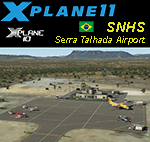
This is an X-Plane 11 and X-Plane 10 scenery package for Serra Talhada Airport (also known as Pajeú Regional Airport) (ICAO: SNHS. No IATA code), which is a Brazilian airport in the state of Pernambuco, located in the municipality of Serra Talhada, in the inner lands of sertao. It includes corrected aprons, ramps, gates, taxiways, lighting system, city buildings, ortho-photoscenery for the airfield area, and (XP11 only) airport ground services (like push back). This scenery was tested and is operational (as of March 26, 2017) in "X-Plane 11 Public Beta #17 64 bit", Windows 10 Home. It was also tested and is also operational (as of March 26, 2017) in "X-Plane 10.51 64 bit", Windows 10 Home. Only the default X-Plane 11 libraries, by Laminar Research, are needed. No third party libraries are used.
| Filename: | BR_PE_SNHS__Serra_Telhada_Airport_v100.zip |
| License: | Freeware |
| Added: | 26th March 2017, 22:17:34 |
| Downloads: | 70 |
| Author: | Rui Mesquita |
| Size: | 14.06 MB |
| Category: X-Plane - Scenery | |
| BR RS SBPA - Salgado Filho Intl v1.1.0 |
|
Images related to this file:
File Description:
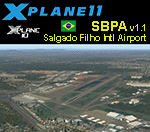
This is an X-Plane 11 and X-Plane 10 scenery package for Salgado Filho International Airport (IATA: POA, ICAO: SBPA), the main airport serving Porto Alegre, in Brazil. It includes corrected aprons, ramps, gates, taxiways, lighting system, city buildings, ortho pohoto scenery for the airport area, and (XP11 only) airport ground services (like push back). This scenery was tested and is operational (as of March 30, 2017) in "X-Plane 11.00 RC #1 64 bit", Windows 10 Home. It was also tested and is also operational (as of March 30, 2017) in "X-Plane 10.51 64 bit", Windows 10 Home. Only the default X-Plane 11 libraries, by Laminar Research, are needed. No third party libraries are used. v1.1.0 adds ortho pohoto scenery for the airport area, and it also adds the Gremio Arena stadium reference for the scenery.
| Filename: | BR_RS_SBPA__Salgado_Filho_Intl_v110.zip |
| License: | Freeware |
| Added: | 1st April 2017, 17:55:29 |
| Downloads: | 99 |
| Author: | Rui Mesquita |
| Size: | 22.87 MB |


© 2001-2026 AVSIM Online
All Rights Reserved
Privacy Policy |