
Where Flight Simulation Enthusiasts Gather from Around the World!
AVSIM Library - Search Results

| Category: Flight Simulator 2004 - Original Aircraft | |
| Caproni-Vizzola C-22J Ventura |

|
Images related to this file:
File Description:
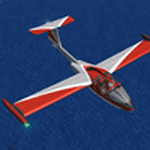
The Machine:
A fully aerobatic, very-light Jet that compares to the Bede BD-5J, but heavier and sporting two instead of one TRS-18 turbojets. Up to Mach 0.47 and 650 NM of range, with a service ceiling of 25000ft. A low stall speed (for a jet) makes the aircraft good for short field operations.
Certified for VFR operations only, yet includes a good avionics suite.
This is a "Classic" aircraft featuring "Steam" gauges and radios. Yet, controls and systems are easy to operate.
The History:
The C-22J is the last aircraft to be adorned with the legendary Caproni name. Originally known as "Caproncino", then marketed as "Ventura". A very-light jet developed in the 1980s as a military trainer, surveillance and reconnaissance aircraft. Powered by two TRS-18 turbojets fed from a dorsal NACA intake, the aircraft reached Mach 0.47 and was fully aerobatic. The airframe shows its origin in a glider design, the Caproni A-21 Calif. After the merger with SIAI Marchetti, the project was cancelled in favor of the SF-260.
The Simulation - 3D Model:
This aircraft ships with a 3-D cockpit, that incorporates realistic night lighting, in the form of a dim dome flood light, backlit gauges and luminous digital displays. The flight crew of 2 is affected by your input in the payloads menu of Flight Simulator, allowing to choose between male, female or empty seats. The Copilot Figure can be hidden with a quick click in the internal 3D view as well.
The Simulation - Realism:
This aircraft has been tuned with the invaluable help of Engineer Carlo Ferrarin, who created the real aircraft. Unique and one-off documentation has been kindly provided, and used extensively, for the creation of this product!
Just like the real aircraft, the systems are simple and of easy operation. Engines can be started with the press of a button. Systems modelling allows the following of real-world checklists as closely as Flight Simulator allows. An in-sim checklist is included, as well as a full flight manual.
The flight model is tuned with advanced aerospace techniques, resulting in a highly realistic aircraft, yet, it is very pleasant to fly, both during aerobatic displays or "A to B" cruising.
Highlights:
- High-Resolution 3D cockpit
- Full Documentation
- Aerobatic
FS-2004 Version comes with limited support and is free due to platform limitations. See Readme. FS-X & P3Dv4 (64-bit) versions are commercial products.
| Filename: | CaproniVizzola_C22J_Ventura.zip |
| License: | Freeware, limited distribution |
| Added: | 7th November 2020, 18:31:45 |
| Downloads: | 677 |
| Author: | Mario Noriega |
| Size: | 157.85 MB |
| Category: Flight Simulator 2004 - Utilities | |
| FlightSim Manager 2.7.2 |
|
File Description:
Compatible with both FS2002 and FS2004
FlightSim Manager is a great tool for managing add-ons to Microsoft Flight Simulator. Using easy to Wizard - FSM can install various addins from distribution ZIP files that you may have downloaded, with easy uninstaller. FSM has lots of feature to offer, from an easy to use Aircraft editor to add/edit aircraft variants, to an comprehensive Hangar management that allows you to manage and configure your add-ons off your live FS installation. You can create Virtual Fleets, and enable/disable the complete fleet with ease. For serious pilots, there is also a complete Logbook.
If you have access to networked PCs, you can use FSM Lan View feature to create virtual cockpits with as many different views as you like. FSM also make it very easy to control Flight Simulator with speech commands, with additional support for auto-saving flight, warning system, and your own custom event sounds.
Using a powerful Editor, you can now edit your AI Flight Plans - plans can be saved as sets, which then in turn can be enabled in Flight Simulator. With FSM, you can create Texture Sets ( your own custom texture installer ) - capture screenshots, complete Benchmark with log, launching Flight Simulator with Random Screens, and fly from anywhere in the world using an map view.
Finally with a comprehensive Diagnostic Tools and Repository feature, FSM keeps your FS installation clean. Apart from the usual Missing and unused gauges, FSM can also locate Aircraft problems, Missing and unused effects, and Scenery Problems with a LandClass File relocate feature - say bye-bye to all the memory leaks.
There are still a lot more features that you will need to discover by yourself.
You can find the latest version from: http://www.ranainside.com/
| Filename: | FlightSim_Manager_272.zip |
| License: | Freeware |
| Added: | 18th December 2004, 21:56:49 |
| Downloads: | 20,537 |
| Author: | Rana Hossain |
| Size: | 5.45 MB |
| Category: Flight Simulator 2004 - Utilities | |
| FlightSim Manager 2.5.1 |
|
File Description:
Compatible with both FS2002 and FS2004
FlightSim Manager is a great tool for managing add-ons to Microsoft Flight Simulator. Using easy to Wizard - FSM can install aircraft, panels, textures and scenery directly from distribution ZIP files you may have downloaded, with proper uninstallation of add-ons. From an easy to use Aircraft editor to add or remove aircraft variants, to an comprehensive Hangar management allows you to manage and configure your add-ons off your live FS installation.
You can now create Virtual Fleets, and enable/disable the complete fleet with ease. For serious pilots, FSM also offers a complete Logbook.
Using FSM, you can create Texture Sets - i.e.. different Tree Sets, and you can install any set with a single click, capture screenshots from Flight Simulator, Benchmark with log, launch it with Random Splash Screens, and fly from anywhere in the world using an map view.
You can also control Flight Simulator with speech commands using FSM. It also supports auto-saving flight, warning sytem, and custom event sounds.
Finally with a comprehensive Diagnostic Tools and Repository feature, FSM keeps your FS installation clean. Apart from the usual Missing and unused gauges, FSM can also locate Aircraft problems, Missing and unused effects, Scenery Problems with a LandClass File relocate feature - say bye-bye to all the memory leaks.
To provide you - the user with the best Freeware FS-Addon, I need your help... if you have any suggestions, recommendations or problem using this software, please contact me through our Forum at:
http://softwares.ranainside.com/forum/
You can find the latest version from -
http://www.ranainside.com/
| Filename: | FlightSim_Manager_251.zip |
| License: | Freeware |
| Added: | 27th August 2004, 17:26:52 |
| Downloads: | 4,306 |
| Author: | Rana Hossain |
| Size: | 4.3 MB |
| Category: Flight Simulator X - Original Aircraft | |
| Mirage F.1CG Hellenic Air Force |
|
File Description:
On 16 June 1974 the contract for 40 Mirage F.1CG.s was signed and the deliveries were scheduled to last from 1977 until 1979. Because of the invasion of Cyprus by Turkey, in July 1974, the Mirages delivered on 5 August 1975. The Greek F.1CGs aircraft entered service with the 342 Mira, which at the time was still using the F-102A Delta Dart as an all-weather interceptor. The last Delta Daggers in HAF service would be retired in 1977 when all 40 F.1CGs were delivered. Unfortunately the Hellenic Air Force Staff did not buy any of the French AA missiles to equip the new fighters and so these had to be armed with US-supplied AIM-9Js instead. In 1984 the KETA (Center for Research and Aviation Technology) stared to develop the wiring for the 2 outboard underwing pylons, in order to make F.1Cgs able to carry 4 AAM instead of 2. This happened with Dassault's help by 1985 and ever since the PA Mirage tooth four AIM-9P-2. After the arrival of more modern types in PA service, the Mirage E.1CG's started to become secondary in PA planning and air operations. In 2000 344 Mira disbanded and all it’s aircraft and personnel passed on to 342 Mira. After almost 28 years of service, on 30 June 2003 the remaining 24 F.1CG's were retired at Tanagra AB. In total, the PA logged no less but 160.000+ flying hours with its F.1CGs, which means 5500-6000 per airframe - and many of these - over 3.500+ hours - in "live" interceptions over the Aegean Sea, under combat-similar conditions. Features: panel, Virtual Cockpit, four Textures, Sounds, msonic boom effect, reworked and more accurate flight dynamics.
| Filename: | Mirage_F1CG_Hellenic_Air_Force.zip |
| License: | Freeware |
| Added: | 26th June 2007, 10:53:15 |
| Downloads: | 34,744 |
| Author: | Thanasis Delizisis, Panagiotis Delizisis, Kirk Olsson |
| Size: | 33.76 MB |
| Category: Miscellaneous Files - Demos from Commercial Vendors | |
| AirFxEz Smoke System effects generator. Version 1.0.6.6 |
|
Images related to this file:
File Description:

Re-upload. People who are new to FlightSim often ask; "Can you shoot guns, drop bombs, etc.?"
Unfortunately, FlightSim has no way to add these things.
AirFxEz was made to easily add these features and more to FlightSim 2002/2004.
1. Quickly and easily add effects to your Fs2002 / Fs2004 smoke system.
2. New effects including FxPax #1: Bomb, Flak, Engine fire, Machine gun, Water dump, Crop duster, Smoke in 5 colors, longer lasting smoke for Skywriting.
Just $8.99 / FREE for registered AirFx users.
Included Effects Templates w/images:50Cal
50Cal_x2 fireball range 500ft
50Cal_x2 fireball range 700ft
50Cal_x2 fireball range 1000ft
50Cal_x2
Bomb200ft Timer with flak
Bomb200ft Timer
Bomb2000ft Timer with flak
Bomb2000ft Timer
Bombing Run with Flak
Bombing Run
C182 Engine Fire
Shooting Gallery
Smoke Blue
Smoke Green
Smoke Red White Blue
Smoke Red
Smoke White Smoke Yellow
SmokeWriter 5 Minute
SmokeWriter 10 Minute
SmokeWriter 30 Minute
Strafe
Water Dump
737 Engine 1 Fire
737 Engine 2 Fire
747 Engine 1 Fire
747 Engine 2 Fire
747 Engine 3 Fire
747 Engine 4 Fire
747 Engine 4 Fire
777 Engine 1 Fire
777 Engine 2 Fire
Beech Baron Engine 1 Fire
Beech Baron Engine 2 Fire
Beech KingAir Engine 1 Fire
Beech KingAir Engine 2 Fire
FREE FXPAX INCLUDED
01. Colored contrail sets with long-lasting smoke for skywriting.[Available as of 04/26/2004]
02. Colored water dump sets.
03. High and low wing effect offsets sets for all smokes and fires.
04. High and low wing jet engine afterburner and heat distortion effects.
05. Distance-based targeting reticules for strafing.
06. Multiple sized bombs and explosion effects for different sized aircraft.
07. Guns and bomb systems with effect placement based on distance/altitude from target.
08. Plasma weapons, Explosion sets, Cluster bomb sets, Squirt gun, Laser.
09. Monster sized Bowling ball.
10. Sounds for the effects
| Filename: | AirFxEz_Smoke_System_effects_generator_Version_106.zip |
| License: | Check within download |
| Added: | 15th July 2010, 01:34:41 |
| Downloads: | 2,165 |
| Author: | grant bovee |
| Size: | 7.49 MB |
| Category: Flight Simulator 2004 - Original Aircraft | |
| Savoia Marchetti SM.79 Sparviero, SERVICE PACK 1 (v.02) |
|
Images related to this file:
File Description:
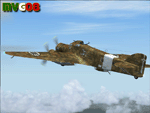
It was the most important Italian bomber of World War II, this tough three-engined aircraft established a reputation that contrasted with most Italian weapons of the day, and it was flown with courage and skill. SM.79s served widely in the normal bombing role, but it is as a land-based torpedo bomber that the type deserves its place in military aviation history, being regarded by many as one of the finest torpedo bombers of the war. In spite of its cumbersome appearance and outdated construction, with an internal provision for 2,750 lb (1,250 kg) of bombs, supplemented by under fuselage rack for a torpedo, the S.M.79 was a rugged, reliable multi-role medium bomber which did quite a bit of damage in the face of heavy opposition. About 1,300 production models were built over a nine year period. The SM.79 had a distinctive 'hump' on the upper forward fuselage, which housed both the fixed forward-firing heavy machine-gun and the dorsal gunner's position. Its appearance earned the aircraft the nickname 'Gobbo Maledetto' ('Damned Hunchback'). During the last phases of the war the surviving SM.79s were converted into various versions of utility transports and used in that role until 1952.
This "Service Pack" contains:
-4 UPGRADED + 1 NEW Hi-Res GMax models (5 different versions) feature the usual moving parts, such as all flight controls, props pitch and leading edge flaps.
-Eleven (11) different liveries (6 R.A., 1 A.N.R., 1 I.C.A.F., 1 Post-war A.M.I., 2 Spanish Nationalist Air Force).
-Revised SM.79M CFG & AIR files, New SM.79Bis CFG & AIR files
-Revised Sounds, Gauges & Effects
VC only. This plane was developed for FS9, but it works (it seems without problems) either in FSX. Created by Manuele Villa & ItalianWings, February 2008. Installation instructions included.
| Filename: | Savoia_Marchetti_SM79_Sparviero_SERVICE_PACK_1_v02.zip |
| License: | Freeware |
| Added: | 31st May 2010, 09:24:20 |
| Downloads: | 3,320 |
| Author: | Manuele Villa, Italianwings |
| Size: | 32.56 MB |
| Category: Flight Simulator 2004 - Utilities | |
| FlightSim Manager 2.8.5 |
|
File Description:
Compatible with both FS2002 and FS2004. FlightSim Manager is a great tool for managing add-ons to Microsoft Flight
Simulator. Using easy to Wizard - FSM can install various addins from
distribution ZIP files that you may have downloaded, with easy uninstaller. FSM
has lots of feature to offer, from an easy to use Aircraft editor to add/edit
aircraft variants, to an comprehensive Hangar management that allows you to
manage and configure your add-ons off your live FS installation. You can create
Virtual Fleets, and enable/disable the complete fleet with ease. For serious
pilots, there is also a complete Logbook. If you have access to networked PCs, you can use FSM Lan View feature to create
virtual cockpits with as many different views as you like. FSM also make it very
easy to control Flight Simulator with speech commands, with additional support
for auto-saving flight, warning system, and your own custom event sounds. Also
FSM introduces a new ViewMode that replaces the existing boring tower view into
exciting camera view. Using a powerful Editor, you can now edit your AI Flight Plans - plans can be
saved as sets, which then in turn can be enabled in Flight Simulator. With FSM,
you can create Texture Sets ( your own custom texture installer ) - capture
screenshots, complete Benchmark with log, launching Flight Simulator with Random
Screens, and fly from anywhere in the world using an map view.
Finally with a comprehensive Diagnostic Tools and Repository feature, FSM keeps
your FS installation clean. Apart from the usual Missing and unused gauges, FSM
can also locate Aircraft problems, Missing and unused effects, and Scenery
Problems with an unique LandClass File relocate feature - say bye-bye to all
those memory leaks. There are still a lot more features that you will need to discover by yourself. You can find the latest version from: http://www.ranainside.com/
| Filename: | FlightSim_Manager_285.zip |
| License: | Freeware |
| Added: | 20th November 2005, 03:15:59 |
| Downloads: | 48,579 |
| Author: | Rana Hossain |
| Size: | 5.48 MB |
| Category: Flight Simulator X - Original Aircraft | |
| "Janet Airways" Boeing 737-600 BBJ-ER |
|
Images related to this file:
File Description:
A highly classified small fleet of passenger aircraft known as "Janet" is operated for the United States Air Force to transport military and contractor employees. It mainly serves the Nevada National Security Site (most notably Area 51 (AR51) and Tonopah Test Range (TNX), from their terminal at Las Vegas' McCarran International Airport (KLAS). The planes are also used to fly to/from Air Force Plant 42 (KPMD), Naval Air Weapons Station China Lake (KNID), Hill Air Force Base (KHIF), and Edwards Air Force Base (KEDW). I encourage you to locate, download, and install the AFCAD files or scenery add-ons associated to these airports from any source you desire, but make sure they are designed for FSX. The fleet's "Janet" call sign, from which its de facto name comes, is said to stand for "Just Another Non-Existent Terminal", or more likely "Joint Air Network". Everything is realistic in this model, now, and most simmers know how inaccurate the original FSX 737-800 was. However, this aircraft simulates the accuracy of a 737-600 BBJ-ER, if there ever was one built. I modified everything to fit that aspect, except for the visual model. The engine characteristics are correct as well as all weight/balance and MOI. I even fixed the wheels to be accurate in base, track and pressure size. Everything I've done here is for educational purposes without any expectation of any monetary gain, and offered publicly for free. Read the Readme.txt file for installation and details. All persons involved with this and the original design are credited, unless they are unknown and have offered no credit details. Sounds by: Christoffer Petersen, Panel by: Pasquale Rinaldi, Redirected Texture by: Microsoft (Unknown Staff Member Names), Real World Engine/Aerodynamics by: Douglas E. Trapp, FS Flight Dynamics Engineer [email protected] July 2017
| Filename: | Janet_Airways_Boeing_737600_BBJER.zip |
| License: | Freeware |
| Added: | 8th July 2017, 20:04:30 |
| Downloads: | 1,917 |
| Author: | Douglas E. Trapp |
| Size: | 39.16 MB |
| Category: Flight Simulator X - Original Aircraft | |
| Gulfstream G-550SP |
|
Images related to this file:
File Description:
This aircraft is the advanced upgrade from previous versions, and there are no more upgrades scheduled for the future. The paint is fictional, but illustrates what would be used for Charter flights by some airlines. Even in that case, I tried to make it as real as possible, as you will see. All authors credited other than myself are not involved with any of the engine or aerodynamic or detailed corrections. I even enhanced the parking data, callsign used, lighting effects, gear, MOI, weight & ballance, flaps and smoke for realism. There are no known issues with this model as it stands, and it is now possible to easily achieve FL510 and cruise over 8,000 nm, even with 16X simulation speed activated using auto-pilot. This perfection is based on real world aero/engine dynamic data and formulas employed within the aircraft.cfg and .air files. Flight Tuning is no longer used in this model. There is no other FSX Gulfstream G-550 available anywhere (Free or Payware) that includes all of this realism, and if there is in the future, it was copied from this data. Don't be fooled. I don't expect any world-wide awards or the "Nobel FS Prize" for any of this, but your comments related to the results will be appreciated, and acknowledged. Please understand that this work required many hours of study and testing, and is offered free for Educational Purposes primarily. The results illustrate the realism of the G-550 in almost every aspect imaginable, which is possible with all FSX aircraft when you know how and what is needed. Model, Sounds & Textures by Peter Brun ([email protected]). Flight Dynamics, Data and all Modifications by Douglas E. Trapp ([email protected]), 31 December 2017.
| Filename: | Gulfstream_G550SP.zip |
| License: | Freeware |
| Added: | 1st January 2018, 03:20:19 |
| Downloads: | 9,273 |
| Author: | Peter Brun, Douglas E. Trapp |
| Size: | 19.94 MB |
| Category: Flight Simulator X - Gauges | |
| TCAS and Traffic Display Gauge V2.0 |
|
Images related to this file:
File Description:
This TCAS and Traffic Display Gauge Version 2.0 includes significant improvements from V1.0. It has been developed for the FSX Flight Simulator SP1/2 also. It should also work with Acceleration.The functionality for the TCAS part is based on general specs for commercial aircrafts. It does not provide in detail the function for a specific aircraft model. It is a generic gauge, and can be simple added to any aircraft as a standalone popup window.
In addition the gauge provides a AI traffic display in the ranges of 10,20, and 40 miles.Within this display mode, no TCAS rules are valid, which means all AI aircraft are displayed independent of any altitude or distance.
Improvements in V2.0 are: 1: Full TCAS and traffic display capability is provided even though your aircraft is on the ground. Only the trigger of the alarm/warn sound and the blinking lamp display willbe blocked. 2: An AI HDG pointer will be displayed. It shows in which direction the AI is moving. 3: A bearing pointer has been introduced. It allows the pilot to point to a specific AI.4: The AI additional text info display follows the structure of an ATC text.5:The AI additional text can be selected individually per AI with a mouse click.
6: Each AI display contains a ID index number (0 � 20).7: The design of the TCAS and Traffic Display Box has been updated.8: Increased the number of AIs displayed on the screen in display mode.
For installation and functional description look at the doc inside the ZIp.
CREDIT goes to :
Stefan Schneider for his support on special XML issues and TCAS functionality.
Bob Familton for his review of the documentation and testing for SP1 FSX.
Doug Dawson for his dsd-XML-sound interface in order to generate the sounds.
| Filename: | TCAS_and_Traffic_Display_Gauge_V20.zip |
| License: | Freeware |
| Added: | 25th October 2010, 13:37:36 |
| Downloads: | 3,752 |
| Author: | Dietmar Loleit |
| Size: | 981.32 KB |


© 2001-2026 AVSIM Online
All Rights Reserved
Privacy Policy |