
Where Flight Simulation Enthusiasts Gather from Around the World!
AVSIM Library - Search Results

| Category: Flight Simulator X - Scenery | |
| Silloth Aerodrome plus Great Orton |

|
File Description:
RAF Station Silloth is a former Royal Air Force station located 1 mile (1.6 km) north-east of Silloth, Cumbria, England and 6.7 miles (10.8 km) south-west of Kirkbride, Cumbria. The station was used by RAF Coastal Command during WW2.
I designed this scenery primarily for my own pleasure using Airport Design Editor and FSX SDK. I use FSX Acceleration and Horizon VFR photo scenery but it should work with standard FSX SP2.
This scenery depicts the airfield as closely as i can get it with the available information. I have modelled all of the Airfield buildings as closely as I could with the information available to me and this was done using Sketchup, the models were then converted for use in FSX using Model converter X.
It is not 100% accurate and no claim is being made by the author that it is. I have depicted the buildings in wartime camo.
All the buildings can be used as as you wish. My only request is that if you should design better textures for them that you let me have a copy, my textures are pretty basic.
Some buildings have night lighting, lights and smoke effects, these should be in your FSX effects files already.
I have not yet completed the Domestic Site but i may do this in the future...(I've hit the buffers for now though!!)
Included in this scenery pack is the Satellite Airfield RAF Great Orton. Built in 1943 to accommodate the larger bombers now being used by the RAF. This airfield is very sparse as i am unable to get much info about it.
Runways, Taxiways, Watch Office and Ground Signals are all that is included in this scenery pack, along with Sloped flattens, crosswind runways and AGN files.
I have included this as a destination for the Bristol Beaufort AI aircraft that i have included with the scenery.
The Bristol Beaufort AI is a freeware model from Alphasim and is used with their permission. I have altered the model textures and aircraft file and it works well enough as AI.
I have used other scenery libraries within this scenery (mainly to depict the village of Silloth) and these will need to be downloaded from the appropriate sources and activated within FSX.
| Filename: | Silloth_Aerodrome_plus_Great_Orton.zip |
| License: | Freeware |
| Added: | 6th December 2015, 22:32:18 |
| Downloads: | 491 |
| Author: | Mark Byers |
| Size: | 357.87 MB |
| Category: Flight Simulator X - Scenery | |
| hythevillage_pier.zip |
|
File Description:
Hythe Village and Pier
Hythe Village [Town] nestles between the edge of Southampton Water and the New Forest, some 500 yards west of the ‘American Base – RAF Hythe’; the surrounding area is known as ‘The Waterside’. Hythe, with its waterfront, boasts incredible views across Southampton Water, while the village [town] centre, with its Georgian High Street, offers a range of shops, services, traffic-free precincts and parking facilities. Nearby is ‘Hythe Marina’, to be found on Southampton Water's southern shore; it’s a unique development of a 206 berth marina, together with waterside homes, shops, restaurants, bars and a boutique hotel.There is also a passenger ferry which sails back-and-forth from Hythe Pier to the City of Southampton every 30 minutes. Before Hythe Pier was built, ferry and other boats arriving at Hythe had to use a gravel hard ramp which ran from the land out to the low tide point in Southampton Water. Walking along the hard gravel was not easy and travellers often got very wet. Various ideas to improve the situation were suggested at the time and construction of Hythe Pier was eventually started in October 1879 and officially opened on the 1st January 1881. Many World War II heroes departed from this pier on D-Day in June 1944.The pier itself stretches some 640 meters into Southampton Water and is one of the ten longest piers in the British Isles. In 1922, a narrow gauge electric railway opened in order to take passengers the full length of the Pier. This railway, with its original engine and rolling stock, is the oldest operating electric pier train in the world and is still operational to this day – playing an important part in the local transportation system between Hythe and Southampton.
Scenery Features
* Bus Shelter
* Ferry Ticket Collectors (On pier landing platform)
* Ferry Ticket Office
* High Street Shops
* Hotspur House
* Hythe Library & Car Park
* Hythe Pier
* Hythe Pier Landing Platform
* Hythe Promenade
* Library Road & Shops
* Lidl Superstore & Car Park
* People (Static & animated)
* Pier Railway & Safety Railings
* Pier Train (Parked at village end of pier)
* Lord Nelson Public House
* Prospect Place Park
* Public Toilets
* Seashells Lounge Bar & Restaurant
* St. John's Church & Cemetery
* Street Lighting
* Streets & Roadways
* ‘The Marsh’ & New Road
* Vegetation (Trees, bushes)
* Vehicles (Buses & cars)
* Waitrose Supermarket & Car Park
* WWII Remembrance Plaque (Prospect Place)
Special Effects
* Animated Birds (seagulls-close to village & pier)
* Chimney Smoke
* Night, Dusk & Dawn Lighting Effects
* Seagull Cry Sounds
| Filename: | hythevillage_pierzip.zip |
| License: | Freeware |
| Added: | 21st November 2025, 12:42:28 |
| Downloads: | 77 |
| Author: | Barrie Semmens |
| Size: | 16.37 MB |
| Category: Flight Simulator X - Scenery | |
| Carnes Farm |
|
Images related to this file:
File Description:
These are the files that I talked about in the Prepar3d forums. I created these objects for Fs9, then upgraded them to the scenery SDK for FSX. They were created 10 years ago in GMAX, and I have used them successfully ever since in Prepared 1.4 as well.
For some reason the individual farmhouse and other objects that I created are not showing up in Prepar3d version 2.0.
That's where you guys come in! These files are free to use in anyway you want as long as proper attribution is given, but, I would like you guys who have both Prepar3d 1.4 and 2.0 to try them out in both and report back to me as to whether you have the same problems that I do. That's your only fee. And I'd like you guys to give it a shot in both, or all four( I am not sure that they will work in FS9 anymore, but try it out. Unfortunately I can't recompile my FSX SDK Files back to FS9 if it doesn't work).
What's included:
1. Photo real scenery of Barbourville, 10 miles to the north west of stinking Creek where we live, and;
2. Photo real scenery of the farm area and stinking Creek, upon which I have placed my GMAX objects;
A. The farm house.Carnes Farm From the Bridge at 500 AGL.jpg
B. The barn, shed and the RV in back of the farmhouse.
C. A two-story long structure the top of which is an apartment but the bottom of which is a re-creation of Mama Carne's store, along with all the real wood floors shelves and original contents.. It is also o n Google earth in 3-D as it is here with further description .
... A little note on Gmax.. Mama Carne's store was one the first structures that I built in Gmax. It was just a box. Later, I added the true architectural features that you see including the steps and rails which took about as long to create as it would have to Saw and fit and hammer the real rails, risers and steps.
D. K-6, my little 2300 foot strip for runways 03 and 21. It has VOR - (117.55), ILS(110.1), and NDB(222).
E. Gerald Bingham's house, 1/4 mile up Warriors Path North from us.( mostly dirt road with gravel topping).
F. Dewitt Baptist Church.
Off property Knox county
G.Escoe's Store and Post Office complete with great prices for gas at the included pumps.
Escoes.jpg
H. Rex allen's killer corner...sheds and farm equipment on the sharpest bend on Stinking Creek...my son went off it with a flat tire, unscathed, but more than several have lost their lives on that curve... there may be several iterations of the sheds...just delete or rename the wrong ones...I was experimenting with ModelConverterX, Arno Gerretsen's wonderful model and object scenery tool.
I. sitting on top of the Barbourville Photo real scenery Barbourville PhotoReal over the shopping center.jpg is the Barbourville P3D Shopping Center2.jpg shopping center all the stores and all the storefronts ... it's on 25 E. as you head into Barbourville.
Recreated, is the entire shopping center with the now outmoded Wal-Mart sign. Probably my magnum opus.
note on the Gmax scenes.
All of the scenery was either directly measured and if not practical for a such a long measuring device, walked off, as in the Stinking Creek Bridge and shopping center. All of the objects were then photographed, in 360° where possible and saved as texture for inclusion in the Gmax model.
Enjoy!
...oh... how do you get there? Wellllll.... situate yourself at Middlesboro (1a6), and tune your Nav radio to K-69's VOR, 117.55, take off and climb to 3500 feet...grinnnnn
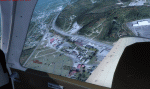
Welcome to Knox County Kentucky!
| Filename: | Carnes_Farm.zip |
| License: | Freeware |
| Added: | 2nd December 2013, 05:34:20 |
| Downloads: | 454 |
| Author: | Chas Honce |
| Size: | 91.13 MB |
| Category: Flight Simulator X - Aircraft Repaints, Textures and Modifications | |
| Virgin Galactic Boeing 747-8i |
|
Images related to this file:
File Description:
FSX Boeing 747-8i Virgin Galactic with advanced VC by Alejandro Rojas Lucena and VC Textures Upgrade by Enrique Cornejo, founder of the Flightsim Workshop Project. This gives the b747 a payware Virtual Cockpit look and now with green leather tapestry on the sides of the seats. It even has a pilot jacket hanged in the rear of the cockpit (besides the right jumpseat). The panel.cfg and the aircraft.cfg have been assembled and edited by the Flightsim Workshop Team. Now you can pop up "My icons" window in the Virtual Cockpit to easily reach the following windows: GPS, avionics, map, ATC, Climb/Radio Altimeter/Spoiler switch, auto-break switch, throttle quadrant, clock, descent meter, kneeboard and overhead panel. A new feature in My Icons Window I added is a new Pitot Heat switch with ON and Off features, (XML gauge by Enrique Cornejo). cold weather, the Pitot Heat switch works just like in real life, so if its turned off the air speed indicator will stop working, so make sure you turn the Pitot Heat switch on before taking off!
The autopilot ON switches have green lights which make them look more realistic. Center ATC identification in this aircraft is "Boeing 747". We have also fixed the position of the strobe lights so when the aircraft is flying they are in the right place, so turn on the strobe lights switch after take off. The cockpit view from the pilots seat is now more comfortable because the distance between the cockpit and the seat is longer.
The aircraft has new engine views (from both wings) and new Virtual Cockpit interior views from the left, right and central jump seats. The brakes has a differential brake system to make smoother turns in ground. The Virgin Galactic Spaceship texture is wonderful and it has a unique paint scheme by Enrique Cornejo which also includes details such as some stains caused by humidity in the fuselage and the wing flaps and other details just like a real aircraft. Real smoke in the four engines, just select key, more cabin views, realistic cockpit and engines sound & more realistic night VC lights and fuselage night textures, in the VC just select key and reset the overhead Instrument panel light dim switch in the overhead panel. The aileron parameters have also improved, so now the right and left turns are smoother. This aircraft uses the Project Opensky FSX Boeing B747-800 Model OSX748V4_GENX(MDL), and includes the gauge window Posky Utility to view the main stairs, ground cargo servicing, etc. The engine sounds are edited like the real ones with cockpit ambient, so you can enjoy a pleasant flight. The Flight Management Computer (FMC) is fixed and looks like a payware instrument. The VC includes FMC, Primary Flight Display (PFD) and Multi-Function Display (MDF) displayed in the correct size. The virtual cockpit also has an Engine-Indicating and Crew-Alerting System also known as EICAS, Ground Proximity Warning System (GPWS), working wipers, cabin lights, fire suppression, avionics switch, fuel cross feed, and you can identify those instruments in the overhead panel because they are bordered with color lines. You can also find landing lights switches, taxi light switch, engine generators, APU generator, battery switch, starter switches, de-ice switch, general lights switches which are a great work of Alejandro. So now the whole cockpit and texture upgrade with all these improvements looks better than a payware version. The clock numbers are now in orange which makes them look better and easily recognizable. Assembled and edited for FSX by Flightsim Workshop Founder Enrique Cornejo. 78 MB
| Filename: | Virgin_Galactic_Boeing_7478i.zip |
| License: | Freeware |
| Added: | 21st February 2013, 18:56:28 |
| Downloads: | 1,940 |
| Author: | Enrique Cornejo |
| Size: | 77.73 MB |


© 2001-2026 AVSIM Online
All Rights Reserved
Privacy Policy |