
Where Flight Simulation Enthusiasts Gather from Around the World!
AVSIM Library - Search Results

| Category: Flight Simulator X - Original Aircraft | |
| Boeing 737-300/400/500 Classic Version 1.1 |

|
Images related to this file:
File Description:
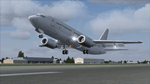
Originally designed by Erick Cantu under the Kittyhawk Studios and Vistaliners label, now available as FSX native models. Features 6 models, specular mapping, bump mapping. Virtual cockpit, sounds, panel aliased from the default Boeing 737-800. New for this version include a number of model fixes, winglets throughout all models, eyebrow and no eyebrow for all models and wingflex. Also includes a separate installation for FS2004. By Eagle Rotorcraft Simulations.
| Filename: | Boeing_737300400500_Classic_Version_11.zip |
| License: | Freeware, limited distribution |
| Added: | 26th December 2018, 04:39:28 |
| Downloads: | 2,934 |
| Author: | George Arana, Erick Cantu, Hiroshi Igami |
| Size: | 64.87 MB |
| Category: Flight Simulator 2004 - Miscellaneous Files | |
| Active ILS - EFHK (Helsinki - Vantaa Aerodrome) |
|
File Description:
As most know initiating the ILS at certain airports for AI Traffic is not a function at this time when using AFCAD2. If you add a new ILS runway to an airport such as EFHK (Helsinki - Vantaa 4L/22R) only the user aircraft can use this runway when visibility falls below 3 miles. ATC will no longer use this runway for AI Traffic because FS9 sees it as a visual runway. This will cause ATC to vector all your AI Traffic back to 4R/22L which is also a Terminal departure runway. This bgl file adds all NAVAIDS for making 4L/22R a Precision Instrument Runway by adding all the radar fixes for both the ILS approach portion and the missed approach procedures, altitudes and intersections as per current published plates. All AI Aircraft will now continue to use 4L/22R when Airport weather conditions are less than 3 miles.
*** FISD Finnish Scenery Designers and FS2004 Default Scenery AFCAD's included ***
| Filename: | Active_ILS__EFHK_Helsinki__Vantaa_Aerodrome.zip |
| License: | Freeware, limited distribution |
| Added: | 5th August 2004, 16:56:59 |
| Downloads: | 2,133 |
| Author: | Jim Vile |
| Size: | 27.25 KB |
| Category: Flight Simulator 2004 - Miscellaneous Files | |
| Active ILS - EHAM (Amsterdam - Schiphol Airport) |
|
File Description:
As most know initiating the ILS at certain airports for AI Traffic is not a function at this time when using AFCAD2. If you add a new ILS runway to an airport such as EHAM (Schiphol 18R/36L) only the user aircraft can use this runway when visibility falls below 3 miles. ATC will no longer use this runway for AI Traffic because FS9 sees it as a visual runway. This will cause ATC to vector all your AI Traffic back to (01L/19R old numbers) 18C/36C (new numbers) which is also a Terminal departure runway. This bgl file adds all NAVAIDS for making 18R/36L a Precision Instrument Runway. All AI Aircraft will now continue to use 18R when Airport weather conditions are less than 3 miles. Read the text file for all the enhancements added to EHAM *** 3rd Party Scenery Designers Special ILS bgl and FS2004 Default Scenery AFCAD included ***
| Filename: | Active_ILS__EHAM_Amsterdam__Schiphol_Airport.zip |
| License: | Freeware, limited distribution |
| Added: | 6th October 2004, 18:16:17 |
| Downloads: | 5,583 |
| Author: | Jim Vile |
| Size: | 43.27 KB |
| Category: Flight Simulator 2004 - AFCAD Files | |
| Simflyers Washington Dulles (KIAD) with Active Crosswind Runway |
|
File Description:
A high spec AFCAD2 for the 'Simflyers' Washigton Dulles (KIAD) scenery. This is the first and only AFCAD2 available at Avsim for this scenery and has been built from scratch. Using the Crosswind runway technique, Runway 12/30 is now open for use at the same time as the 01R/19L and 01L/19R runways. A tower view is now available at the airport. All taxiways and gates/ramps are named and match the scenery. All gates and cargo ramps feature airline assignments. All concourses are represented to be as near real as possible. Concourse 'G' (United Express) does not exist on this scenery (it was not built when simflyers released the scenery), so ive placed 23 gates for United Express on the holding area, just to the south of the real life location of this concourse (see the screenshots). An extensive GA Apron is also provided. All traffic flows smoothly and this afcad will certainly bring the airport to life.
| Filename: | Simflyers_Washington_Dulles_KIAD_with_Active_Cross.zip |
| License: | Freeware, limited distribution |
| Added: | 10th July 2005, 20:47:27 |
| Downloads: | 2,459 |
| Author: | Lee Brompton |
| Size: | 1.26 MB |
| Category: Flight Simulator X - Panels | |
| Mini Panel FSX, Fixed & Improved |
|
File Description:
Construction by Mikael Seedorff. July 2008. This time I have added figures to make it easier to choose Speed and Head holding when in Panel Off-mode (W) for FSX.
This Mini Panel is for 4-engine, 3-engine, 2-engine and 1-engine aircraft. All works pretty well for all these panel-type. For those of you who don't know What a Mini Panel is I will try to explain. When you are flying ordinary you will have your panel in front of you in the socalled Panel mode. Now click W and you will be in Panel Off mode seeing that Mini Panel which the aircraft is programmed for. Normally you can't use the shown instrument for anything. This new Mini Panel in Panel Off mode has all what you need for flying purpose, particularly in Takeoff/Landing situations. Because of the small size you can have a maximum view over the area all the time. I hope you will enjoy this panel.
| Filename: | Mini_Panel_FSX_Fixed__Improved.zip |
| License: | Freeware |
| Added: | 19th July 2008, 13:12:49 |
| Downloads: | 1,165 |
| Author: | Mikael Seedorff |
| Size: | 13.85 MB |
| Category: Flight Simulator 2004 - Panels | |
| Minipanel, Fixed & Improved |
|
File Description:
Construction by Mikael Seedorff
[email protected]
July 2008.
This time I have added figures to make it easier to choose Speed and Head holding when in Panel Off-mode (W) for FS2004.
The panel is for 4-engine, 3-engine, 2-engine and 1-engine aircraft. All works pretty well for all these panel-type.
For those of you who don't know What a Minipanel is I will try to explain. When you are flying ordinary you will have your panel in front of you also called Panel view. Now click W and you will have Panel Off view. Now you will see that Minipanel which the aircraft is programmed for. Normally you can't use the shown instrument for anything. My Minipanel has all what you need and is made for flying purpose, particularly in Takeoff/Landing situations. Because of the small size you can have a maximum view over the area all the time. I hope you will enjoy this panel.
| Filename: | Minipanel_Fixed__Improved.zip |
| License: | Freeware |
| Added: | 19th July 2008, 18:28:33 |
| Downloads: | 610 |
| Author: | Mikael Seedorff |
| Size: | 15.04 MB |
| Category: Flight Simulator 2004 - Aircraft Repaints, Textures and Modifications | |
| Oakland Athletics Edition Beechcraft Twin Bonanza |
|
File Description:
Simmers,and Baseball fans. This is my 3rd repaint of my in progress MLB collection. All repaints are of "Eric Dantes" Beachcraft Twin Bonanza. All MLB teams will be represented. These repaints are not layered so each one has to be redrawn in its offical colors.All repaints will have two liveries, one with team logos and one without logos. All MLB team names were put in two hats, American League and National League they are drawn one from each hat at random. The next repaint will be the Los Angeles Dodgers.Look for it soon. I hope you have as much fun collecting all 30 liveries as I will have painting them! This file includes the Texture.Athletics"(The Oakland Athletics EDITION)",Texture.Oakland,"(The Oakland EDITION)NO..LOGOS,Panel.Athletics and Panel.Oakland folders. The following additional file is required.-------twinstar__twin__bonanza_v2.zip---------- This file can be downloaded @ http://www.avsim.com/ Again I thank each of you for your downloads.
| Filename: | Oakland_Athletics_Edition_Beechcraft_Twin_Bonanza.zip |
| License: | Freeware |
| Added: | 28th July 2008, 13:54:13 |
| Downloads: | 203 |
| Author: | Chris Tuinstra |
| Size: | 7.81 MB |
| Category: Flight Simulator 2004 - Aircraft Repaints, Textures and Modifications | |
| Los Angeles Dodgers Edition Beechcraft Twin Bonanza |
|
File Description:
This is my 4th repaint of my in progress MLB collection.All repaints are of "Eric Dantes" Beachcraft Twin Bonanza. All MLB teams will be represented.These repaints are not layered so each one has to be redrawn in its offical colors. All repaints will have two liveries,one with team logos and one without logos. All MLB team names were put in two hats, American League and National League they are drawn one from each hat at random.The next repaint will be the Los Angeles Angels of Anaheim. Look for it soon. I hope you have as much fun collecting all 30 liveries as I will have painting them! This file includes the Texture.Dodgers"(Los Angeles Dodgers Edition)", Texture.Los Angeles,"(The Los Angeles Edition)NO..LOGOS,Panel.Dodgers and Panel.Los Angeles folders.
The following additional file is required.-------twinstar__twin__bonanza_v2.zip---------- This file can be downloaded @ http://www.avsim.com/ Again I thank each of you for your downloads.
| Filename: | Los_Angeles_Dodgers_Edition_Beechcraft_Twin_Bonanz.zip |
| License: | Freeware |
| Added: | 29th July 2008, 19:45:03 |
| Downloads: | 214 |
| Author: | Chris Tuinstra |
| Size: | 6.62 MB |
| Category: Flight Simulator X - Scenery | |
| Cedar Rapids Iowa USA Eastern Iowa Airport-KCID |
|
Images related to this file:
File Description:
Cedar Rapids Iowa USA Eastern Iowa Regional Airport for FSX. Several improvements have been made to the default airport. The default terminal buildings have been replaced with buildings created in FSDS; aircraft gates have been correctly coded using Airport Design Editor 1.70.6042; a new airport vehicle network has been built to prevent airport vehicles from entering the taxiways; extra fuel trucks have been added throughout the airport; the tower view has been changed to display from the roof of the control tower; static FedEx and UPS scenery objects have been placed throughout the airport; all taxiway signs are correctly placed and all taxiway designators are correctly named; there is the option to open both runways to AI traffic; optionally, a set of GA flight plans is included using all default FSX aircraft to liven up the GA area; and Jim Dhaenen's excellent ramp lights are also included. Please read the README FIRST.txt and installation.txt files to insure proper installation of all files.
| Filename: | Cedar_Rapids_Iowa_USA_Eastern_Iowa_AirportKCID.zip |
| License: | Check within download |
| Added: | 29th September 2017, 16:54:49 |
| Downloads: | 867 |
| Author: | Patrick Finch |
| Size: | 6.34 MB |
| Category: Flight Simulator 2004 - Panels | |
| Douglas DC-3 Package |
|
File Description:
This package includes:
1. The default DC-3 panel with the addition of a co-pilot option which can be toggled inflight. All pop-up windows that are available on the Captain's side are also available from the First Officer position. Other small modifications, including a cleaned up main bitmap by Andy Hatcher.
2. The default panel lowered to give better visibility, also with a switchable co-pilot position.
3. A modified, more contemporary panel with VOR1, RMI and VOR2 gauges. Co-pilot position can be switched inflight. In addition to standard pop-up windows, this panel uses Bendix King radios, has optionally overlaid digital readouts for all key instruments and two flight timers, all of which can be accessed from both seating positions. Replacement gauges flow through to the VC.
All panels are darkened slightly for more realism, have modified night lighting and other additions such as an electrical panel on the FO's side.
| Filename: | Douglas_DC3_Package.zip |
| License: | Freeware |
| Added: | 21st November 2003, 03:31:50 |
| Downloads: | 10,377 |
| Author: | Mark Beaumont |
| Size: | 5.45 MB |


© 2001-2026 AVSIM Online
All Rights Reserved
Privacy Policy |