
Where Flight Simulation Enthusiasts Gather from Around the World!
AVSIM Library - Search Results

| Category: Flight Simulator X - Panels | |
| Eurofighter Typhoon Panel |

|
Images related to this file:
File Description:
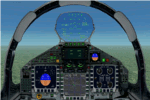
The panel has been developed for FSX Flight Simulator SP1 or SP2. It has also been tested with Microsoft Acceleration, but compatibility is not guaranteed by the author.
This panel has been designed according to a large number of technical documents, descriptions, and pictures out of the Internet. The design goal was to develop a panel and gauges as close as possible to the original aircraft. It was, however by far not possible to programming all the functions and displays, because of the complexity of the real Eurofighter panel, and also because of limitations in FSX.
However, I believe, that the panel with the MFD screen displays gives a good impression on how the real Eurofighter cockpit looks inside.The aircraft model, development by ALPHA/VIRTAVIA, has been used as the base for this panel development. The aim was to go with one model version only , the two seater air to air model. A number of parameter of the aircraft.cfg have been modified to achieve a best possible result of the flight dynamics for the model. It is up to the user to use any other model as this one, and use this panel for it.
For this package, panel and model, I decided to call it the X -Version which shall be seen as an experimental military test version, or if you like, a " Proof of Concept " version. So, you will see a neutral paint with just the Typhoon letters on the aircraft tail. This approach allows to go with deviations and differences to the current technical implementations for the cockpit displays and functions for the Eurofighter.
The panel includes gauges for the afterburner effects, sonic sound effect, callout sounds, weapon explosions effects, and a full functioning TCAS gauge (A future requirement for the Eurofighter), A2A fuel functions, target radar tracking functions and more. The panel has been developed for widescreen monitors only. No VC panel is part of this package.
This is not a load and fly package. Please take your time to read the included panel documentation carefully. Do not skip chapters because you may think, they are not important for you.
For copyrights and credits please look at the documentation for this panel.
| Filename: | Eurofighter_Typhoon_Panel.zip |
| License: | Freeware, limited distribution |
| Added: | 13th April 2016, 20:37:48 |
| Downloads: | 394 |
| Author: | Dietmar Loleit |
| Size: | 24.77 MB |
| Category: Flight Simulator X - Aircraft Repaints, Textures and Modifications | |
| Aeritalia G91Y 32 Stormo Shark |
|
Images related to this file:
File Description:
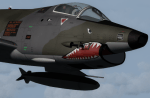
textures only for Massimo Altieri g91y. textures 32 st by Massimo Grassi
The Fiat G91Y was a reconnaissance and ground-attack aircraft produced by Italian company FIAT as an evolution of Fiat G91.
The first flew took place in 1966. It was a complete redesign, but the major difference was that G91Y installed 2 engines,
in order to increase the power and the capability to survive to damages during war operations.
The single Bristol Orpheus turbojet engine of G91 was then replaced by two afterburning General Electric J85 turbojets which
increased thrust by 60% over the single-engined variant.
Structural modifications to reduce airframe weight increased performance further and an additional fuel tank occupying
the space of the G.91T's rear seat provided extra range. Combat manoeuvrability was improved with the addition of automatic
leading edge slats.
Flight testing of three pre-production aircraft was successful, with one aircraft reaching a maximum speed of Mach 0.98.
Airframe buffeting was noted and was rectified in production aircraft by raising the position of the tailplane slightly.
An initial order of 55 aircraft for the Italian Air Force was completed by Fiat in March 1971.
The order was increased to 75 aircraft with 67 eventually being delivered.
The first pre-series 'Yankee' (the nickname of the new aircraft) flew in July 1968.
AMI (Italian Air Force) placed orders for two batches, 35 fighters followed by another 20, later cut to ten.
The last one was delivered around mid 1976, so the total was two prototypes, 20 pre-series and 45 series aircraft.
No export success followed.
These aircraft served with 101° Gruppo/8° Stormo (Cervia-S.Giorgio) from 1970, and later, from 1974, they served with
the 13° Gruppo/32° Stormo (Brindisi) until the early '90s, as the only ones equipped with the 'Yankee',
using them as attack/recce machines, both over ground and sea, until the AMX replaced them.
HD textures in 4096 x 4096
complete resize and paint 32bit hd
Virtual cocpit hd
Native fsx p3d
Original aircraft by Massimo Altieri
paint AMI 32 stormo textures by Massimo Grassi
| Filename: | Aeritalia_G91Y_32_Stormo_Shark.zip |
| License: | Freeware |
| Added: | 17th April 2017, 19:37:51 |
| Downloads: | 896 |
| Author: | Massimo Grassi |
| Size: | 10.16 MB |
| Category: Microsoft Flight Simulator (2020) - Utilities | |
| Flightplan Visualizer 1.19 |
|
Images related to this file:
File Description:
Flightplan Visualizer (FV) version 1.19.0. Copyright 2018-2021 by Pelle F. S. Liljendal ([email protected]), all rights reserved.
FV comes with 1164 pre-imported AI flightplans (of which +380 are BizJet flightplans, the rest are commercial). However you are able to import additional (AI) flightplans yourself. Once imported these (AI) flightplans can be visualized on a map-view, and the user will be able to search accross all these. Hence you can use the program as inspiration as to which routes to fly. E.g. you can search across all imported flightplans to find all flights in an A321 flying into/out from LDDU, or simply to look for all flights in a Boeing 747-8F.
Simply run the included installer to install the software. The program will be installed into "C:\Program Files (x86)\Flightplan Visualizer" and all datafiles will be installed into: "C:\Users\[UserName]\AppData\Roaming\FlightplanVisualizer". The program comes with a full manual explaining everything, and a 3 page quick manual to get you started. The first 3 times you run the program the quick manual will automatically open. The forum is hosted here: https://forum.aerosoft.com/index.php?/forum/919-flightplan-visualizer/
Version 1.19 Contains the following changes:
- The release-version of the application is now aimed at 64-bit (granting access to more memory if needed). Enabling 64-bit adds a memory overhead of approx 50% compared to 32-bit, but its the "price to pay" to have access to more memory (for those of you with many active flightplans loaded into memory at the same time).
- FV can now connect to your simulator using FSUIPC (tested both with P3D and MSFS). By default you will have to manually connect/disconnect (using new menu-items in the File-menu). However in settings you can choose to do it automatic. When automatic-connection is selected the connect/disconnect menu-items becomes inactive.
- When connected to a sim, the location/heading of your aircraft can be displayed on the map, using an orange aircraft-marker, and hoovering the mouse over this marker will display some key data (GPS-location, altitude, heading, speed and so on).
- Added abillity to playback audio-files. In settings you can choose which audio-device to use, and set the volume at which these files are played (defaults to 50%). If volume>0 these files will automatically be played back whenever FV connects to/disconnects from the Sim.
- Added additional icons that are automatically selected to indicate when the program is connected to the simulator. Hence the icon in the main-form will indicate if FV is connected to a simulator or not.
- In the form for editing (user)-airlines and in the form for searching airlines the context menu now have a menu-item called "Show usage". When selected, it will generate a report showing all the (active) flightplans in which the airline is used.
- Added a new "Manual" check-box next to the load-factor when editing user-airlines. This check-box needs to be checked if you want to manually enter a load-factor. When not checked (default) the load-factor will automatically be set to the default value of the selected country.
- When editing user-airlines, the airline just added/edited will be visible and selected in the list-view. Likewise when deleting an airline, the previous item will be be visible/selected (in stead of always scrolling to the top afterwards, as in previous versions).
- The Insert/Delete keyboard-keys can now be used as shortcuts adding/deleting user-airlines and user-aircraft (both owned and types).
- The gate-map context-menu (Airport Info), now allows you to re-center the map (in case your have been panning the map, and can't locate the airport again).
- Added a new menu-item/form to calculate head/cross-wind from manually entered flight/runway-heading and wind-direction/speed. Don't forget the runways tab-page in the Airport-info form already calculates this for each runway (and wind-direction/speed is automatically obtained from METAR).
- Added a new menu-item/form to convert plain-text into morse-code. There is also a button that lets you listen to the generated morse-code, so you can practice your morse-code listening skills (e.g. entering an ILS/VOR-ident, to know which morse-code to listen for in the aircraft, to verify the correct ident is reqeived).
- The "Cruise speed" column have been removed from the aircraft tab-page of the Edit Flightplan form to make more room for the Carrier/Operator-columns. In the past these simply contained the ICAO for the airlines. Now it both contains: ICAO, IATA (if not blank) and Name.
- The criteria in the leg-search window now allows you to filter on departure/arrival week-days (e.g. only include flights departing a particular airport on a Saturday or Sunday).
- When using the flightplan-filter on the main-form, it will favour the current active flightplan (as in previous versions), however if not able to, it will select the first flightplan included in the filtered list (in stead of choosing "[None]").
- Improved import of AIGFP-flightplans where the airport is not contained within the embedded airport.txt file and is using a different ICAO-code in route-files (observed for "AIG_UTair_Summer2018v6" and "AIG_S7Airlines_Winter2019-2020v3").
- Added runway-info (for both Departure/Destination-airports) to the flightplan leg-report. For ILS-eqiupped runways its lists the ID (both as text, as morse-code), frequency and ils-slope.
- Morse-code also added to ILS-ID column on the "Runways" tab-page of the airport-info form. Above the list-view there is also a label showing the morse-code (using a larger font), and next to it there is a button that lets you listen to the morse-code.
- Traffic-pattern direction (for take-off and landing) are now displayed for each runway. These data are extracted from the scenery by MakeRunways, hence the info can't be "better" than the info in the scenery (hence most default airports simly shows 'Left').
- Current/peak- memory usage is now logged at various stages while running, and when closing the program. These values can also be observed opening the about-box, which will also forcefully append these values to the log.
- When using MkRwy with MSFS it can't obtain the country-name, hence these are taken from the airport-database embedded with FV. However the name for USA ("United States of America") is too long to be shown together with state-name, hence code have beed added it to shorten it to "United States" (which was the default country-name used in FSX/P3D).
- Changed font in Comments-box for user-aircraft to a fixed font, in case some users what to enter text "in columns" (e.g. if you make "tables" with speed-restrictions).
- Changed the color of the splitter-bars in the Airport-info and leg-search forms to a draker color, to better indicate where it is.
- The build-part of the version-number can now be ignored when performing the automatic version-check at start-up. This new setting is by default disabled. If enabled it will ignore changes from version 1.x.0 to 1.x.1 (e.g. an update from 1.19.0 to 1.19.1). However major/minor versions-updates (e.g. from 1.19.x to 1.20.x) will not be ignored.
- Fixed: Excessive logging while importing AIGFP flightplans removed (leftover from fixing a bug before the release of version 1.18).
- Fixed: When using kg in the leg-info report, the weight of Luggage incl. pax weight (shown in parentees) was wrong.
- Fixed: Button to open filter-manual on Gate-page of the Airport-info form was not visible/position was not fixed.
- Fixed: The wind-speed obtained from the METAR and used to calc head/tail-wind on the Runway tab-page of the Airport-info form, did not considder the unit (e.g. Khp or meters-per-second).
- Data: A VERY BIG THANK YOU to Bruce Nicholson for assistance updating the Airline-database, both with new/missing entries and marking defunct airlines as such.
- Data: A lot of "fictios airlines" was added as well. These are used for companies without official ICAO/IATA codes. To indicate they are fictios the ICAO-code is set to "---" and the IATA-code is used to indicate the kind of traffic (e.g. the combination "---/BZ" is used for biz-jet flights).
- Data: Also thanks to Bruce for pointing out that a few aircraft were not being detected as they should. So this version should do a better job with Cessna T206H, Cessna Citation SII/S550 and Global 7500.
- Flightplans: The bundled AIG flightplans have been updated to the latests versions/revisions available from AIG (there were a few defunct that was removed, a few new versions that was added, and a lot of new revisions being updated).
- Flightplans: Eric Steinmetz's Bizjet (AI) flightplans that have previously been available as a separate download are once again bundled with the installer (they are only installed if you choose the option during installation). These have all been updated to use the new "---/BZ" airlines (for companies without official ICAO/IATA-codes), and the Author/Provider have been set to "Eric Steinmetz"/"ESAI" (the previous/separate download was created before adding author/provider to the software).
Pelle
| Filename: | Flightplan_Visualizer_119.zip |
| License: | Freeware, limited distribution |
| Added: | 2nd May 2021, 00:02:01 |
| Downloads: | 280 |
| Author: | Pelle Liljendal |
| Size: | 35.71 MB |
| Category: Flight Simulator 2004 - Original Aircraft | |
| Caproni-Vizzola C-22J Ventura |
|
Images related to this file:
File Description:
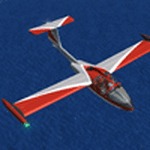
The Machine:
A fully aerobatic, very-light Jet that compares to the Bede BD-5J, but heavier and sporting two instead of one TRS-18 turbojets. Up to Mach 0.47 and 650 NM of range, with a service ceiling of 25000ft. A low stall speed (for a jet) makes the aircraft good for short field operations.
Certified for VFR operations only, yet includes a good avionics suite.
This is a "Classic" aircraft featuring "Steam" gauges and radios. Yet, controls and systems are easy to operate.
The History:
The C-22J is the last aircraft to be adorned with the legendary Caproni name. Originally known as "Caproncino", then marketed as "Ventura". A very-light jet developed in the 1980s as a military trainer, surveillance and reconnaissance aircraft. Powered by two TRS-18 turbojets fed from a dorsal NACA intake, the aircraft reached Mach 0.47 and was fully aerobatic. The airframe shows its origin in a glider design, the Caproni A-21 Calif. After the merger with SIAI Marchetti, the project was cancelled in favor of the SF-260.
The Simulation - 3D Model:
This aircraft ships with a 3-D cockpit, that incorporates realistic night lighting, in the form of a dim dome flood light, backlit gauges and luminous digital displays. The flight crew of 2 is affected by your input in the payloads menu of Flight Simulator, allowing to choose between male, female or empty seats. The Copilot Figure can be hidden with a quick click in the internal 3D view as well.
The Simulation - Realism:
This aircraft has been tuned with the invaluable help of Engineer Carlo Ferrarin, who created the real aircraft. Unique and one-off documentation has been kindly provided, and used extensively, for the creation of this product!
Just like the real aircraft, the systems are simple and of easy operation. Engines can be started with the press of a button. Systems modelling allows the following of real-world checklists as closely as Flight Simulator allows. An in-sim checklist is included, as well as a full flight manual.
The flight model is tuned with advanced aerospace techniques, resulting in a highly realistic aircraft, yet, it is very pleasant to fly, both during aerobatic displays or "A to B" cruising.
Highlights:
- High-Resolution 3D cockpit
- Full Documentation
- Aerobatic
FS-2004 Version comes with limited support and is free due to platform limitations. See Readme. FS-X & P3Dv4 (64-bit) versions are commercial products.
| Filename: | CaproniVizzola_C22J_Ventura.zip |
| License: | Freeware, limited distribution |
| Added: | 7th November 2020, 18:31:45 |
| Downloads: | 677 |
| Author: | Mario Noriega |
| Size: | 157.85 MB |
| Category: Flight Simulator X - Scenery | |
| Silloth Aerodrome plus Great Orton |
|
File Description:
RAF Station Silloth is a former Royal Air Force station located 1 mile (1.6 km) north-east of Silloth, Cumbria, England and 6.7 miles (10.8 km) south-west of Kirkbride, Cumbria. The station was used by RAF Coastal Command during WW2.
I designed this scenery primarily for my own pleasure using Airport Design Editor and FSX SDK. I use FSX Acceleration and Horizon VFR photo scenery but it should work with standard FSX SP2.
This scenery depicts the airfield as closely as i can get it with the available information. I have modelled all of the Airfield buildings as closely as I could with the information available to me and this was done using Sketchup, the models were then converted for use in FSX using Model converter X.
It is not 100% accurate and no claim is being made by the author that it is. I have depicted the buildings in wartime camo.
All the buildings can be used as as you wish. My only request is that if you should design better textures for them that you let me have a copy, my textures are pretty basic.
Some buildings have night lighting, lights and smoke effects, these should be in your FSX effects files already.
I have not yet completed the Domestic Site but i may do this in the future...(I've hit the buffers for now though!!)
Included in this scenery pack is the Satellite Airfield RAF Great Orton. Built in 1943 to accommodate the larger bombers now being used by the RAF. This airfield is very sparse as i am unable to get much info about it.
Runways, Taxiways, Watch Office and Ground Signals are all that is included in this scenery pack, along with Sloped flattens, crosswind runways and AGN files.
I have included this as a destination for the Bristol Beaufort AI aircraft that i have included with the scenery.
The Bristol Beaufort AI is a freeware model from Alphasim and is used with their permission. I have altered the model textures and aircraft file and it works well enough as AI.
I have used other scenery libraries within this scenery (mainly to depict the village of Silloth) and these will need to be downloaded from the appropriate sources and activated within FSX.
| Filename: | Silloth_Aerodrome_plus_Great_Orton.zip |
| License: | Freeware |
| Added: | 6th December 2015, 22:32:18 |
| Downloads: | 491 |
| Author: | Mark Byers |
| Size: | 357.87 MB |
| Category: Flight Simulator X - Original Aircraft | |
| Airbus A318 FD Special Version V3 - Light Pack |
|
Images related to this file:
File Description:

This is the new version of my Airbus A318 with the Panel in V3 opened on the A321 - here in a light pack version, included is 1 livery only (Frontier Airlines NR807 Painted by Derek Mayer & Steve Mac Bee of PA Team).
This light pack contains only the user manual in english version (and low resolution). If you want the french version of this manual, use the "zipdrive" function with the complete pack of this aircraft (search by name file "pa318fd_v3.zip"). This light version has been made by request for all those with low download speeds and limits.
The original complete pack is available HERE (filename: pa318fd_v3.zip)
I remind you that this aircraft is based on the Project Airbus A318, with an ehanced panel based on the work of stefan Liebe.
This latest development can see the more realistic Airbus available as freeware. With a new version of the panel, the aircraft has a 100% cold & dark Status at the start of a flight, a real fuel system management with all valves, piumps and crossfeed work, the complete Bleed circuit with X-bleed, a real engines manual startup procedure like the real aircraft. I have also ehanced the navigation display with TCAS function in ARC and NAV mode; There is also the engines failure procedure to work (fire, oil leaks....) and many improved function that I cannot describe here. The aircraft comes with user manual in English and in French, and it is essantial to read it before you fly.
All the functions of the V2 have been kept and improved, like the vertical navigation gauge, the terrain radar map on the navigation display, the autolanding function, the SFCC.
This version is only in CFm engines, but with real engine data (CFM56-5B9) and custom HD sounds. Now, the Fly By wire works in 2 modes: "Normal Law" and "Direct Law". I put 300 hours into the development of this panel and I hope that you will like it.
Please, note that this panel is the v3.05 version, witch fixes the bugs of the first version that came with the A321 (there is an update panel for the A321).
So, It seems that this aircraft works with PREPAR3D
Francois Dore
| Filename: | Airbus_A318_FD_Special_Version_V3__Light_Pack.zip |
| License: | Freeware, limited distribution |
| Added: | 14th July 2012, 15:34:06 |
| Downloads: | 6,730 |
| Author: | Francois Dore, Project Airbus |
| Size: | 64.88 MB |
| Category: X-Plane - Scenery | |
| XP11 German Scenery EDHK 2018+ Kiel-Holtenau |
|
File Description:
The small Zip-file will include a link for scenery download, because the scenery file size is above 500 Mbyte. Just follow the link and download EDHK 2018. This is an "install and fly" version, everything you need is already included (*see info below) and I will continously update the scenery. The story, in November 2012 the German MFG5 (Marineflieger-Geschwader) was relocated to Nordholz (ETMN). This was the end of the main military use in the southern and eastern part of the airport. Because the German harbor city Kiel needs living space for their citizens, opponents of the airport tried to convince citizens and politics to close the airport and to create there living space instead. In 2018 the citizen of Kiel voted with a citizen’s decision with the result that the majority voted for the preservation of the traditional airport. Personally, I am very happy with this decision. On the area of the airport some companies are settled, their employees should be able to sleep a little better now. In addition, there will certainly be future investments in the airport due to the election results. Since the airport has been financially in the red for years, the operator of the airport, the Port of Kiel Flughafen GmbH & Co. KG has converted large areas of the airport as parking area. These parked vehicles are part of the constantly increasing cruise ship operations within Kiel, making it possible for passengers to safely park their vehicles for extended periods of time. The taxiways “A†and “D†of EDHK are no longer in operation. This was of course taken into account in my scenery. The access to this taxiway was marked as in the original by yellow "X". The taxiway lighting was also turned off there. The on-site Luftsportverein (LSV) uses above the runway 08/26 an individually marked grass runway (not official), I called it 08S/26S and it is for the winch launch of their gliders only. The size of this provisional winch runway is about 820x20m. A glider takeoff by towing aircraft is usually handled by the Runway 08/26.(*) There is no copyright infringement, since I have received all the needed permissions to use the listed objects/libraries full or in parts within my scenery, the same for the single objects or non-Library bound objects/elements. I got all these permissions in writing from each individual author/rights holder. Take the time and read the full, included descritpion, please. If you have question, ask me first!
| Filename: | XP11_German_Scenery_EDHK_2018_KielHoltenau.zip |
| License: | Freeware |
| Added: | 28th November 2018, 22:46:11 |
| Downloads: | 69 |
| Author: | Marco Moschet |
| Size: | 1.3 KB |
| Category: X-Plane - Scenery | |
| XP11 German Scenery EDHK 2018+ Kiel-Holtenau |
|
Images related to this file:
File Description:
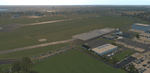
The small Zip-file will include a link for scenery download, because the scenery file size is above 500 Mbyte. Just follow the link and download EDHK 2018. This is an "install and fly" version, everything you need is already included (*see info below) and I will continously update the scenery. The story, in November 2012 the German MFG5 (Marineflieger-Geschwader) was relocated to Nordholz (ETMN). This was the end of the main military use in the southern and eastern part of the airport. Because the German harbor city Kiel needs living space for their citizens, opponents of the airport tried to convince citizens and politics to close the airport and to create there living space instead. In 2018 the citizen of Kiel voted with a citizen’s decision with the result that the majority voted for the preservation of the traditional airport. Personally, I am very happy with this decision. On the area of the airport some companies are settled, their employees should be able to sleep a little better now. In addition, there will certainly be future investments in the airport due to the election results. Since the airport has been financially in the red for years, the operator of the airport, the Port of Kiel Flughafen GmbH & Co. KG has converted large areas of the airport as parking area. These parked vehicles are part of the constantly increasing cruise ship operations within Kiel, making it possible for passengers to safely park their vehicles for extended periods of time. The taxiways “A†and “D†of EDHK are no longer in operation. This was of course taken into account in my scenery. The access to this taxiway was marked as in the original by yellow "X". The taxiway lighting was also turned off there. The on-site Luftsportverein (LSV) uses above the runway 08/26 an individually marked grass runway (not official), I called it 08S/26S and it is for the winch launch of their gliders only. The size of this provisional winch runway is about 820x20m. A glider takeoff by towing aircraft is usually handled by the Runway 08/26.(*) There is no copyright infringement, since I have received all the needed permissions to use the listed objects/libraries full or in parts within my scenery, the same for the single objects or non-Library bound objects/elements. I got all these permissions in writing from each individual author/rights holder. Take the time and read the full, included descritpion, please. If you have question, ask me first!
| Filename: | XP11_German_Scenery_EDHK_2018_KielHoltenau.zip |
| License: | Freeware |
| Added: | 29th November 2018, 19:24:38 |
| Downloads: | 65 |
| Author: | Marco Moschet |
| Size: | 1.3 KB |
| Category: Flight Simulator X - Scenery | |
| St. Helena, Ascension, and Tristan da Cunha Islands |
|
Images related to this file:
File Description:
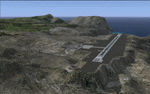
This project was begun to add the new airport (FHSH) to St. Helena Island and eventually was expanded to include a complete remake of Ascension Island (FHAW) and Tristan da Cunha (with an optional airport FHTC) and Gough Island with the actual weather station heliport (FHGH). Tested in both the default FSX/Acceleration and with FTX Global/Vector, accurate coastlines, lakes, road data, and SRTMGL1 (30m) mesh, as well as corrected landclass are provided based on the latest available satellite imagery. Flight plans are provided for the proposed commercial service to St. Helena, and some additional GA and military flights to the island are added as well.
The FSX St. Helena (FHSH) airport was created by aligning master plans for the airport with current satellite data and by studying many of the pictures that have been posted as the airport has taken shape. The official opening of the real airport on May 21, 2016, has been pushed back for more field tests due to challenging crosswinds. The Ascension Island (FHAW) airport was updated after I realized that Ascension could receive commercial service as a result of the new St. Helena airport. The entire airfield is redesigned to allow the volcanic terrain to display properly. The airbase, towns, BBC Atlantic relay station, and numerous satellite dishes, radomes, and wind turbines now appear in their real-world locations. Since I was already in the region, I added the Tristan da Cunha Islands (including Inaccessible, Nightingale and Gough Islands) and the Gough Island weather station maintained by the South African National Antarctic Programme. I also added an optional airport (and flight plans) to Tristan da Cunha (FHTC), which can be easily enabled/disabled. The FHTC airport is placed on the only part of the island that appears to be free of people or farmland, and the area is just long enough to accommodate a pared-down version of the St. Helena airport.
Updates were created or rebuilt in a manner which carefully aligns airport data with current satellite imagery. Scenery was created using Airport Design Editor X v1.67.5684, SBuilderX 3.13, and the FSX Object Placement Tool. Scenery objects were added and modified from stock FSX scenery to resemble as closely as possible the actual airports. The animated flag model is by Dietmar Loleit, the FSX apron lights included are from the set created by Jim Dhaenens, and the animated wind turbines and radomes are from the freeware package by Ray Porter.
| Filename: | St_Helena_Ascension_and_Tristan_da_Cunha_Islands.zip |
| License: | Freeware |
| Added: | 1st May 2016, 11:23:05 |
| Downloads: | 6,081 |
| Author: | Carlyle Sharpe |
| Size: | 10.52 MB |
| Category: Prepar3D V1-4 - Scenery | |
| KILE, Killeen Texas airport |
|
Images related to this file:
File Description: Instructions: There are 3 folders in this package; effects, scenery and texture.
Create a subfolder under the C:\Program Files (x86)\Lockheed Martin\Prepar3D v3\Scenery folder and call this new folder KILE.
Place the scenery and texture folders (with their associated contents) under this newly created KILE subfolder.
Place only the contents (not the folder) of the effects folder in the P3D effects folder often located at C:\Program Files (x86)\Lockheed Martin\Prepar3D v3\Effects.
Now start up P3D.
On the menu at the top of the P3D screen click on World > Scenery Library > Add Area. This will bring up the Add Scenery Area dialog box. Click the Browse button and browse to find the newly created KILE folder. It should be located at C:\Program Files (x86)\Lockheed Martin\Prepar3D v3\Scenery. Once you select the KILE folder, click the OK button. This will place that folder in the P3D scenery library. You will notice that the library is organized by priority starting at 1. I have my KILE scenery set as #4 priority but I am not sure if it needs to be that high. I did notice during design that sometimes my ground texture at the airport would act strange and I found that by setting KILE to a higher priority, it fixed that. As a last step make sure the checkbox to enable the scenery is checked and click OK.
You should now have the new KILE scenery available to use.
This package covers KILE, Killeen Texas airport. It is a city owned public use airport located 3 miles east of Killeen Texas. It has one runway that is 5,495 x 100 feet.
Almost 100 custom objects are included in this package. They include:
All hangers and buildings on the airport grounds made from on site photos.
Several buildings surrounding the airport grounds.
All taxiway and runway signs.
All taxiway, runway and approach lighting.
ILS antenna, localizer, etc.
Fuel tanks and parking T's.
Night lighting where appropriate.
Currently I am using the default land class instead of photo real because I couldn't find any photo real that suited my needs.
I welcome your feedback good or bad. Currently this airport is only for P3D. I may create an FSX version if I have enough requests. I started learning to make 3d objects and airports last year and I am learning something new every day. I hope you enjoy!
I plan on improving the night lighting for the runway lights, runway end lights, taxiway lights, etc. to make them more visible from a distance at night. I also want to replace the stock P3D vehicles with my own design and a few other things to come in an updated version down the road.
| Filename: | KILE_Killeen_Texas_airport.zip |
| License: | Freeware |
| Added: | 11th May 2017, 19:54:19 |
| Downloads: | 492 |
| Author: | Shannan Landreth |
| Size: | 23.83 MB |


© 2001-2026 AVSIM Online
All Rights Reserved
Privacy Policy |