
Where Flight Simulation Enthusiasts Gather from Around the World!
AVSIM Library - Search Results

| Category: Flight Simulator 2004 - AI Aircraft | |
| North American F-100 Super Sabre (Part 1) |

|
Images related to this file:
File Description:

North American F-100 Super Sabre (Part 1). This aircraft, also known as the Hun, was the first of a long success of Century Series fighter aircraft during the 1950s and 1960s. I present a comprehensive AI traffic model package for this cold warrior of military jet history, utilizing original source material from Jake Burrus. Going into production in 1953, 2,294 aircraft served thirty-five years in the USAF and the air forces of France, Turkey, Denmark, and Taiwan. The F-100 was originally designed as a daytime air superiority fighter (with all-cannon armament); but evolved into a capable light attack aircraft which served extensively in Vietnam.
An original 8-LOD model brings this historic aircraft to the flightsim world. This Part 1 package represents the F-100A and C in the service of the USAF; with a total of 16 models and 66 repaints. Original aircraft model by Jake Burrus and Michael Pearson, textures by Michael Pearson, flight dynamics by Michael MacIntyre. Please read included documentation.
| Filename: | North_American_F100_Super_Sabre_Part_1.zip |
| License: | Freeware |
| Added: | 10th February 2014, 22:55:02 |
| Downloads: | 677 |
| Author: | Michael Pearson |
| Size: | 19.87 MB |
| Category: Flight Simulator 2004 - AI Aircraft | |
| North American F-100 Super Sabre (Part 2) |
|
Images related to this file:
File Description:

North American F-100 Super Sabre (Part 2). This aircraft, also known as the Hun, was the first of a long success of Century Series fighter aircraft during the 1950s and 1960s. I present a comprehensive 8-LOD AI traffic model for this cold warrior of military jet history, utilizing original source material from Jake Burrus. Going into production in 1953, 2,294 aircraft served thirty-five years in the USAF and the air forces of France, Turkey, Denmark, and Taiwan. The F-100 was originally designed as a daytime air superiority fighter (with all-cannon armament); but evolved into a capable light attack aircraft which served extensively in Vietnam. An original 8-LOD model brings this historic aircraft to the flightsim world. This Part 2 package represents the F-100D in the pre-Vietnam service of the USAF,with a total of 6 models and 112 repaints. Original aircraft model by Jake Burrus and Michael Pearson, textures by Michael Pearson, flight dynamics by Michael MacIntyre. Please read included documentation.
| Filename: | North_American_F100_Super_Sabre_Part_2.zip |
| License: | Freeware |
| Added: | 18th February 2014, 00:18:08 |
| Downloads: | 779 |
| Author: | Michael Pearson |
| Size: | 28.26 MB |
| Category: Flight Simulator X - Aircraft Repaints, Textures and Modifications | |
| North American P-51D Mustang "Boo-Man Choo" (N51MV) |
|
Images related to this file:
File Description:

A repaint only for the payware Warbirdsim product 'Mustang Tales'. This repaint depicts the restored P-51D-25-NT 45-11391, "Boo-Man Choo", registered N51MV. This aircraft has a long civilian history, having been first registered with the FAA in 1963. In the 1990's, this aircraft became a popular sight when owned by Wally Sanders and painted as "Nervous Energy IV", and could sometimes be seen flown by the late, great Jeff Ethell. In the years since, the aircraft has passed through several owners, though the same over-all paint scheme has remained. In 2005, the aircraft's name was changed to "Luscious Lisa". In 2008, not long after having switched hands, the aircraft was damaged in a hard landing. For the next four years the aircraft was repaired and rebuilt, flying again in May 2012. The aircraft's most recent owner is Col. Ray Hofman, who now bases the aircraft in Midland, TX. The aircraft is now named "Boo-Man Choo", which is derived from the nickname of Col. Hofman's son, "Boo-Man". The nose art was inspired by the nurse character from the animated cartoon Animaniacs. This repaint features new bump maps, wheel well, gun bay, and cockpit textures.
| Filename: | North_American_P51D_Mustang_BooMan_Choo_N51MV.zip |
| License: | Freeware |
| Added: | 17th April 2013, 06:21:24 |
| Downloads: | 190 |
| Author: | John Terrell |
| Size: | 27.52 MB |
| Category: Flight Simulator X - Aircraft Repaints, Textures and Modifications | |
| "353rd Fighter Group" North American AT-6 |
|
Images related to this file:
File Description:
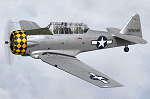
This is a repaint for the payware A2A Simulations AT-6 Texan. This repaint depicts the restored AT-6D 44-81506, owned by David Nock in the UK, registered as G-TDJN, and based at Halfpenny Green airfield. This particular aircraft was originally built for the USAAF in 1944, and in 1951 it was one of a hundred AT-6D's loaned to the RCAF, where it was operated until 1953. The aircraft was then acquired by the Panamanian AF, where it remained until 1967 when it was imported back into the US, at which time it was registered N7231C. David Nock acquired the aircraft in 2009 and had the US-based company Midwest Aero Restorations (noted for their authentic Mustang restorations) perform a full restoration on the aircraft. Completed in 2011, the aircraft won the Reserve Grand Champion WWII award at Oshkosh that year. The aircraft was restored in the authentic markings of AT-6D 43-13048, which was operated as a station hack by the 353rd Fighter Group during WWII, based at Raydon, England. The aircraft was imported into the UK in 2012, where it was re-registered as G-TDJN. Both UK and US registration options are provided with this repaint.
| Filename: | 353rd_Fighter_Group_North_American_AT6.zip |
| License: | Freeware |
| Added: | 10th April 2016, 19:54:39 |
| Downloads: | 243 |
| Author: | John Terrell |
| Size: | 66.67 MB |
| Category: Flight Simulator X - Aircraft Repaints, Textures and Modifications | |
| Boeing B-17G "Sentimental Journey" N9323Z |
|
File Description:
This is a repaint only for the FSX Wings of Power II Boeing B-17G Flying Fortress, in the markings of the CAF Arizona Wing's B-17G "Sentimental Journey," N9323Z. "Sentimental Journey" rolled off the Douglas assembly line in late 1944, and was accepted by the Army Air Corp on March 13, 1945. Being delivered too late to serve in the European theater, the aircraft was assigned to the Pacific theater for the duration of the war. The aircraft served in the USAF until 1959 when it was put into storage. Within a few months the aircraft was acquired by the Aero Union Corporation of Chico, California and flew thousands of sorties against forest fires as a converted tanker. In 1978 the aircraft was donated to the newly founded Arizona Wing of the Commemorative Air Force, and after a local contest the aircraft was named "Sentimental Journey." The decision was made to use the most famous pinup picture of WWII for the nose art, which of course was that of Betty Grable's most tantalizing. Over the years the aircraft has been brought back to its WWII configuration, complete with all turrets, crew positions, bombay, and markings of the 457th Bomb Group. The aircraft makes on average each year an amazing 60 airshow stops nation wide.
| Filename: | Boeing_B17G_Sentimental_Journey_N9323Z.zip |
| License: | Freeware |
| Added: | 19th May 2007, 11:29:18 |
| Downloads: | 973 |
| Author: | John Terrell |
| Size: | 3.34 MB |
| Category: Prepar3D V1-4 - Utilities | |
| Flightplan Visualizer 1.13 |
|
Images related to this file:
File Description:
Flightplan Visualizer (FV) version 1.13.0. Copyright 2018-2019 by Pelle F. S. Liljendal ([email protected]), all rights reserved.
FV comes with 586 pre-imported Commercial AI flightplans (+380 BizJet flightplans are available as a separate download). However you are able to import additional (AI) flightplans yourself. Once imported these (AI) flightplans can be visualized on a map-view, and the user will be able to search accross all these. Hence you can use the program as inspiration as to which routes to fly. E.g. you can search across all imported flightplans to find all flights in an A321 flying into/out from LDDU, or simply to look for all flights in a Boeing 747-8F.
Simply run the included installer to install the software. The program will be installed into "C:\Program Files (x86)\Flightplan Visualizer" and all datafiles will be installed into: "C:\Users\[UserName]\AppData\Roaming\FlightplanVisualizer". The program comes with a full manual explaining everything, and a 3 page quick manual to get you started. The first 3 times you run the program the quick manual will automatically open. The forum is hosted here: https://forum.aerosoft.com/index.php?/forum/919-flightplan-visualizer/
Version 1.13 Contains the following changes: Flightplans can now be exported in AIFP/TrafficTool-format (the same format that FV is able to import). It means if you have made any changes to a flightplan (e.g. redirected some airports) the flightplan can be exported from FV, and imported into AIFP (AI Flight Planner, by Don Grovestine) where it can be compiled into an AI-traffic bgl-file (traffic "scenery"). A new setting called "Adjust flight-time on airport-redirect" have been added. This setting defaults to "false" (un-checked), however if changed to "true" (checked) the flight-time will be changed if/when departure/destination-airports are changed due to airport-redirections (both automatic and manually). The flight-time is the result of the difference between departure-/destination-time, hence if the flight-time is changed either- or both departure-/destination-time will change as well. The original flight-time is scaled based on the original- and the redirected distance between the departure/destination-airports. When importing/editing flightplans you can now select one or multiple aircraft and delete them. When deleting an aircraft all schedules attached to that aircraft will be deleted as well. One use of this feature could be to remove aircraft you don't have a AI aircraft, prior to exporting the flightplan in AIFP/TT-format, and loading it into AIFP. When importing/editing flightplans a "Similar" button will appear next to the flightplan name if a similar named flightplan exists (e.g. "same name", but different season), or other flighplans exists for the same airline (ICAO). Hoovering the mouse over this button will show the names of these flightplans as a tool-tip, and if you click the button the list will be shown in a window (with some additional information), from where it can be copied to the clipboard if you need to. On the Edit/Import-flightplan form, the Aircraft- and Airport tab-sheets have been swapped, and a new tab-sheet was added to list all routes of the flightplan. For each route the distance is listed along will all aircraft types of the flightplan servicing that route. The "Aircraft" tabsheet of the form to import/edit flightplans now contains a button called: "Fleet report". Pressing this button will generate a report showing the fleet of an airline (based on the flightplan), that is sorted by Aircraft type and registration. For each aircraft it will show a list of all the airports served by that particular aircraft. A "Word-wrap" check-box have been added to the Result-viewer to toggle word-wrap on/off (word-wrap defaults to "on"). In previous versions any changes made in the settings form resulted in all flightplans having to reload (while showing the splash-screen). Changing the path for MakeRunway-files still results in an automatic "reboot" of the program. The combo-box for choosing default direction (outbound/inbound/both) for the leg-search (on reset) have been removed from settings, and it now defaults to "Outbound or Inbound". However in the search legs form you can now save your own preferred "Reset" criteria. When you press the reset-button, it will load this Reset-file (with your preferred reset criteria). If you hold SHIFT while pressing the reset-button (or you have not saved a personal reset-file), it will reset to the default factory-criteria. In the traffic tabsheet of the airport info form there is a combo-box letting you switch between "Selected flightplan" or last-search on main-form" and "All flights to/from this airport". In previous versions it did not perform the search of flights to-/from- the viewed airport until you selected the 2nd item from the combo-box. Now this search is performed in the background as soon as the form is opened, hence choosing the 2nd item in the combo-box is now instantaneous. The "Nearby Airports" tab-sheet in the "Airport Info" form, now have a column listing direction (from the airport to the nearby airports). When listing number of runways and gates (e.g. in the form showing nearby airports, or in the redirection-report), the radius of the largest gate is now included, as there is no need to redirect any 747 traffic to an airport where the largest gate is 23m (a 747 requires a gate with a radius of at least 36m). The frequency-count was removed from the before mentioned listing of runways and gates, to make more room for listing the aircraft serving each airport. The search for airport browse now have a new optional column listing comments (e.g. length of longest rwy and largest gate). The "show" combo-box lets you choose to show comments in stead of "Size/Rank/Traffic" or "Hint-text". Opening the search airport browser from the import/edit flightplan form, will automatically choose to show the comments column, as information regarding rwy length/gate radius can be relevant when redirecting airports. Form "Nearby Airports" now show the GPS-position in the caption of the form. Added runway/gate summary to caption-bar of airport info form, so you no longer need to look at both the runway- and gate- tab-sheet in order to see: number of runways, longest runway, number of gates and largest rate (radius). New check-box added to settings allowing you to include the before mentioned runway/gate info in the airport marker tool-tip on the main map. Region/sub-region added to "Airport Info" form (top/left corner). A new setting (default to disabled) lets you add region/sub-region to the airport marker-hint on the map as well. Added a button to the "airport info" to show the airport at flightradar24 (opens the default browser), and the button on the leg info form to show route the route at flightaware (also using the browser) have been replicated on the route info form. The METAR-/TAF-buttons on the leg info form now shows the raw METAR/TAF-message - as a tool tip - when you hoover the mouse over the buttons. As before, when you press these buttons it will open a window showing the decoded messages. Various minor changes to the leg info form: added info regarding longest runway and largest gate for each airport, and re-positioned some of the fields. Likewise the info copied to the clipboard when you click the appropriate button have been re-ordered as well. Changed flightplan format to accommodate additional information, but the format remains backward compatible. Button added to about-box allowing the user to copy version-info to the clipboard. Managed to "shave off" approx ½ a second during start-up (on my pc). Not a lot but still an improvement :-) Fixed: In the form for importing/editing flightplans the leg-page showed the original distance even if the airports were redirected. Fixed: On leg info form "Dest.Country" and "Dest.Apt" column-order were swapped. Fixed: Tweaked aircraft type detecting to better detect 740-400 and 767-200/300 freighters. In previous versions a few aircrafts were wrongly detected as pax, when they should have been detected as freighter. Data: Airbus 330-800/900 Neo, Boeing 747-400LCF (Dreamlifter), and Embraer 175/190/195-E2 have been added as supported aircraft, and a few additional airlines and airports were added as well. Flightplans: Installer comes with +70 new pre-imported (Summer 2019) flightplans of which some are replacements of obsolete flightplans (from previous installers), and 2 of the "old" flightplans have been marked as defunct, as "Adria Airways" and "Aigle Azur" have filed for bankruptcy and ceased their operations. Flightplans: Among the added flightplans you will find the first flightplan I have made myself, a flightplan for Airbus Transport International covering their 5 Beluga's an 2 Beluga XL's (the latter 2 are stil performing test-flights and have yet to be implemented into their "normal schedule").
| Filename: | Flightplan_Visualizer_113.zip |
| License: | Freeware, limited distribution |
| Added: | 13th October 2019, 17:50:53 |
| Downloads: | 355 |
| Author: | Pelle Liljendal |
| Size: | 30.45 MB |
| Category: Flight Simulator X - Aircraft Repaints, Textures and Modifications | |
| Estonian Air Force Avro 504K |
|
Images related to this file:
File Description:
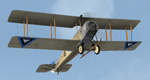
Paint scheme for the payware Aircraft Factory / A2A Avro 504K of the Estonian Air Force.
| Filename: | Estonian_Air_Force_Avro_504K.zip |
| License: | Freeware |
| Added: | 11th August 2014, 00:09:51 |
| Downloads: | 43 |
| Author: | Lukasz Kubacki |
| Size: | 9.6 MB |
| Category: Flight Simulator X - Aircraft Repaints, Textures and Modifications | |
| Piper PA-24 Comanche (LC-CWV) |
|
Images related to this file:
File Description:

Repaint of the A2A PA-24 to represent the aircraft with the registration LC-CWV.
| Filename: | Piper_PA24_Comanche_LCCWV.zip |
| License: | Freeware, limited distribution |
| Added: | 11th July 2015, 11:23:58 |
| Downloads: | 133 |
| Author: | Carson Schulz |
| Size: | 9.44 MB |
| Category: Flight Simulator X - Aircraft Repaints, Textures and Modifications | |
| Gates Learjet 25B (N111MP) |
|
Images related to this file:
File Description:
Repaint of the Xtreme Prototypes Learjet 25 V2. Paint job of real world aircraft N111MP.
| Filename: | Gates_Learjet_25B_N111MP.zip |
| License: | Freeware |
| Added: | 6th July 2017, 18:34:22 |
| Downloads: | 505 |
| Author: | Mitch Haughee |
| Size: | 31.92 MB |
| Category: Flight Simulator 2004 - AI Aircraft | |
| Royal Australian Air Force Boeing 737-700 |
|
Images related to this file:
File Description:
Textures for FAIB B737-700 winglet model depicting the two aircraft operated by the RAAF.
| Filename: | Royal_Australian_Air_Force_Boeing_737700.zip |
| License: | Freeware, limited distribution |
| Added: | 6th July 2017, 18:35:48 |
| Downloads: | 206 |
| Author: | John Tennent |
| Size: | 5.29 MB |


© 2001-2026 AVSIM Online
All Rights Reserved
Privacy Policy |