
Where Flight Simulation Enthusiasts Gather from Around the World!
AVSIM Library - Search Results

| Category: Flight Simulator 2004 - Aircraft Repaints, Textures and Modifications | |
| Aeroflot Russian Airlines Fleet Pack 6 |

|
File Description:
Aeroflot began in March 1923 as Dobrolet with a mixed fleet of De Havilland, Vickers, Junkers and other aircraft. Dobrolet merged into Dobroflot in 1929 and flew all services within Russia. By 1932 the airline was called Aeroflot. After the second world war international sevices began. At one stage Aeroflot had a massive fleet of over 7,500 aircraft although this fleet was pretty much ALL the civilian aircraft in the former Soviet Union. Aeroflot began the world's first sustained jet airline service using Tupolev Tu-104 'Camel' jets (developed from the Tu-16 'Badger' bomber) on an extensive internal route network from the summer of 1955. The Tu-104 saw service until the mid-1970s. After the breakup of the Soviet Union Aeroflot broke up into lots of smaller carriers and became known as Aerflot - Russian International Airlines. Aeroflot began using leased Boeing 767s and 737-400s alongside the older soviet types and with a revised livery. The Russian flag replaced the Red Flag. Airline history supplied by http://airlines.afriqonline.com. The sixth (final) release contains the Aeroflot ANTK Tupolev TU-214, Boeing B737-400, McDonnell Douglas DC-10 (Cargo), and Yakolev YAK-40 aircraft. Contents of the packs include only textures. Aircraft models are by PAI, FSP, SAM, and AIA and can be obtained at the associated sites. These packages support MRAI fightplans for WI04. Repaints are by Frank Bass.
| Filename: | Aeroflot_Russian_Airlines_Fleet_Pack_6.zip |
| License: | Freeware |
| Added: | 23rd December 2004, 20:57:25 |
| Downloads: | 3,064 |
| Author: | Frank Bass |
| Size: | 4.2 MB |
| Category: Flight Simulator 2004 - Miscellaneous Files | |
| Airline Inventory Update #4 |
|
File Description:
(Update 4 - 13 January 2006) Not long ago I embarked on a project to streamline my flight simulator's AI setup. I knew I had too many aircraft texture sets that I was not using, too many unnecessary night texture files, installation of defunct airlines, and the like. So, I put together a spreadsheet showing my AI system with all the airlines and additional pieces such as vehicles and ships. This has been a very large and time-consuming project as my AI system has more than 7,000 texture sets, more than 2,200 airline folders, and other assorted AI components. Inside you'll find an Excel spreadsheet with all my airlines (more than 2,200) listed, Birds, Blimp, Corporate Aircraft, Defunct Airlines, Douglas DC-3, Float Planes, Government Aircraft, Helicopters, Medical Aircraft, Military Aircraft, Personal Registration Aircraft, Ships, and Vehicles - all associated with the FS AI system. In addition, I've included the spreadsheet's source text files for those that do not have Microsoft Excel. NOTE: You can download an MS Excel spreadsheet viewer (freeware) from the Microsoft site. Because of copyright restrictions and the size of my AI system, I have not provided links to specific files. However, I think you'll find the data very useful. See the readme file for a list of possible sources and contact information. NOTE: Changes since the last update are reflected in "green" text. Frank Bass
| Filename: | Airline_Inventory_Update_4.zip |
| License: | Freeware |
| Added: | 13th January 2006, 17:20:30 |
| Downloads: | 512 |
| Author: | Frank Bass |
| Size: | 235.36 KB |
| Category: Flight Simulator 2004 - Miscellaneous Files | |
| Airline Inventory Update #5 |
|
File Description:
(Update 5 - 25 January 2006) Not long ago I embarked on a project to streamline my flight simulator's AI setup. I knew I had too many aircraft texture sets that I was not using, too many unnecessary night texture files, installation of defunct airlines, and the like. So, I put together
a spreadsheet showing my AI system with all the airlines and additional pieces such as vehicles and ships. This has been a very large and time-consuming project as my AI system has more than 7,000 texture sets, more than 2,200 airline folders, and other assorted AI components. Inside you'll find an Excel spreadsheet with all my airlines (more than 2,200) listed, Birds, Blimp, Corporate Aircraft, Defunct Airlines, Douglas DC-3, Float Planes, Government Aircraft, Helicopters, Medical Aircraft, Military Aircraft, Personal Registration Aircraft, Ships, and Vehicles - all associated with the FS AI system. In addition, I've included the spreadsheet's source text files for those that do not have Microsoft Excel. NOTE: You can download an MS Excel spreadsheet viewer (freeware) from the Microsoft site. Because of copyright restrictions and the size of my AI system, I have not provided links to specific files. However, I think you'll find the data very useful. See the readme file for a list of possible sources and contact information. NOTE: Changes since the last update are reflected in "green" text. Frank Bass
| Filename: | Airline_Inventory_Update_5.zip |
| License: | Freeware |
| Added: | 26th January 2006, 00:42:31 |
| Downloads: | 719 |
| Author: | Frank Bass |
| Size: | 237.58 KB |
| Category: Flight Simulator 2004 - Miscellaneous Files | |
| Airline Inventory Update #1 |
|
File Description:
(Update 1 - 19 December 2005) Not long ago I embarked on a project to streamline my flight simulator's AI setup. I knew I had too many aircraft texture setsthat I was not using, too many unnecessary night texture files, installation of defunct airlines, and the like. So, I put together
a spreadsheet showing my AI system with all the airlines and additional pieces such as vehicles and ships. This has been a very large and time-consuming project as my AI system has more than 7,000 texture sets, more than 2,200 airline folders, and other assorted AI components. Inside you'll find an Excel spreadsheet with all my airlines (more than 2,200) listed, Birds, Blimp, Corporate Aircraft, Defunct Airlines, Douglas DC-3, Float Planes, Government Aircraft, Helicopters, Medical Aircraft, Military Aircraft, Personal Registration Aircraft, Ships, and Vehicles - all associated with the FS AI system. In addition, I've included the spreadsheet's source text files for those that do not have Microsoft Excel. NOTE: You can download an MS Excel spreadsheet viewer (freeware) from the Microsoft site. Because of copyright restrictions and the size of my AI system, I have not provided links to specific files. However, I think you'll find the data very useful. See the readme file for a list of possible sources and contact information. NONE: Changes since the last update are reflected in "green" text. Frank Bass
| Filename: | Airline_Inventory_Update_1.zip |
| License: | Freeware |
| Added: | 20th December 2005, 02:18:57 |
| Downloads: | 820 |
| Author: | Frank Bass |
| Size: | 231.96 KB |
| Category: Flight Simulator 2004 - Miscellaneous Files | |
| Airline Inventory Update #2 |
|
File Description:
(Update 2 - 3 January 2006) Not long ago I embarked on a project to streamline my flight simulator's AI setup. I knew I had too many aircraft texture sets that I was not using, too many unnecessary night texture files, installation of defunct airlines, and the like. So, I put together
a spreadsheet showing my AI system with all the airlines and additional pieces such as vehicles and ships. This has been a very large and time-consuming project as my AI system has more than 7,000 texture sets, more than 2,200 airline folders, and other assorted AI components. Inside you'll find an Excel spreadsheet with all my airlines (more than 2,200) listed, Birds, Blimp, Corporate Aircraft, Defunct Airlines, Douglas DC-3, Float Planes, Government Aircraft, Helicopters, Medical Aircraft, Military Aircraft, Personal Registration Aircraft, Ships, and Vehicles - all associated with the FS AI system. In addition, I've included the spreadsheet's source text files for those that do not have Microsoft Excel. NOTE: You can download an MS Excel spreadsheet viewer (freeware) from the Microsoft site. Because of copyright restrictions and the size of my AI system, I have not provided links to specific files. However, I think you'll find the data very useful. See the readme file for a list of possible sources and contact information. NONE: Changes since the last update are reflected in "green" text. Frank Bass
| Filename: | Airline_Inventory_Update_2.zip |
| License: | Freeware |
| Added: | 4th January 2006, 01:02:34 |
| Downloads: | 565 |
| Author: | Frank Bass |
| Size: | 234.3 KB |
| Category: Prepar3D V1-4 - Utilities | |
| AIGround SimConnect Utility for P3D v4 |
|
Images related to this file:
File Description:
AIGround is a simconnect utility designed to improve AI taxi characteristics at the airport the user’s aircraft is located at. AIGround holds the AI stationary on the tarmac after pushback for a more realistic amount of time before the AI begins its taxi out and optionally performs an extended pushback including more realistically turning the AI toward the apron. The AI will also perform control surface checks as the AI begin their taxi out. Finally, AIGround enforces better spacing between AI and the user’s aircraft when the user is performing a taxi-out or taxi-in. AIGround does this by commanding the AI to temporarily stop in situations that the normal P3D AI control program would miss. In situations where the user might want the AI to pass (e.g., giving way at an intersection), the user can flash the landing lights on the user’s aircraft (on, then quickly off) as a signal to the AI to continue the taxi. AIGround also allows the user to adjust AI landing and takeoff lengths. AIGround is designed to compliment the default P3D AI program and thus is fully compatible with any AI-related program that is compatible with the default AI program (e.g., AIG, Ultimate Traffic Live, Radar Contact, etc.). AIGround is also compatible with the AIFlow simconnect utility. AIGround is targeted to SimConnect Version 4.5.0.0 or later. AIGround operates externally via simconnect and thus makes no changes to the P3D sim. NEW for v1.1: (1) adjust AI landing and takeoff length, (2) option for AI to perform extended pushback including turns, (3) option to disable control checks (for compatibility with certain AI sets), (4) AI plane spotting mode only, (5) adjustable in-sim message level, (6) Periodic read of .ini file to tweak parameters more easily, (7) AIGround starts minimized. FIXES for v1.1: (1) output consolse sometimes froze, (2) AI cyclic stop-start, (3) .ini file would sometimes get confused reading parameter values having whites spaces.
| Filename: | AIGround_SimConnect_Utility_for_P3D_v4.zip |
| License: | Freeware |
| Added: | 3rd July 2020, 23:58:42 |
| Downloads: | 1,847 |
| Author: | Roland Foster |
| Size: | 796.88 KB |
| Category: Prepar3D V1-4 - Utilities | |
| AIFlow SimConnect Utility for P3D v4 |
|
Images related to this file:
File Description:
AIFlow v1.1 is a simconnect utility designed to ease AI congestion and go-arounds at the airport the user is departing from and arriving at. AIFlow does this by enforcing spacing minimums between arriving AI aircraft resulting in more orderly arrival patterns. AIFlow also supports spacing spacing minimums between the AI aircraft and the USER’s aircraft when the user is flying (during all phases of the user's flight). For added realism, AIFlow adds landing effects (e.g., micro bank and pitch corrections that scale up during crosswind conditions) to the AI on short final approach. The user can also briefly squawk 1234 in their aircraft to temporarily suspend landings so that the user can find a slot to depart a busy runway. AIFlow is designed to compliment the default P3D AI program and thus is fully compatible with any AI-related program that is compatible with the default AI program (e.g., AIG, Ultimate Traffic Live, Radar Contact, etc.). AIFlow is targeted to Prepar3D version 4.5 or 5.0, specifically SimConnect Version 4.5.0.0 or later. AIFlow operates externally via simconnect and thus makes no changes to the P3D sim. NEW for v1.1: (1) detect and correct AI performing poor approaches (e.g., dive-bombing, descent into terrain) under control of the P3D AI engine, (2) user can specify minimum and maximum AI approach speeds in terminal area, (3) prevent AI from stopping on runway when user landing, (4) AI plane spotting mode only, (5) external database fallback in case simconnect fails to provide local airport data, (6) adjustable in-sim message level, (7) periodic read of .ini file to tweak parameters more easily, (8) AIFlow starts minimized. FIXES for v1.1 include: sequencing in heavy AI traffic would sometimes cause excessive go-arounds, going around AI would sometimes improperly hold, changing AI spacing from default value did not have any effect, sometimes user aircraft would get controlled, .ini file would sometimes get confused reading parameter values having whites spaces.
| Filename: | AIFlow_SimConnect_Utility_for_P3D_v4.zip |
| License: | Freeware |
| Added: | 3rd July 2020, 23:57:52 |
| Downloads: | 2,016 |
| Author: | Roland Foster |
| Size: | 1.18 MB |
| Category: X-Plane - Original Aircraft | |
| B17 Flying Fortress |
|
File Description:
The B17 is arguably the best known heavy bomber from WWII. Followed closely by it's direct successor the B29 SuperFortress it symbolizes the best of WWII's heavy Bombers. The B17 was one of the planes that barely made it into the war. In 1934 the then very small Boeing company had a prototype four engined bomber design called the B-299 but it had not been ordered by the US military. It had suffered several serious setbacks in it's design competition including a crash during a fly-off. Boeing continued work the plane and eventually secured a small service test order and the troubled early history of the bomber began.
The B17 and bombers like it were planes created as "strategic bombers". The essential idea was that a strategic bomber should be able to carry a very large payload for long distances. The military had come to the realization that bombing technology was by nature imprecise even with new advances like the American Norden sight, and what was required was a large number of bombs delivered by large number of planes to assure that a target was destroyed. Although the Germans actually had a decent "smart bomb" and the British built specialty bombs, neither was reliable, so it seemed the best idea was just to blanket the target with bombs.
An American extension to this concept was that of a self-defended bomber. Bombers could be built so tough and with so much defensive armament, it was thought, that they could simply fly to the target, drop bombs, and if necessary fight their way through fighters to get home. There would be security in the large number of bombers in formations, and the defensive capability would allow bombers to fly during the day for better accuracy in drops. It was to this design concept the B17 was built.
Early experiences in the war with B17's and B-24's could only be termed as disastrous. Loss rates of up to 25% showed the concept of unescorted bombers in daytime to be entirely wrong. Escort fighters were a necessity for success. It soon became apparent that with fighter cover the B17 really was an unparalleled strategic bomber. Success for the B17 shot up dramatically, and it's initial design specifications of huge amounts of armor and gunner positions served it well when fighters did make it close in. The Fortress had enough strength to stave off attackers until escorts showed up, and it became legendary for the incredible punishment it could take and still make it home.
Boeing B-17F Flying Fortress
Wingspan: 103 ft. 9 in.
Length: 74 ft. 9 in.
Height: 19 ft. 1 in.
Engine: 4 x Wright R-1820-97 Cyclone rated 1,200 hp.
Loaded Weight: 65,500 lb.
Maximum Speed: 287 mph.
Service Ceiling: 37,500 ft.
Combat Radius: 1,000 miles
Armaments: 6,000 lbs. of bombs, 12 x .50 cal. machine guns
| Filename: | B17_Flying_Fortress.zip |
| License: | Freeware |
| Added: | 23rd March 2003, 15:42:16 |
| Downloads: | 3,544 |
| Author: | Robert App |
| Size: | 761.49 KB |
| Category: Prepar3D V1-4 - Aircraft Repaints, Textures and Modifications | |
| North American T-6 Harvard (F-BJBF) |
|
Images related to this file:
File Description:

This folder contains a repaint for the A2A North American T-6 Texan/Harvard in the colors of North American T-6G F-BJBF, 1970. Originally built as 41-33931 (c/n 88-14948), it went to the RAF as EX959. It was used by the 20 Service Flying Training School in Rhodesia from January 1943 onwards. After the war, it was transported back to the UK, where it was sold to the Belgian Air Force, where it became H-9. It flew from Brustem until 1959. The Belgian Air Force then sold it to Air France, with 14 other Harvards, for use at its flight school in Pontoise Cormeilles en Vexin, west of Paris. It flew with Air France until 1965, when it was sold to Mr Urbain of Cannes, who flew it in bare metal with a checkered rudder until 1971. This is the paintscheme depicted here. It then went to the UK, becoming G-AZJD. It remained based at Biggin Hill until 1984, when it went back to France as F-AZDU, being bought by Guy Robert, a former Mirage pilot who recieved his training in the '50's on a Harvard in Marocco. In 2001 it was sold to John Colors SL in Barcelona, but it retained its French registration of F-AZDU. It is still airworthy, based at Sabadell in Spain. Repaint by Jan Kees Blom, based on the paintkit by A2A.
| Filename: | North_American_T6_Harvard_FBJBF.zip |
| License: | Freeware |
| Added: | 27th July 2020, 21:30:04 |
| Downloads: | 43 |
| Author: | Jan Kees Blom |
| Size: | 24.19 MB |
| Category: Combat Flight Simulators - Digital Combat Simulator | |
| DCS World - Bin 7 |
|
Images related to this file:
File Description:
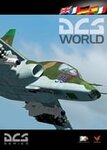
Bin 7 file for DCS World installer. Part 9 of 13. Installation:
1- Download the exe setup file and all 12 bin files (all files are stored here as .zip files)
2- Place all files in a single folder and unzip them.
3- Run the exe and follow the on-screen directions.
Support:
http://forums.eagle.ru/index.php
http://support.digitalcombatsimulator.com/en/
Digital Combat Simulator World (DCS World) is a free-to-play digital battlefield game, focusing on a military aircraft simulation. It includes a FREE Su-25T attack aircraft and it is extendible through additional DCS modules as well as user-made add-ons and mods.
DCS World includes:
-A vast mission area of the Caucasus region
-Powerful mission and campaign editors
-Multiplayer
-Massive inventory of air, land and sea combat units and weapons
-Advanced AI
-Fast mission generator
-Dynamic weather and seasons
-Training missions
-Mission replay system
-Pilot log book
DCS is a true "sandbox" simulation that can and will cover multiple time periods covering many types of combat and civilian units. Modules that can plug into DCS World can include aircraft, maps, ground units, campaigns, etc. This includes modules developed internally by Eagle Dynamics, and by certified third party developers.
DCS World video overview.
| Filename: | DCS_World__Bin_7.zip |
| License: | Freeware |
| Added: | 9th March 2013, 20:22:54 |
| Downloads: | 220 |
| Author: | Matt Wagner |
| Size: | 499.88 MB |


© 2001-2026 AVSIM Online
All Rights Reserved
Privacy Policy |