
Where Flight Simulation Enthusiasts Gather from Around the World!
AVSIM Library - Search Results

| Category: Flight Simulator 2004 - Scenery | |
| KIAH - Houston Intercontinental Airport v3.0 |

|
File Description:
Flightlevel390 is proud to present to you KIAH-Houston's George Bush Intercontinental Airport version 3.0.This scenery was created using EZ-Scenery object placer & Flightones' Instant Scenery.This scenery WILL NOT work in FS X.This will work with Default FS9 terrain,although it is optimized for use with ultimate terrain...This will be the final project under the FL390 brandname,all projects hereafter will be with BSMP...
Includes the Main terminals,Continental Maintenence Base,FedEx cargo ramp,UPS cargo ramp,City cargo ramp,fuel farm by 15R,CFR building further down 15R,CFR Building along Rwy 9-27 taxiway,FBOs on both sides of the 33s,including the big Landmark Aviation FBO,static ground equipment & some custom made signs.Also includes full ramp night lighting,aircraft gate outline markings at each gate.
This version adds some more stuff and fixing some stuff that was noted in previous versions.This also fixes the blurries that some people had reported.
Features a very good and super accurate AFCAD file and decent rendition of the real airport layout.***
Most of the objects in this scenery are all default with some of our own custom made stuff and some objects from some 3rd party EZ Object Libraries and RWY12 Object Libraries.
***You will need to download the EZ-Scenery & RWY12 Object Libraries which can be had at avsim,flightsim.com and our own website available as single downloads instead of multiple seperate downloads.I also recomend that you install our recently released EZ-Object Library Installer which is available at flightsim.com and our own website in the downloads section.File name on flightsim.com is ( EZOLIv33.zip )....
Downloading the installer will ensure that you will have all of the fixed default textures from Sid Schwartz's default libraries....As always...Enjoy!!
| Filename: | KIAH__Houston_Intercontinental_Airport_v30.zip |
| License: | Freeware |
| Added: | 15th June 2008, 17:39:45 |
| Downloads: | 8,410 |
| Author: | Joe DeGregorio |
| Size: | 3.08 MB |
| Category: Flight Simulator 2004 - Scenery | |
| Lismore Regional Airport (YLIS) |
|
File Description:
A very attractive small airport approximately 130 nautical miles from Coffs Harbour and a slightly shorter distance to Grafton and Ballina. This makes a good stopover for hopping down the east coast of Australia. The airport handles around 7 flight a day from Sydney and is also a busy GA aiport. A new terminal is a major feature of the airport with a very modern design. This terminal was opened on Dec 9 2000 and replaces an older style building to be found in the general aviation area. The terminal is at the northern end of the aiport and the GA area the furthest south.
The size of the airport has allowed me to put in that extra detail which makes the terminal and surrounds very much "as in real life". Photographic textures are used throughout for the buildings, trees and shrubs. Thanks to the cooperation of the airport manager and Lismore Council, the owners of the airport, a very accurate model of the airport has been produced from over 250 photographs taken on site. AFCAD and Traffic Tools files are included to add extra AI traffic. For that reason and because of limited apron space few static planes have been used. In addition a landclass is included to make the airport ground texture resemble the real thing and also to widen the river and show the lake to the east of the airport..
The scenery concentrates on adding a realistic terminal to the airport and hangars which are as close as possible to the real thing. Many other details have been added all authentically Lismore.
Some night lighting is included including some very distinctive airport lights in the car park.
| Filename: | Lismore_Regional_Airport_YLIS.zip |
| License: | Freeware |
| Added: | 11th April 2004, 06:31:42 |
| Downloads: | 3,677 |
| Author: | John Ross |
| Size: | 4.21 MB |
| Category: Flight Simulator 2002 - Scenery | |
| Caticlan-Boracay Version 2003 |
|
File Description:
Caticlan Airport is located in Malay, Aklan, northwest of the island of Panay, Philippines.
Boracay Island ,meanwhile, is the internationally known tourist spot destination for travellers and vacationers worldwide for its COOL WHITE SANDY BEACHES. Caticlan Airport is the gateway to BORACAY ISLAND due to its close proximity to the island resorts. Today,Asian Spirit serves the MANILA-CATICLAN route with a total of 9 flights daily,and the CEBU-CATICLAN route with a total of 2 flights daily. Southeast Asian Airlines (SEAIR) also serves Caticlan with 10 flights daily from Manila and 1 flight daily from Cebu. Other smaller airline companies also serve the Manila-Caticlan route such as Pacific Air.
This CATICLAN-BORACAY SCENERY features the most real replicas of structures in Caticlan airport.It features the Godofredo P. Ramos Airport Terminal building, Air Transportation Office and Pacific Air Terminal Building, Crash and Fire Rescue Station, Old Caticlan Control Tower, Pactrans Building, Asian Spirit Departure Lounge, Alice in Wonderland, the new Caticlan Control Tower Complex, Duty Free Philippines-Caticlan and the Caticlan Pier area.
Boracay Island also features different aqua sports activities in most realistic forms such as Jetskiing, Windsurfing, Banana Boating, Parasailing, Catamaran Sailing, Birds Watching, Girls Watching, and a static volleyball tournament along the White Beach area. Also featured in Boracay Island are the following resorts: FRIDAY'S BEACH RESORT, CLUB PANOLY BEACH RESORT, WILLY'S ROCK BEACH RESORT and LORENZO SOUTH BEACH RESORT. Shipping Companies are also featured in the nearby vicinity of the Boracay Oceans such as WG&A SUPERFERRY2, CEBU FERRIES and SULPICIO LINES' PRINCESS OF THE UNIVERSE.
Caticlan-Boracay Scenery Version 2003 is developed for FS2002 by Ver Walter L. Gulfan and the Philippine Flightsimmers Group, with the aim of helping promote the Boracay Island and Philippine Tourism. (A Caticlan-Boracay Scenery version for FS2004 will be released soon).
Inclusions in this release: 1. RPVE afcad file 2. RPVE scenery.cfg file 3. RPVE TTools airports.cfg file 4. RPVE and Caticlan VCPMOD file for Editvoicepack.
| Filename: | CaticlanBoracay_Version_2003.zip |
| License: | Freeware |
| Added: | 20th August 2003, 17:43:24 |
| Downloads: | 2,864 |
| Author: | Ver Walter L. Gulfan/ Philippine FlightSimmers Group |
| Size: | 10.17 MB |
| Category: Flight Simulator 2004 - Aircraft Repaints, Textures and Modifications | |
| W91 Smith Mountain Lake Airport in Virginia |
|
File Description:
W91 Smith Mountain Lake Airport near Lynchburg, Virginia (MY soon to be NEW HOME)
This project is nearly ALL RWY12 ... I did use the Lago Scenery enhancer for the
trees.. so if you have LAgo.. the .SE2 is included, but you really don't need it.
But you will need RWY12 with all the latest additions... all freeware and all
available here at avsim.
Instructions... best to unzip to a temp directory... then do the following..
if you use Lago's Scenery Enhancer... place the .SE2 file in (Your flightsim main
folder)\LAGO\FSE\Data. Unziping will create a folder titled "Smith Mountain Lake" .. in that folder is one titled "scenery" Simply place Smith Mountain Lake in (your flightsim main folder)\Addon scenery\ folder then start the simulator.. go to settings, the library.. and - well most all know the drill .... add the folder Spring Mountain Lake then exit.. and restart.. and blamo... it is there... (Hopefully- LOL) ALSO in the scenery folder are two exclude .bgl.. this got rid of the default buildings and an AFCAD .bgl... this modified the airport properity a bit.. just leave all the .bgls where they are in the scenery folder.. all should work well.
oh.. for those who use RWY12 for scenery making... I have included the .XML file.. so you are welcome to add..subtract or change anything you find at Smith Mountain Lake.
if you have any questions or comments.. PLEASE do drop me a line.
Oh.. since I have your attention... a question for YOU... whether you download this
scenery or not.... How in the world does one get rid of that idiot "Flying Tips"
translucant window that appears.. telling you among other things .. your engines are not started... hit control E ... you ever notice how it ONLY appears when you have set up a screen shot and are ready to shoot?????? Write me and PLEASE tell me how to get rid of it.. I remember reading how somewhere, but for the life of me ..can't remember where.
| Filename: | W91_Smith_Mountain_Lake_Airport_in_Virginia.zip |
| License: | Freeware |
| Added: | 18th March 2005, 22:37:05 |
| Downloads: | 330 |
| Author: | Dale Caruso |
| Size: | 563.31 KB |
| Category: Flight Simulator 2004 - Miscellaneous Files | |
| Active Approach - PHNL (Honolulu Intl Honolulu, Hawaii) |
|
File Description:
As most know the Approach and Final (VMC) for AI Traffic in FS9 is a straight in type landing and does not always consider high terrain at airports. This is do to the way that the coding is written in FS9 and it puts limits on IFR arriving aircraft. If you open runways at certain airports the AI Traffic will fly directly through a mountain once it is established on Final for a runway. What you will see with my file is a different type approach used for the way I control AI Traffic in FS9. No longer do the AI Planes use a straight in approach when landing to the west at PHNL. My new AI Aircraft Approach coding for FS9 now uses a base leg approach so AI Traffic does not fly through the mountains. The Honolulu Control Tower will clear all AI Traffic (IFR FP) landing either on 26L and 26R as a straight in landing even though the offset to final is 30 degrees from the runway center line. The Control Tower will instruct the AI Planes landing on either 22L or 22R to fly a left base leg which is greater then a 45 degree offset and then the AI Planes will turn on a short 1.5 mile final. The left base approach to 22L and 22R runways is a 65 degree offset from the runway center line. My testing shows excellent behavior of the FS9 default models, PAI models and the Aardvark planes of all sizes to execute this new type of visual approach that I am now writting code for which supersedes the FS9 default straight in ATC hard code approach. Read the text file for all the default scenery enhancements (plus Jetways) added to PHNL along with a full understanding of how the new Approaches work *** 3rd Party Scenery Designers Special APProach bgl and a FS2004 Default Scenery AFCAD included ***
| Filename: | Active_Approach__PHNL_Honolulu_Intl__Honolulu_Hawa.zip |
| License: | Freeware, limited distribution |
| Added: | 16th March 2005, 04:10:43 |
| Downloads: | 5,604 |
| Author: | Jim Vile |
| Size: | 134.3 KB |
| Category: Flight Simulator 2004 - Scenery | |
| Airstrips of the Falkland Islands |
|
Images related to this file:
File Description:
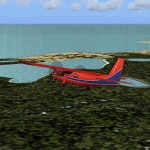
Inspired by Jim Keir's Falkland Islands mesh, coastlines and landclass, herewith a couple of dozen little strips from around the area, to give the opportunity to generate a bit of GA AI (and possibly a few scheduled flights) in an otherwise relatively ignored area in the South Atlantic. Please do note, other than Stanley, most of these airstrips are just that, a cleared strip of land in an otherwise empty landscape, (just as they are in real life), simply to provide a variety of destinations for the occasional aircraft to or from Stanley.
Most of the airfield locations are listed on WikiPedia and the layout confirmed using on-line satellite imagery. Other than the two main airports, none of these airstrips seem to have "official" ICAO codes, so I've generated a selection of alpha-numeric codes in the SF0* configuration, (as Stanley Airport has the ICAO code of SFAL), so the FS9 AI engine has some codes to work with and the airfields can be found on the map. Hopefully these pseudo-codes won't clash with anything else.
As with my other sceneries, the files for each airstrip can be easily identified by the ICAO code, even if the airfield names vary slightly, so you can pick and choose and mix and match to suit any sceneries you already have, should you so wish. There is no requirement for any other download. Each airstrip will exist as a stand-alone entity should you only want a few of them.
Having said that, Paul Denton's AFCAD and scenery for EGYP Mount Pleasant (available on AVSIM and possibly elsewhere) might be considered a worthwhile addition, especially if you want to see the twice-weekly scheduled RAF flights from Brize Norton (via Ascension Island), and the Saturday LATAM flight from Chile. Suitable AFCADs for EGVN Brize Norton and SCCI Punta Arenas may also be required. Appropriate traffic files and aircraft/texture suggestions are provided.
Please read the remainder of this "blurb" in the included text file, there may be a couple of details of interest.
| Filename: | Airstrips_of_the_Falkland_Islands.zip |
| License: | Freeware |
| Added: | 30th March 2025, 18:55:33 |
| Downloads: | 88 |
| Author: | Chris Eve |
| Size: | 295.87 KB |
| Category: Flight Simulator X - AFCAD Files | |
| Smith Graphics Year of 2008 Compilation Package |
|
File Description:
This package contains every AFCAD produced by Smith Graphics during the Year of 2008. There are 284 AFCADS, and the list is as follows:
1A3, HI36, KABY, KACJ, KAGS, KAIK, KAIV, KAJR, KAKH, KALX, KAMG, KANB, KAND, KAPF, KARG, KASG, KASJ, KASN, KAUO, KAVL, KAWM, KAYS, KAZE, KBBP, KBCT, KBDG, KBFM, KBFR, KBGE, KBGF, KBHC, KBNL, KBPK, KBQK, KBTR, KBVX, KBXG, KBYH, KCCO, KCDH, KCDN, KCEU, KCKF, KCKI, KCLW, KCRE, KCRT, KCSG, KCTJ, KCTZ, KCUB, KCVK, KCWS, KCWV, KCXU, KCZL, KDBN, KDCU, KDED, KDEQ, KDHN, KDKX, KDLC, KDNL, KDNN, KDPL, KDQH, KDTS, KDYB, KDYR, KEDE, KEDN, KEET, KEHO, KEKY, KELD, KEQY, KETC, KEUF, KEWN, KEYF, KEYW. KFDW, KEZM, KFAY, KFCY, KFFL, KFLO, KFLP, KFMY, KFPR, KFQD, KFSM, KFYE, KFYM, KFYV, KFZG, KGAD, KGCY, KGGE, KGHM, KGIF, KGKT, KGMU, KGNF, KGRD, KGTR, KGWO, KGYH, KGZD, KGZS, KHAB, KHBG, KHBI, KHBZ, KHDI, KHEE, KHEG, KHEZ, KHKA, KHKS, KHNZ, KHOE, KHOT, KHQU, KHRJ, KHRO, KHSA, KHSE, KHSV, KHVS, KHWO, KHXD, KHYW, KHZD, KIDL, KIIY, KIMM, KIPJ, KISM, KISO, KJAU, KJAX, KJBR, KJES, KJFX, KJKA, KJNX, KJQF, KJWN, KJYL, KJZI, KJZP, KLBB, KLCQ, KLGC, KLHZ, KLKR, KLLQ, KLMS, KLNA, KLQK, KLUG, KLUL, KLZU, KMAC, KMAI, KMAO, KMBO, KMBT, KMCB, KMCN, KMDQ, KMEI, KMEZ, KMGM, KMGR, KMHP, KMJD, KMKL, KMLB, KMLJ, KMMS, KMNI, KMNV, KMOB, KMPJ, KMQW, KMRH, KMRN, KMSL, KMVC, KMWK, KMXA, KMYR, KOAJ, KOGB, KOKZ, KOLV, KONX, KOPN, KOSX, KPBF, KPFN, KPGD, KPGR, KPGV, KPHH, KPHT, KPIB, KPIE. KPNS, KPIM, KPMU, KPMZ, KPQL, KPRN, KPXE, KPYG, KRHP, KRMG, KRNV, KROG, KRUE, KRUQ, KRVJ, KRVN, KRYY, KSCD, KSEA, KSEM, KSGF, KSGJ, KSLK, KSMS, KSNH, KSPA, KSRB, KSRC, KSRQ, KSSI, KSTF, KSUT, KSYI, KSYV, KSZY, KTBR, KTCL, KTDF, KTGC, KTHA, KTLH, KTMA, KTOC, KTOI, KTRI, KTTA, KTUP, KTVI, KTXK, KUBS, KUDG, KUOS, KUOX, KUTA, KUZA, KVBT, KVDI, KVNS, KVNY, KVPC, KVPS, KWDR KAGO, KXNA. FAQ, NSTU, ZO8
This includes all the AFCADs released during the month of December 2008 as well.
Note that Smith Graphics was only in operation for the last 3 months of this year, next year there will be a full years worth of AFCADs! (I predict upwards of 1000 AFCADs!)
Happy New Year!!
| Filename: | Smith_Graphics_Year_of_2008_Compilation_Package.zip |
| License: | Freeware |
| Added: | 1st January 2009, 12:43:41 |
| Downloads: | 3,159 |
| Author: | Dakota Smith / Smith Graphics |
| Size: | 1.41 MB |


© 2001-2026 AVSIM Online
All Rights Reserved
Privacy Policy |