
Where Flight Simulation Enthusiasts Gather from Around the World!
AVSIM Library - Search Results

| Category: Flight Simulator 2004 - Scenery | |
| Durban Island CWFB FOX-E DEW line station in Nunavut, Canada |

|
Images related to this file:
File Description:
Durban Island is 40 miles north of Cape Dyer on the southeast corner of Baffin Island, and around 60 miles southeast of Qikiqtarjuaq (known as Broughton until recently). Sitting on the top of the island is FOX-E, an intermediate station that was part of the DEW line. There is no runway (and once you have seen the island you will know why) and the station and its (usually) five man crew were supported by helicopter flights from Cape Dyer. The main feature is a 300' high mast, topped by comms gear to link both to Broughton to the north and Cape Dyer to the south. There was only one really habitable building, 80' x 30' in round figures, and this contained the generators, technical spaces, sleeping areas, kitchen, mess, and showers etc. There were also what were known as Anderson shelters, originally put up to house the construction crew and used in the summer for any maintenance people who visited for short periods. There was also a garage for a snow cat and tanks for fuel. And a view.
This post also includes new bgls for Cape Dyer to provide the 300' tower there too.
| Filename: | Durban_Island_CWFB_FOXE_DEW_line_station_in_Nunavu.zip |
| License: | Freeware, limited distribution |
| Added: | 1st July 2011, 22:11:33 |
| Downloads: | 315 |
| Author: | Roger Wensley |
| Size: | 1.87 MB |
| Category: Flight Simulator X - Aircraft Repaints, Textures and Modifications | |
| B-24 USAAF 801st PG "Black Zombie" |
|
File Description:
Wherever they were to be seen, the glossy black Consolidated B-24s of the 801st Provisional Group, based at Harrington in Great Britain, stood out like big full stops. The squadrons of this group dropped supplies and agents for the French Underground. They were known by the name 'Carpetbaggers'. This illustration is a machine of the 406th BS, one of the squadrons of the group.
This B-24H-15-CF, originally 'The Loretta Ann' of the 850th BS, 490th BG coded 'N-', transferred on 6th June 1944 to 391st BS, 34th BG coded 'I', and further transferred on 18th January 1945 to the 492nd BG 856th BS who sent it on detached service to the 406th BS(NL), NL being Night Leaflet. It survived the war and returned to the US, arriving on 11th July 1945. It was stored at Albuquerque from 10th August 1945 where it was later cut up for scrap. This particular aircraft was not a Carpetbagger per se and obviously wasn't engaged in agent or supply dropping but leaflet distribution over the Continent as the war ran down. Repaint for the Alphasim B-24 Liberator by Jan Kees Blom
| Filename: | B24_USAAF_801st_PG_Black_Zombie.zip |
| License: | Freeware |
| Added: | 21st September 2008, 22:24:49 |
| Downloads: | 331 |
| Author: | Jan Kees Blom |
| Size: | 7.92 MB |
| Category: Flight Simulator X - Aircraft Repaints, Textures and Modifications | |
| North American P-51D 4th FG WD-A, WD-B & WD-M |
|
Images related to this file:
File Description:

This folder contains three repaints for the Warbirdsim P-51D Little Friends package, in the colors of 3 P-51D's of the 335th FS, 4th FG, based in Debden, UK, in March 1945. Included are:
P-51D-20NA 44-63166 "Ridge Runner II", the second aircraft called Ridge Runner flown by Major Pierce W. McKennon. This was the aircraft in which he was shot down near Neubrandenburg on the 18th of March 1945. Captain George Green landed in a field and picked up his CO in his aircraft WD-M, and both flew back to the UK.;
P-51D-10NA 44-14557 "The Duchess", the aircraft of Major William O'Donnell
P-51D-20NA 44-6373 "Suzon", the aircraft of Captain George D. Green. He was flying this aircraft on 18 March 1945 when he saw his CO, Maj. McKennon bail out near Neubrandenburg and land in a field. He landed his aircraft in the field as well, threw out his parachute, and both pilots squeezed in the cockpit, took off and flew back to the UK.
Repaint by Jan Kees Blom, based on the paintkit by Warbirdsim.
| Filename: | North_American_P51D_4th_FG_WDA_WDB__WDM.zip |
| License: | Freeware |
| Added: | 27th July 2018, 16:02:45 |
| Downloads: | 76 |
| Author: | Jan Kees Blom |
| Size: | 42.21 MB |
| Category: Flight Simulator 2004 - Scenery Design | |
| FSX2FS9 Converts FSX Airport Files for Use in FS9 |
|
Images related to this file:
File Description:

FSX2FS9 is a utility based on the ScruffyDuck Scenery Design Engine. It allows users to convert Airport Files designed for FSX for use in FS9. The program provides user control over the conversion process including selection of elements to be removed prior to conversion, handling of vehicle path networks and handling of those items in the FSX file which would cause the FS9 compiler to fail. The user also has the choice of whether to allow the program to automatically fix and faults found or to use the built in fault finder for more control. The program uses the Microsoft FS9 Compiler (included) to generate the FS9 Bgl file. The XML source is also available.
Please note that while airports converted with this program should work in FS9 there are a lot of variables and we recommend that the converted Bgl be opened in an Airport Facilities Editor (such as AFCAD, AFX or ADE) for further processing to ensure a satisfactory result.
This program is still a beta and users should use it in that light and make sure that valuable files are back up in a safe place. Please read the enclosed operating notes before using this program.
| Filename: | FSX2FS9_Converts_FSX_Airport_Files_for_Use_in_FS9.zip |
| License: | Freeware, limited distribution |
| Added: | 26th January 2011, 11:58:40 |
| Downloads: | 3,542 |
| Author: | Jon Masterson ScruffyDuck Software |
| Size: | 2.88 MB |
| Category: Flight Simulator X - Aircraft Repaints, Textures and Modifications | |
| Aerosoft F-16 Performance & Handling Upgrade - VIPER 2.0 Package |
|
Images related to this file:
File Description:
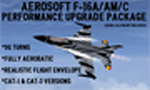
This is a performance upgrade package for the payware Aerosoft F-16 (NOT the version available through Steam!). Aerosoft made an awesome-looking airplane with realistic cockpit details, cool g-vapor effects, but the way it flew was...well, not so great...until NOW. With this "VIPER 2.0" upgrade, your Aerosoft F-16 will fly like the REAL THING! 9g turns, 8-Point Rolls, Double Immelmans, Cuban-8's, etc, etc, etc. Cue up your favorite F-16 demo on YouTube and follow along! Or, head out to your favorite mountain region and enjoy zooming through the canyons at 500 feet and 500kts! (the Alps north of Aviano AB are awesome fun!). After this upgrade your Aerosoft F-16 will be one fun-to-fly flight sim jet!
**For those of you who downloaded and installed my first "VIPER Upgrade" about two years ago, the improvements in this version are...
Adjusted Rudder/Nose Wheel steering sensitivity for a softer, more realistic "feel" while taxiing & flying.
Ailerons have a "smoother/softer touch" for those tiny adjustments made on final approach
Adjusted drag factors on spoilers, flaps and gear to get optimal final approach AOA, airspeed and better "throttle authority".
| Filename: | Aerosoft_F16_Performance__Handling_Upgrade__VIPER_.zip |
| License: | Freeware |
| Added: | 22nd November 2023, 16:10:26 |
| Downloads: | 108 |
| Author: | Daniel Gregory |
| Size: | 1.03 MB |
| Category: Flight Simulator X - Miscellaneous Files | |
| ENBSeries for FSX |
|
File Description:
CORRECTED VERSION - Accidently included the wrong d3d9.dll in the previous upload, which messes up your textures. This one is the right one. My main goal in adjusting this ENBSeries file was to make sunny days look sunny and dark nights look dark, while maintaining a natural look to all things as much as possible (so no exaggerated bloom effects which you don't see at all in real life) I only changed the BLOOM and the COLOR CORRECTION options, nothing else. I have all the other options turned off anyway, since I don't have a very powerful computer. If you want to change options yourself you can read the 'readme_en.txt' for further information.
I included some screenshots to compare the default lightning to my custom made ENBSeries version (press the ZipDive! button to see them without downloading the whole package)
Install:
- Just copy the d3d9.dll and enbseries.ini to the FSX root folder.
- When in FSX you can press [SHIFT] + [F12] to turn the effect on or off. To remove, simply delete the 2 files from your FSX root folder.
| Filename: | ENBSeries_for_FSX.zip |
| License: | Freeware |
| Added: | 24th January 2016, 18:41:19 |
| Downloads: | 3,333 |
| Author: | Robin Heinis |
| Size: | 2.81 MB |
| Category: Flight Simulator X - Scenery | |
| Limnos Ifestos Airport LGLM_2 |
|
File Description:
DUE TO AVSIM'S 500MB LIMITATION YOU NEED TO DOWNLOAD LGLM SCENERY IN TWO FILES. THE lglm Limnos airport_Installation folder_1 AND THE PRESENT lglm Limnos airport_Installation folder_2.
AFTER YOU UNZIP THEM INTO A SINGLE INSTALLATION FOLDER
OPEN THE INSTALLATION INSTRUCTIONS
Lemnos (or Limnos) is a Greek island, since ancient times, with a pure Greek population. Due to the old volcanic activity, it was considered as the island of Hephaestus, the god of Fire. According to mythology, Zeus in a dispute with Hera threw his son Hephaestus from Olympus to the land of Lemnos. Hephaestus set up his workshop there and taught the art of metallurgy to the inhabitants of the island. The lglm Limnos airport scenery was made over a period of 5 years and includes multiple moving parts, such as AI vehicles, moving people, night effects, air and sea traffic. Google earth was widely used for the 3D representation and the depiction of reality contains many fantastic additions to the airport and the surrounding area. An atmospheric scenery was created to provide a realistic flying experience in FSX. You can also find a video of scenery capabilities in youtube: https://youtu.be/y8q0dL5wb3Q
| Filename: | Limnos_Ifestos_Airport_LGLM_2.zip |
| License: | Freeware, limited distribution |
| Added: | 16th March 2023, 15:31:32 |
| Downloads: | 468 |
| Author: | Vangelis Vasilias |
| Size: | 405.81 MB |
| Category: Flight Simulator X - Scenery | |
| Limnos Ifestos Airport LGLM_1 |
|
Images related to this file:
File Description:
DUE TO AVSIM'S 500MB LIMITATION YOU NEED TO DOWNLOAD LGLM SCENERY IN TWO FILES. THE PRESENT
lglm Limnos airport_Installation folder_1 AND
lglm Limnos airport_Installation folder_2.
AFTER YOU UNZIP THEM INTO A SINGLE INSTALLATION FOLDER
OPEN THE INSTALLATION INSTRUCTIONS
Lemnos (or Limnos) is a Greek island, since ancient times, with a pure Greek population.
Due to the old volcanic activity, it was considered as the island of Hephaestus, the god of Fire. According to mythology, Zeus in a dispute with Hera threw his son Hephaestus from Olympus to the land of Lemnos. Hephaestus set up his workshop there and taught the art of metallurgy to the inhabitants of the island.
The lglm Limnos airport scenery was made over a period of 5 years and includes multiple moving parts, such as AI vehicles, moving people, night effects, air and sea traffic. Google earth was widely used for the 3D representation and the depiction of reality contains many fantastic additions to the airport and the surrounding area. An atmospheric scenery was created to provide a realistic flying experience in FSX.
You can also find a video of scenery capabilities in youtube:
https://youtu.be/y8q0dL5wb3Q
| Filename: | Limnos_Ifestos_Airport_LGLM_1.zip |
| License: | Freeware, limited distribution |
| Added: | 16th March 2023, 15:31:11 |
| Downloads: | 559 |
| Author: | Vangelis Vasilias |
| Size: | 100.66 MB |
| Category: Flight Simulator X - AFCAD Files | |
| Ekdahl Airport (NJ59), NJ |
|
File Description:
Located 04 miles S of Freehold, New Jersey, Ekdahl Airport is a private turf strip 1300' in length bordered closely by trees. This makes for an interesting landing as the 90' width of the runway is all the room you have to play with. However because it can be difficult to gauge your distance to trees and also because even the slightest brush with a tree can cause a crash, all trees immediately adjacent to the runway have crash disabled - mainly so you can turn your plane around if you land on Runway 02. The hard surface runway was removed so make sure your terrain mesh complexity is set as high as possible to get that bumpy ground realism. A windsock is listed as being available on this field but I could not locate it in any imagery and so placed it by default near the hangar building. You can start on the runways or parked in front of the hangar. Make sure your plane is capable of these take off and landing distances! Tree height around the field was not listed so I again used my best judgement from studying aerial photos. There is no fuel or parking for transient aircraft available. The field is not lit - daytime VFR operations only are recommended.
Scenery constructed with use of satellite images/streetview/aerial photos - the author has not been there in person.
This scenery is meant to be used in conjunction with MegaScenery Earth New Jersey/Delaware 002. It is not required, but apron use is minimized to allow satellite scenery to show through as much as possible, and objects are placed based on the MSE textures - lack of it may make scenery look out of place.
| Filename: | Ekdahl_Airport_NJ59_NJ.zip |
| License: | Freeware |
| Added: | 13th August 2011, 16:53:55 |
| Downloads: | 172 |
| Author: | Drew Sikora |
| Size: | 550.03 KB |
| Category: Flight Simulator X - Utilities | |
| Gauges Recovery 1.2 for FSX |
|
File Description:
New ! Since version 1.2 Gauges Recovery also fix the problem of compatibility from FS9 add-ons which display all gray and without texture !!!
DESCRIPTION:
For years I worked on Flight Simulator I realized that many people have problems with showing the gauges panel (black screen) or special effects such as afterburner, smoke or line of condensation occurring after uninstalling an add-on or accidentally deleted files of the simulator.
In your Flight Simulator X there is a folder named 'Gauges' it contains files 'gauges' representative board instrumentation for each add-on, such as the autopilot, the horizon indicator etc, if you delete one of these files, your panel will not display the gauge that it was programmed. It is the same for the folder 'Effects' that contains all the special effects in FSX, it sometimes happens that some files in these folders disappear leaving your simulator in a situation where you no longer see your instrument panel (black screens) and afetburner invisible. Under these conditions, you reinstall FSX and lose a lot of time (and patience).
So I created Gauges Recovery, a small free utility that will restore all your gauges and effects of origin in less than 10 seconds. With Gauges Recovery, you're sure to get the display of all gauges and effects.
This program does restore the original files from Microsoft FSX FSX SP1, FSX SP2 and not the files from other publishers, no changes will be made to these files.
Some people see the gauges all black (black screens), unless FSX is installed correctly. The solution to this problem is to install the files MSVCP70.DLL and msvcr70.dll in your 'system32', Gauges Recovery does this automatically for you.
Do not look if Gauges Recovery is installed because there is no installation, the program only updates files in FSX and nothing else.
| Filename: | Gauges_Recovery_12_for_FSX.zip |
| License: | Freeware |
| Added: | 19th January 2010, 10:47:17 |
| Downloads: | 4,884 |
| Author: | Erik BENDER |
| Size: | 11.43 MB |


© 2001-2026 AVSIM Online
All Rights Reserved
Privacy Policy |