
Where Flight Simulation Enthusiasts Gather from Around the World!
AVSIM Library - Search Results

| Category: Flight Simulator 2004 - Scenery | |
| Ontario Internaional Airport (KONT) - KONT SP2 AFCAD |

|
Images related to this file:
File Description:
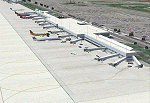
Service Pack 2 for the Ontario International Airport scenery ONT2006. This version principally refines the AFCAD files.
[NOTE: Reupload of previous corrupted file - not a new scenery]
| Filename: | Ontario_Internaional_Airport_KONT__KONT_SP2_AFCAD.zip |
| License: | Freeware, limited distribution |
| Added: | 6th January 2010, 22:02:11 |
| Downloads: | 5,713 |
| Author: | Shehryar Ansari |
| Size: | 728.21 KB |
| Category: Flight Simulator 2004 - Scenery | |
| Whitsundays Coastal Upgrade |
|
File Description:
New coastal scenery for North Queensland Australia Whitsunday mainland & islands. Includes new coast line, rivers & landclass. Continues south from my previously uploaded Townsville & Cairns coastal scenery & landclass.
| Filename: | Whitsundays_Coastal_Upgrade.zip |
| License: | Freeware |
| Added: | 14th June 2004, 02:03:20 |
| Downloads: | 2,289 |
| Author: | Ross Casey |
| Size: | 474.62 KB |
| Category: Flight Simulator X - Scenery | |
| Cancun airport (MMUN) for FSX |
|
Images related to this file:
File Description:
FSX scenery for the international airport in Cancun, Yucatan, Mexico. Scenery made with Airport Design Editor, based on Googel Earth and Jeppesen charts. Buildings made with GMAX.
| Filename: | Cancun_airport_MMUN_for_FSX.zip |
| License: | Freeware |
| Added: | 23rd December 2022, 21:35:38 |
| Downloads: | 1,079 |
| Author: | Winfried Orthmann |
| Size: | 11.34 MB |
| Category: Flight Simulator 2004 - Scenery | |
| Boston Ships 1959 |
|
Images related to this file:
File Description:
This scenery will add some classic ships to Boston Harbor and is an addition to the excellent Classic scenery fopr Boston Logan Airport 1959 from Chris Helton.
| Filename: | Boston_Ships_1959.zip |
| License: | Freeware |
| Added: | 18th August 2013, 18:40:32 |
| Downloads: | 267 |
| Author: | Michael Schneider |
| Size: | 128.93 KB |
| Category: Flight Simulator 2004 - Scenery | |
| German Zeppelin base Tondern |
|
Images related to this file:
File Description:
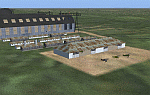
FS2004 scenery German Zeppelin base Tondern
Scenery of Greman airship base Tondern used
for German airship operations over North sea
and England during WW1.
By Alexander Belov.
| Filename: | German_Zeppelin_base_Tondern.zip |
| License: | Freeware, limited distribution |
| Added: | 1st December 2009, 14:45:27 |
| Downloads: | 399 |
| Author: | Alexander Belov |
| Size: | 2.05 MB |
| Category: Flight Simulator 2004 - AFCAD Files | |
| LPHR Horta Airport |
|
File Description:
Afcad2 File for LPHR Horta, Azores, Portugal. For default scenery, and not compatible with payware Real Azores Scenery. Developed attending to last publicated charts by Portuguese AIS.
| Filename: | LPHR_Horta_Airport.zip |
| License: | Freeware |
| Added: | 13th January 2006, 04:42:29 |
| Downloads: | 1,264 |
| Author: | José Maia |
| Size: | 94.62 KB |
| Category: Flight Simulator 2004 - Scenery | |
| Boa Vista Photoreal |
|
Images related to this file:
File Description:
Photorealistic scenery of Boa Vista island (GVBA), Cape Verde Islands. Scenery includes photoreal ground textures of the whole island and AFCAD2 file with placement of aircraft parking.
| Filename: | Boa_Vista_Photoreal.zip |
| License: | Freeware |
| Added: | 2nd December 2012, 18:03:51 |
| Downloads: | 1,558 |
| Author: | Barry van der Waart |
| Size: | 57.73 MB |
| Category: Prepar3D V1-4 - Scenery | |
| KILE, Killeen Texas airport |
|
Images related to this file:
File Description: Instructions: There are 3 folders in this package; effects, scenery and texture.
Create a subfolder under the C:\Program Files (x86)\Lockheed Martin\Prepar3D v3\Scenery folder and call this new folder KILE.
Place the scenery and texture folders (with their associated contents) under this newly created KILE subfolder.
Place only the contents (not the folder) of the effects folder in the P3D effects folder often located at C:\Program Files (x86)\Lockheed Martin\Prepar3D v3\Effects.
Now start up P3D.
On the menu at the top of the P3D screen click on World > Scenery Library > Add Area. This will bring up the Add Scenery Area dialog box. Click the Browse button and browse to find the newly created KILE folder. It should be located at C:\Program Files (x86)\Lockheed Martin\Prepar3D v3\Scenery. Once you select the KILE folder, click the OK button. This will place that folder in the P3D scenery library. You will notice that the library is organized by priority starting at 1. I have my KILE scenery set as #4 priority but I am not sure if it needs to be that high. I did notice during design that sometimes my ground texture at the airport would act strange and I found that by setting KILE to a higher priority, it fixed that. As a last step make sure the checkbox to enable the scenery is checked and click OK.
You should now have the new KILE scenery available to use.
This package covers KILE, Killeen Texas airport. It is a city owned public use airport located 3 miles east of Killeen Texas. It has one runway that is 5,495 x 100 feet.
Almost 100 custom objects are included in this package. They include:
All hangers and buildings on the airport grounds made from on site photos.
Several buildings surrounding the airport grounds.
All taxiway and runway signs.
All taxiway, runway and approach lighting.
ILS antenna, localizer, etc.
Fuel tanks and parking T's.
Night lighting where appropriate.
Currently I am using the default land class instead of photo real because I couldn't find any photo real that suited my needs.
I welcome your feedback good or bad. Currently this airport is only for P3D. I may create an FSX version if I have enough requests. I started learning to make 3d objects and airports last year and I am learning something new every day. I hope you enjoy!
I plan on improving the night lighting for the runway lights, runway end lights, taxiway lights, etc. to make them more visible from a distance at night. I also want to replace the stock P3D vehicles with my own design and a few other things to come in an updated version down the road.
| Filename: | KILE_Killeen_Texas_airport.zip |
| License: | Freeware |
| Added: | 11th May 2017, 19:54:19 |
| Downloads: | 492 |
| Author: | Shannan Landreth |
| Size: | 23.83 MB |
| Category: Flight Simulator 2004 - Scenery | |
| Pascua Island,South America,V1,Soaring |
|
File Description:
FS2002/2004 Pascua Island,South America,V1,Soaring Scenery
This file came about because I wanted some thermals lifts to navigations glider´s flights over Pascua Island,Chile Region,South America.It is first file of five steps files thermals pack to flight from Pascua to Santiago.
Installation:
FS2004 - Paste Scenery file inside Microsoft Games folder overwriting older Scenery file.
FS2002 - Paste Scenery file inside FS2002´s overwriting existing Scenery Folder,AND AFTER you MUST ACTIVATE tHERMALS fiLE as below steps patH:
1.Start FS2002
2.Mouse - Right click - ativate upper tool bar
3.Choose World
4.Choose Scenery Library
5.Choose Add area
6.Choose Scenery
7.choose Thermals
8.Choose Add area
9.Choose OK
10.Restart FS2002
It is Freeware.
Good flights end better Landings.
Volta Redonda,Brazil,05/25/2006
Design: Francisco Vargas.
E-mail: [email protected]
| Filename: | Pascua_IslandSouth_AmericaV1Soaring.zip |
| License: | Freeware |
| Added: | 16th July 2006, 04:38:37 |
| Downloads: | 367 |
| Author: | Francisco Augusto Vargas Carneiro |
| Size: | 2.08 MB |
| Category: Flight Simulator 2004 - Scenery | |
| Pascua Island,South America,V1,Soaring |
|
File Description:
FS2002/2004 Pascua Island,South America,V1,Soaring Scenery
This file came about because I wanted some thermals lifts to navigations glider´s flights over Pascua Island,Chile Region,South America.It is first file of five steps files thermals pack to flight from Pascua to Santiago.
Installation:
FS2004 - Paste Scenery file inside Microsoft Games folder overwriting older Scenery file.
FS2002 - Paste Scenery file inside FS2002´s overwriting existing Scenery Folder,AND AFTER you MUST ACTIVATE tHERMALS fiLE as below steps patH:
1.Start FS2002
2.Mouse - Right click - ativate upper tool bar
3.Choose World
4.Choose Scenery Library
5.Choose Add area
6.Choose Scenery
7.choose Thermals
8.Choose Add area
9.Choose OK
10.Restart FS2002
It is Freeware.
Good flights end better Landings.
Volta Redonda,Brazil,05/25/2006
Design: Francisco Vargas.
E-mail: [email protected]
| Filename: | Pascua_IslandSouth_AmericaV1Soaring.zip |
| License: | Freeware |
| Added: | 16th July 2006, 04:38:53 |
| Downloads: | 401 |
| Author: | Francisco Augusto Vargas Carneiro |
| Size: | 2.46 MB |


© 2001-2026 AVSIM Online
All Rights Reserved
Privacy Policy |