
Where Flight Simulation Enthusiasts Gather from Around the World!
AVSIM Library - Search Results

| Category: Flight Simulator 2004 - Helicopters | |
| Bell 412ER (Extended Range) |

|
Images related to this file:
File Description:
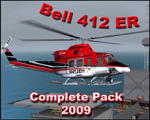
Bell 412ER modification of Jordan Moore's Hovercontrol HC412 and Nobu Aki's JCG412V2. Features 5 detailed models, 5 textures, custom sound suite and more. Re-upload due to Avsim hack, No FSX modifications please.
| Filename: | Bell_412ER_Extended_Range.zip |
| License: | Freeware |
| Added: | 27th December 2009, 17:48:32 |
| Downloads: | 1,544 |
| Author: | George A.Arana, Jordan Moore, Nobu Aki, Nate Rosentrauch, Carlos Cavleiro, Tim Turner |
| Size: | 43 MB |
| Category: Flight Simulator 2004 - Aircraft Repaints, Textures and Modifications | |
| Lear45 Gama Aviation |
|
File Description:
GAMA AVIATION repaint and mods of the default fs9 Lear45,repaint was done using a paintkit by Joao Paz,which i modified,to add a bare metal leading edge,to the tailwing,and extended the fin bare metal leading edge,to the top of the fin,like some of the pics i saw on airliners.net.
Logo lights and mainwing LE ice lights have been added,the 2d main panel as been reworked,to look more life like,and some switches added.
Also included is a brief manual,to show the new switch positions,the mainwing ice & logo lights are set by default to ms standard,but there are alternate lines,that you can activate,in the aircraft & panel.cfg files,if you have the AFG kingair b300 for the lights and project fokker 10070 for a nav/gps switch,in your fs9 system,both aircraft can be found on avsim.
I have played around with the flight dynamics,which make it more flyable than the standard out of the box version,also the default lear fin strobe did not come on using the 2d panel light switch,it only came on if you pressed the l key,that i have fixed.
Also included are the two modified default schemes,to update the bare metal leading edges and panel lines and alpha channels.
All these paints are saved in 32bit for a sharper image,i have not noticed any drop in frame rates,due to these paints.
| Filename: | Lear45_Gama_Aviation.zip |
| License: | Freeware |
| Added: | 4th October 2007, 22:13:43 |
| Downloads: | 908 |
| Author: | Alan Cottrill |
| Size: | 17.45 MB |
| Category: Flight Simulator 2004 - Scenery | |
| Avon STOLPort (KWHR) |
|
File Description:
A recreation of the Avon STOLPort (ident KWHR) for MS Flight Simulator 2004, A Century of Flight. Avon was operated as an exclusive destination for Rocky Mountain Airways between (approximately) 1978 and sometime in the late 80's or early 90's. The 4,000' runway was short for the nearly 7,500' elevation, and surrounded by mountains, some towering over 6,000' above the airport elevation. To allow all weather operation, the airport eventually featured what was reported as the steepest ILS ever constructed, with a seven degree glideslope. RMA had exclusive use of the tiny STOLPort and operated it with 50-passenger De Haviland Dash 7 equipement.
Lacking the original chart, I surveyed in FS and plotted what is hopefully an accurate representation of the ILS approach, using my best understanding of TERPS - the US standard for instrument approaches. I also created an NOS-style IAP chart of this approach for the package. A text Takeoff Minimums & Procedure is also included.
AI ATC & traffic recognition of the approach will hopefully follow, but does not exist yet. In other words, you can fly this approach and see the localizer in the GPS, but AI ATC will not give you vectors to it. You'll need to follow the full procedure included on the chart.
Please see the full Readme.txt in "Flight Simulator 9\Addon Scenery\KWHR\Docs" in this zipfile for information on installation of the scenery, flying the approach, and more on the history of the Avon STOLPort.
| Filename: | Avon_STOLPort_KWHR.zip |
| License: | Freeware, limited distribution |
| Added: | 12th May 2008, 23:14:38 |
| Downloads: | 418 |
| Author: | Stephen Comer |
| Size: | 2.1 MB |
| Category: Flight Simulator 2004 - Scenery | |
| Lechfeld, v2 |
|
Images related to this file:
File Description:
This airbase, located about 35 NM in the west of Munich (Bavaria, South Germany),
is the homebase of JaBoG32 riding the Tornado PA200. The German flight check
department GMFS, using C-47 in the early days and thereafter Hawker-Siddeley 748
as well as HS-125 for periodic recalibration of the radar- and navigational
equipment at civil and military airfields, was also on the base till 1994.
After the final decision was made not to establish commercial air traffic although
it had been discussed for a long time period, I reworked the airbase completely.
Among other objects, 38 hardened shelters for combat aircraft have been emplaced.
The included AI-Package contains: Lockheed F-104E GAF, Panavia Tornado PA200 GAF,
Mikoyan MiG-29 GAF, Douglas C-47 GAF, Canberra B.20 GAF, Boeing E3A Nato, Boeing
KC-135 USAF and an aircraft.cfg for the MS Learjet 45.
Several F104's, Tornadoes and MiGs perform touch and goes in the local area,
a Nato E3A leaves IFR to Geilenkirchen (ETNG), an USAF KC-135 routes IFR to
Decimomannu (LIED), a Canberra B.20 (was used for high altitude validations) goes
IFR to Cologne (EDDK) high in the sky and a Learjet shoots IFR to Bremen (EDDW) per
attached flight plan.
Lago's FSE is required in order to see most of the emplaced buildings /objects.
Lets get ready to rumble, but keep in mind, don't argue with the flight checkers
if they are on duty.
| Filename: | Lechfeld_v2.zip |
| License: | Freeware |
| Added: | 12th April 2011, 13:26:46 |
| Downloads: | 1,420 |
| Author: | Klaus Jone |
| Size: | 5.43 MB |
| Category: Flight Simulator 2004 - Scenery | |
| Astrakhan City topology and autogen |
|
Images related to this file:
File Description:

I'm pleased to introduce you the project of topology and autogen of Astrakhan city, Russia, version 1.0b. The project is for MS Flight Simulator 2004.
This projects changes the default autogen of the city and its neighborhood, that doesn't correspond to the real city. Also it adds missing rivers, islands, roads, railroads, and bridges in the vicinity of the city and Astrakhan aerodrome (URWA) and removes non-existent bridges across the Volga river.
This scenery is not professional since I designed it to my own cheek in Ground2K4 to replace the default terrible scenery and make my flights to homeland more comfortable. That's why it is probable, that you can face some challenges (although, I didn't see any problems yet). The project has several disadvantages: all bridges are autogen, so they don't look very similar to real ones (but they are better, that their absence and presence of several non-existent :) ); no autogen on added islands (although the autogen option for them is set on in Ground2K4), I will continue to work on it; rivers that fall into the Volga river have the default shoreline visible at theirs mouths (it's possible to remove it, but only on the square of big area, in that case the river-land transition doesn't look real).
Overall, this project is more for IFR flights, than VFR. But, again, even for VFR flights it's much better than the default crap (imho!).
| Filename: | Astrakhan_City_topology_and_autogen.zip |
| License: | Freeware |
| Added: | 2nd July 2010, 15:18:39 |
| Downloads: | 433 |
| Author: | Valery 'Oracle' Smirnov |
| Size: | 11.23 KB |
| Category: Flight Simulator 2004 - AFCAD Files | |
| Southwest Florida Int'l (KRSW) |
|
File Description:
This is not an airport I fly into often but I did and I realized there was no good AFCAD for this airport aside from the dreadful default one that MS did so I decided to make my own. I made it as accuarate as I could. I wanted to include a blank ramp area to denote the new midfield terminal but that area is covered with trees and such in the scenery and I don't really know how to work with removing all that. I have, however, included the new parallel taxi way that is being built to accomodate the new midfield terminal. This taxiway is not open in real life and it has been modeled as such an in incomplete state.
A ramp area for cargo and general aviation is included. Appropriate cargo airlines are assigned parking space. The current terminal also has accuate gate space with the exact number of gates that the real airport has along with accurate gate numbers as per the airport's website. Airlines are assigned to the correct terminal, it seems that airlines with smaller schedules don't have one specific arrival gate but rather arrive at whichever gate ground assigns them in their respective concourse so you might so airlines at different gates on different days but they all arrive/depart from the terminal they operate out of. All airlines operating into the airport are assigned gates.
Hope this helps to make your trips in and out of the RSW airport a little more realistic and enjoyable.
| Filename: | Southwest_Florida_Intl_KRSW.zip |
| License: | Freeware |
| Added: | 27th June 2004, 05:13:58 |
| Downloads: | 1,100 |
| Author: | Jason Diaz |
| Size: | 220.05 KB |
| Category: Flight Simulator X - Aircraft Repaints, Textures and Modifications | |
| Beech D18S repaint 6-pack |
|
Images related to this file:
File Description:
FSX Beech D18S. Six repaints for the Shupe/Thomas/Folkers
Beech D18S, which you must have previously installed in FSX.
I fly the version modified for FSX SP2/ACC by Dave Carroll,
but I'll bet these textures will work with most other Shupe
Beech 18's as well, so give them a try and see! These 18's
are fresh from the restoration shop, sporting new paint in a
variety of colors and a newly remodeled earth tone tan interior,
which will nicely match any exterior paint schemes on these or
any other Shupe Beech 18's you may already have in your hangar.
There are no registration numbers or
corporate/airline/charter/freighter/military markings, so you
are free to add whatever markings you wish in order to customize
your own personal Beech 18. If you enjoy using your 'DXTBmp'
program and your computer's default 'MS Paint' program
(or any paint program you prefer), you can quickly and easily
add your own registration numbers, and other markings,
or whatever else pleases you! Those of you who fly online in
FSX Acceleration could customize your own Beech 18's and have
a fly-in to show them off. Don't feel like finishing the paint
details? That's cool, as you can also fly them as is if you wish,
with no numbers or markings at all, as they look kinda pretty
in just their new paint against a sunny blue sky! Includes a
new shared 'texture' folder, which replaces the original
very blue cabin interior with a new earth tone tan colored interior,
to better match all of your Beech 18's exterior paints. Also includes
an FSX compatible engine smoke effect. Have fun! Easy installation.
By Tom Tiedman
| Filename: | Beech_D18S_repaint_6pack.zip |
| License: | Freeware |
| Added: | 6th October 2010, 00:08:11 |
| Downloads: | 355 |
| Author: | Tom Tiedman |
| Size: | 59.58 MB |
| Category: Flight Simulator X - Sounds | |
| Boeing 737NG CFM56-7B Ultra Effects Edition |
|
File Description:
SkyHigh Audio Simulations is proud to present what is quite possibly the most realistic sounding Boeing 737NG sound pack available! This sound pack is designed specifically for the PMDG 737NGX, and will not work properly in any other 737NG aircraft add-ons in MS FSX, or Prepar3D. Seperate 737NG versions for the freeware TDS, Vistaliners/Kittyhawk, default 737-800, and other 737NG add-ons will follow shortly.
We have gone through great lengths to make this sound as realistic as possible through all stages of flight and through all dimensions of the exterior view, as well as the interior points of view. These sounds will raise the bar for all future jet sounds for Flight Simulator X!
One new and amazing feature in this sound is the interior 3D Sound Cone environment specifically for the PMDG 737NGX version. The sound environment will change inside as you 'scroll' back towards the engines and wings in the 3D interior view (virtual cockpit view).
Perhaps the best part of these sounds is the exterior fly-by! Using 3D Sound Cone technology, there are two exterior buzzsaw sounds, one distant and one up close. Two jet whine sounds, one for front and rear, and one for side-on to the plane. There are three powerful sounding rumble/exhaust sounds, one 'whooshing' sound effect for side one, one powerful blast sound for behind the engine, and one low rumble for when the plane is flying overhead at a distance. All in all, this will create one of the most realistic sounding in-game jet fly-by sound experiences for Flight Simulator X, especially for the CFM56-7B 737NG in FSX.
We hope you enjoy these new ultra-realistic 737NGX sounds for FSX. Actually we know you will enjoy them!
| Filename: | Boeing_737NG_CFM567B_Ultra_Effects_Edition.zip |
| License: | Freeware |
| Added: | 8th December 2014, 12:03:20 |
| Downloads: | 15,509 |
| Author: | Adam Murphy and Jesse Casserly - Skyhigh Audio Simulations |
| Size: | 79.16 MB |
| Category: X-Plane - Scenery | |
| London 2004 |
|
File Description:
Continuing my new free releases for this year, here is my London 2004 scenery package that I designed for my personal
use but now I want to share it with the community. I have had numerous requests to do more cities and airports so this is my third scenery for 2004. Being the lazy
person I am, no research was done and no claim to real life cities and airports is intended or implied.
I have added many objects to the airports and cities including terminals, hangers, buildings, castles, city scapes and
other fun and interesting things. All of which were culled from all the wonderful designers in the X-Plane Community
such as B. Brooks & Christian Franz, Ted Davis, Tom Curtis, Ralph Glass, Tim Chandler, Didier Chauveau and all the
other hard working and exceptionally talented designers who have inspired me. Many thanks to each of you for your
contributions to the X-Plane community.
Like all my scenery packages, the additions to the citys and airports are purely fictional. The airports themselves are
unaltered. I have enhanced London Heathrow (EGLL), London Gatwick (EGKK), London City (EGLC) airports and of
course the city of London . A special thanks to Robert Bunce for his NYEXPRO packages and Ken Spiker for his
KWIKCITIES package. If I inadvertently left out other objects and scenery designers, it was purely unintentional and I
offer my apologies.
All airports and cities come with Night Textures. Flying at dusk and dawn will add additional enjoyment to your
experience. You may want to experiment with your Autogen settings for best results. I turn mine way down in the
rendering settings so that autogen buildings don't sit on top of custom objects and roads. It will improve framerates as
well.
Installation: Place the extracted "London 2004" folder into your "Custom Scenery" folder. I have included apt.dat files
for v6.70 and v7.30. Keep the apt.dat file for your particular XP version. Apt.dat files are different formats for v6 and v7.
Please send any comments or suggestions to [email protected]. If you choose to rate my Scenery Packs and
give less than a "9" rating, I would appreciate knowing what I can do to improve them. I can only do that with your
feedback.
My Other Free Scenery Packages are:
Charlotte-Rock Hill,
Houston-Galveston,
Iraq,
Nice, France,
San Diego 2004,
San Francisco 2004.
All are available at X-Plane.org and Avsim.com.
Have fun and FLY SAFE!.
| Filename: | London_2004.zip |
| License: | Freeware |
| Added: | 18th January 2004, 22:54:38 |
| Downloads: | 6,517 |
| Author: | Bill Moore |
| Size: | 9.28 MB |
| Category: Flight Simulator 2004 - Utilities | |
| LJSceneGen V 1.0 |
|
File Description: LJSceneGen is a scenery creation utility for the Microsoft (MS) Flight Simulator FS9 (aka FS2004 or Century of Flight). The program presents a series of forms where various options for VORs, NDBs, Exclusion Rectangles, Markers, Waypoints and Scenery Library objects can be entered. The program will try to connect FS9 via FSUIPC or WideFS. If a FSUIPC connection is found, the location (Lat. Long. and Alt and others if available and appropriate) will be automatically retrieved. You can also move the aircraft to a new location by entering a Lat. and Long. pair and clicking "Move Aircraft". Multiple combinations VORs, NDBs, Exclusion Rectangles, Markers, Waypoints and Scenery Library objects can be saved and each saved object can be edited. After all the desired objects are created, an XML file can be created. This file can be submitted to the FS2004 SDK BGL compiler "BGLCOMP.exe". A file with an extension of .BGL will result which you then place in your Addon Scenery/scenery/ folder to view your just created scenery object(s) after you restart FS9. This or other properly formulated .XML scenery files can be imported and reviewed. For example, the FS9 file NVNAMC0.bgl can be decompiled, imported into LJSceneGen and then viewed. Alessandro Antonini's excellent BGLXMLdecompiler program makes possible the conversion from NVNAMC0.bgl. to NVNAMC0.xml which can then be read by LJSceneGen. (This file is available at Alec's site: http://www.cpinf.net ). Each VOR and NDB found in this decompiled xml file can be reviewed and if you want, you can move your aircraft to the object's location by clicking "Move Aircraft". This program is written in MS's C# language using .NET framework 1.1. The CLR .NET Framework 1.1 must be installed on your computer before the program will run. The freeware version of Pete Dowson's FSUIPC is not supported. Users should be very familar with the FS2004 scenery SDK. This version only knows VORs, NDBs, Exclusion Rectangles, Markers, Waypoints, and Scenery Library objects. It doesn't yet know about Airports Runways ILSes etc. This is not a "What You See Is What You Get" program but instead takes a semi-automated fill-in-the-blanks approach. The program is a scenery creation utility. As such, inexperienced scenery designers may not find it user friendly.
| Filename: | LJSceneGen_V_10.zip |
| License: | Freeware, limited distribution |
| Added: | 14th March 2004, 01:10:12 |
| Downloads: | 2,411 |
| Author: | Larry Jones |
| Size: | 469.34 KB |


© 2001-2026 AVSIM Online
All Rights Reserved
Privacy Policy |