
Where Flight Simulation Enthusiasts Gather from Around the World!
AVSIM Library - Search Results

| Category: Flight Simulator 2004 - Aircraft Repaints, Textures and Modifications | |
| Hellenic Air Force, Lockheed F-104 Starfighter |

|
Images related to this file:
File Description:
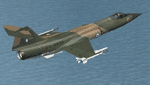
Hellenic Air Force F-104 textures for the ALPHASIM F-104 payware model. The F-104 has gained many 'nick-names' through-out its long career in many air forces around the world. Some of these include 'Widow Maker', 'Manned Missile', and 'Flying Coffin'!
The Hellenic Air Force had a very good track record with this aircraft. Greece originally received 45 F-104Gs and 6 TF-104Gs under the US MAP (Military Assistance Program) in 1964. In 1972 used planes started to be bought with nine more F-104Gs and one TF-104G aircraft acquired from Spain, ten more F-104Gs from the Netherlands in 1982. The largest purchase came when a further thirty eight F-104Gs, twenty two RF-104Gs and twenty TF-104Gs were bought from West Germany. The West German planes were acquired mainly between 1981 and 1988. With one hundred second hand planes, some were mothballed and used as spare parts. Originally flown with just the natural metal finish they eventually were given a camouflage 3 color paint scheme on top of olive drab / dark green / sand, the bottom was a light grey.These planes were flown by two Greek squadrons, the first being 335 Mira from the 114 Pterix (Wing) based at Tanagra AB. The second was 336 Mira, also based at Tanagra AB at the time. December 21st 1966 saw 336 Mira move to a new base at 116 Pterix at Araxos AB.
The F-104 went on in the Hellenic Air Force service until 1993 when 336 "Olympus" Mira Diokseos Bombardismou (Fighter-Bomber Squadron) was deactivated March 31.
| Filename: | Hellenic_Air_Force_Lockheed_F104_Starfighter.zip |
| License: | Freeware |
| Added: | 4th May 2010, 09:49:57 |
| Downloads: | 623 |
| Author: | Leonidas Theofilopoulos |
| Size: | 3.55 MB |
| Category: Flight Simulator 2004 - Scenery | |
| Replacement Dynamic Water Textures v11 |
|
File Description:
Replacement dynamic water texture-sets for FS2004 (VERSION 11). These newer version 11 moon light textures are a completely new type than my earlier versions. The results are much improved and there is also a "new moon" texture in this version which is a more realistic and darker blue/black which contrasts nicely with my moon light textures. This compares quite drastically to the default over lit pinkish brown tones the default FS9 uses for a new moon. Now when you fly by moonlight you can actually see the moon kissed water and even see some wave action. It actually feels like you are there! There are 2 moon light textures in this download. The default reflections and water colors leave a lot to be desired in FS2004. As an example; The default milky "bright green" overcast texture is highly unrealistic in overcast conditions. The replacement textures will change this dramatically to a much more convincing and realistic "blue/grey", cast, with improved lighting and reflections in respect to the sun. These replacement textures will generally give a much more realistic tone and color to the water effects in FS2004. The change is quite dramatic and transforms the flight sim experience to a much greater level of realism. It is important to stress the default FS9 textures are fully compatible with these new textures and they can be used in any combinations and can be mixed and matched with the new textures. For example it may be that some users want to keep some of the water environment textures as they are by default but change only one or two textures. The choice is yours. As a further added bonus a voice control file has been included for "Shoot" which will control FS2004 by voice. It is brilliant and it's free.
| Filename: | Replacement_Dynamic_Water_Textures_v11.zip |
| License: | Freeware |
| Added: | 11th January 2004, 20:38:03 |
| Downloads: | 3,057 |
| Author: | Peter Wilding |
| Size: | 3.49 MB |
| Category: Miscellaneous Files - Demos from Commercial Vendors | |
| AirFxEz Smoke System effects generator. Version 1.0.6.6 |
|
Images related to this file:
File Description:

Re-upload. People who are new to FlightSim often ask; "Can you shoot guns, drop bombs, etc.?"
Unfortunately, FlightSim has no way to add these things.
AirFxEz was made to easily add these features and more to FlightSim 2002/2004.
1. Quickly and easily add effects to your Fs2002 / Fs2004 smoke system.
2. New effects including FxPax #1: Bomb, Flak, Engine fire, Machine gun, Water dump, Crop duster, Smoke in 5 colors, longer lasting smoke for Skywriting.
Just $8.99 / FREE for registered AirFx users.
Included Effects Templates w/images:50Cal
50Cal_x2 fireball range 500ft
50Cal_x2 fireball range 700ft
50Cal_x2 fireball range 1000ft
50Cal_x2
Bomb200ft Timer with flak
Bomb200ft Timer
Bomb2000ft Timer with flak
Bomb2000ft Timer
Bombing Run with Flak
Bombing Run
C182 Engine Fire
Shooting Gallery
Smoke Blue
Smoke Green
Smoke Red White Blue
Smoke Red
Smoke White Smoke Yellow
SmokeWriter 5 Minute
SmokeWriter 10 Minute
SmokeWriter 30 Minute
Strafe
Water Dump
737 Engine 1 Fire
737 Engine 2 Fire
747 Engine 1 Fire
747 Engine 2 Fire
747 Engine 3 Fire
747 Engine 4 Fire
747 Engine 4 Fire
777 Engine 1 Fire
777 Engine 2 Fire
Beech Baron Engine 1 Fire
Beech Baron Engine 2 Fire
Beech KingAir Engine 1 Fire
Beech KingAir Engine 2 Fire
FREE FXPAX INCLUDED
01. Colored contrail sets with long-lasting smoke for skywriting.[Available as of 04/26/2004]
02. Colored water dump sets.
03. High and low wing effect offsets sets for all smokes and fires.
04. High and low wing jet engine afterburner and heat distortion effects.
05. Distance-based targeting reticules for strafing.
06. Multiple sized bombs and explosion effects for different sized aircraft.
07. Guns and bomb systems with effect placement based on distance/altitude from target.
08. Plasma weapons, Explosion sets, Cluster bomb sets, Squirt gun, Laser.
09. Monster sized Bowling ball.
10. Sounds for the effects
| Filename: | AirFxEz_Smoke_System_effects_generator_Version_106.zip |
| License: | Check within download |
| Added: | 15th July 2010, 01:34:41 |
| Downloads: | 2,165 |
| Author: | grant bovee |
| Size: | 7.49 MB |
| Category: Flight Simulator 2004 - Scenery | |
| Knight Inlet CF36 float base in British Columbia, Canada |
|
Images related to this file:
File Description:
Knight Inlet is a floating lodge that organises "nature experiences", ranging from close encounters with local grizzly bears to fishing. Knight Inlet is to the north of "the narrows" where the Inside Passage gets squeezed between the mainland and Vancouver Island, and there is a chart section attached with a pointer to the location. At the bottom of the chart is Campbell River floatbase, and to the west is Port Hardy. Knight Inlet initially runs east-west, and the lodge is tucked into a smaller north-south offshoot, close to where the main inlet turns north. The water runway here is in the middle of the north-south offshoot, though of course in reality the "runway" is wherever the wind dictates it to be. The names highlighted in green on the chart are float bases to be renovated and posted with working AI. The buoyed log boom next to the lodge is to keep escaped logs from drifting in and colliding with boats; float plane pilots keep their eyes peeled too. Because of large hills adjacent to the lodge the landing of the AI may or may not take place, depending on wind direction and whether or not they fly into rock before landing. Take off and departure are far more reliable, particularly if the wind is from the south. Most of the AI is from Vancouver Harbour, Harbour Air Otters and West Coast Air Beavers, plus a SeAir Beaver from Campbell River and a private Cessna from the nearby Minstrel Island. This is the second in a series of new and renovated float bases in BC (the first being Sproat Lake) and to cope with the AI demands FSAddon have authorised the inclusion here of a bunch of AI Otters and Beavers that were originally part of a payware scenery for the area. Thanks are due there.
| Filename: | Knight_Inlet_CF36_float_base_in_British_Columbia_C.zip |
| License: | Freeware, limited distribution |
| Added: | 23rd December 2016, 08:16:24 |
| Downloads: | 218 |
| Author: | Roger Wensley |
| Size: | 16.95 MB |
| Category: Flight Simulator 2004 - Scenery | |
| Ballina, New South Wales, Australia (YBNA) |
|
File Description:
A very attractive small airport approximately 120 nautical miles from Coffs Harbour and a slightly shorter distance to Grafton and Lismore. This makes a good stopover for hopping down the east coast of Australia. The airport handles around 11 flight a day from Sydney and is also a busy GA aiport. Airlines REX and Qantas link fly into Ballina. The size of the airport has allowed me to put in that extra detail which makes to terminal and surrounds very much "as in real life". Photographic textures are used throughout for the buildings and even the trees and shrubs are hand made macros from photographs at the airport. Thanks to the cooperation of Northern Airline Services - Mr Bruce Beesley the MD and Graeme from Ballina Council the relative position of all of the buildings are exactly to scale as shown on scale drawings of the airport. AFCAD and Traffic Tools files are included to add extra AI traffic. For that reason and because of limited apron space no static planes have been used. In addition a landclass is included to make the airport ground texture resemble the real thing and also to widen the river behind runway 24. The scenery concentrates on adding a realistic terminal to the airport and hangars which are as close as possible to the real thing. Many other details have been added all authentically Ballina. The default runway detail remain unchanged with the exception of VASI placement. Other than that the airport merges into the default scenery without the usual "green oasis" effect. Full night lighting is included plus a rather dubious attempt to model the inside of the terminal (strictly not to be taken too seriously)
| Filename: | Ballina_New_South_Wales_Australia_YBNA.zip |
| License: | Freeware |
| Added: | 25th January 2004, 19:16:25 |
| Downloads: | 5,909 |
| Author: | John Ross |
| Size: | 6.8 MB |
| Category: Flight Simulator X - Aircraft Repaints, Textures and Modifications | |
| Iris F-16D Viper Aerodynamic Performance Modification and Repaint Texture Package |
|
Images related to this file:
File Description:
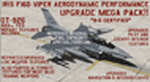
This performance modification and repaint texture package is for the IRIS "Pro Series" F-16D Viper. The performance modifications will upgrade ALL FOURTEEN (14) of your Iris F-16D/CFT models and make them fly like real F-16's! Think of this as an AWESOME tune-up job for your IRIS F-16D's...you'll be amazed at how GREAT your jets fly after this! Go from the runway to 40,000 feet in 90 seconds at Mach 1+, then reach a max Mach of 2.05. Go from 200-600 kts in under 30 sec. Pull 9g (sustained) turns in the CAT-1 jets and 7g turns in the CAT-3 jets. Perform precise aerobatic maneuvers and enjoy smooth "fly by wire"-like control! I also increased the internal fuel capacity to now hold 1,044 gallons (7,000lbs) like the real jet, and adjusted the weight and balance figures for the fuel and weapon loads. But I didn't stop there...I ALSO made a bunch of "visual" upgrades for the Iris F-16D/CFT jets as well! I repainted some of the "COMMON" texture files so now the buttons on the ICP pad look more used/worn, the Annunciator/Warning lights are now easier to read (ie, "MASTER CAUTION"), upgraded the ACESII ejection seat, reduced the amount of "pilot reflection" on the interior canopy glass in the "Virtual Cockpit" for a MUCH clearer view, painted pilot textures for either Desert Tan or OD Green flight suits (you choose!), PLUS repainted/upgraded the "LIVE" weapon textures and ALSO painted textures for "INERT" blue weapons (you choose!). The installation for both the "Aerodynamic Performance Modification" and the cockpit, pilot & weapon texture upgrades are quick and easy, and you'll find the installation instructions in those folders.
| Filename: | Iris_F16D_Viper_Aerodynamic_Performance_Modificati.zip |
| License: | Freeware |
| Added: | 8th February 2024, 04:01:21 |
| Downloads: | 138 |
| Author: | Daniel Gregory |
| Size: | 9.46 MB |
| Category: Flight Simulator 2004 - Scenery | |
| Dutch Harbour PADU in Alaska PLUS AI Air & Sea |
|
Images related to this file:
File Description:
This is a revised and much-added-to update of my earlier Dutch Harbor post, adding more Air & Sea AI. It is complete in itself and does not require you to have previously installed the original. New parking is for a civilian freighter, a Coast Guard C-130, and Coast Guard helicopters that fly from St Paul Island.
There is also a daily flight from Dutch Harbor to Akutan that will be by the amphibious Goose as there is no land runway at Akutan [more posts follow].
The official airport name is Unalaska, but a seat booked with airlines will be to Dutch Harbor, known from the tv series as a fishing centre with major fish and crab processing plants. In town the largest company is Unisea, taking up all of what was once Expedition Island and the adjacent shoreline. The out-of-town expansion is taking place along the shore of Captains Bay to the southwest, and here the largest is Westward with the uniform green roof for the plant and the residential buildings for seasonal workers.
The airport has just over 3,900 feet of 100 feet wide asphalt, aligned 30/12, lit, and between sea and hill with two aprons at the southeast end. There is no control tower at the airport, so don't be surprised when you are required to contact Cold Bay USAF for landing permission. Runway 30 has at its threshold a road; when a plane is landing or taking off traffic is stopped by barriers and lights. To encourage full use of the runway the fence is made up of plastic rods that bend on impact instead of chainlink topped with barbed wire that will turn a light plane upside down.
| Filename: | Dutch_Harbour_PADU_in_Alaska_PLUS_AI_Air__Sea.zip |
| License: | Freeware, limited distribution |
| Added: | 7th August 2012, 20:56:03 |
| Downloads: | 1,529 |
| Author: | Roger Wensley |
| Size: | 13.4 MB |
| Category: Flight Simulator X - Aircraft Repaints, Textures and Modifications | |
| Virgin Galactic Boeing 747-8i |
|
Images related to this file:
File Description:
FSX Boeing 747-8i Virgin Galactic with advanced VC by Alejandro Rojas Lucena and VC Textures Upgrade by Enrique Cornejo, founder of the Flightsim Workshop Project. This gives the b747 a payware Virtual Cockpit look and now with green leather tapestry on the sides of the seats. It even has a pilot jacket hanged in the rear of the cockpit (besides the right jumpseat). The panel.cfg and the aircraft.cfg have been assembled and edited by the Flightsim Workshop Team. Now you can pop up "My icons" window in the Virtual Cockpit to easily reach the following windows: GPS, avionics, map, ATC, Climb/Radio Altimeter/Spoiler switch, auto-break switch, throttle quadrant, clock, descent meter, kneeboard and overhead panel. A new feature in My Icons Window I added is a new Pitot Heat switch with ON and Off features, (XML gauge by Enrique Cornejo). cold weather, the Pitot Heat switch works just like in real life, so if its turned off the air speed indicator will stop working, so make sure you turn the Pitot Heat switch on before taking off!
The autopilot ON switches have green lights which make them look more realistic. Center ATC identification in this aircraft is "Boeing 747". We have also fixed the position of the strobe lights so when the aircraft is flying they are in the right place, so turn on the strobe lights switch after take off. The cockpit view from the pilots seat is now more comfortable because the distance between the cockpit and the seat is longer.
The aircraft has new engine views (from both wings) and new Virtual Cockpit interior views from the left, right and central jump seats. The brakes has a differential brake system to make smoother turns in ground. The Virgin Galactic Spaceship texture is wonderful and it has a unique paint scheme by Enrique Cornejo which also includes details such as some stains caused by humidity in the fuselage and the wing flaps and other details just like a real aircraft. Real smoke in the four engines, just select key, more cabin views, realistic cockpit and engines sound & more realistic night VC lights and fuselage night textures, in the VC just select key and reset the overhead Instrument panel light dim switch in the overhead panel. The aileron parameters have also improved, so now the right and left turns are smoother. This aircraft uses the Project Opensky FSX Boeing B747-800 Model OSX748V4_GENX(MDL), and includes the gauge window Posky Utility to view the main stairs, ground cargo servicing, etc. The engine sounds are edited like the real ones with cockpit ambient, so you can enjoy a pleasant flight. The Flight Management Computer (FMC) is fixed and looks like a payware instrument. The VC includes FMC, Primary Flight Display (PFD) and Multi-Function Display (MDF) displayed in the correct size. The virtual cockpit also has an Engine-Indicating and Crew-Alerting System also known as EICAS, Ground Proximity Warning System (GPWS), working wipers, cabin lights, fire suppression, avionics switch, fuel cross feed, and you can identify those instruments in the overhead panel because they are bordered with color lines. You can also find landing lights switches, taxi light switch, engine generators, APU generator, battery switch, starter switches, de-ice switch, general lights switches which are a great work of Alejandro. So now the whole cockpit and texture upgrade with all these improvements looks better than a payware version. The clock numbers are now in orange which makes them look better and easily recognizable. Assembled and edited for FSX by Flightsim Workshop Founder Enrique Cornejo. 78 MB
| Filename: | Virgin_Galactic_Boeing_7478i.zip |
| License: | Freeware |
| Added: | 21st February 2013, 18:56:28 |
| Downloads: | 1,940 |
| Author: | Enrique Cornejo |
| Size: | 77.73 MB |
| Category: Flight Simulator 2004 - Scenery | |
| Pemberton CYPS in British Columbia Canada |
|
Images related to this file:
File Description:
Pemberton is a small village in the Coast Mountains of British Columbia, with a permanent population of under 3,000 and reliant on logging and increasing tourism. It is around 40 miles north of Squamish and 15 miles north of Whistler and the flight north is best described as scenic. The Nairn Falls, a scenic attraction for tourists, are close by. The runway is 3,920 feet of asphalt aligned 06-24, between and close to the join of the Lillooet River and the Green River. The airfield buildings are to the north of the runway, and at the eastern end is a Fire Base for the expected summer forest fires. To the south and west is the Pemberton Golf Course. All the buildings are replicated, and once again this is not an airport, it is an airfield without any lighting and typical of my future posts which are updated versions of airfield scenery made some time ago and not posted. This one is probably more intricate than most that will follow. The lack of lighting is actually very sensible as landing in the mountains in the dark..... Gun Lake is included here, but not for regular use as it is a deserted dirt strip 40 miles to the north that was once used for fire fighting and there is nothing to see. Just a part of the scenery in this area of BC. If you want to follow this trip on Google Earth the next stop is Cache Creek. If you find a defect, email me. Do not email me about the strange doors to the front of the Blackcomb hangar. I was surprised when I saw it and then discovered that the "doors" are actually flexible curtains that are rolled up and down and if rolled down too far...
I have the ok to use the Bell 212 CCG helicopter as a scenery object, but not to post the entire object library of the Red Deer CYQF scenery; if you have the scenery it should show up here.
| Filename: | Pemberton_CYPS_in_British_Columbia_Canada.zip |
| License: | Freeware, limited distribution |
| Added: | 17th November 2020, 17:29:13 |
| Downloads: | 107 |
| Author: | Roger Wensley |
| Size: | 16.18 MB |
| Category: Flight Simulator 2004 - Scenery | |
| Replacement Dynamic Water Textures Version 8 |
|
File Description:
Replacement dynamic water texture-sets for FS2004 (VERSION 8). This is the full version 8. The default reflections and water colors leave a lot to be desired in FS2004. As an example; The default milky "white/green" texture is highly unrealistic in overcast conditions. The replacement textures will change this dramactically to a much more convincing and realistic "blue/grey", cast, with improved lighting and refections in respect to the sun. These replacement textures will generally give a much more realistic tone and color to the water effects in FS2004. The change is quite dramactic and transforms the flight sim experience to a much greater level of realism. Fully compatible with my earlier versions of "overcast" texture modifications. Textures included are; Clear weather; High noon, mid-sun, low sun, sun-rise and sun-set with a choice of four "overcast" tones and a choice of two sun sets Version 8 has improved sun-set and sun-rise textures which offer better colours and better transitions from daylight to dawn/dusk hours; and a small change to the reflections on the low-sun texture. As an added bonus with Version 8 you have a choice of sun sets to use. Now you can have the very bright "orange" sun sets or select one of the new "golden yellows" which offer two distinct variations. It is important to stress the default FS9 textures are fully compatible with these new textures and they can be used in any combinations and can be mixed and matched with the new textures. For example it may be that some users want to keep some of the water environment textures as they are by default but change only one or two textures. The choice is yours. As a further added bonus a voice control file has been included for "Shoot" which will control FS2004 by voice. It is brilliant and it's free.
| Filename: | Replacement_Dynamic_Water_Textures_Version_8.zip |
| License: | Freeware |
| Added: | 7th January 2004, 19:51:30 |
| Downloads: | 4,111 |
| Author: | Peter Wilding |
| Size: | 2.71 MB |


© 2001-2026 AVSIM Online
All Rights Reserved
Privacy Policy |