
Where Flight Simulation Enthusiasts Gather from Around the World!
AVSIM Library - Search Results

| Category: Flight Simulator 2004 - Scenery | |
| VFR of Lario, Area C2A - Como lake, Italy |

|
Images related to this file:
File Description:
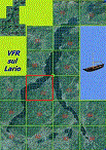
*** REPLACEMENT OF PREVIOUS ISSUE, due to a bug of an High Winter texture ***
This is the fifth scenery of the "VFR of Lario" project, made with photorealistic terrain (multiseason & night) and with some 3D GMax realistic objects.
Information: Como's lake is in the north of Italy, closed to the Helvetic border; this scenery covers approximately an area of 7.5x6 kmt, from la "Zoca de l'Oli" and mountains over Ossuccio (NW) to Tremezzo (NE), and from Colonno (SW) to Magreglio (SE) and includes the NLC piers of Sala Comacina, Comacina island, Campo, Lenno, Tremezzo, Bellagio (2), S. Giovanni, Lezzeno; it includes several dedicated buildings as Taverna Bleu hotel (Sala Comacina), S. Maria e S.Giacomo churches and villa Balbiano (Ossuccio), church and pier of S. Michele (Colonno), villa del Balbianello (Lenno), hotel Villa Marie, S. Lorenzo Church, villa La Quiete, Grand Hotel, villa Carlotta, hotel La Darsena, Pub motor ship Bisbino (Tremezzo), villa Melzi, villa Giulia, buildings Carillon e lungolago Manzoni, hotels Excelsior, Du Lac, Metropole (Bellagio). Two NLC ferry (moted on the way Bellagio-Cadenabbia) are placed together with other minor boats and docks placed alongside the coast, including platforms for seaplanes arrival.
Contents: GMax objects as above and other buildings, minor piers and boats together with autogen buildings and trees are fully spreaded on the scenery.
| Filename: | VFR_of_Lario_Area_C2A__Como_lake_Italy.zip |
| License: | Freeware |
| Added: | 22nd May 2012, 18:12:41 |
| Downloads: | 1,671 |
| Author: | Aldo Della Vedova, Daniele Lanfranchi, Gian Mario Verga, Diego Caligiuri |
| Size: | 28.49 MB |
| Category: Flight Simulator X - Aircraft Repaints, Textures and Modifications | |
| ALS-Sim SU-27SKM Flanker - (B_RNLAF) Package |
|
Images related to this file:
File Description:
This package contains a "just for the fun of it" fictional set of liveries for the Flanker B in RNLAF colors.
What if the Royal Netherlands Air Force could not temporarely afford a follow up for the aging F-16AM/BM due to the credit-crisis.
Countries with a debt to the Netherlands operating SU-27 Flankers offer the Netherlands some of their aircraft as a down-payment to this debt.
The Netherlands accept these aircraft as a temporary solution for replacement/addition to their aging F-16 fleet.
Some existing (311/323) and some former squadrons (re-established; 314/316/325) are equipped with the Flanker, all modified to SU-27SKM standard.
Some are painted in low visible ghost grey, some in the grey f-16 style colors and some in the standard Russian tropical style (as aggressor aircraft).
The pilot's and missile colors are also altered (life AA-11's now have IR seeker-heads). 2 aircraft also have NATO-style inert blue painting for the missiles, denoting they lack propulsion
but have real seeker-heads for training.
Flankers in NATO member Netherlands Air force colors; Now that's an odd but pretty sight :-)
You need the payware ALS-SIM SU-27 Flanker B for FSX in order to use this repaint and modification package.
| Filename: | ALSSim_SU27SKM_Flanker__B_RNLAF_Package.zip |
| License: | Freeware |
| Added: | 2nd April 2012, 22:12:52 |
| Downloads: | 162 |
| Author: | Rene Spaan |
| Size: | 26.19 MB |
| Category: Flight Simulator X - Aircraft Repaints, Textures and Modifications | |
| Republic P-47D-22 365th FG (D5-P) "Astra" |
|
Images related to this file:
File Description:
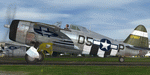
This folder contains a repaint for the A2A Wings of Power III P-47D Thunderbolt, representing P-47D-22-RE 42-6319 D5-P "Astra", the assigned aircraft of Captain George Porter of the 386th FS/365th FG as it looked in August 1944, while based at Juvincourt (A-68), France. George Porter gained the tongue in cheek title of 'flak analyst extraordinaire' after a june 1944 mission, when the 386th FS lost three aircraft to AA. During debriefing, he referred to "only moderate, and only fairly accurate flak". On 5 september 1944, he chased a Me109 to the deck, and as he closed to 500 yards, the German pilot suddenly bailed out. Porter filmed the crash and pilot on the ground and was disappointed he hadn't even fired a shot. He needed to be convinced by intelligence officers to submit a claim. He received a silver star for an action on october 12, 1944, when he encountered about 40 german fighters.Attacking four, he hit one when his aircraft, D5-P, started leaking oil over the windshield. He attacked another FW190 nonetheless, scoring hits. He later bellied in near Diest, Belgium, severly damaging Astra, but remaining unhurt himself. The tail on his aircraft was a replacement from an older aircraft, which explains the wrong serial on the tail. Repaint by Jan Kees Blom, based on the paintkit by Martin Catney.
| Filename: | Republic_P47D22_365th_FG_D5P_Astra.zip |
| License: | Freeware |
| Added: | 1st December 2019, 20:57:12 |
| Downloads: | 42 |
| Author: | Jan Kees Blom |
| Size: | 11.31 MB |
| Category: X-Plane - Utilities | |
| X-Camera 2.2.1 |
|
Images related to this file:
File Description:
The X-Camera 2.1.1 plugin for X-Plane 9 and 10 is a replacement camera system that lets you define multiple view categories and multiple views within those categories that are associated with specific aircraft. X-Camera is similar to EzDok for FSX only for X-Plane. Watch this short X-Camera demo on YouTube: https://www.youtube.com/watch?v=PgOxG8ejq9A
Each view can have options:
- TrackIR:
Each view can enable or disable the TrackIR input. If the view is out the cockpit window having TrackIR enabled is desirable. However, if the view is a close-up of an instrument panel then having TrackIR disabled is probably the better choice since the view will be stable making it easy to click on cockpit controls with the mouse. We also support LinuxTrack on Linux and Mac systems.
- HeadShake:
If the HeadShake plugin from SimCoders is installed then the view can accept input from HeadShake. Similar to the TrackIR feature you will likely want this enabled for certain views but disabled for views on instrument panel close-ups where a stable camera makes it easier to use a mouse to control cockpit knobs and switches. The HeadShake plugin must be at version 1.3 or higher for the integration to work.
- Scenic Flyer:
If the Scenic Flyer plugin from Digital Avionics is installed then the view can choose to display either the Scenic Flyer Glass panel or GA panel.
- Smooth Transition:
When this option is enabled the camera with smoothly transition from one view to another over approximately half a second. When the option is off the view will transition immediately.
- Views can be controlled in a number of ways:
> Each view can be positioned by using keyboard keys or a control panel
> The camera'™s X, Y, Z, Heading, and Pitch can all be adjusted for each view
> Views can be assigned to a HotKey or JoyStick button for easy selection
> HotKey or JoyStick button can be used to navigate to next or previous views
> The views for a specific aircraft can be saved to a CSV file for easy editing
- Walk Mode:
Any view'™s camera can be placed in Walk Mode. While in this mode the camera can be walked or floated around using keyboard input. If you ever played the video game asteroid that is what walk mode is like. The mode is particularly useful for pre-flight inspections of your aircraft. You can create a external view and after selecting that view you can "Walk" the camera around checking out your landing gear, props, etc.
- Linear Transitions and Auto Advance:
Linear transitions allows you to define a transition between two adjacent cameras in category. This capability, in conjunction with the auto advance feature, allows you define fairly sophisticated animations that can be used for automated Pre-flight inspections, scenery viewing, and cool transitions affects that can be used when creating flight videos. All the transitions in our YouTube video were done with X-Camera.
- Bezier Curve Transitions:
Bezier curve transitions allows you to define a transition between three or more adjacent cameras in a category. This capability, in conjunction with the auto advance feature, allows you define fairly sophisticated animations that have an ultra smooth movement between the curve control points.
- Many Unique Camera Attributes:
Tracking Cameras - Camera Leveling - Smooth Camera Joining - Auto Advance to the Next Camera - Individual Zoom and Field of View Setting - External Cameras - Free Cameras - Target Following Cameras - Cineflex Cameras - Automatically Generate Unique Orbit and Fly-By Animations
X-Camera can create unique orbit and fly-by camera sequences by providing a few key parameters
- Airport Cameras:
You can define a set of free cameras associated with an airport. You can create up to 2,000 cameras per airport. X-Camera can also automatically populate airport cameras by reading the airport scenery files and creating cameras at runways, starting locations, taxiway signs, and airport viewpoints. You can map a joystick button to quickly switch between your aircraft camera set and the nearest camera at the nearest airport.
- Target Following Cameras:
Targets are locations defined by a latitude, longitude, and elevation in meters. Target following cameras are a special type of external camera that is attached to your plane and it has the ability to track a selected target. You can also view the target reciprocal which as a view from the target back to you plane.
X-Camera Tutorial Videos: There is also a four part series of tutorial videos that will help you get started with X-Camera. You can access them from the X-Camera Tutorial Page: https://www.stickandrudderstudios.com/x-camera-tutorial-videos/
The full manual is included in the zip file you can also view it here: https://www.stickandrudderstudios.com/downloads/User_Guide.pdf
| Filename: | XCamera_221.zip |
| License: | Shareware, limited functionality |
| Added: | 27th January 2017, 15:14:21 |
| Downloads: | 478 |
| Author: | Mark Ellis |
| Size: | 4.61 MB |
| Category: Combat Flight Simulator 1 and 2 - Missions | |
| Missions for the USAF F-51D of Flight1 'Sabre Vs MiG' (CFS2) |
|
File Description:
Five missions for the USAF F-51D of the "Sabre Vs MiG"add-on of Fligh1.Included Scenery of the main Mustangs base in the Korean war: K-10 Chinhae and a revision of the DP file for the Yak-9.
The missions were acomplished in the first days of November 1950 and are quite veridical; geographical,coordinates, units, dates, airfield bases,meteo,squadrons, pilots,etc.
No real is the standard Yak-9 supplied by Fligh1. The aircraft paint represent a V-VS(Russian Air Force)
fighter with the typical Russian camouflage; actually no Yak-9 were operated with Russian insignias in
Korea. The planes, models Yak-9P and Yak-9U, were assigned to the KPAFAC(North Korean Air Force) and
flew by crews of this nacionality, his painting scheme was a Russian post-war light blue grey with the
KPAFAC roundels under of the wings and in fuselage sides.The pilots were rookies but some success was achieved: one USAF F-80C of the 36 FBS,was shot down the 19-Jul-1950 by one Yak-9(Actually the first Korean war victory of a one piston fighter over a Jet);B-29s,F-51s,F-82s, were others victories of the Yaks in the early phase of the Korean war.V-VS had operated with a few LA-11.I have planned a repaint of the Yak-9 with the real colours of the KPAFAC and eventually convert to flight.
| Filename: | Missions_for_the_USAF_F51D_of_Flight1_Sabre_Vs_MiG.zip |
| License: | Freeware |
| Added: | 6th February 2004, 15:01:51 |
| Downloads: | 360 |
| Author: | Daniel Nole |
| Size: | 116.29 KB |
| Category: Flight Simulator 2002 - Utilities | |
| Royal Europe Airlines v1.1 Virtual Airlines Business Edition |
|
File Description:
A must have for all viritual commercial Pilots:
Royal Europe Airlines v1.1 Business Edition
Works with all flightsimulators!
Get a flight assignment at REA and see how many passengers you'll get this flight.
After gate arrival report at REA and log your flight.
Check out how much money you can make in a week by flying for Royal Europe Airlines.
Then look at the total profit of REA and see if you can improve it next week!(all data can be checked whenever you want)
New in v 1.1:
* Bugfixes
* Memmoryfix
* Clear documentation
* Multiple players
* A random number of passengers will fly with you each flight
* Each flight will now have ticketprices!
* REA finances including profit for this flight, fuelcosts, landingfee, etc..
* You can now enter a comment on your flight
* All data, wages, finances, flight, comments will be saved
* more.. (check it out)
Destination Airports:
Munich
Brussels
London Gatwick
Copenhagen
Berlin
London Heathrow
Paris
Maastricht Aachen Airport
Frankfurt
Zurich
Madrid
Dusseldorf
Salzburg
John F Kennedy New-York
Rome
(see documentation if you would like your personal airports in this game!).
* Viritual ticket prices (made from REAL ticket prices)
* Viritual passengers (more passengers more $$, less passengers, no good!!)
* Viritual money
* All saved, every time you fly. Total overview always availible...
tested on
WinXP home edition
1700MHz
256 mb memmory
64 MB 3dfx video
Min syst. requirements:
Win 98, 233 Mhz, 128 MB memmory, 16mb video
REA version 1.0 required
(to download you need REA version 1.0)
| Filename: | Royal_Europe_Airlines_v11_Virtual_Airlines_Busines.zip |
| License: | Freeware |
| Added: | 17th December 2002, 17:16:19 |
| Downloads: | 841 |
| Author: | M.Heuts |
| Size: | 341.76 KB |
| Category: Orbiter - Orbital Stations | |
| Skylab 2 Mission |
|
File Description:
The Skylab space station was launched May 14, 1973, from the NASA
Kennedy Space Center by a huge Saturn V launch vehicle, the moon
rocket of the Apollo Space Program. Sixty-three seconds after liftoff,
the meteoroid shield--designed also to shade Skylab's workshop
--deployed inadvertently. It was torn from the space station by
atmospheric drag. This event and its effects started a ten-day period
in which Skylab was beset with problems that had to be conquered
before the space station would be safe and habitable for the three
manned periods of its planned eight-month mission.
skylab 2
25 May 1973 13:00 GMT. Duration: 28.03 days. Call Sign: Skylab. Backup
Crew: McCandless, Musgrave, Schweickart. Nation: USA. Agency: NASA.
Launch Site: Cape Canaveral . Launch Complex: LC39B. Launch Vehicle:
Saturn IB . LV Configuration: Saturn IB s/n SA-206. Program: Skylab.
Class: Manned. Type: Lunar spacecraft. Spacecraft: Apollo CSM. Payload
: Apollo CSM 116. Mass: 19,979 kg. Location of Spacecraft: Naval
Aviation Museum, Pensacola, FL. Perigee: 427 km. Apogee: 439 km.
Inclination: 50.0 deg. Period: 93.2 min.
Epic repair mission which brought Skylab into working order. Included
such great moments as Conrad being flung through space by the whiplash
after heaving on the solar wing just as the debris constraining it
gave way; deployment of a lightweight solar shield, developed in
Houston in one week, which brought the temperatures down to tolerable
levels. With this flight US again took manned spaceflight duration
record.
| Filename: | Skylab_2_Mission.zip |
| License: | Freeware |
| Added: | 7th January 2003, 04:31:25 |
| Downloads: | 907 |
| Author: | Ronald Dandurand |
| Size: | 3.76 KB |
| Category: Flight Simulator X - Aircraft Repaints, Textures and Modifications | |
| DanTrix Airlines Boeing 737-900WL |
|
Images related to this file:
File Description:

In order to use this repaint, you must have the PMDG 737 NGX installed. The NGX is a payware aircraft. This file includes the 900 "Non-Winglet" instructions also as an added bonus.
This paint is the paint that my new Video Paint Tutorials focus on, and is the actual paint I show you how to create yourself. Since you might want to paint something different than what I chose to paint, I want you to at least have this paint as reference. It is a highly modeled paint, meaning I did every single rivet and line completely from scratch. This is also something you will learn in the tutorial, but also the files themselves can be studied on your own. I like to try things that no one else has tried, and do them differently for painters to use as blueprints of their own work. We can all learn a lot from one another and I hope what I have here can benefit a painter and give you lots of enjoyment flying. If you're not interested in being a painter, that's fine as well. I think you'll enjoy this paint very much, and if not, please email me your thoughts (email address is in the readme.txt). The tutorial link is in the readme.txt also. To see a video of this paint covering every rivet,
Click here!
| Filename: | DanTrix_Airlines_Boeing_737900WL.zip |
| License: | Freeware |
| Added: | 17th January 2012, 17:39:33 |
| Downloads: | 332 |
| Author: | Dan Prunier, PMDG |
| Size: | 27.99 MB |
| Category: Flight Simulator X - Original Aircraft | |
| Heinkel P-1079A Jet Nightfighter |
|
Images related to this file:
File Description:
Heinkel P-1079, a new twin-jet fighter project of the Heinkel Aircraft Construction Corp. was designed in five variations, all under the same designation.
The first of these advanced designs, the Heinkel P-1078A was basically developed as a two-seated nightfighter. The pilot and the gunner/navigator were sitting in tandem position. The wings were swept back 35 degrees, mounted to mid-fuselage. The tail had a V-shaped rudder. The armament were three Rheinmetall-Borsig MK 108 30mm cannons in the nose and 24 R4-M 'Orkan' high explosive rockets on two racks mounted under the wings. Another feature of armament was the so-called 'schraege musik' with four upward-firing 20 mm Mauser MG 151/20 autocannons, mounted in the back of the aircraft. Therefore, the nightfighter had to approach and attack bombers from below, guided into position by commands from the navigator.
The aircraft should be equipped with the new FUG 228 radar unit. This sophisticated radar would have empowered the aircraft with an almost all-weather ability.
The engines were located in the wing roots. This version should be fitted with two Junkers Jumo 004D turbojet engines with two-stage fuel injector, each with 8.8 kN of power.
The Max. speed was about Mach 0.89 = 950kph, the range about 1079.22nm = 1241.9 sm = 2000 km and the max. Service Ceiling up to 51,000 ft = 15,545m
Flyable in FS2004 and FSX
| Filename: | Heinkel_P1079A_Jet_Nightfighter.zip |
| License: | Freeware |
| Added: | 3rd June 2012, 19:56:05 |
| Downloads: | 997 |
| Author: | Andreas Becker |
| Size: | 21.43 MB |
| Category: Flight Simulator 2004 - Original Aircraft | |
| Heinkel P-1079A Night-Fighter |
|
File Description:
Heinkel P-1079, a new twin-jet fighter project of the Heinkel Aircraft Construction Corp. was designed in five variations, all under the same designation.
The first of these advanced designs, the Heinkel P-1078A was basically developed as a two-seated nightfighter. The pilot and the gunner/navigator were sitting in tandem position. The wings were swept back 35 degrees, mounted to mid-fuselage. The tail had a V-shaped rudder. The armament were three Rheinmetall-Borsig MK 108 30mm cannons in the nose and 24 R4-M 'Orkan' high explosive rockets on two racks mounted under the wings. Another feature of armament was the so-called 'schraege musik' with four upward-firing 20 mm Mauser MG 151/20 autocannons, mounted in the back of the aircraft. Therefore, the nightfighter had to approach and attack bombers from below, guided into position by commands from the navigator.
The aircraft should be equipped with the new FUG 228 radar unit. This sophisticated radar would have empowered the aircraft with an almost all-weather ability.
The engines were located in the wing roots. This version should be fitted with two Junkers Jumo 004D turbojet engines with two-stage fuel injector, each with 8.8 kN of power.
The max. speed was about Mach 0.89 = 950kph
The Range 1079.22nm = 1241.9 sm = 2000 km
The max. Service Ceiling was up to 51,000 ft = 15,545m
| Filename: | Heinkel_P1079A_NightFighter.zip |
| License: | Freeware |
| Added: | 8th May 2012, 13:09:01 |
| Downloads: | 698 |
| Author: | Andreas Becker |
| Size: | 21.43 MB |


© 2001-2026 AVSIM Online
All Rights Reserved
Privacy Policy |