
Where Flight Simulation Enthusiasts Gather from Around the World!
AVSIM Library - Search Results

| Category: Flight Simulator X - Gauges | |
| V-One Gauge for Boeing 727-100/200/F (Complete) |

|
Images related to this file:
File Description:
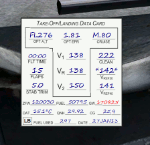
New features in this version are in indicated in '[ ]'.
Twenty call-outs sounds integrated into gauge [13 new call-outs].
Take-off V-Speeds calculated for Flaps 5, 15, or 25 with temperature and altitude adjustments.
[Take-off speed bugs and Command speed bug automatically set for: V1/Vr, V2, V2 + 15].
[Flaps-up maneuvering speed (clean speed) bug set after flaps-up].
Optimum altitude and optimum EPR (EPR calc for M.80) are continually calculated.
Gross Weight overage will display in 'red' text. Tooltip indicates overweight value (LB/KG).
Take-off trim calculated for current gross weight.
Maximum Climb Thrust (MCT) calculated based on current TAT temperature.
[Current EPR displayed adjacent to MCT for ease of use during climb phase].
Display units can be toggled between LB and KG (default LB).
Outside air Temperature can be toggle between Fahrenheit and Celsius.
Resettable fuel use.
Resettable flight timer.
[Selectable Vref landing configurations, Vref30 (default) or Vref40].
[Approach / landing speed bugs and Command speed bug automatically set for: Vref, Vref + 5, Vref + 15].
ZFW, Fuel, CG, Gross Weight and Barometric Pressure MSL (QNH) displayed.
['Barometer Set' call-out occurs when pressing keyboard letter 'B' (V-One gauge must be open)].
[Airspeed gauge enhanced: CMD speed bug colorized orange and notch added for visibly of tick marks below].
[Decision Height adjustment now on Data Card in hidden click-spot located on upper right corner].
[Now installation to a single location will work for all variants].
| Filename: | VOne_Gauge_for_Boeing_727100200F_Complete.zip |
| License: | Freeware, limited distribution |
| Added: | 28th January 2013, 11:30:53 |
| Downloads: | 1,512 |
| Author: | Paul Tally |
| Size: | 3.55 MB |
| Category: Flight Simulator X - Gauges | |
| V-One Gauge for Milviz Boeing 737-200 v2.0 |
|
File Description:
The following changes are in this version release:
1) All pilot/co-pilot call-outs replaced
2) V-One XML code and sound file logic updated
3) Altitude Call-Out XML code re-written & optimized
4) Corrected setting of Airspeed Cursor when SP177 is in use during approach phase
5) Added Call-out sound toggle for: 'All', 'Altitude' or 'Off' (box in upper right of Data Card)
6) Added 'Current %N1' display to Data Card
List of features: Approximately 40 sounds integrated into gauge. Take-off V-Speeds calculated for Flaps 1, 2, 5, 10, 15 or 25 including temperature and altitude correction. Take-off speed bugs and command speed bug automatically set for: V1, Vr, V2, V2 + 15 and flaps-up maneuvering speed (clean speed). Optimum altitude and optimum EPR (EPR calc for M.74) continually calculated. Flap mis-configuration is displayed in text. Tooltip indicates overweight value (LB/KG). Take-off trim calculated for current gross weight. Current Altitude, EPR, Speed (knts), Flaps and Trim displays via toggle. Display units can be toggled between LB and KG (default LB). Re-settable flight timer. Re-settable fuel use. Selectable Vref landing configurations, Vref15, Vref30 (default) or Vref40. Approach / landing speed bugs and Command speed bug automatically set for: Vref, Vref + 5, Vref + 15 and flaps-up maneuvering speed (clean speed). ZFW, Fuel, CG, Gross Weight and Barometric Pressure MSL (QNH) displayed.
| Filename: | VOne_Gauge_for_Milviz_Boeing_737200_v20.zip |
| License: | Freeware, limited distribution |
| Added: | 1st November 2015, 18:35:29 |
| Downloads: | 2,440 |
| Author: | Paul Tally |
| Size: | 4.11 MB |
| Category: Flight Simulator 2004 - Miscellaneous Files | |
| Nick's AI Jet Exhaust With Control Gauge |
|
File Description:
Hanging around the airport watching the A-I traffic and chasing A-I jet aircraft just got a little more interesting. Enjoy watching your entire A-I jet fleet as they display engine heat shimmer effects -after- push-back from the terminal and during taxi to the active runway. All the A-I traffic take off displaying a lite, expanding, frame-rate friendly and nicely scaled high throttle heat/exhaust trail FX which remain with the A-I aircraft during its entire flight. To top off the show, the A-I aircraft that are throttled down and landing display no exhaust from the engines! This package also comes with a gauge that allows pilot throttle control of the taxi heat shimmer/full-throttle exhaust FX for the jet aircraft being flown in the sim by the user. This package does NOT interfere with the logo, taxi or wing lights of any aircraft and comes with 5 all new exhaust effects files which can be applied to just about any size private, commercial or military jet. It requires editing/adding lines in the aircraft.cfg and panel.cfg files. The README files include very complete and comprehensive instructions including a quick and easy copy/paste file for all the Microsoft jet aircraft and tutorial on making custom gauges from the one provided. This package completely replaces my original *Nick's Jet Smoke* package and any/all updates for it.
By Nick Needham
| Filename: | Nicks_AI_Jet_Exhaust_With_Control_Gauge.zip |
| License: | Freeware, limited distribution |
| Added: | 22nd December 2003, 21:16:01 |
| Downloads: | 29,957 |
| Author: | Nick Needham |
| Size: | 894.61 KB |
| Category: Prepar3D V1-4 - Aircraft Repaints, Textures and Modifications | |
| Delta 'Wavy Gravy' McDonnell Douglas MD-82(88) |
|
Images related to this file:
File Description:
From 2000-2004, Delta Airlines repainted their fleet with the "Colors in Motion Livery". Featuring distinctive red, dark and light blue flowing colors on the tail and Delta logo on the front fuselage, this livery received a couple of nicknames such as "Flowing Fabric" and "Wavy Gravy." N934DL (MD-88) is currently stored.
Repaint created with the October 2018 Paint Kit for the FlytheMaddogX. Tested in P3D, though this livery should be compatible in FSX. Please Note: PBR is still in an early state and is only available with the latest version of the FlythemaddogX, and P3DV4.4+. Although this livery will allow you to use both PBR and Non-PBR, you must ensure that the appropriate option is enabled in your Load Manager. This livery will not function/work properly with Tomatoshade.
For MD-88 users: Please follow the special instructions within the README.TXT file to update and use your textures properly.
| Filename: | Delta_Wavy_Gravy_McDonnell_Douglas_MD8288.zip |
| License: | Freeware, limited distribution |
| Added: | 7th January 2019, 16:39:48 |
| Downloads: | 394 |
| Author: | Project by Eric Swanson (Paint) & Michele Galmozzi (Metal/PBR) |
| Size: | 57.94 MB |
| Category: Flight Simulator X - Scenery | |
| EDKL Germany-Leverkusen (Version 0.4) |
|
File Description:
GERMANY - EDKL (Leverkusen-Kurtekotten) Version 0.4
This is the first airfield, that I've created with Airport Design Editor (ADE) of Jon Masterson.
I've tried to do the joby as close as possible to reality.
Nevertheless, I'm mainly using standard FSX library objects, so that the exact look, the colour of buildings
and other objects will differ.
In the archive you'll find some aerial photos of the real airfield, so that you can give yourself your
own impression of how well the work has succeeded.
- - - !! Important: In order to function properly, this scenery necessarily needs a free, third-party library, which you have to install too !!
If you don't install this library, most of the objects of the scenery will NOT BE DISPLAYED !!!
You can download this free library at:
http://www.flightport.de/index.php?id=369
Scroll down a little bit and klick on "Download FlightPort-Gmx-Lib 4.2.7"
I have the permission of the library designers to use this fine stuff...:-)
| Filename: | EDKL_GermanyLeverkusen_Version_04.zip |
| License: | Freeware |
| Added: | 11th November 2012, 15:53:03 |
| Downloads: | 1,209 |
| Author: | Dirk Cremer |
| Size: | 1.64 MB |
| Category: Flight Simulator 2002 - Original Aircraft | |
| Jabiru 2 Seater Australian Airplane |
|
File Description:
Jabiru 2 Seater. This is an Australian plane that is truly making the spotlight of pilot enthusiasts accross Australia and New Zealand. Though a slightly small little plane, she has a superb performance as well as being a very clean overall design, sporting a very modern interior. This aircraft model was designed in Gmax and sports a photoreal panel. My assistant in this project is the proud owner of a Jabiru, Shaun Gorham who refers to his ship as 'Little Jabbi'. Look for him at the airshows down under. Many thanks to Shaun and his information gathering talents. I wish to also thank the gentlemen that have helped me to learn Gmax at the various forums. Please read the READ ME in the folder. The panel uses a 'pull-down' visual. All flight surfaces function, rolling wheels, turning center wheel and the many various aircraft details that top off this Australian flyer. Model by William Ortis, Lionheartcreations.com.
| Filename: | Jabiru_2_Seater_Australian_Airplane.zip |
| License: | Freeware |
| Added: | 27th February 2004, 21:53:30 |
| Downloads: | 1,297 |
| Author: | William Ortis |
| Size: | 1.77 MB |
| Category: Flight Simulator 2004 - Utilities | |
| AirFx - Smoke System Effects Placement Wizard - New Version 1.7.6.5 |
|
File Description: With AirFx you can add any effects to your smokesystem. Ver.1.7.6.5 FEATURES: 7. See readme for update info
1.Pre-made
templates for quick configuration.
2. New effects including: Bomb, Flak, Engine fire, Machine gun, Water dump,
Crop duster, and Chicken cannon. [Chicken cannon only available with Fs2004].
3. Assign effects and placements manually for the greatest control.
4. A templates function is provided to easily organize settings and as an
quick way to get started.
5. Adjacent help screens for comprehensive information at a glance.
6. Aircraft.cfg restoration functions.