
Where Flight Simulation Enthusiasts Gather from Around the World!
AVSIM Library - Search Results

| Category: Flight Simulator 2004 - Scenery | |
| PAEN, PAEX, 3AK4, 30AK, 52AK - Alaska, USA |

|
Images related to this file:
File Description:
The town of Kenai is on the east coast of Cook Inlet, 60 miles southwest of Anchorage. The airport is in the northern part of the town, with a runway aligned 1-19, 7,550 feet long and 150 feet wide (with an ILS on 19). A second runway is gravel, 2,000 feet long and for winter use by ski planes. There is also a water runway, and all three are aligned the same and called "1 left-19 right" (the main runway) "1 right-19 left" (gravel) and "1 water-19 water". The taxiways are extensive and designed for a far larger traffic than the airport has today, though even now the airport is fairly busy. In FS9 a water runway for AI cannot work with an ATC control tower; the water part of PAEN has therefore been separated into another call sign PAEX which has ONLY the water runway; the tower will therefore direct the plane that makes contact to use the water runway. The PAEN airport runway has taxiway connections at each end and also two intermediates; at the northern end there are in fact two so a total of 5; B, C, D, E, and F; there is an airport diagram included. GA traffic goes to one of two parking aprons, both at the southern end, and at the far southern end there is the hangar for the Civil Air Patrol. The AI includes aircraft from my previous Alaska posts, as Kenai is where I sent them when they departed from, for instance, Palmer. Airlines and cargo companies that operate from and to Kenai are included in the AI: ERA (which has recently changed it's name), Grant Aviation, Air North, Wings of Alaska, North Star Air, and a small local company Air Supply Alaska, along with Fedex, UPS, Everts, and Northern Air Cargo. There is also GA and float AI. Nearby smaller airfields are included, partly because one of them was dramatically misaligned in FS9.
| Filename: | PAEN_PAEX_3AK4_30AK_52AK___Alaska_USA.zip |
| License: | Freeware, limited distribution |
| Added: | 26th December 2015, 15:33:19 |
| Downloads: | 482 |
| Author: | Roger Wensley |
| Size: | 23.08 MB |
| Category: Flight Simulator X - Scenery | |
| KLGB Long Beach Airport - Modernized terminal |
|
File Description:
The airport I chose is Long Beach Airport. This airport has been around for
many years and has had everything from the Air Force One to the 787 Dreamliner land here!
The airport is located between downtown Los Angeles and Orange County and offers a great
landing for tourists that do not want to land in the fifth busiest airport in the world,
Los Angeles International.

The reason why I decided to create this airport was because it is my home airport
and I am located only about five miles from it. Also, there is no good freeware FSX scenery for this airport.
Features included!:
- Modern Terminal with correct gate placements
- changed and edited roads and other buildings around airport
- added the jetBlue offices on the airport
- Cars added (all over the place!!!)
- trees added near drop off (California Palm trees)!
- baggage cars and other airport cars added.
- buses and car parking lots added
- "spring street" flight schools and private terminal added.
- Vehicles, AI aircraft, grave yard aircraft, and many other static joys throughout the airport!
- "Runup" aircraft near runway 34R.
- Boeing C-17 facility (no aircraft C17 there)
- updated taxi ways and heliports
- Airport Service vehicle roads updates and made with help from Google Earth.
- Accurate fence, jetblast fence, and boarders of airport.
- Cargo terminals added for ups and dhl
- Private (gulfstream and other private) jet spots added.
- Flight Schools such as Long Beach Flight Academy (one I go to!!!) accurately made.
- New taxi ways and terrain
- Aflite fuel truck spaces added
- Correct runway lengths of 25L
- More items you just need to see to believe!!!
Distribution limits (MUST CONTACT ME FOR REDISTRIBUTION).
| Filename: | KLGB_Long_Beach_Airport__Modernized_terminal.zip |
| License: | Freeware, limited distribution |
| Added: | 26th March 2012, 11:10:01 |
| Downloads: | 2,716 |
| Author: | Rohan Patel |
| Size: | 3.57 MB |
| Category: Flight Simulator X - Original Aircraft | |
| Project Opensky Boeing 747-100v4 Native Conversion Base package for FSX/P3D |
|
Images related to this file:
File Description:
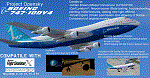
The Project Opensky Boeing 747100V4 Native Conversion for FSX/P3D is the first of the initial release of the POSKY 747V4 Classic Series, and it is a new conversion of the old top-hit freeware add-on aircraft series that is known to the Flight Simulation Community since FS2002, FS2004, and onwards to FSX and has been loved by thousands of Flight-simmers across the world because of its simple-but-great model, and completely free of charge.
But with newer flight simulators on the line under the ESP Flight Simulator Type such as Lockheed Martin Prepar3DV4 and V5,
the Project Opensky Boeing 747V4 Classic Series (which was only made for FS9) were slowly falling behind and couldn’t keep up
with the current flight simulators today.
And now, for the first time in 2020; this conversion has surfaced to the public and in the eyes of the flight simulation community. Destined to fly in the current flight simulators of today like FSX, FSX: Steam Edition, Prepar3D V1 to V4 and Prepar3D V5, this classic freeware had continued to live on into the new era, bringing nostalgia not only just to those who flown it before in FS2004, but also for a new generation who can relive classic scenes of the Jumbo Jet’s illustrious history through this iconic freeware add-on aircraft series in today’s flight simulator platforms. And the permission to convert the models was acquired from the developer who was the mind of the POSKY 747V4 Classic Series: Hiroshi Igami. And he gave our conversion team the green light to do so. Leading to this conversion to surface in the public for the first time.
Follow the instructions in the Readme txt file. And read the documentation for more info and the credits on this base package.
If you have any questions/comments or any problems while installing this base package, feel free to contact me on [email protected]
| Filename: | Project_Opensky_Boeing_747100v4_Native_Conversion_.zip |
| License: | Freeware, limited distribution |
| Added: | 29th September 2020, 21:47:40 |
| Downloads: | 1,183 |
| Author: | Carl Lyndon F. Nepomuceno / Project Opensky |
| Size: | 22.86 MB |
| Category: Prepar3D V5 - Original Aircraft | |
| Prepar3Dv4/v5 POSKY Boeing 747SPv4 PBR Conversion Base package |
|
Images related to this file:
File Description:
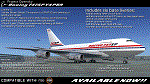
The Project Opensky Boeing 747V4 Classic Series PBR Native Conversion for P3DV4 and V5 is a newly updated conversion of the old top-hit freeware add-on aircraft series that is known to the Flight Simulation Community since FS2002, FS2004, and onwards to FSX and has been loved by thousands of Flight-simmers across the world because of its simple-but-great model, and completely free of charge. But with newer flight simulators on the line under the ESP Flight Simulator Type such as Lockheed Martin Prepar3DV4 and V5, the Project Opensky Boeing 747V4 Classic Series (which was only made for FS9) were slowly falling behind and couldn’t keep up with the current flight simulators today. And now, for the first time in 2022; this newly-updated conversion has surfaced to the public and in the eyes of the flight simulation community. Destined to fly in the current flight simulators of today like Prepar3D V4 and Prepar3D V5, this classic freeware had continued to live on into the new era, bringing nostalgia not only just to those who flown it before in FS2004, but also for a new generation who can relive classic scenes of the Jumbo Jet’s illustrious history through this iconic freeware add-on aircraft series in today’s flight simulator platforms. It finally received an all new makeover! And the permission to convert the models was acquired from the developer who was the mind of the POSKY 747V4 Classic Series: Hiroshi Igami. And he gave our conversion team the green light to do so. Leading to this conversion to surface in the public for the first time. Follow the instructions in the Readme txt file. And read the documentation for more info and the credits on this base package. If you have any questions/comments or any problems while installing this base package, feel free to contact me.
| Filename: | Prepar3Dv4v5_POSKY_Boeing_747SPv4_PBR_Conversion_B.zip |
| License: | Freeware |
| Added: | 1st July 2022, 18:35:03 |
| Downloads: | 441 |
| Author: | Carl Lyndon F. Nepomuceno / Project Opensky |
| Size: | 37.26 MB |
| Category: Prepar3D V5 - Original Aircraft | |
| Prepar3Dv4/v5 POSKY Boeing 747-100v4 PBR Conversion Base package |
|
Images related to this file:
File Description:
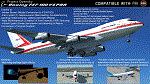
The Project Opensky Boeing 747V4 Classic Series PBR Native Conversion for P3DV4 and V5 is a newly updated conversion of the old top-hit freeware
add-on aircraft series that is known to the Flight Simulation Community since FS2002, FS2004, and onwards to FSX
and has been loved by thousands of Flight-simmers across the world because of its simple-but-great model,
and completely free of charge.
But with newer flight simulators on the line under the ESP Flight Simulator Type such as Lockheed Martin Prepar3DV4 and V5,
the Project Opensky Boeing 747V4 Classic Series (which was only made for FS9) were slowly falling behind and couldn’t keep up
with the current flight simulators today.
And now, for the first time in 2022; this newly-updated conversion has surfaced to the public and in the eyes of the flight
simulation community. Destined to fly in the current flight simulators of today like Prepar3D V4 and Prepar3D V5,
this classic freeware had continued to live on into the new era, bringing nostalgia not only just to those who flown it before in FS2004,
but also for a new generation who can relive classic scenes of the Jumbo Jet’s illustrious history through this iconic freeware add-on
aircraft series in today’s flight simulator platforms. It finally received an all new makeover!
And the permission to convert the models was acquired from
the developer who was the mind of the POSKY 747V4 Classic Series: Hiroshi Igami. And he gave our conversion team the green light to
do so. Leading to this conversion to surface in the public for the first time.
Follow the instructions in the Readme txt file. And read the documentation for more info and the credits on this base package. If you have any questions/comments or any problems while installing this base package, feel free to contact me.
| Filename: | Prepar3Dv4v5_POSKY_Boeing_747100v4_PBR_Conversion_.zip |
| License: | Freeware |
| Added: | 31st December 2021, 16:36:37 |
| Downloads: | 935 |
| Author: | Carl Lyndon F. Nepomuceno / Project Opensky |
| Size: | 30.8 MB |
| Category: Flight Simulator 2004 - Scenery | |
| Nenana Municipal Airport PANN in Alaska |
|
Images related to this file:
File Description:
Nenana is a village on the river of the same name around 40 miles west of Fairbanks, which is the second largest urban area in Alaska after Anchorage. Nenana, as a result of this proximity, is served by road and railway and unlike other Alaskan villages is not reliant on air cargo for necessities. The current population is just under 400, which is way down from its peak of 5,000 in the 1920's when gold was being mined and the railroad being built. Nenana's main claim to fame is as the starting point for the 1925 mushing delivery to Nome of the serum to combat an outbreak of diphtheria. Any Nenana Municipal Airport history is difficult to find, even the date of construction. It has two runways 3L-21R and 3R-21L, the first being asphalt and just under 5,000 feet with PAPI at both ends, the second grass and 1,800 feet. Both are lit. It also has a further water runway similarly aligned and 3,000 feet long. Maintenance is available and there is also fuel at the end of the northern apron, close to the crashed and stripped DC4 that sits among other unwanted items that are too large to make it worth the cost of moving them off the site. There are no regular scheduled flights to the airport, with air taxi or owner operated being in the majority. The scenery, in addition to the terrain, town, bridges, and airport items also modifies the terrain in an area further south where FS9 depicted as a city an Air Force base that is mainly concerned with radar and communications and in fact has very few buildings. The AI includes some Beavers on floats that were used in previous BC scenery with the kind permission of FSAddon. As I have already posted them I have not included them again here. The float plane AI uses the same radio frequency as the land based planes, but they fly to PANX and not to PANN as FS9 has problems with getting floats and wheels separated. Or maybe I just haven't worked out how to cope with FS9. A note here about my scenery making. There will not be many more to follow this as I am almost at the end of the photos I either took or found for scenery purposes, plus I expect to move on from FS9 at some point during next year.
| Filename: | Nenana_Municipal_Airport_PANN_in_Alaska.zip |
| License: | Freeware, limited distribution |
| Added: | 2nd December 2019, 18:12:42 |
| Downloads: | 154 |
| Author: | Roger Wensley |
| Size: | 7.36 MB |
| Category: Flight Simulator X - Original Aircraft | |
| Airbus A318 FD Special Version V3 - Light Pack |
|
Images related to this file:
File Description:

This is the new version of my Airbus A318 with the Panel in V3 opened on the A321 - here in a light pack version, included is 1 livery only (Frontier Airlines NR807 Painted by Derek Mayer & Steve Mac Bee of PA Team).
This light pack contains only the user manual in english version (and low resolution). If you want the french version of this manual, use the "zipdrive" function with the complete pack of this aircraft (search by name file "pa318fd_v3.zip"). This light version has been made by request for all those with low download speeds and limits.
The original complete pack is available HERE (filename: pa318fd_v3.zip)
I remind you that this aircraft is based on the Project Airbus A318, with an ehanced panel based on the work of stefan Liebe.
This latest development can see the more realistic Airbus available as freeware. With a new version of the panel, the aircraft has a 100% cold & dark Status at the start of a flight, a real fuel system management with all valves, piumps and crossfeed work, the complete Bleed circuit with X-bleed, a real engines manual startup procedure like the real aircraft. I have also ehanced the navigation display with TCAS function in ARC and NAV mode; There is also the engines failure procedure to work (fire, oil leaks....) and many improved function that I cannot describe here. The aircraft comes with user manual in English and in French, and it is essantial to read it before you fly.
All the functions of the V2 have been kept and improved, like the vertical navigation gauge, the terrain radar map on the navigation display, the autolanding function, the SFCC.
This version is only in CFm engines, but with real engine data (CFM56-5B9) and custom HD sounds. Now, the Fly By wire works in 2 modes: "Normal Law" and "Direct Law". I put 300 hours into the development of this panel and I hope that you will like it.
Please, note that this panel is the v3.05 version, witch fixes the bugs of the first version that came with the A321 (there is an update panel for the A321).
So, It seems that this aircraft works with PREPAR3D
Francois Dore
| Filename: | Airbus_A318_FD_Special_Version_V3__Light_Pack.zip |
| License: | Freeware, limited distribution |
| Added: | 14th July 2012, 15:34:06 |
| Downloads: | 6,724 |
| Author: | Francois Dore, Project Airbus |
| Size: | 64.88 MB |
| Category: Flight Simulator X - Utilities | |
| FS2004/FSX Flight Analyzer Utility V2.04 |
|
Images related to this file:
File Description:

NOW ALSO WORKING WITH FS2004
What this program do:
- quickly change the settings of FSX/Fs2004, such as time, date, fuel, weight, traffic etc.
- start a failure sytem, such as gear, flaps, engine, etc.
- freeze the time, so you can fly in a for everlasting sunset.
- runway detecting system to see wich runways are in use.
- a flight analysis system, this is automaticly started when you start FsQC.
- When flight analysis is finished you can print a report, the report is automaticly saved as pdf File.
- flight analysis is finished when you parked your aicraft with the parking brakes set for more then 5 seconds.
- graphical landingchart.
- load a existing flight or flightplan.
- quickly look to your CFG (settings) files (only FSX) and change them even before the flight simulator is running.
- After a flight is finished FsQC saves your flight automaticly as 'FsQC last Flight', so you can continue the next day or hour.
- for properly working, flight analysis require a fsx/fs2004 flightplan.
Flight analysis:
Flight analysis start recording at the moment when you begin taxiing.
It gives you huge information such as:
- takeoff- and landing-weight
- takeoff roll in m. or ft.
- separate fuel consumption in taxi, climb, cruise and descent.
- maximum banking in flight
- which speed you using the flaps and gear
- when autopilot on or off
- vertical speed on touchdown
- reverser set after landing
- wich speed you cancel reverser
- bouncing at landing
- graphical landingchart.
- and lots of more
You can better look the example of the pdf document located in the 'Flight Reports' folder.
Failures:
In the settings menu you can select the kind of failures you want to occur and when they must occur.
At this moment 10 failures are possible:
-altitude
-attitude
-heading
-airspeed
-vertical speed
-pitot
-fuelleak
-flaps
-engine
-gear
Recommended:
For more easy use, run this program on a second monitor or much better on a second computer(laptop) where FSUIPC-client is running in the same network where FSX/FS2000 is running and FSUIPC WideFs is registered.
See also the pdf Manual.
Also look at www.FsQC.eu for more information.
If you have a problem look first on www.fsqc.eu/faq.html
If you have questions please contact [email protected]
| Filename: | FS2004FSX_Flight_Analyzer_Utility_V204.zip |
| License: | Check within download |
| Added: | 5th March 2018, 22:40:20 |
| Downloads: | 330 |
| Author: | Evander Tholen |
| Size: | 2.45 MB |
| Category: Miscellaneous Files - Demos from Commercial Vendors | |
| QuickPlan for Windows |
|
Images related to this file:
File Description:

QuickPlan for Windows is a visual point and click flight planner that makes it easy to generate flight plans in native FSX, FS2004 or X-Plane formats.
The entire route is generated visually, by tapping the map to add the departure airport, intermediate waypoints and arrival airport in the same order that you intend flying the plan.
During plan creation and after adding the final arrival waypoint you also have the opportunity to remove any of the intermediate waypoints before saving the plan in your preferred format.
QuickPlan utilises a new mapping engine and includes 12 world-wide map styles and has support for FSWidgets Cloud Based Aero Charts (free Cuba/Puerto Rico WAC Cloud Based Chart included) and FSWidgets Cloud Based World Nav Data (Free KSFO - San Francisco Bay area Nav Data included).
QuickPlan can be used in Freeform Mode, Advanced Mode, or a combination of both.
FREEFORM MODE: Simply click anywhere on the map and QuickPlan will allow you to add it as a generic waypoint. VFR pilots often use towns, lakes and other unique geographic features and with QuickPlan you can add any geographical location shown on the base map. Plans created this way label the waypoints automatically with generic names (e.g. DEP, WP1, WP2, ARR).
If desired, the entire route from departure to arrival can be created without reference to any navigational aids or official airports. This is handy for bush pilots who often use unlicensed airfields and small landing strips (or seaplane landing areas). Helicopter pilots can also quickly create plans that depart from off-airport locations like building rooftops or land on a road.
ADVANCED MODE: If you own the FSWidgets Cloud Based World Nav Data product you can create more advanced flight plans by clicking on any of the icons displayed on the map to add them as waypoints - airports, VOR's, NDB's and intersections (data for the KSFO area is included free). Plans created this way label the waypoints automatically with airport and navigational aid identifiers taken from the Nav Data (e.g. KSFO, OSI, LV, FABLA). FEATURE LIST:
- Generates native FSX (.pln), FS2004 (.pln) and X-Plane (.fms) format flight plans
- Saves flight plans to any folder (preferred folder set in Preferences)
- Search for airport by ICAO identifier
- Map powered by CloudMade Leaflet API (using OpenStreetMap data)
- Includes 12 world-wide maps styles
- Supports FSWidgets Cloud Based AERO CHARTS
- Free Cuba/Puerto Rico WAC Cloud Based Chart included
- Supports FSWidgets Cloud Based WORLD NAV DATA
- Free KSFO (San Francisco Bay) area Nav Data included
- World-wide Metar and TAF Data icons
- US Nexrad (Next-Gen Radar) Data
| Filename: | QuickPlan_for_Windows.zip |
| License: | Commercial demo |
| Added: | 27th October 2012, 09:22:33 |
| Downloads: | 523 |
| Author: | Fermin Fernandez - FSWidgets |
| Size: | 1.95 MB |
| Category: Flight Simulator 2004 - Utilities | |
| FlightSim Manager v2.6.1 |
|
File Description:
Compatible with both FS2002 and FS2004
FlightSim Manager is a great tool for managing add-ons to Microsoft Flight Simulator. Using easy to Wizard - FSM can install aircraft, panels, textures and scenery directly from distribution ZIP files you may have downloaded, with proper uninstallation of add-ons. From an easy to use Aircraft editor to add or remove aircraft variants, to an comprehensive Hangar management allows you to manage and configure your add-ons off your live FS installation.
You can now create Virtual Fleets, and enable/disable the complete fleet with ease. For serious pilots, FSM also offers a complete Logbook.
Lan View feature allows you to create virtual cockpits with multiple monitor support, using networked PCs.
With FSM, you can create Texture Sets - i.e.. different Tree Sets, and you can install any set with a single click, capture screenshots from Flight Simulator, Benchmark with log, launch it with Random Splash Screens, and fly from anywhere in the world using an map view.
You can also control Flight Simulator with speech commands using FSM. It also supports auto-saving flight, warning sytem, and custom event sounds.
Finally with a comprehensive Diagnostic Tools and Repository feature, FSM keeps your FS installation clean. Apart from the usual Missing and unused gauges, FSM can also locate Aircraft problems, Missing and unused effects, Scenery Problems with a LandClass File relocate feature - say bye-bye to all the memory leaks.
You can find the latest version from: http://www.ranainside.com/
To provide you - the user with the best Freeware FS-Addon, I need your help... if you have any suggestions, recommendations or problem using this software, please contact me through our Forum at: http://softwares.ranainside.com/forum/
You may not distribute the original archive/setup utility of the program(s) to anyone else, any Bulletin Board System, Portable Media or any web-site unless EXPRESS PERMISSION FROM THE AUTHOR is granted. You may not sell, lease, rent, or include this program or its original archive by any media without EXPRESS PERMISSION FROM THE AUTHOR. You are not required to pay for this program in any way, shape or form, but you are not licensed to distribute this program or its original archive for any financial gain.
| Filename: | FlightSim_Manager_v261.zip |
| License: | Freeware, limited distribution |
| Added: | 15th September 2004, 12:51:52 |
| Downloads: | 5,440 |
| Author: | Rana Hossain |
| Size: | 4.43 MB |


© 2001-2026 AVSIM Online
All Rights Reserved
Privacy Policy |