
Where Flight Simulation Enthusiasts Gather from Around the World!
AVSIM Library - Search Results

| Category: Flight Simulator X - Scenery | |
| Mid West Victoria UPDATED. 14 airports. YARA YSWL YMBU YSTA YDOD YWYF YBIR YHPN YKER YSLK YSWH + *NEW* YNHL YHML YWKB |

|
Images related to this file:
File Description:
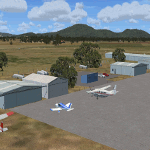
This is an updated version (original Jan 2018). Fixed some ground texture problems plus a lot of added and improved objects and 3 NEW airports. There are 14 airports starting at Ararat and extending up to the Murray at Swan Hill. YARA Ararat YSWL Stawell YMBU Maryborough YSTA Saint Arnaud YDOD Donald YWYF Wycheproof YBIR Birchip YHPN Hopetoun YKER Kerang YSLK Sealake YSWH Swanhill + *NEW* YNHL Nhill YHML Hamilton YWKB Warracknabeal. A lot of airports but not a quicky slap dash effort. It is several hundred hours over many months. Surrounding scenery modified to match real life. Towns, race courses, forests, sewage treatment ponds, obstacles (towers etc) have been added. Included is an AI traffic file that covers all airports that don't already have AI. These files are for Flight Simulator X. Made using Airport Design Editor using some objects borrowed from Robert Budd's excellent Baccus Marsh. RECOMMENDED The scenery is designed to interface with ORBX FTX_AU scenery for Australia (payware). It will work without ORBX but will not interface as well with standard scenery.
| Filename: | Mid_West_Victoria_UPDATED_14_airports_YARA__YSWL__.zip |
| License: | Freeware |
| Added: | 16th May 2019, 18:19:35 |
| Downloads: | 418 |
| Author: | Colin Jeffery |
| Size: | 5.23 MB |
| Category: Flight Simulator X - Scenery | |
| KOAK - Metro Oakland Intl |
|
Images related to this file:
File Description:
This is a reasonably accurate and up-to-date version of Metro Oakland Intl airport with two optional files and made only for FSX users, do not use in P3D: There is one version with the Crosswind runways operating where all 4 runways will be used for takeoff/landing and one version as the default airport runway operation.
This update removes the "jfk jetways" mainly for those who have had issues installing the textures to get these Jetway to display, these have now been replaced by Jetway extensions that are more like the real world, Terminals 1 and 2 rebuilt with something better than the stock airport, assigned parking as per their website with extra parking, the Fedex and UPS ramps and buildings replaced, all taxiways and taxi signs updated to the latest charts, support vehicle roads rebuilt, extra fuel trucks, Helipad added to the GA apron and many other scenery improvements and objects added, airport views are from inside the control tower (when in tower view) please view the readme before installation.
| Filename: | KOAK__Metro_Oakland_Intl.zip |
| License: | Freeware, limited distribution |
| Added: | 29th January 2020, 01:05:10 |
| Downloads: | 44,386 |
| Author: | Ray Smith |
| Size: | 8.78 MB |
| Category: Prepar3D V1-4 - Scenery | |
| Charleroi Brussels South EBCI2022 Early Release |
|
File Description:
This is the latest update of the EBCI2016 scenery previously published.
It only features default buildings and objects but creates the whole "new" terminal area (north of the runway, since 2008 but not implemented by default on FSX & P3D), and it also features the extension of the runway and additional taxiways as of December 2021.
This scenery should work on FSX and P3D all versions. However please be kind reporting any issues you see.
It is an early release, allowing you to benefit the new infrastructure and the longer runway. However, expect later in 2022 a fully redesigned scenery, closer to the reality.
MAIN FEATURES:
- current accurate runway + all taxiways
- runway and taxiway lighting according to real life
- DME added to the ILS 110.900 IGC
- All parking stands at the north (51 to 72 + "far-away" stands + B stands for code D and A340)
- parking numbers (may fail to show up sometimes)
INSTALL:
Put the main folder in your ADDON SCENERY and add it to the library (like most sceneries).
Enjoy!
| Filename: | Charleroi_Brussels_South_EBCI2022_Early_Release.zip |
| License: | Freeware |
| Added: | 5th January 2022, 00:21:50 |
| Downloads: | 405 |
| Author: | IVAO Belux / Jonatan G. |
| Size: | 556.32 KB |
| Category: Flight Simulator 2004 - Scenery | |
| Seldovia PASO in Alaska US |
|
Images related to this file:
File Description:
Seldovia is a small airfield across the Kachemak Bay from Homer, 15 miles to the south. The runway is gravel and without lighting; the runway edges and the apron edges are marked by cones. The runway in real life is aligned 16-34 and is just over 1,800 feet, increased here to 2,200 feet to accomodate FS9 AI plane capabilities. The video is one of a series that are well worth watching and this one demonstrates the technique of short field landing and take off.
There is AI, with flights between Homer and Seldovia. I should mention here that the I can only make scenery to fit into my version of FS9, and probably your version is not exactly the same. Also, you may not have the planes that I have used for AI. Unfortunately I cannot cater for something I do not have myself. Homer PAHO will follow on from this post. If you find an error email me please, and note that my email address has been changed to rogwens at Gmail dot com.
| Filename: | Seldovia_PASO_in_Alaska_US.zip |
| License: | Freeware, limited distribution |
| Added: | 28th July 2021, 03:30:16 |
| Downloads: | 77 |
| Author: | Roger Wensley |
| Size: | 9.66 MB |
| Category: Flight Simulator X - Aircraft Repaints, Textures and Modifications | |
| Aerosoft F-16C LF 90-0765 309th FS 'Haveglass 5' Repaint Textures |
|
Images related to this file:
File Description:
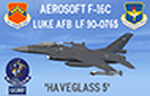
This is a repaint for the Aerosoft F-16 depicting Luke AFB F-16C 90-0765 of the 309th FS "Wild Ducks" (QQMF!) in the new "Haveglass 5" paint scheme . This is my latest attempt at getting this stealthy paint scheme to look good in FSX, I hope you like it! I went with the "fresh paint" look on this one beacuse the weathering and oil streaks in the Aerosoft "paint kit" showed up in wierd colors against the Haveglass-colored paint. I added/repainted a bunch of custom items as well, including repainting the engine textures to resemble the Pratt & Whitney on the real jet, I repainted the ejection seat black like the current ones, AND I repainted the missiles, bombs, Sniper Pod, and ECM Pod in both LIVE and INERT colors!
I've included installation instructions for the CLEAN "C" model, but these textures can be used with ANY of the Aerosoft F-16 A,AM, or C models (except the CFT model), so feel free to install/use them on those jets as well!
| Filename: | Aerosoft_F16C_LF_900765_309th_FS_Haveglass_5_Repai.zip |
| License: | Freeware |
| Added: | 11th April 2024, 18:47:11 |
| Downloads: | 52 |
| Author: | Daniel Gregory |
| Size: | 7.95 MB |
| Category: Flight Simulator X - AFCAD Files | |
| Essex County Airport (KCDW), NJ |
|
File Description:
Located 02 miles N of Caldwell, New Jersey on 275 acres of land, Essex County Airport is a public airport with two asphalt runways, the longest of which is 4552'. Major changes include Runway 9/27 updated to the current 10/28; Runway 4/22 markings are custom made to match the real world, with threshold stripes on Runway 22 only; the beacon has been relocated to its real world location atop the control tower. Additionally, 221 parking locations have been accurately placed around the airport, broken up into 6 sections. See the included airport diagram that labels the various parking areas. 89 of these parking spaces are labeled RAMP_GA and these spaces are occupied by static aircraft. Collision with all static aircraft is disabled but still, if you do not want to start occupying the same space as another airplane, do not choose parking spots labeled RAMP_GA. Instead, all user aircraft should choose either RAMP_GA_SMALL (for wingspans up to 40') or RAMP_GA_MEDIUM (for wingspans up to 60' and only available in East Parking). Also, only 86 of these parking spaces are available for AI aircraft to spawn in. There are hangars available to transient aircraft: the two in South and Southeast parking are able to accommodate small craft with wingspans up to 40'; the one in Northeast parking is able to accommodate larger aircraft with wingspans up to 54'. Helicopters can start either on Taxiway P (South helipad), Taxiway N (North helipad) or in front of the main terminal (East helipad). Fuel is available in both the East and South parking areas by stopping anywhere on the concrete next to the fuel tank/pump. Take note that the runway patterns are both Left and Right and the pattern altitude varies for aircraft type. There are known issues with the AI for this airport, see the ReadMe for more details.
Scenery constructed with use of satellite images/streetview/aerial photos - the author has not been there in person.
This scenery is meant to be used in conjunction with MegaScenery Earth New York 005. It is not required, but apron use is minimized to allow satellite scenery to show through as much as possible, and objects are placed based on the MSE textures - lack of it may make scenery look out of place.
| Filename: | Essex_County_Airport_KCDW_NJ.zip |
| License: | Freeware |
| Added: | 14th April 2011, 01:50:13 |
| Downloads: | 416 |
| Author: | Drew Sikora |
| Size: | 2.4 MB |
| Category: Flight Simulator X - Miscellaneous Files | |
| 737NG Normal Procedures Non-APU version |
|
Images related to this file:
File Description:
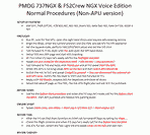
After some input and ideas from a fellow FS2Crew pilot here is a non-APU version of my flow and checklist to even closer mimic real world OPs the way many big airlines operate in real life every day at big airports around the world where the use of APU is limited to only a short period of time a couple of minutes before engine start. I also (don't I always ;-)) did some other changes and what I think improvements since my last version so give it a try and see what you think! About fitting the list on 2 A4 pages when printing it from WordPad please set all your margins to 25 mm in WordPad and uncheck the option to print the page numbers. This time I will not ask the AVSIM Library Managers to replace my old version with this one since some of you might still want the version where the APU is used depending on what kind of flights you do and to what kind of airports. Instead this will be uploaded as a new and separate version.
A flow/checklist for flying PMDG's 737NGX with FS2Crew Voice Edition. Did this mainly for my own use meaning the flow/checklist is adjusted for how I do my flying and with the addons I use like Aerosoft AES for example. Please also be aware this is not the kind of flow/checklist that includes all things you need to perform during a normal flight but instead you are expected to already have a general knowledge of both the NGX and FS2Crew. However I thought others might be helped by this too both newbies to get you going with the "flow" using FS2Crew but also for the more experienced users as a simple to print out and use memory note. It's also easy for you to change whatever you like to suit your own needs better since I created it in common rtf format using the standard Wordpad Windows application. I deliberately made it as compressed as possible leaving out stuff like all the answers to the checklists etc so it would fit on a single A4 sheet being easy to print and maybe also laminate if you like. Hope you'll enjoy it!
| Filename: | 737NG_Normal_Procedures_NonAPU_version.zip |
| License: | Freeware |
| Added: | 22nd June 2012, 03:34:37 |
| Downloads: | 1,085 |
| Author: | Richard Asberg (with input from Peter Wolf) |
| Size: | 6.36 KB |
| Category: Miscellaneous Files - General Utilities | |
| CONCORDE PERFORMANCE SYSTEM NEW GENERATION |
|
File Description:
CONCORDE PERFORMANCE SYSTEM
NEW GENERATION
CPS-NG (Concorde Performance System New Generation) is the successor to CPS-X, the essential flight preparation utility created in 2011
and discontinued in 2018.
Since the end of its development, still present on AVSIM despite a large number of unavailable functions, it has been downloaded more
than 3000 times.
This new CPS opus will satisfy the most demanding Concorde simulation enthusiasts.
CPS-NG now makes it possible to plan Concorde flights with the following simulators:
- FsLabs Concorde X for FSX, and P3D up to version 3.
- Colimata Concorde FXP for X-Plane and Gaston Reif's beautiful mod, Heritage Concorde Avionics Package.
With these simulators, CPS-NG can export waypoints to INS, payload and fuel to aircraft.
Like its illustrious predecessors, CPS-NG uses authentic Air France data and charts.
It offers a map of the flight including the navigation points, the points to protect from the supersonic bang, on departure and on
arriva.
The flight preparation stages are done in a user-friendly way.
the subsonic steps are configurable, the anti-noise procedures are calculated as in reality. The aircraft loading is modifiable by
the user in order to obtain the ideal centering.
The fuel is calculated as in reality and its distribution in the 11 tanks of Concorde complies with the filling law of Air France and
British Airways.
CPS-NG like its previous version also offers the user a flight report in the form of a PDF document which contains all the elements
necessary for the preparation of the aircraft.
it also offers Concorde-specific settings such as
- Initial climb angle.
- Time to anti noise procedure.
- Throttle levers angle during anti noise procedure.
- Fuel flow.
- Maximum pressure in P7 compressor.
- Trim adjustment and everything a pilot and flight engineer could want for a perfect flight.
CPS-NG also offers in the flight report, Take-off and landing forms in accordance with the real documents and the user has the choice
between the Air France form and the British Airways one.
Finally, CPS-NG allows the use of real-time weather from NOAA, personalized weather or the one generated by Active Sky 2016,
Active Sky for P3D and Active Sky for X-Plane 11 or 12.
In summary, here you have the ultimate tool for Concorde simulation.
NOTE: The manual curently in writing, thanks for your patience.
You dreamed it, we did it!
Break the sound barrier.
| Filename: | CONCORDE_PERFORMANCE_SYSTEM_NEW_GENERATION.zip |
| License: | Freeware, limited distribution |
| Added: | 20th July 2023, 05:20:23 |
| Downloads: | 131 |
| Author: | Pierre Chassang |
| Size: | 19.49 MB |
| Category: Miscellaneous Files - Miscellaneous Files | |
| CPS-NG RC 5 |
|
File Description:
CPS-NG (Concorde Performance System New Generation) is the successor to CPS-X, the essential flight preparation utility created in 2011
and discontinued in 2018.
Since the end of its development, still present on AVSIM despite a large number of unavailable functions, it has been downloaded more
than 3000 times.
This new CPS opus will satisfy the most demanding Concorde simulation enthusiasts.
CPS-NG now makes it possible to plan Concorde flights with the following simulators:
FsLabs Concorde X for FSX, and P3D up to version 3.
Colimata Concorde FXP for X-Plane and Gaston Reif's beautiful mod, Heritage Concorde Avionics Package.
With these simulators, CPS-NG can export waypoints to INS, payload and fuel to aircraft.
Like its illustrious predecessors, CPS-NG uses authentic Air France data and charts.
It offers a map of the flight including the navigation points, the points to protect from the supersonic bang, on departure and on
arrival
The flight preparation stages are done in a user-friendly way.
the subsonic levels are configurable, the anti-noise procedures are calculated as in reality. The loading of the plane is modifiable by
the user in order to obtain the ideal centering.
The fuel is calculated as in reality and its distribution in the 11 tanks of Concorde complies with the filling law of Air France and
British Airways.
CPS-NG like its previous version also offers the user a flight report in the form of a PDF document which contains all the elements
necessary for the preparation of the aircraft.
it also offers Concorde-specific settings such as initial climb angle, time until anti noise procedure, throttle levers angle during
anti noise procedure, fuel flow, maximum pressure in P7,
trim adjustment and everything a pilot and flight engineer could want for a perfect flight.
CPS-NG also offers in the flight report, Take-off and landing forms in accordance with the real documents and the user has the choice
between the Air France form and the British Airways one.
Finally, CPS-NG allows the use of real-time weather from NOAA, personalized weather or the one generated by Active Sky 2016,
Active Sky for P3D and Active Sky for X-Plane 11 or 12.
In summary, here you have the ultimate tool for Concorde simulation.
You dreamed it, we did it!
Break the sound barrier.
| Filename: | CPSNG_RC_5.zip |
| License: | Freeware |
| Added: | 10th August 2023, 15:48:00 |
| Downloads: | 73 |
| Author: | Pierre Chassang |
| Size: | 19.49 MB |
| Category: Flight Simulator 2002 - Helicopters | |
| Bell 47 G2 w/ Skids |
|
File Description:
This model was designed using GMAX, textures with DXTBmp. This model of the Bell 47 consists of more than 24.000 polygons and 35.000 vertices !!
It makes use of all the new technologies offered by the new flight simulator program FS2002.
6 liveries are now available,
More than 80 animated parts, full pilot movements, 4 axes for the main rotor; all animated controls levers and actuators...
Rotors animated aspect improved,
Reflecting glass and paints
And many others improvements
6 liveries available representing existing helicopters in France: F-BXXJ, F-BIEH, F-BUIG, F-BVFR,FMBDM and F-MAMB. They are all included in this package.
Sound:
The sounds were taken from a real Bell 47 flown by Air Action. My thanks to Max, Xavier and Vincent !
Photos:
Photos used for the pictures... a BIG Thank You to Max !
Specifications:
Height 2.84 m
Length 12.6 m
Width 2.88 m
Rotor diameter 10.70 m
Cruising speed : 70 Kts.
Maximum speed : 87 Kts
Speed at minimum power settings : 45 Kts
Maximum flying time : 2 hours 30 min.
Ceiling : 1500 m
Maximum weight : 1130 kg
Empty weight : 860 kg
Maximum cargo : 270 kg
Enginer : Lycoming VO 435
Power : 265 hp.
| Filename: | Bell_47_G2_w_Skids.zip |
| License: | Freeware |
| Added: | 20th November 2002, 13:13:37 |
| Downloads: | 5,659 |
| Author: | Jean-Marie MERMAZ |
| Size: | 11.17 MB |


© 2001-2026 AVSIM Online
All Rights Reserved
Privacy Policy |