
Where Flight Simulation Enthusiasts Gather from Around the World!
AVSIM Library - Search Results

| Category: Flight Simulator X - Original Aircraft | |
| Boeing 787-942 VIP-BBJ |

|
Images related to this file:
File Description:
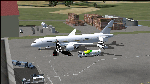
Boeing 787-942 Boeing Business Jet (VIP), AKA "DreamJet", is the Corporate version of this aircraft, modified for individual client specs. The range is extended beyond the normal 787-9 due to additional fuel tanks, a lot less payload weight, and more powerful and efficient engines. The Cabin Pressure is decreased to 6,000 ft, allowing for higher Flight Levels than normal. The tail number on this model can be changed to match the user's preference, since it is not apparent on the exterior (No Airline Call used on Private Aircraft).
This is a huge aircraft and normally seats about 300 passengers, but there are only 48 (including Pilots/Attendants) on this plane. A lot of space remains for luxuries that are well beyond any Business Jet of any kind other than the 747 or A380. Some of these luxuries include automated beds that are hidden in the floorboard and activated by the attendants when requested, and each of these includes a privacy barrier. There is one Large Screen TV with stereo surround sound with theater seating in the fore section, and separate small screen monitors located at every assigned seat (including flight data relay of all positioning and aircraft data viewable). The kitchen is fully equipped with 935 lbs of various food and drinks, with one attendant being a Master Chef. There is a automated Dance Floor that can be activated in the theater area, after the seating chairs are automatically stored below deck. The crew also experiences luxury as the pilots have a twin-bed sleeping area with a private kitchen (2 sleep while 2 fly), as do the attendants (fore and aft upper deck) with twin beds and private kitchens. The aircraft is also more luxurious in that it has 6.000 ft of pressure continuous to 47,000 ft, and has a very low interior noise level. There are also many added safety features that provide for survival in the event of a mishap, making it possible to survive a water crash for several days through the use of 6 inflatable skiff-rafts with engines, radios, and supplies. All attendants are trained and certified Registered Nurses, and they have 25 lbs of medications and supplies stored in the aft. Some of these features add to the empty weight, so the MTOW is the same as a normal aircraft of this design for commercial use (the gear are also modified for these accommodations).
This aircraft is designed for educational use protected under the Fair Use Doctrine:
(http://www.expertlaw.com/library/intellectual_property/fair_use.html)
It cannot be sold or bundled for sale, and such will never be approved by me or the original authors. FREEWARE DISTRIBUTION ONLY!!!
Model design and paint by: Camil Valiquette;
Sound by: Emil Serafino;
Engine/Aerodynamics and Details by: Douglas E. Trapp, ([email protected]) May 2018
| Filename: | Boeing_787942_VIPBBJ.zip |
| License: | Freeware |
| Added: | 20th May 2018, 16:58:42 |
| Downloads: | 882 |
| Author: | Douglas E Trapp |
| Size: | 77.99 MB |
| Category: Flight Simulator X - Original Aircraft | |
| JELAIR - Maersk Air, Boeing 737-2L9 (OY-MBZ) - version 3 |
|
Images related to this file:
File Description:

This aircraft (for FSX, with update-patch #2) is a simulated replica of Maersk Air's 'Pocket Rocket' OY-MBZ (a Boeing 737-2L9 a.k.a. 737-200/Advanced) anno 1989. It is designed for a screen-resolution of 1280x1024. Other resolutions have not been tested. It will NOT work correctly in FS2004 (FS9). It has been tested on Windows XP (32bit) and Windows 7 (64bit) only. It is designed to be as realistic as possible, and flight-experience from the real aircraft, as well as large amounts of documentation, have been used to get it as accurate as possible. It has a fairly advanced panel with many systems simulated, such as a passenger oxygen system, a cabin pressure system, anti-skid brakes, EPR control of each engine (with the possibility of asymmetric thrust), IVSI with TCAS, Sperry SP177 autopilot with working CWS and level-change button, active yaw-damper, Quality-of-flight index (so you can see how well you operate the aircraft), windshield wiper, custom flight-computer, automatic Vspeeds for takeoff and landing, takeoff trim calculator, master caution system, PAX simulator (if you make a mistake they may die), a JT8D-17 engine with slow spin-up time (do not idle it on approach). It features a relatively realistic random-failures/error simulation which will trigger, or de-trigger, any of a variety of possible failures/errors (from small gauge-errors to large engine-failures or cabin de-compression). The chance of a failure/error is very low (you may never even get one, but they can happen, so stay alert), maybe less than 1 percent chance per 24 hours of flight-time. It features engine-management simulation, so overheating an engine will cause it to fail (now you actually need to pay attention to the EGT during engine-startup, and have your finger ready at the fuel-cutoff switch just in case you need to save the engine from heat-damage). It features sounds recorded from the actual aircraft (OY-MBZ).
This is the third release of this JELAIR addon. A very big thank you to all the following very talented people that participated directly or in-directly in the production of this add-on: Original Model by Erick Cantu, Original Panel by Pablo Contouris, Original Panel BMP by Bob Scott, Original Panel Gauges by Ken Mitchell, Doug Dawson, Pierre Fasseaux, SPanel, www.FS2X.com, Original Sound by Christoffer Petersen, Original Textures by Henry William, FDE, various modifications and adjustments for aircraft type, as well as additional gauges and sounds by JELAIR
| Filename: | JELAIR__Maersk_Air_Boeing_7372L9_OYMBZ__version_3.zip |
| License: | Freeware |
| Added: | 16th April 2011, 13:52:24 |
| Downloads: | 7,039 |
| Author: | Erick Cantu, Pablo Contouris, Bob Scott, Ken Mitchell, Doug Dawson, Pierre Fasseaux, Christoffer Petersen, Henry William, Jacob Larsen |
| Size: | 80.51 MB |
| Category: Flight Simulator 2004 - Miscellaneous Files | |
| Shoot 1.6.3' Voice Contro File |
|
File Description:
"Shoot 1.6.3" voice control file for use with FS2004. You will need to download the main "freeware" program from http://clans.gameclubcentral.com/shoot/downloads.php which will allow you to make use of this control file for FS2004. The program is brilliant and allows you to control FS2004 by voice and it's totally free! All I have done is made a config file that works very well with FS2004.
It will allow you to; speak to ATC and instead of fighting with the keyboard or yoke/stick so you can fly more like a real pilot and keep your hands on the yoke more of the time. For example a commercial jet pilot calls out to the co-pilot to get the gear up and simply says "gear up". That's just what you will have to do, just like the real thing; the gear will go up when you make the call. When FS2004 ATC controller tells you to reply you can just say "roger" or "hello" or "ATC" or "air traffic" etc, etc, and the ATC window will pop up. Then all you have to do is call out the command instead of pushing buttons that real pilots don't use. Does a real pilot push a button to look out of the window or use a "mouse" to engage the autopilot?
Similarly you can call out "autopilot engage" or "autopilot master" or "autopilot disengage" and that's just what happens; the autopilot comes on/off. The best part though is when you try looking around the cockpit. If you want to move your head up you just say "move up" and presto you are higher up in your seat. You can move to the left or
Right, back or forward. You can say "zoom in" and that's what happens. You can say "reset zoom" and so on. You can say "next view" and then the view may be outside or another panel. Alternatively, you can say "panel 2" and the radio panel will come up in the 737 so you can tune the radios. If you have FS navigator installed all you have to
do is say "navigator" and the map comes up, and then say navigator again and off it goes. Just for once it is easy and possible to make full use of FS2004. Using this program has afforded me the opportunity of making better use of the views available, (and I have CH products yoke so if was never hard) but now it's even easier.
All the panels can be activated in this way, and control of the autopilot and control of FS2004. It's probably the best kept secret. I've made a file so we can all share in this freebie of a program. I've included a readme and instructions of how to make the best use of the program.
Config file for FS2004 only is provided.
| Filename: | Shoot_163_Voice_Contro_File.zip |
| License: | Freeware |
| Added: | 7th January 2004, 19:52:26 |
| Downloads: | 8,795 |
| Author: | Peter Wilding |
| Size: | 21.83 KB |
| Category: Flight Simulator X - Scenery | |
| hythevillage_pier.zip |
|
File Description:
Hythe Village and Pier
Hythe Village [Town] nestles between the edge of Southampton Water and the New Forest, some 500 yards west of the ‘American Base – RAF Hythe’; the surrounding area is known as ‘The Waterside’. Hythe, with its waterfront, boasts incredible views across Southampton Water, while the village [town] centre, with its Georgian High Street, offers a range of shops, services, traffic-free precincts and parking facilities. Nearby is ‘Hythe Marina’, to be found on Southampton Water's southern shore; it’s a unique development of a 206 berth marina, together with waterside homes, shops, restaurants, bars and a boutique hotel.There is also a passenger ferry which sails back-and-forth from Hythe Pier to the City of Southampton every 30 minutes. Before Hythe Pier was built, ferry and other boats arriving at Hythe had to use a gravel hard ramp which ran from the land out to the low tide point in Southampton Water. Walking along the hard gravel was not easy and travellers often got very wet. Various ideas to improve the situation were suggested at the time and construction of Hythe Pier was eventually started in October 1879 and officially opened on the 1st January 1881. Many World War II heroes departed from this pier on D-Day in June 1944.The pier itself stretches some 640 meters into Southampton Water and is one of the ten longest piers in the British Isles. In 1922, a narrow gauge electric railway opened in order to take passengers the full length of the Pier. This railway, with its original engine and rolling stock, is the oldest operating electric pier train in the world and is still operational to this day – playing an important part in the local transportation system between Hythe and Southampton.
Scenery Features
* Bus Shelter
* Ferry Ticket Collectors (On pier landing platform)
* Ferry Ticket Office
* High Street Shops
* Hotspur House
* Hythe Library & Car Park
* Hythe Pier
* Hythe Pier Landing Platform
* Hythe Promenade
* Library Road & Shops
* Lidl Superstore & Car Park
* People (Static & animated)
* Pier Railway & Safety Railings
* Pier Train (Parked at village end of pier)
* Lord Nelson Public House
* Prospect Place Park
* Public Toilets
* Seashells Lounge Bar & Restaurant
* St. John's Church & Cemetery
* Street Lighting
* Streets & Roadways
* ‘The Marsh’ & New Road
* Vegetation (Trees, bushes)
* Vehicles (Buses & cars)
* Waitrose Supermarket & Car Park
* WWII Remembrance Plaque (Prospect Place)
Special Effects
* Animated Birds (seagulls-close to village & pier)
* Chimney Smoke
* Night, Dusk & Dawn Lighting Effects
* Seagull Cry Sounds
| Filename: | hythevillage_pierzip.zip |
| License: | Freeware |
| Added: | 21st November 2025, 12:42:28 |
| Downloads: | 77 |
| Author: | Barrie Semmens |
| Size: | 16.37 MB |
| Category: Flight Simulator X - Aircraft Repaints, Textures and Modifications | |
| Boeing B-17G Flying Fortress #43-97976 "A Bit o' Lace" |
|
Images related to this file:
File Description:

This folder contains a repaint for the accu-sim version of the A2A B-17G Flying Fortress. It represents #42-97976 "A Bit o' Lace", which was assigned to the 709th BS /447th BG. The nose art consisted of a cartoon by Milton Caniff. The co-pilot was Lt. John Bauman, a fraternity brother of Milton Caniff. He sent Caniff a detailed idea of the proposed artwork and the sketch was returned with Caniff's annotation: "A Bit-O-Lace for Lt. John H. Bauman, and the rest of the gang, with my best wishes - Milton Caniff NY, Oct. 1944". Nicholas Fingelly, an artist attached to the 709th BS, carried out the work and completed the painting in about six hours and gave Milton Caniff full credit for his his character. Her first crew flew 35 missions over Europe with no injuries, although returning with a good many holes, at times. The closest call was when a piece of shrapnel came up through Navigator's table and "Ike" Eisenhart's arms, but missed him. A surprise souvenir for Ike, which he still has. She flew more missions with different crews, until the april 4, 1945 flight. From the navigator, John Kirkwood: "Right over Kiel, and seconds before the bomb release, I heard the co-pilot say that "This airplane feels funny." Seconds later the tail gunner, who had regained his power of speech, blurted out something to the effect that part of "The tail was gone." A flak shell had gone right through the left horizontal tail, leaving only a partial surface, and completely removing the left elevator.
We dropped out of the formation, and tried to drop the bombs, but the electrical system failed. We flew north a minute or so, the plane now in the hands of the pilot. The pilot did not want to drop over Denmark, so we turned out over sea, and dropped via screwdriver. Actually, we were over Schleswig-Holstein, according to my position, but it was close, and Tom did not want to chance killing danes.
We flew on, at a reduced speed, far out to sea on a west-south-west course with occasional ETA's to the pilot. Several fighters joined us, and finally we got back to the base, and the runway was cleared for us. A decision had to be made by the pilot: To jump or ride her in.. Tom decided that he could land the plane, so we all congregated to the radio room, and that was that.
I might add that none of us had any desire to jump. Most of the photos of 976 were taken after repairs, hence the dark colored rudder and left elevator. As you know, the color prior to the damage was silver. 976 flew one or two missions after that, but I never saw her again, other than in a color photo of the moth-balled fleet in Arizona."
Repaint by Jan Kees Blom, based on the repaint kit by A2A.
| Filename: | Boeing_B17G_Flying_Fortress_4397976_A_Bit_o_Lace.zip |
| License: | Freeware |
| Added: | 20th August 2010, 22:14:46 |
| Downloads: | 723 |
| Author: | Jan Kees Blom |
| Size: | 19.95 MB |
| Category: Flight Simulator X - Aircraft Repaints, Textures and Modifications | |
| P-47D 334th FS "Miss Plainfield" |
|
File Description:
This folder contains a repaint for the A2A Wings of Power III P-47D Thunderbolt, representing P-47C 42-7945 flown by Lieutenant Spiros 'the Greek' Pisanos of the 334th FS, 4th FG, Finschhafen, New Guinea, 1944. Born in Athens, Greece, in the suburb of Kolonos, on 10 November 1919, Spiros Nicholas "Steve" Pisanos, the son of a subway motorman, came to America in April 1938, as a crew member on a Greek Merchant ship. Arriving in Baltimore, Maryland and unable to speak English, Steve found his way to New York City, where he worked in bakeries and restaurants. As he earned money he started flying lessons at Floyd Bennett Field. In August 1940, he setled i Plainfield, New Jersey, his adopted home town, and continued flying lessons at Westfield Airport. He earned a private pilot's license and, although still a Greek national, in October 1941 he joined the British Royal Air Force sponsored by the Clayton Knight Committee in New York City.
Steve began his military flight training at Polaris Flight Academy in Glendale, California. Upon graduation, Pilot Officer Pisanos was transferred to England where he completed RAF Officers Training School at Cosford, England and OTU (Operational Training Unit) at Old Sarum Aerodrome in Salisbury. Pilot Officer Pisanos was posted to the 268 Fighter Squadron at Snailwell Aerodrome in Newmarket flying P-51A's. He later transferred to the 71 Eagle Squadron, one of the three Eagle squadrons in the RAF, comprised of American volunteers flyin Spitfires at Debden RAF Aerodrome.
When the USAAF 4th Fighter Group absorbed the American members of the Eagle Squadrons in September and October 1942, Pilot Officer Pisanos was commissioned a lieutenant in the U.S. Army Air Forces. On 3 May 1943, Lt. Pisanos was naturalized as an American citizen in London, England, becoming the first individual in American history to be naturalized outside the Continental United States.
Flying his first mission in his P-47 "Miss Plainfield" out of Debden Aerodrome with the 334th Fighter Squadron, 4th Fighter Group, Lt. Pisanos, "The Flying Greek," scored his first victory on 21 May 1943, when he downed a German FW-190 over Ghent, Belgium. by 1 January 1944 he had become an ace with five confirmed victories. On 5 March 1944, he obtained his 10th victory and while returning from that B-17 escort mission to Limoges and Bordeaux, France, Steve experienced engine failure in his P-51B and crash-landed south of Le Havre. For six months he evaded the Germans and worked with the French Resistance and the American OSS sabotaging the German war machine in occupied France. Lt. Pisanos returned to England on 2 September 1944, following the liberation of Paris.
Upon returning to the United States, Captain Pisanos was assigned to the Flight Test Division at Wright Field, Ohio. He attended the USAF Test Pilot School and subsequently served as a test pilot at Wright Field and Muroc Lake, California, testing the YP-80 jet aircraft. During his career in the USAF, Steve graduated from the University of Maryland, attended the Air Command and Staff College and the Air War College. In December 1973, after a distinguished thirty years of service in the United States Air Force, he retired with the rank of Colonel. Repaint by Jan Kees Blom, based on the paintkit by Martin Catney
| Filename: | P47D_334th_FS_Miss_Plainfield.zip |
| License: | Freeware |
| Added: | 14th March 2009, 10:55:44 |
| Downloads: | 730 |
| Author: | Jan Kees Blom |
| Size: | 7.17 MB |
| Category: Microsoft Flight Simulator (2020) - Utilities | |
| Flightplan Visualizer 1.21.1 |
|
Images related to this file:
File Description:
Flightplan Visualizer (FV) version 1.21.1. Copyright 2018-2021 by Pelle F. S. Liljendal ([email protected]), all rights reserved.
FV comes with 1482 pre-imported AI flightplans (of which +690 are BizJet flightplans, the rest are commercial). However you are able to import additional (AI) flightplans yourself. Once imported these (AI) flightplans can be visualized on a map-view, and the user will be able to search accross all these. Hence you can use the program as inspiration as to which routes to fly. E.g. you can search across all imported flightplans to find all flights in an A321 flying into/out from LDDU, or simply to look for all flights in a Boeing 747-8F.
Simply run the included installer to install the software. The program will be installed into "C:\Program Files (x86)\Flightplan Visualizer" and all datafiles will be installed into: "C:\Users\[UserName]\AppData\Roaming\FlightplanVisualizer". The program comes with a full manual explaining everything, and a 3 page quick manual to get you started. The first 3 times you run the program the quick manual will automatically open. The forum is hosted here: https://forum.aerosoft.com/index.php?/forum/919-flightplan-visualizer/
Version 1.21.1 Contains the following changes:
- Due to a bug introduced in version 1.19 regrading the (automatic/manual) version-check, version 1.20 was skipped and this version was released as 1.21.1 (in stead of 1.21.0).
- Beside the season based commercial flightplans, the "Download AIG flightplans" menu-item (found in the "Flightplan" menu) is now able to download (AIG) GA- and Military-flightplans. A big thank you to AIG for granting access to these.
- Reorded the download-folders (in the combo-box), so the season-based AIG commercial folders are displayed in chronological order (e.g. "SUMMER_2020" is before "WINTER_2020-2021").
- When scanning for/loading flightplans the program will now automatic look for flightplans marked as defunct or obsolete, and if found these will be move to the "Disabled" sub-folder. Two new settings have been added, so you can disable this feature if you want to.
- Aircraft-types can now be grouped in families of similar aircraft (e.g. a group containing all the Airbus A318, A319, A320 and A321). These families can be managed via the "User Aircraft" menu-item.
- Removed menu-item "Index of AIG flightplans" in the "Flightplan" menu, as its not needed since the "Download AIG flightplans" was added in version 1.16 (May 2020).
- Minor changes to the flightplan-name grooming algoritm (e.g. spaces are inserted before/after ampersand, if not already present) and prefix can be added to indicate the type of flightplan (e.g. for biz-jet, government or military flights). Detection of this prefix can be disable in settings.
- Dropped support for the old ".FPL" flightplan file-format. Since version 1.11 (july 2019) FV have been using the binary ".BFP" file-format in stead.
- Based on active flightplans, the program will try to detect primary- and secondary-hubs for each airline. An airport must have flights to atleast 10 different airports for that airline, in order to be considdered being either a primary/secondary hub for that airline. This information is displayed both in the airline edit-form and the airline usage-report.
- The airline usage-report will also list all destinations served by the airline (ordered by which airports are flying to most different airports).
- The airline usage-report will now also contain a list of the routes served by that airline (as carrier or operator). This list is sorted so the routes that are most flown (per week) comes first.
- Added an extra tab-page to the Airport-info form that shows which airlines have routes to/from the airport, and which airlines are using the airport as a primary or secondary hub.
- Added (right-click) context-menu to many aircraft/airline list-views, that lets you lookup aircraft-/airline -information.
- Added power-conversion to the unit-conversion form, to convert between HP (Horse-Power) and kW (kilo watt).
- Also added context-menu to the carrier/operator labels in the Leg-info form to show more details for the airline. Likewise the aircraft-labels have a context-menu for showing aircraft-details
- Removed a few columns from the form choosing favorite aircraft-types, as this info can now be obtained via the new context-menu.
- Added a column with engine-type/count in the aircraft browser.
- Minor changes to the airport redirection report (to align some values in columns, making it more easy to read the report).
- Added a few hard-coded names to the author-name grooming-method, to unify differnt spellings of the "same names". Also added flightplan/author-count to the "Flightplan per author" report.
- Swapped the operator/carrier-count showed next to size-category in the user-airline edit form (now first value is operator and 2nd is carrier).
- Minor change to the airline-criteria in the leg-search to simplify selection (removed options: "Carrier only" and "Operator only").
- Fixed: The "Download AIG flightplans" form was not able to download flightplans with an ampersand ("&") in the name.
- Fixed: Once again improved importing of AIGFP flightplans where airport data is using different ICAO-codes (observed with 15 or so of the new BizJet flightplans, e.g. "ESAI_Aero-TechServices(GA-C)_Winter_2020-2021").
- Fixed: Issued with the program version-check (both automatic and manual) introduced in version 1.19. Resulting in this version being released as 1.21.1.
- Fixed: Sometimes closing (without saving) the form for editing user-aircraft it would sometime report there were unsaved changes, even though it was not the case.
- Fixed: Only the active sub fp-folders were scanned for backup files. Now the main fp-folder is scanned for backups as well.
- Data: Some of the aircraft-types sharing the same IATA/ICAO-codes have been split into multiple new types (e.g. the Beechcrafts, Cessnas, Pipers and Learjets). This was done to better detect the specific aircraft-types in use (all bundled flightplans have been reprocessed to re-detect the specific types).
- Data: A few aircraft can now be detected (during flightplan import) using their millitary designation (e.g. Boeing C-22, C-32, C-40, and Gulfstream C-20 and C-37).
- Data: Improved detection of a few "De Havilland" aircraft.
- Data: Added a couple of new aircraft-types (Lockheed C-141 Starlifter, Transall C-160 and a few aircraft without official IATA/ICAO-codes, hence using "---" as the IATA-code for these).
- Flightplans: Thanks to the new feature to download (AIG) GA/Military-flightplans a LOT of new flightplans have been bundled with the installer (a few government and military flightplans, but mostly BizJet). The previous installer came bunled with 385 Bizjet flightplans, however in this version many of these have been updated and a lot more have been added, bringing the total count of BizJet flightplans to +690. All BizJet are prefixed by "Bz_", all Government are prefixed by "Gv_" and all military are prefixed by "Ml_", in case you want to move these to differnt sub-folders using the "enable/disable flightplans" menu-item.
- Flightplans: All new/updated flightplans have been added to the installer, and all obsolete/defunct have been marked/removed. A total of 1481 active flightplans are bundled with the installer (incl. all of the previous mentioned BizJet's).
Pelle
| Filename: | Flightplan_Visualizer_1211.zip |
| License: | Freeware, limited distribution |
| Added: | 20th June 2021, 19:45:19 |
| Downloads: | 791 |
| Author: | Pelle Liljendal |
| Size: | 36.74 MB |


© 2001-2026 AVSIM Online
All Rights Reserved
Privacy Policy |