
Where Flight Simulation Enthusiasts Gather from Around the World!
AVSIM Library - Search Results

| Category: Flight Simulator X - AFCAD Files | |
| ZBTJ - Tianjin Binhai Intl. - Tianjin, China |

|
Images related to this file:
File Description:
ZBTJ - Tianjin Binhai International Airport is an airport located in Dongli District, Tianjin. It is one of the major air cargo centers in the People's Republic of China. It is the hub airport for Tianjin Airlines, established in 2004, and privately owned Okay Airways. It's also a focus city for Air China.
International flights are primarily operated by Korean Air and Asiana Airlines to Seoul-Incheon international Airport, Japan Airlines to Nagoya-Chubu Centrair International Airport.
Construction of a new terminal began in 2005 and was fully operating by 2008. The airport expansion provides a state-of-the-art terminal building, which is more than three times bigger than the current one at 116,000 m2. In May 2009, the airport has also completed the construction of a second runway, and the expected number of passengers will exceed ten million.
Using ADEx 1.50, SBuilderX, aeronautical maps and Google Earth (2011) all these changes have been built into the default FSX airport to better reflect todays situation.
| Filename: | ZBTJ__Tianjin_Binhai_Intl__Tianjin_China.zip |
| License: | Freeware |
| Added: | 2nd October 2012, 23:01:45 |
| Downloads: | 2,080 |
| Author: | Menno C. Robert |
| Size: | 2.7 MB |
| Category: Flight Simulator X - Original Aircraft | |
| Industrie House, Airbus A320 |
|
Images related to this file:
File Description:
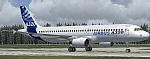
The Airbus A320 family is a family of short- to medium-range, narrow body, commercial passenger jet airliners manufactured by Airbus. The family includes the A318, A319, A320, and A321. The first member of the A320 family, the A320, was launched in March 1984, first flew on 22 February 1987, and was first delivered in 1988. The family was soon extended to include the A321 (first delivered 1994), the A319 (1996), and the A318 (2003). The A320 family pioneered the use of digital fly-by-wire flight control systems in commercial aircraft. Although there has been a continuous improvement process since introduction, currently the A320 Enhanced programme includes greater improvements. The Airbus A320 family has over 4,300 aircraft built and an additional 2,300 aircraft on order as of March 2010. According to Airbus, it ranked as the world's fastest-selling jet airliner family according to records from 2005 to 2007, and as the best-selling single generation aircraft programme. By Andreas Meyer - www.afs-design.de
| Filename: | Industrie_House_Airbus_A320.zip |
| License: | Commercial demo |
| Added: | 9th October 2010, 00:33:13 |
| Downloads: | 3,107 |
| Author: | Andreas Meyer |
| Size: | 7.7 MB |
| Category: Flight Simulator 2004 - AI Aircraft | |
| AI Mexicana de Aviacion Airbus A320-214 New and Old Liveries Pack |
|
Images related to this file:
File Description:
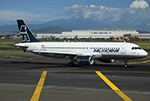
This is the Third Oldest Airline in the world, the Second Oldest Airline in Latin America, and the First Oldest Airline in Mexico, Mexicana Airlines (Mexicana de Aviacion), this is the Airbus A320-214 CFM for the pack have the New Livery (2010), Old Livery (2005), Oneworld Livery, White Colors, Albine Colors, Green Engines, White Engines, the registrations are: N213MX (With New Colors included), N566BB, XA-MXD (With White Colors included), XA-MXF (With New Colors included), XA-MXK (With Oneworld livery included), XA-MXL (With New Colors included), XA-UDT (With Albine Colors), XA-UDU, XA-VIP. For the 100th Anniversary I´ll upload all the fleet, since 1940´s with the DC-2 to the last fleet that had when it flies, the Mark and Airline still exists, BUT It doesn´t fly since 2011. This is my website: https://el-mundo-de-los-aviones-ai-traffic.jimdosite.com The model is FSX AI Bureau (FAIB) Airbus A320 CFM Basepack. I hope you enjoy it!.
| Filename: | AI_Mexicana_de_Aviacion_Airbus_A320214_New_and_Old.zip |
| License: | Freeware |
| Added: | 25th November 2022, 20:16:59 |
| Downloads: | 54 |
| Author: | Jesus Gibran Soriano Solleiro |
| Size: | 96.67 MB |
| Category: Flight Simulator X - Scenery | |
| KORD-Chicago O'Hare 2018 |
|
File Description:
Chicago O'Hare 2018
===================
This airport has been undergoing frequent change ever since I first landed there in 2005. Fortunately, the core buildings have remained essentially the same, but runways have come and some have gone.
I got very close to releasing a 2016 version, but held back for more data. Then I looked again this year and discovered another runway gone, new ones in construction etc.
So, what I have decided to release is basically as up to date as I can make it, using Google Earth to judge the state of things in March 2018, and Charts from August 18th 2018. A lot of Taxiway labelling has changed yet again, and I dare say I've missed some of the taxi signs. One taxiway isn't on the March image, but is on the chart, so I've added it as best I can.
I think this will always be a work in progress.
| Filename: | KORDChicago_OHare_2018.zip |
| License: | Freeware |
| Added: | 20th August 2018, 15:50:08 |
| Downloads: | 1,786 |
| Author: | Martin Connor |
| Size: | 20.5 MB |
| Category: Flight Simulator 2004 - Aircraft Repaints, Textures and Modifications | |
| Air Nostrum / Iberia Regional Bombardier CRJ-900 (EC-JNB) |
|
File Description:
Air Nostrum was established in 1994 and is a prominent Spanish regional airline and operator of aircraft for Iberia Regional. It is based in Valencia, with hubs at Barcelona's Le Prat and Madrid's Barajas airports. This CRJ-900, registration EC-JNB, was the first CRJ-900 for Air Nostrum and was received with much fanfare. It was purchased from Bombarbier and was delivered to Air Nostrum in July 2005. The Air Nostrum livery is graced by many logos and banners reflecting national pride and by some measures borders on being a logojet. Many of the logos on this aircraft are hand painted. I paid attention to detail and realism as much as possible. The textures in this repaint are 32-bit. This is a complete install; most recent Project Opensky CRJ-900 model and air files included. Default CRJ panel also included. Sounds are default Lear45. I hope you enjoy flying this as much as I enjoyed painting it.
| Filename: | Air_Nostrum__Iberia_Regional_Bombardier_CRJ900_ECJ.zip |
| License: | Freeware, limited distribution |
| Added: | 21st April 2007, 17:34:05 |
| Downloads: | 4,949 |
| Author: | Project Opensky, Jeffrey S. Bryner |
| Size: | 7.41 MB |
| Category: Flight Simulator X - Scenery | |
| KVC - King Cove Airport - Alaska, USA |
|
Images related to this file:
File Description:
King Cove Airport (IATA: KVC, ICAO: PAVC, FAA LID: KVC) is a state-owned public-use airport located four miles (6 km) northeast of the central business district of King Cove, a city in the Aleutians East Borough of the U.S. state of Alaska.
King Cove Airport has one runway (7/25) with a gravel surface measuring 3,500 x 75 ft. (1,067 x 23 m). For the 12-month period ending December 31, 2005, the airport had 1,030 aircraft operations: 71% air taxi and 29% general aviation.
Changes: Increased parking apron and turn arounds at both ends of the runway. Also added additional parking and custom models. Changes were based on 2014 construction plans.Created with Airport Design Editor 9x by ScruffyDuck Software using current FAA documentation and Google Earth measurements, this package offers a replacement for FSX's stock airport. All these enhancements are as close to the real airport as I can get with stock library objects and custom buildings.
| Filename: | KVC__King_Cove_Airport__Alaska_USA.zip |
| License: | Freeware |
| Added: | 20th December 2014, 00:02:03 |
| Downloads: | 849 |
| Author: | Wayne Roberts |
| Size: | 446.46 KB |
| Category: Microsoft Flight Simulator (2020) - Utilities | |
| FSTramp v8.84 for MSFS, FSX(-SE), Prepart3D, X-Plane (Win) |
|
Images related to this file:
File Description:

This add-on is an EXE application for Microsoft Flight Simulator and a DLL module for all other simulators. The DLL variant is activated via hotkeys or the simulator menu add-ons or plugins. Window size and layout are configurable for one or more screens. To avoid dazzling, the brightness of the entire application is customizable. Primarily it is a flight management system (FMS) with automatic control from start to landing. This also includes the observance of SID, STAR and Approaches in unmatched quality. The flight plan required for the FMS can be created manually or automatically, interactive changes and additions during the flight are possible. The basis of the flight planner is the 3D world map and the search function for airfields and navigation aids. The FMS by FSTramp relies on the autopilot of the aircraft. In case of incompatibility, the autopilot integrated in FSTramp will be used. This allows FSTramp to control almost all aircraft from airport to airport. The altitude profile of the flight plan, SID, STAR and approach is taken into account. This means that FSTramp extends the often incomplete airport procedures to and from the runway so that they can be flown completely automatically. During the fully automatic flight, the autopilot values ​​for HDG, ALT, VSPEED, SPD and MACH can be manually overridden. This is e.g. useful for being able to react to the instructions of the tower in the final approach without completely stopping the automatic flight. The rotating or north pointing 3D world map with numeric display of the terrain elevation under the mouse arrow is another special feature. It does not need an internet but is synthesized from included height profiles of the globe. The Data of continents, mountains and rivers are included in the setup. Airspaces, Airways, Waypoints and SID, STAR and Approaches are also included in the setup, but can be updated by installing additional AIRAC cycles. Airfields and navigation stations are taken from the simulator. NVIDIA: If the frame rate of the simulator drops sharply about 20 seconds after FSTramp's visibility, the power management of the GPU slows down prematurely. In the NVIDIA Control Panel, change the 'Manage 3D settings - Power management mode' option to 'Adaptive'.
| Filename: | FSTramp_v884_for_MSFS_FSXSE_Prepart3D_XPlane_Win.zip |
| License: | Shareware, time limited |
| Added: | 7th July 2023, 04:35:12 |
| Downloads: | 111 |
| Author: | Helge Schroeder |
| Size: | 358.21 MB |
| Category: Prepar3D V5 - Utilities | |
| FSTramp v8.84 for Prepart3D 2-6, MSFS, FSX(-SE), X-Plane (Win) |
|
Images related to this file:
File Description:
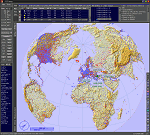
This add-on is an EXE application for Microsoft Flight Simulator and a DLL module for all other simulators. The DLL variant is activated via hotkeys or the simulator menu add-ons or plugins. Window size and layout are configurable for one or more screens. To avoid dazzling, the brightness of the entire application is customizable. Primarily it is a flight management system (FMS) with automatic control from start to landing. This also includes the observance of SID, STAR and Approaches in unmatched quality. The flight plan required for the FMS can be created manually or automatically, interactive changes and additions during the flight are possible. The basis of the flight planner is the 3D world map and the search function for airfields and navigation aids. The FMS by FSTramp relies on the autopilot of the aircraft. In case of incompatibility, the autopilot integrated in FSTramp will be used. This allows FSTramp to control almost all aircraft from airport to airport. The altitude profile of the flight plan, SID, STAR and approach is taken into account. This means that FSTramp extends the often incomplete airport procedures to and from the runway so that they can be flown completely automatically. During the fully automatic flight, the autopilot values ​​for HDG, ALT, VSPEED, SPD and MACH can be manually overridden. This is e.g. useful for being able to react to the instructions of the tower in the final approach without completely stopping the automatic flight. The rotating or north pointing 3D world map with numeric display of the terrain elevation under the mouse arrow is another special feature. It does not need an internet but is synthesized from included height profiles of the globe. The Data of continents, mountains and rivers are included in the setup. Airspaces, Airways, Waypoints and SID, STAR and Approaches are also included in the setup, but can be updated by installing additional AIRAC cycles. Airfields and navigation stations are taken from the simulator. NVIDIA: If the frame rate of the simulator drops sharply about 20 seconds after FSTramp's visibility, the power management of the GPU slows down prematurely. In the NVIDIA Control Panel, change the 'Manage 3D settings - Power management mode' option to 'Adaptive'.
| Filename: | FSTramp_v884_for_Prepart3D_26_MSFS_FSXSE_XPlane_Wi.zip |
| License: | Shareware, time limited |
| Added: | 7th July 2023, 04:35:26 |
| Downloads: | 43 |
| Author: | Helge Schroeder |
| Size: | 358.21 MB |
| Category: Flight Simulator X - Utilities | |
| FSTramp v8.84 for MSFS, FSX(-SE), Prepart3D, X-Plane (Win) |
|
Images related to this file:
File Description:
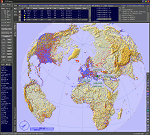
This add-on is an EXE application for Microsoft Flight Simulator and a DLL module for all other simulators. The DLL variant is activated via hotkeys or the simulator menu add-ons or plugins. Window size and layout are configurable for one or more screens. To avoid dazzling, the brightness of the entire application is customizable. Primarily it is a flight management system (FMS) with automatic control from start to landing. This also includes the observance of SID, STAR and Approaches in unmatched quality. The flight plan required for the FMS can be created manually or automatically, interactive changes and additions during the flight are possible. The basis of the flight planner is the 3D world map and the search function for airfields and navigation aids. The FMS by FSTramp relies on the autopilot of the aircraft. In case of incompatibility, the autopilot integrated in FSTramp will be used. This allows FSTramp to control almost all aircraft from airport to airport. The altitude profile of the flight plan, SID, STAR and approach is taken into account. This means that FSTramp extends the often incomplete airport procedures to and from the runway so that they can be flown completely automatically. During the fully automatic flight, the autopilot values ​​for HDG, ALT, VSPEED, SPD and MACH can be manually overridden. This is e.g. useful for being able to react to the instructions of the tower in the final approach without completely stopping the automatic flight. The rotating or north pointing 3D world map with numeric display of the terrain elevation under the mouse arrow is another special feature. It does not need an internet but is synthesized from included height profiles of the globe. The Data of continents, mountains and rivers are included in the setup. Airspaces, Airways, Waypoints and SID, STAR and Approaches are also included in the setup, but can be updated by installing additional AIRAC cycles. Airfields and navigation stations are taken from the simulator. NVIDIA: If the frame rate of the simulator drops sharply about 20 seconds after FSTramp's visibility, the power management of the GPU slows down prematurely. In the NVIDIA Control Panel, change the 'Manage 3D settings - Power management mode' option to 'Adaptive'.
| Filename: | FSTramp_v884_for_MSFS_FSXSE_Prepart3D_XPlane_Win.zip |
| License: | Shareware, time limited |
| Added: | 7th July 2023, 04:35:43 |
| Downloads: | 130 |
| Author: | Helge Schroeder |
| Size: | 358.21 MB |
| Category: Flight Simulator 2004 - Scenery | |
| Julius Nyerere International Airport (HTDA) V1.1 |
|
Images related to this file:
File Description:
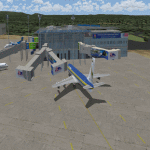
Update to my "julius_nyerere_international_airport_v1" which had some errors in the static objects and other Afcad issues, Delete old version and use this one.
Julius Nyerere International Airport (HTDA) is the largest Airport in Tanzania. It was formerly called Dar-es-salaam International Airport. I used sketchup to build the scenery and ADE v1.70 for the afcad and object positioning.The scenery consists of Terminal 2 (Main International and Domestic terminal) and Terminal 1 which is the old colonial airport now used as the VIP/ General Aviation Domestic Terminal). The scenery utilizes accurate parking positions based on current charts. Hope you enjoy.
| Filename: | Julius_Nyerere_International_Airport_HTDA_V11.zip |
| License: | Freeware |
| Added: | 1st January 2018, 03:11:58 |
| Downloads: | 686 |
| Author: | Emmanuel Mwandosya |
| Size: | 31.76 MB |


© 2001-2026 AVSIM Online
All Rights Reserved
Privacy Policy |