
Where Flight Simulation Enthusiasts Gather from Around the World!
AVSIM Library - Search Results

| Category: Flight Simulator X - Aircraft Repaints, Textures and Modifications | |
| Project Airbus A321 FD-FMC version 1.20 <b>FSX and P3D</b> |

|
Images related to this file:
File Description:
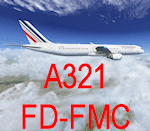
A321 FD-FMC is a freeware FMC project, only for FSX and P3D, based on Project Airbus A321 aircraft with enhanced VC, which provide real vertical navigation feature and all Airbus autopilot advanced modes (all knobs like real Airbus : Push-pull). FD-FMC has a unrealistic interface, to be easy to use, but it offers true vertical navigation in N1 mode with adaptive pitch control. Aircraft pack include an airport database (more than 200 airports) and new airports procedure files are created each month and can be downloaded. This database include real SID, STAR and approach procedures. FD-FMC manages altitude and speed constraint, holding pattern, DME-ARC, ILS/LOC/RNAV approaches, autolanding, LOC back course mode, multiple gradient approaches. You can set easily all performance in FMC pages, for Take off, climb, descent and approach. VC fully functional, with all system (Bleeds system, fuel system, Fly by wire). All switches working. ND with Radar terrain (TAWS) and basic TCAS (traffic). All real airbus autopilot mode works and reported on the PFD's FMA : THR CLB, CB, SRS, DES THR IDLE, etc ......Flight can be saved (update automatically FSX flight plan file) and all FMC data are saved.
Flight begin in cold and Dark; Real Start engine procedure.....Please, read the install manual and user manual English and French). A very advanced Airbus panel. FD-FMC is copyright Francois Dore.
| Filename: | Project_Airbus_A321_FDFMC_version_120_bFSX_and_P3D.zip |
| License: | Freeware |
| Added: | 4th April 2016, 21:46:09 |
| Downloads: | 2,583 |
| Author: | Francois Dore - Project Airbus |
| Size: | 327.24 MB |
| Category: Flight Simulator 2004 - Original Aircraft | |
| Grumman Albatross version 2.1 |
|
Images related to this file:
File Description:
Grumman HU-16 Albatross 2.1
Greg Pepper, Michael Verlin
May 18, 2012
I am privileged to be honored with the custodianship of this model.
Greg Pepper is no longer with us. I wish to honor his memory and I've made a few modifcations to enhance this aircraft.
WHAT'S NEW FOR 2.1
The flight model is the most significant change. The flight model has been enhanced by the use of Jerry Beckwith's AirWrench.
The performance of the Albatross is now much closer to the parameters published for it. I've also adjusted the contact points for the hull.
Please make sure you adjust the fuel and payload before flying. This is a very heavy aircraft, and will be very sluggish if you attempt flight with full tanks and a full payload.
I've also added a few liveries, and modified several others. The colors and lettering of the U.S. Navy versions have been revised. The font the Navy uses is USN Long Beach. The paint colors are accurate now as well. You will also find new spin prop textures.
I've also slightly revised the original U.S. Air Force HU-16B and two of the U.S. Coast Guard liveries.
New for this release: U.S. Navy VXE6 UF-1L triphibian that served in the Antarctic, Chalk's G-111 and two new private liveries.
Michael Verlin
May 18, 2012
[email protected]
| Filename: | Grumman_Albatross_version_21.zip |
| License: | Freeware, limited distribution |
| Added: | 19th May 2012, 05:08:32 |
| Downloads: | 3,477 |
| Author: | Greg Pepper Michael Verlin |
| Size: | 88.13 MB |
| Category: Flight Simulator 2004 - Aircraft Repaints, Textures and Modifications | |
| DARDANELAIR BOEING 747-400 |
|
File Description:
There is a only 747 in the fleet of DARDANELAIR. You need PMDG 747 to use this repaint. DARDANELAIR VIRTUAL is the first regional virtual airlines of the Republic of TURKEY. DARDANEL is the ancient name of ÇANAKKALE. It was founded on 1 March 2007. DARDANELAIR VIRTUAL is a group of independent virtual pilots. The aims of airline are to help the development of virtual aviation community (especially in Turkey), to educate new virtual pilots, to give opportunities to the virtual pilots in order to improve themselves and to share new information about aviation among all people who fall in love with aviation. You can visit our main web page and forum by using www.dardanelairva.com and www.dardanelairva.com/forum/ links.
| Filename: | DARDANELAIR_BOEING_747400.zip |
| License: | Freeware |
| Added: | 31st July 2007, 14:32:39 |
| Downloads: | 140 |
| Author: | Serkan SAYINER |
| Size: | 5.49 MB |
| Category: Flight Simulator 2004 - Aircraft Repaints, Textures and Modifications | |
| DARDANELAIR BOEING 737-900 |
|
File Description:
DARDANELAIR VIRTUAL is the first regional virtual airlines of the Republic of TURKEY. DARDANEL is the ancient name of ÇANAKKALE. It was founded on 1 March 2007. DARDANELAIR VIRTUAL is a group of independent virtual pilots. The aims of airline are to help the development of virtual aviation community (especially in Turkey), to educate new virtual pilots, to give opportunities to the virtual pilots in order to improve themselves and to share new information about aviation among all people who fall in love with aviation. You can visit our main web page and forum by using www.dardanelairva.com and www.dardanelairva.com/forum/ links. DARDANELAIR has got a 737-900 and it is being used for training pilots. You need PMDG 800/900 to use this repint.
| Filename: | DARDANELAIR_BOEING_737900.zip |
| License: | Freeware |
| Added: | 31st July 2007, 14:33:04 |
| Downloads: | 141 |
| Author: | Serkan SAYINER |
| Size: | 4.89 MB |
| Category: Flight Simulator X - Aircraft Repaints, Textures and Modifications | |
| Greenbrier Aviation, Beechcraft 1900D |
|
Images related to this file:
File Description:
Greenbrier Virtual Aviation is a small virtual airline that until now has only specialized in general aviation transportation. Recently they launch their scheduled service flights to near by regional airports. This file contains two separate texture folders for the all aluminum, and the white and aluminum liveries. You must own a copy of the PMDG B1900D payware to use these textures. The 1900 was made for FS9, but I use it with FSX after following PMDG's convertion instructions on their website. I've provided the FSX aircraft.cfg entries here, but you will have to change a few lines to use it in FS9. I've also replaced up Captain Kirk and Mr. Spock with a couple of down to earth looking pilots.
| Filename: | Greenbrier_Aviation_Beechcraft_1900D.zip |
| License: | Freeware |
| Added: | 16th April 2011, 13:55:01 |
| Downloads: | 253 |
| Author: | Johnny Rosario |
| Size: | 18.29 MB |
| Category: Prepar3D V1-4 - Aircraft Repaints, Textures and Modifications | |
| Lufthansa Boeing 747-400 (Series 2) |
|
Images related to this file:
File Description:

This is a the 2nd in a series of 3 paint packages, covering the entire Lufthansa fleet for the PMDG 747V3 for FSX and P3D. Liveries in this package: D-ABTA D-ABTB D-ABTC D-ABTD D-ABTD(Condor) D-ABTE D-ABTF D-ABTH D-ABTK D-ABTL D-ABVA. There is a bonus Condor paint as it flew as D-ABTD so I painted it too. Please read the very critical instructions in the readme file...this package will not work properly if you fail to follow the simple instructions within the readme. This package also includes accurate config files for the LH fleet. There is an update for D-ABVO from the Series 1 package as well.
| Filename: | Lufthansa_Boeing_747400_Series_2.zip |
| License: | Freeware |
| Added: | 29th April 2017, 18:02:59 |
| Downloads: | 2,698 |
| Author: | Steven Drabek |
| Size: | 50.04 MB |
| Category: Flight Simulator X - Missions | |
| Discover FSX Flights (FMCH - FMCZ) 160 NM |
|
File Description:
Flight 12 (FMCH - FMCZ)
With all the many airports and various terrains on FSX, I have decided to contribute to the wonderful FSX flight community by providing pre-selected
Flight plans which i have created using pre-selected VOR's , NDB's and way points, with careful selection of realistic departure and arrival tracks.
Weather your flying commercial Jets, or props or cargo, I am sure there is something here for you..check it out (Just place the included PLN file in your
saved routes folder) and Load it from the FSX flight planner and it will show up on your aircraft GPS and Flight Managment display, Pilots are strongly
recommended to adhere to altitude and speed restrictions, as that will make the flight more comfortable for both pilots and passengers, and will allow for
the enjoyment of the scenery and flight. I have included a Paint version of the flight plan with notes. The route is designed to be as as realistic as
possible, so pilots and aircraft are expected to follow strict departure and arrival stations.
Included here is my first flight : (Prince Said Ibrahim international / Comoros islands (FMCH) - Pamandazi / mayotte (FMCZ) (169 - nm)
Recommended departure time (05:00 AM DAwn)
Recommended Aircraft CantuEMB120.zip by Mr.Eric Cantu availabe at Avsim.com
recommended Weather (fair on departure) (grey and rainy on arrival)
Recommended call sign (Yankee 1 Foxtrot)
Flight number 12
Flight Time 33 minutes
Situation orientation (Fictional) : A struggling Morani based aviation company makes its bucks on a single boeing 707 servicing mombasa,
as well as two Embraer120 servicing the adjacent islands and airports, Flight 12 is a twice a week flight to Pamandzi (160 nm South of Morani / 30 mins hop)
Due to the timing of the flight (4:45 AM), its infamous with the pilots and passangers who despise getting this flight,but work is work and life goes on.
The residents of Dzaoudzi (arrival airport)
always look forward for flight 12's arrival as it brings home relatives, friends, the once in a while tourists as well as mail and supplies.
Your the captain of this flight today , Flight 12 to Pamandzi is now boarding, please display your boarding slips at the door and walk directly to the
aircraft.Goodmorning captain, coffee?
| Filename: | Discover_FSX_Flights__FMCH__FMCZ__160_NM.zip |
| License: | Freeware |
| Added: | 24th September 2007, 13:06:33 |
| Downloads: | 3,499 |
| Author: | Ali Zied |
| Size: | 375.37 KB |
| Category: Prepar3D V5 - Utilities | |
| FSTramp v8.84 for Prepart3D 2-6, MSFS, FSX(-SE), X-Plane (Win) |
|
Images related to this file:
File Description:
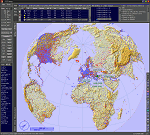
This add-on is an EXE application for Microsoft Flight Simulator and a DLL module for all other simulators. The DLL variant is activated via hotkeys or the simulator menu add-ons or plugins. Window size and layout are configurable for one or more screens. To avoid dazzling, the brightness of the entire application is customizable. Primarily it is a flight management system (FMS) with automatic control from start to landing. This also includes the observance of SID, STAR and Approaches in unmatched quality. The flight plan required for the FMS can be created manually or automatically, interactive changes and additions during the flight are possible. The basis of the flight planner is the 3D world map and the search function for airfields and navigation aids. The FMS by FSTramp relies on the autopilot of the aircraft. In case of incompatibility, the autopilot integrated in FSTramp will be used. This allows FSTramp to control almost all aircraft from airport to airport. The altitude profile of the flight plan, SID, STAR and approach is taken into account. This means that FSTramp extends the often incomplete airport procedures to and from the runway so that they can be flown completely automatically. During the fully automatic flight, the autopilot values ​​for HDG, ALT, VSPEED, SPD and MACH can be manually overridden. This is e.g. useful for being able to react to the instructions of the tower in the final approach without completely stopping the automatic flight. The rotating or north pointing 3D world map with numeric display of the terrain elevation under the mouse arrow is another special feature. It does not need an internet but is synthesized from included height profiles of the globe. The Data of continents, mountains and rivers are included in the setup. Airspaces, Airways, Waypoints and SID, STAR and Approaches are also included in the setup, but can be updated by installing additional AIRAC cycles. Airfields and navigation stations are taken from the simulator. NVIDIA: If the frame rate of the simulator drops sharply about 20 seconds after FSTramp's visibility, the power management of the GPU slows down prematurely. In the NVIDIA Control Panel, change the 'Manage 3D settings - Power management mode' option to 'Adaptive'.
| Filename: | FSTramp_v884_for_Prepart3D_26_MSFS_FSXSE_XPlane_Wi.zip |
| License: | Shareware, time limited |
| Added: | 7th July 2023, 04:35:26 |
| Downloads: | 43 |
| Author: | Helge Schroeder |
| Size: | 358.21 MB |
| Category: Flight Simulator X - Utilities | |
| FSTramp v8.84 for MSFS, FSX(-SE), Prepart3D, X-Plane (Win) |
|
Images related to this file:
File Description:
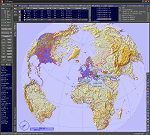
This add-on is an EXE application for Microsoft Flight Simulator and a DLL module for all other simulators. The DLL variant is activated via hotkeys or the simulator menu add-ons or plugins. Window size and layout are configurable for one or more screens. To avoid dazzling, the brightness of the entire application is customizable. Primarily it is a flight management system (FMS) with automatic control from start to landing. This also includes the observance of SID, STAR and Approaches in unmatched quality. The flight plan required for the FMS can be created manually or automatically, interactive changes and additions during the flight are possible. The basis of the flight planner is the 3D world map and the search function for airfields and navigation aids. The FMS by FSTramp relies on the autopilot of the aircraft. In case of incompatibility, the autopilot integrated in FSTramp will be used. This allows FSTramp to control almost all aircraft from airport to airport. The altitude profile of the flight plan, SID, STAR and approach is taken into account. This means that FSTramp extends the often incomplete airport procedures to and from the runway so that they can be flown completely automatically. During the fully automatic flight, the autopilot values ​​for HDG, ALT, VSPEED, SPD and MACH can be manually overridden. This is e.g. useful for being able to react to the instructions of the tower in the final approach without completely stopping the automatic flight. The rotating or north pointing 3D world map with numeric display of the terrain elevation under the mouse arrow is another special feature. It does not need an internet but is synthesized from included height profiles of the globe. The Data of continents, mountains and rivers are included in the setup. Airspaces, Airways, Waypoints and SID, STAR and Approaches are also included in the setup, but can be updated by installing additional AIRAC cycles. Airfields and navigation stations are taken from the simulator. NVIDIA: If the frame rate of the simulator drops sharply about 20 seconds after FSTramp's visibility, the power management of the GPU slows down prematurely. In the NVIDIA Control Panel, change the 'Manage 3D settings - Power management mode' option to 'Adaptive'.
| Filename: | FSTramp_v884_for_MSFS_FSXSE_Prepart3D_XPlane_Win.zip |
| License: | Shareware, time limited |
| Added: | 7th July 2023, 04:35:43 |
| Downloads: | 130 |
| Author: | Helge Schroeder |
| Size: | 358.21 MB |
| Category: Microsoft Flight Simulator (2020) - Utilities | |
| FSTramp v8.84 for MSFS, FSX(-SE), Prepart3D, X-Plane (Win) |
|
Images related to this file:
File Description:
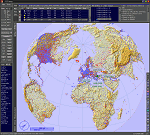
This add-on is an EXE application for Microsoft Flight Simulator and a DLL module for all other simulators. The DLL variant is activated via hotkeys or the simulator menu add-ons or plugins. Window size and layout are configurable for one or more screens. To avoid dazzling, the brightness of the entire application is customizable. Primarily it is a flight management system (FMS) with automatic control from start to landing. This also includes the observance of SID, STAR and Approaches in unmatched quality. The flight plan required for the FMS can be created manually or automatically, interactive changes and additions during the flight are possible. The basis of the flight planner is the 3D world map and the search function for airfields and navigation aids. The FMS by FSTramp relies on the autopilot of the aircraft. In case of incompatibility, the autopilot integrated in FSTramp will be used. This allows FSTramp to control almost all aircraft from airport to airport. The altitude profile of the flight plan, SID, STAR and approach is taken into account. This means that FSTramp extends the often incomplete airport procedures to and from the runway so that they can be flown completely automatically. During the fully automatic flight, the autopilot values ​​for HDG, ALT, VSPEED, SPD and MACH can be manually overridden. This is e.g. useful for being able to react to the instructions of the tower in the final approach without completely stopping the automatic flight. The rotating or north pointing 3D world map with numeric display of the terrain elevation under the mouse arrow is another special feature. It does not need an internet but is synthesized from included height profiles of the globe. The Data of continents, mountains and rivers are included in the setup. Airspaces, Airways, Waypoints and SID, STAR and Approaches are also included in the setup, but can be updated by installing additional AIRAC cycles. Airfields and navigation stations are taken from the simulator. NVIDIA: If the frame rate of the simulator drops sharply about 20 seconds after FSTramp's visibility, the power management of the GPU slows down prematurely. In the NVIDIA Control Panel, change the 'Manage 3D settings - Power management mode' option to 'Adaptive'.
| Filename: | FSTramp_v884_for_MSFS_FSXSE_Prepart3D_XPlane_Win.zip |
| License: | Shareware, time limited |
| Added: | 7th July 2023, 04:35:12 |
| Downloads: | 112 |
| Author: | Helge Schroeder |
| Size: | 358.21 MB |


© 2001-2026 AVSIM Online
All Rights Reserved
Privacy Policy |