
Where Flight Simulation Enthusiasts Gather from Around the World!
AVSIM Library - Search Results

| Category: Prepar3D V1-4 - Scenery | |
| KMEM - Memphis International Airport - Tennessee (TN), USA |

|
File Description:
Prepar3D Scenery--Memphis International Airport (KMEM), Tennessee (TN), USA. This is Ray Smith's fsx_kmem_rs.zip file. Ray has given permission to adapt his file for Prepar3Dv2. There are two optional files one version with crosswind runway activated where all four runways will be used for takeoff/landing and one version as the default runway operation. The main FedEx ramp and buildings completely replaced, the terminal now updated as per phase 1 and phase 2 upgrades, assigned parking as per their website with extra parking including over 125 FedEx parking spots, taxiways and taxi signs updated to the latest charts including waypoint BLEWS renamed MCVEY, extra fuel trucks, support vehicle roads rebuilt and many other scenery improvements, airport views are from inside the control tower (when in tower view). By Robert Catherall.
| Filename: | KMEM__Memphis_International_Airport__Tennessee_TN_.zip |
| License: | Freeware |
| Added: | 19th October 2015, 18:54:55 |
| Downloads: | 13,933 |
| Author: | Robert Catherall |
| Size: | 2.11 MB |
| Category: Flight Simulator X - Scenery | |
| KMIA - Miami Intl - Florida, USA |
|
Images related to this file:
File Description:
This is an accurate and up-to-date version of Miami Intl Airport with two optional files and made only for FSX, do not use in P3D: one file with the Crosswind runway 12/30 activated where all 4 runways will be used for takeoff/landing and one file as the default airport runway operation: Airline gate assignments now updated as per their website including gates for the A380, gates D53-D60 allocated only for Envoy Air ENV (but also coded EGF and AALX) Fedex, UPS and Centurion ramps and buildings updated, taxiways and taxi signs updated to the latest charts, extra fuel trucks, support vehicle roads rebuilt, airport views are from the roof of the control tower (when in tower view) please view the readme before installation
| Filename: | KMIA__Miami_Intl__Florida_USA.zip |
| License: | Freeware, limited distribution |
| Added: | 8th February 2018, 01:23:11 |
| Downloads: | 44,615 |
| Author: | Ray Smith |
| Size: | 5.28 MB |
| Category: Flight Simulator X - AFCAD Files | |
| MGGT - La Aurora International Airport - Guatemala City, Guatemala |
|
Images related to this file:
File Description:

La Aurora International Airport (IATA: GUA, ICAO: MGGT) is the main airport in Guatemala City, Guatemala and the busiest airport in the country. The airport underwent a major expansion and renovation of its main terminal back in 2008 and is currently the fourth busiest airport in Central America by passenger traffic.
Features:
*Runway properly renumbered
*Taxiways properly designed and signs updated
*Expanded parking apron
*Redesigned terminal building to match 2008 renovations/expansion
*Accurate gate assignments
*Runway markings and lighting corrected
*Parking spots for commercial traffic
*Separate parking area for GA traffic
*Misc airport buildings added
*Airport vehicles and objects throughout the airport
*Fuel service vehicles
*Static vehicles (requires objlib-large-car-parking-fsx.zip)
*Light poles (requires fsx_lts.zip)
| Filename: | MGGT__La_Aurora_International_Airport__Guatemala_C.zip |
| License: | Freeware |
| Added: | 14th April 2014, 23:32:28 |
| Downloads: | 1,504 |
| Author: | Jaison Diaz / Endeavour ai |
| Size: | 201.52 KB |
| Category: Flight Simulator X - Scenery | |
| Airport update for Ninoy Aquino Intl (RPLL) Manila, Philippines |
|
Images related to this file:
File Description:
This is a reasonably accurate and up-to-date version of NAIA Intl Airport with two optional files made only for FSX users, not made or suitable for use in P3D: There is one version with the Crosswind runway activated where both runways will be used for takeoff/landing and one version as the default airport one runway operation: I have given this airport a complete makeover including all 4 terminals, all gates/parking numbered correctly where possible, assigned parking as per their website with extra overflow parking, new control tower, aprons, taxiways and taxi signs updated to the latest charts, extra fuel trucks, support vehicle roads rebuilt and many other scenery improvements and objects added, airport views are from inside the new control tower (when in tower view) please view the readme before installation.
| Filename: | Airport_update_for_Ninoy_Aquino_Intl_RPLL_Manila_P.zip |
| License: | Freeware, limited distribution |
| Added: | 21st July 2021, 01:27:21 |
| Downloads: | 42,893 |
| Author: | Ray Smith |
| Size: | 2.76 MB |
| Category: Flight Simulator X - Scenery | |
| OOMS - Muscat Intl Airport - Oman |
|
Images related to this file:
File Description:
This airport has been bought up to date and made only for FSX. The airport has now been renamed from Seeb Intl to Muscat Intl. The new midfield terminal added with the new control tower which is expected to be open later this year to complete the first phase, the new runway 8L/26R added with ILS and transitions included, the old runway decommissioned and is now taxiway F, taxiways and taxi signs updated to the latest charts, fuel trucks and support vehicle roads added, new land class for the area around the airport. I have also included Almouj Golf course which was designed by Greg Norman, fire station and many other scenery objects included. Airport views are from inside the new control tower (when in tower view). Please view the readme before installation.
| Filename: | OOMS__Muscat_Intl_Airport__Oman.zip |
| License: | Freeware, limited distribution |
| Added: | 10th May 2016, 10:51:03 |
| Downloads: | 19,928 |
| Author: | Craig Scott |
| Size: | 1.32 MB |
| Category: Flight Simulator X - AFCAD Files | |
| Hammonton Municipal Airport (N81) NJ |
|
File Description:
Located 03 miles NE of Hammonton, New Jersey on 107 acres of land, Hammonton Municipal Airport is a public asphalt strip 3601' in length. It has recently been renovated with all-new taxiways and aprons and this update is depicted in this version with the big change being the extension of the main apron to join the previously-separated north and south tarmacs. The airport's magnetic variation, traffic pattern height, and PAPI glide slope and location have also all been accurately adjusted. All tie down parking locations are located on either the North or South tarmacs. Parking spots marked as RAMP_GA are occupied by static aircraft/objects and should not be chosen to start in (although all static objects have collision disabled). North parking spots can accommodate wingspans up to 50' while South parking spots should only be used by aircraft with wingspans of 40' or less. The one DOCK_GA location in the hangar start that can accommodate aircraft with wingspans up to 45'. The helicopter start location will place you on the North tarmac in front of the main hangar. Fuel is available by stopping on the concrete area on the North tarmac or by the fuel truck on the South tarmac in front of the hangars. Please see the ReadMe for known issues regarding AI aircraft parking.
Scenery constructed with use of satellite images/streetview/aerial photos - the author has not been there in person.
This scenery is meant to be used in conjunction with MegaScenery Earth New Jersey/Delaware 003. It is not required, but apron use is minimized to allow satellite scenery to show through as much as possible, and objects are placed based on the MSE textures - lack of it may make scenery look out of place.
| Filename: | Hammonton_Municipal_Airport_N81_NJ.zip |
| License: | Freeware |
| Added: | 5th June 2011, 06:22:53 |
| Downloads: | 202 |
| Author: | Drew Sikora |
| Size: | 897.82 KB |
| Category: Flight Simulator X - AFCAD Files | |
| Linden Airport (KLDJ), NJ v1.1 |
|
File Description:
Located 01 miles SE of Linden, New Jersey on 188 acres of land, Linden Airport is a public asphalt strip 4137' in length. Numerous changes have been made to this airport to bring it closer to its real-life counterpart including proper non-precision runway markings for R09 while only basic markings are used for R27; The 4-box VASI has been accurately located; the traffic pattern height has been adjusted; All 130 tiedown locations have been accurately placed. RAMP_GA spots are taken by static aircraft (all of which have collision disabled) so they should not be selected unless you want to start inside another aircraft! RAMP_GA_SMALL spots can be occupied by aircraft with wingspans up to 40 feet and RAMP_GA_MEDIUM spots can be occupied by aircraft with wingspans up to 60 feet. There are 4 open hangars labeled as GA_DOCK. The main hangar (NW Parking) can hold aircraft with wingspans up to 60 feet. The three smaller hangars (SW Parking) can hold aircraft with wingspans up to 35 feet. The W Helipad start location will put you in front of the smaller main tarmac hangar within the coned-off section. Fuel is only available by taxiing to a stop in front of either fuel tank to the west of the main tarmac. No AI aircraft will spawn in the SW Parking area.
Scenery constructed with use of satellite images/streetview/aerial photos - the author has not been there in person.
This scenery is meant to be used in conjunction with MegaScenery Earth New York 005. It is not required, but apron use is minimized to allow satellite scenery to show through as much as possible, and objects are placed based on the MSE textures - lack of it may make scenery look out of place.
| Filename: | Linden_Airport_KLDJ_NJ_v11.zip |
| License: | Freeware |
| Added: | 28th June 2011, 00:03:41 |
| Downloads: | 511 |
| Author: | Drew Sikora |
| Size: | 1.23 MB |
| Category: Microsoft Flight Simulator (2020) - Utilities | |
| MSFS P3D FSX FS2004 Flight Analyzer Utility FsQC V6.19 |
|
File Description:
FSX Flight Analyzer Utility FsQC v7.20
Flight Data Recorder - with Logbook.
FOR: P3D, FSX(Steam) and FS2004
Now MSFS2020 also supported.
Very easy to use, just make a flight plan in the simulator or in this utility. (But please read the readme.txt file)
What this program does: quickly change the settings of MSFS2020/P3D/FSX/FS2004, such as time, date, fuel, weight, traffic etc. Start a failure sytem, such as gear, flaps, engine, etc. runway detecting system to see wich runways are in use.
Quickly look at Airport Info for all possible info such as: ILS, Radio, RW length, Elevation, etc, etc.
This is all fully freeware.
Full manual at: www.fsqc.eu
Only Limited demo for: The flight analyzing/data recording, Logbook and the PDF Flightreport.
Flight analysis start recording at the moment when you begin taxiing.
It gives you huge information such as:
- takeoff- and landing-weight.
- takeoff- and landing-roll in m. and ft.
- separate fuel consumption in taxi, climb, cruise and descent.
- maximum banking in flight.
- which speed you using the flaps and gear.
- when autopilot on or off.
- vertical speed on touchdown.
- reverser set after landing.
- wich speed you cancel reverser.
- bouncing at landing.
- graphical landingchart with Touch&Go and Missed Approach.
- graphical Climb-, Descent- and Full- flightchart.
- and lots of more.
You can better look the example of the pdf document.
Requirements:
Computer with Windows7 or higher and internet access.(XP also supported look in the help/manual)
Flightsimulator MSFS2020, P3D, FSX(Steam), or FS2004 and FSUIPC installed.
Note: requires paid activation for full use of the Flight Analyzer and Logbook.
Register and you have 1 month free.
Program fully works without registration at airport Athens and Iraklion (Greece). By Evander Tholen.
| Filename: | MSFS_P3D_FSX_FS2004_Flight_Analyzer_Utility_FsQC_V.zip |
| License: | Shareware, time limited |
| Added: | 13th November 2020, 00:56:40 |
| Downloads: | 236 |
| Author: | Evander Tholen |
| Size: | 5.54 MB |
| Category: Flight Simulator X - Aircraft Repaints, Textures and Modifications | |
| Iris F-16D Viper Aerodynamic Performance Modification and Repaint Texture Package |
|
Images related to this file:
File Description:
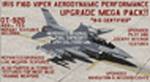
This performance modification and repaint texture package is for the IRIS "Pro Series" F-16D Viper. The performance modifications will upgrade ALL FOURTEEN (14) of your Iris F-16D/CFT models and make them fly like real F-16's! Think of this as an AWESOME tune-up job for your IRIS F-16D's...you'll be amazed at how GREAT your jets fly after this! Go from the runway to 40,000 feet in 90 seconds at Mach 1+, then reach a max Mach of 2.05. Go from 200-600 kts in under 30 sec. Pull 9g (sustained) turns in the CAT-1 jets and 7g turns in the CAT-3 jets. Perform precise aerobatic maneuvers and enjoy smooth "fly by wire"-like control! I also increased the internal fuel capacity to now hold 1,044 gallons (7,000lbs) like the real jet, and adjusted the weight and balance figures for the fuel and weapon loads. But I didn't stop there...I ALSO made a bunch of "visual" upgrades for the Iris F-16D/CFT jets as well! I repainted some of the "COMMON" texture files so now the buttons on the ICP pad look more used/worn, the Annunciator/Warning lights are now easier to read (ie, "MASTER CAUTION"), upgraded the ACESII ejection seat, reduced the amount of "pilot reflection" on the interior canopy glass in the "Virtual Cockpit" for a MUCH clearer view, painted pilot textures for either Desert Tan or OD Green flight suits (you choose!), PLUS repainted/upgraded the "LIVE" weapon textures and ALSO painted textures for "INERT" blue weapons (you choose!). The installation for both the "Aerodynamic Performance Modification" and the cockpit, pilot & weapon texture upgrades are quick and easy, and you'll find the installation instructions in those folders.
| Filename: | Iris_F16D_Viper_Aerodynamic_Performance_Modificati.zip |
| License: | Freeware |
| Added: | 8th February 2024, 04:01:21 |
| Downloads: | 139 |
| Author: | Daniel Gregory |
| Size: | 9.46 MB |
| Category: Flight Simulator 2004 - Scenery | |
| Toronto Downtown Airport CYTZ Ontario, Canada |
|
Images related to this file:
File Description:
CYTZ is on an island in Lake Ontario and immediately adjacent to downtown Toronto. This updates the version made by Flight Ontario as there have been major changes since Porter Airlines purchased the airport. The obvious and main new item is the terminal, made with photo textures and with ten gates sized to accomodate the Dash 8-400 they currently use. The terminal has a passenger entrance and a vehicle setdown point as part of the link to the ferry terminal that wraps around the west side of the original and preserved terminal building. The ferry terminal is included here, along with a ferry. Also new are the car parking, road routing, gate and taxi markings, taxiways, taxiway signage, taxiway lighting, runway lighting, aprons, apron lighting (from Sid Schwartz and you will need to install his "lights_ss_v2"), fences, fuel tanks, tanker trucks, access roads to navigation equipment, ai parking, static parked planes, parked cars, apron equipment, and the useable floatplane ramp. The AI includes Porter, Jazz, several GA aircraft, and a helicopter. Only 3 of these require downloads. The Lake Ontario AI includes three large ships, typical of the traffic to be seen on all the Great Lakes. CYTZ has three runways and there is an airport diagram included. 08-26 has ILS and is the only runway actually long enough to be used by Porter; FS9 atc will ignore this. There is fuel available and it is dispensed from a truck. The longer projection from the front of the terminal building is a covered ramp that leads up from the terminal basement level, used by towed luggage trolleys. The gates are not powered in any way except for the weather cover that protects passengers as they cross the small area of asphalt between plane and gate. I did not try to reproduce this in FS9.
| Filename: | Toronto_Downtown_Airport_CYTZ_Ontario_Canada.zip |
| License: | Freeware, limited distribution |
| Added: | 23rd October 2012, 12:52:14 |
| Downloads: | 1,816 |
| Author: | Roger Wensley + Flight Ontario |
| Size: | 12.43 MB |


© 2001-2026 AVSIM Online
All Rights Reserved
Privacy Policy |