
Where Flight Simulation Enthusiasts Gather from Around the World!
AVSIM Library - Search Results

| Category: Civil Flight Simulators - Looking Glass Flight Unlimited 3 | |
| FU3 Outer Terrain GTL Tile Editor v2.0 |

|
Images related to this file:
File Description:
This spreadsheet allows you to view, edit and save changes to the outer terrain's GTL tiles. Tiles are loaded into a 256x256 grid and the 13 default terrain textures are represented by cell background colours, i.e. the Mesa texture is represented by a reddish-brown background colour. The controls for loading and saving tiles are deliberately located on a separate worksheet. When loading and saving tiles I recommend that you do NOT select the main FU3 GTL Editor worksheet until a message box informs you that the load/save has finished. Otherwise, load/saves times (approx. 30 seconds for an average tile) will increase dramatically if you watch the tile while it is being populated or saved.
This 2.0 version also allows you to load a tile's terrain elevation. This is useful because the rules-based approach to modifying the OT was based on altitude constraints and it helps to be able to view the elevation (on the same scale as the tile itself) when modifying the terrain. However, in order to load the elevation you must first load the corresponding GTL tile. There is no provision to modify or save the elevation, because we already have Andre's excellent tools for that.
A complete map of the outer terrain's 2296 GTL files (plus Andre's 164 tile extension to the north) is provided in a separate worksheet. This includes a search facility you can use to identify tiles based on FU3 world co-ordinates.
| Filename: | FU3_Outer_Terrain_GTL_Tile_Editor_v20.zip |
| License: | Freeware |
| Added: | 26th December 2009, 02:11:13 |
| Downloads: | 49 |
| Author: | Jonathan Stonehouse |
| Size: | 103.36 KB |
| Category: Civil Flight Simulators - Looking Glass Flight Unlimited 3 | |
| Outer Terrain GTL Grid Structure Map v2.0 |
|
Images related to this file:
File Description:
This version of my GTL grid structure map includes Andre's new outer terrain area north of Seattle and adds a search facility, which enables you to search for a tile using FU3 world co-ordinates. To find out the world co-ordinates of any OT area simply open Fled, set the top-down view to the latitude/longitude of the area you're interested in and click the latitude/longitude figures that appear in the bottom left hand corner of the screen. The latitude/longitude figures will disappear and be replaced by FU3 world co-ordinates as easting and northing values. Enter these values into my FU3 GTL Map, click the button and the spreadsheet will map these co-ordinates to the correct tile and return the tile name. If you don't know the latitude/longitude of the area you're interested in then you can always obtain this from within the game itself. Just start a flight in the area you're interested in and press Ctrl-z at any time to enter Zoar mode. This will pause the game and display the current latitude/longitude in the top left hand corner of the screen.
| Filename: | Outer_Terrain_GTL_Grid_Structure_Map_v20.zip |
| License: | Freeware |
| Added: | 29th December 2009, 23:16:52 |
| Downloads: | 35 |
| Author: | Jonathan Stonehouse |
| Size: | 198.97 KB |
| Category: Flight Simulator 2004 - Panels | |
| FS Announcement Panel v2.0 fot FS2004/FSX |
|
Images related to this file:
File Description:
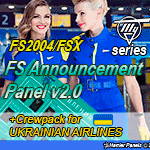
The panel allows you to play any sound by pressing a switch accordingly. It is based on Marcus Thompson's FDSFX panel. Added messages up to 30 for different stages of the flight, the panel itself is redesigned, this package includes a Russian Tupolev aircraft style skin. Also the panel comes with Ukrainian airlines crewpack - messages In Ukrainian / English / Russian. Suitable for any Ukrainian airline. The panel will serve as a virtual cabin crew for your aircraft.
| Filename: | FS_Announcement_Panel_v20_fot_FS2004FSX.zip |
| License: | Freeware, limited distribution |
| Added: | 20th August 2017, 15:49:15 |
| Downloads: | 10,097 |
| Author: | Gene Churumov |
| Size: | 34.47 MB |
| Category: Orbiter - Spaceships | |
| A Passenger-Orbiter with Swingwing |
|
File Description:
This is the Swingwing version of the Passenger Orbiter, use the K key to operate the Swingwing...You need Vinka's Spacecraft.DLL to use this, it's included in the zip.
| Filename: | A_PassengerOrbiter_with_Swingwing.zip |
| License: | Freeware |
| Added: | 11th February 2003, 20:08:49 |
| Downloads: | 4,133 |
| Author: | Kev Kelcey |
| Size: | 315.02 KB |
| Category: Orbiter - Spaceships | |
| SR-71-L With Drone |
|
File Description:
Take off in the SR-71-L with Drone attached from KSC airport. Press G to raise your gear and press + and CTRL to engage your afterburners. Press J to jetason the Drone. Important -- install Vink'as Spacecraft.DLL before you install this. Vinka's Spacecraft.dll is included in this zip as a zip.
| Filename: | SR71L__With_Drone.zip |
| License: | Freeware |
| Added: | 20th February 2003, 19:23:16 |
| Downloads: | 2,199 |
| Author: | Kev Kelcey |
| Size: | 248.62 KB |
| Category: Flight Simulator 2002 - AFCAD Files | |
| Cali, Columbia With 10+ Gates |
|
File Description:
SKCL with 20+gates. ENJOY!
| Filename: | Cali_Columbia_With_10_Gates.zip |
| License: | Freeware |
| Added: | 18th October 2002, 01:59:39 |
| Downloads: | 672 |
| Author: | Richard Mohammed |
| Size: | 2.67 KB |
| Category: Flight Simulator 2002 - AFCAD Files | |
| Toronto (CYYZ) With 3 Overlays |
|
File Description:
CYYZ with 60+gates and 4 active runways to help increase traffic flow and prevent traffic jams.. There are 3 overlays...ENJOY!
| Filename: | Toronto_CYYZ_With_3_Overlays.zip |
| License: | Freeware |
| Added: | 18th October 2002, 18:54:53 |
| Downloads: | 1,164 |
| Author: | Richard Mohammed |
| Size: | 19.83 KB |
| Category: Flight Simulator 2002 - AFCAD Files | |
| Chicago O'Hare With No Overlays! |
|
File Description:
KORD with 100+ gates for those who don't like using overlays or simply don't know how to use them. I redid my last KORD file with no overlays.**EASY INSTALLATION**...runway 4R/22L/9R/27L/14R/32L for takeoffs and 9L/27R/14L/32R for landings (depends on the wind direction). Also be sure to check out my "Chicago O'hare pictures!" file (kordpics.zip)
| Filename: | Chicago_OHare_With_No_Overlays.zip |
| License: | Freeware |
| Added: | 18th October 2002, 18:56:30 |
| Downloads: | 3,145 |
| Author: | Richard Mohammed |
| Size: | 11.76 KB |
| Category: Flight Simulator 2002 - AFCAD Files | |
| Chicago MIDWAY With No Overlays! |
|
File Description:
KMDW with 30+gates..... there are 2 files...one for the default scenery and one for the scenery by Rob Diebold (midway1.zip)....
active runways will vary between 13C/31C/4R/22L depending on the wind direction. ENJOY!
| Filename: | Chicago_MIDWAY_With_No_Overlays.zip |
| License: | Freeware |
| Added: | 7th October 2002, 01:21:30 |
| Downloads: | 1,593 |
| Author: | Richard Mohammed |
| Size: | 11.11 KB |
| Category: Flight Simulator 2002 - AFCAD Files | |
| Houston Intercontinental with No Overlays |
|
File Description:
KIAH with 70+ gates for those who don't like using overlays or simply don't know how to use them. I redid my last KIAH file with no overlays.**EASY INSTALLATION**...runway 8/26/15L/33R for takeoffs and 9/27 for landings.
| Filename: | Houston_Intercontinental_with_No_Overlays.zip |
| License: | Freeware |
| Added: | 9th October 2002, 21:43:33 |
| Downloads: | 1,605 |
| Author: | Richard Mohammed |
| Size: | 8.34 KB |


© 2001-2026 AVSIM Online
All Rights Reserved
Privacy Policy |