
Where Flight Simulation Enthusiasts Gather from Around the World!
AVSIM Library - Search Results

| Category: Flight Simulator X - Gauges | |
| V-One Gauge for Captain Sim L-1011/F V1.3 |

|
File Description:
This is an updated V-One gauge for Captain Sim CS L1011 v1.3
The following changes are in this version release:
1. V-One code optimized to FSX xml.
2. Sounds are played using Captain Sim's sound module.
3. All voice recordings have been re-recorded.
4. Maneuvering speed display corrected to match L-1011 alpha control for flaps-up.
5. Sounds for call-outs call be toggled on-off.
6. Current trim displays Captain Sim's trim value (trim value does not match visual trim wheel).
7. Decision Height Set Knob (Captain's side) controls 'Minimums' call-out.
List of features: Approximately 40 sounds integrated into gauge. Take-off V-Speeds calculated for Flaps 10, 18 or 22. Take-off command speed automatically set for V2 + 15. Maneuvering speed displayed for flap selected. Optimum altitude and optimum EPR (EPR calc for M.84) continually calculated. Take-off trim calculated for current gross weight. Current Altitude, EPR, Speed (knts), Flaps and Trim displays via toggle. Display units can be toggled between LB and KG (default LB). Re-settable flight timer. Re-settable fuel use. Selectable Vref landing configurations, Vref33 (default) or Vref42. ZFW, Fuel, CG, Gross Weight and Barometric Pressure MSL (QNH) displayed.
| Filename: | VOne_Gauge_for_Captain_Sim_L1011F_V13.zip |
| License: | Freeware, limited distribution |
| Added: | 25th October 2015, 11:00:24 |
| Downloads: | 2,039 |
| Author: | Paul Tally, Stefan Liebe, Jimmy Foong |
| Size: | 3.93 MB |
| Category: Flight Simulator 2004 - Utilities | |
| FS Recorder 1.32 |
|
File Description:
FS Recorder is an add-on module available for FS2004 and FSX. It allows recording and playback of flights, similar as the instant replay and video recorder built into FS, but with a lot more features. The recorded flights can be played back either using the user's aircraft or as AI traffic, which allows you to fly formations with yourself. A number of settings allow to customize FS Recorder to your needs. The recorded flights are saved in a binary file format containing flight data and can thus only be played back inside FS. These files are no video files, so it is NOT possible to play them with a video or media player, or to convert them into video files.
Features: recording flights of unlimited length * optional recording and playback of AI traffic * playback of one or multiple recordings as AI traffic * recording new flight during playback as traffic * replay of the last minutes, even if no recording was started * jumping and searching during playback * playback control via keyboard or control window * stop playback at any position to continue manually * loop part of a recording * change playback speed * custom keyboard controls * recorded data is customizable.
The FS2004 version of FS Recorder additionally includes advanced view options, which give you more freedom when watching your flights: multiple tower/spot/VC views, selectable via menu or keyboard * optional manual panning of view direction in tower/spot views * automatic zooming * saving/loading sets of tower/spot/VC views.
| Filename: | FS_Recorder_132.zip |
| License: | Freeware |
| Added: | 31st December 2007, 15:42:39 |
| Downloads: | 6,368 |
| Author: | Matthias Neusinger |
| Size: | 410.31 KB |
| Category: Orbiter - Miscellaneous Files | |
| Complete Apollo 16 pack for Nassp v3.0 |
|
File Description:
This is a COMBINED Descartes Landing site and Descartes Enhancement Pack for the new NASSP (v3.0) and the new ORBITER (021202). It also includes Vinka's updated (for 021202) Generic Spacecraft DLL Module so that the "independent" Lunar EVA implementation would work. It also includes YesRushGen's Apollo 16 scenarios which depict the Apollo 16 mission in various stages during the mission.
Everything found in Descartes Landing Site and DEP add-ons are included, along with a new Lunar Rover that has both the CMDR and LMP on board when pressing "V" after the NASSP EVA key is pressed. However, due to an inexplicable bug, I decided not to include the detailed SIMBAY EVA astronaut mesh, because Orbiter kept on crashing whenever I perform EVA on BOTH the LM and the CSM.
Furthermore, although the LM now sports the bronze-like coloring of the J-Mission Advanced LMs (from inside the SIVB booster until separation of ascent stage), I had to remove the enhancements like the hanging MESA and the LRV from the Descent Stage because it caused inexplicable Orbiter crashes too. But I hope you like the new LM color which is now consistent during the course of the entire mission (in the DEP add-on, it was still aluminum/grey when docked to the CSM and only turned bronze when undocked).
Finally, I added a NAV/ADF beacon to the landing site, so that if you press SHIFT-C and tune to 109.10, then press SHIFT-L, your landing display will show your position with respect to the landing site, provided you are within 500 kilometers.
| Filename: | Complete_Apollo_16_pack_for_Nassp__v30.zip |
| License: | Freeware |
| Added: | 17th December 2002, 13:26:13 |
| Downloads: | 5,645 |
| Author: | Rodion M. Herrera |
| Size: | 7 MB |
| Category: Flight Simulator X - Utilities | |
| FSTramp v8.84 for MSFS, FSX(-SE), Prepart3D, X-Plane (Win) |
|
Images related to this file:
File Description:
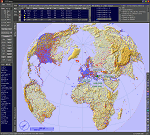
This add-on is an EXE application for Microsoft Flight Simulator and a DLL module for all other simulators. The DLL variant is activated via hotkeys or the simulator menu add-ons or plugins. Window size and layout are configurable for one or more screens. To avoid dazzling, the brightness of the entire application is customizable. Primarily it is a flight management system (FMS) with automatic control from start to landing. This also includes the observance of SID, STAR and Approaches in unmatched quality. The flight plan required for the FMS can be created manually or automatically, interactive changes and additions during the flight are possible. The basis of the flight planner is the 3D world map and the search function for airfields and navigation aids. The FMS by FSTramp relies on the autopilot of the aircraft. In case of incompatibility, the autopilot integrated in FSTramp will be used. This allows FSTramp to control almost all aircraft from airport to airport. The altitude profile of the flight plan, SID, STAR and approach is taken into account. This means that FSTramp extends the often incomplete airport procedures to and from the runway so that they can be flown completely automatically. During the fully automatic flight, the autopilot values ​​for HDG, ALT, VSPEED, SPD and MACH can be manually overridden. This is e.g. useful for being able to react to the instructions of the tower in the final approach without completely stopping the automatic flight. The rotating or north pointing 3D world map with numeric display of the terrain elevation under the mouse arrow is another special feature. It does not need an internet but is synthesized from included height profiles of the globe. The Data of continents, mountains and rivers are included in the setup. Airspaces, Airways, Waypoints and SID, STAR and Approaches are also included in the setup, but can be updated by installing additional AIRAC cycles. Airfields and navigation stations are taken from the simulator. NVIDIA: If the frame rate of the simulator drops sharply about 20 seconds after FSTramp's visibility, the power management of the GPU slows down prematurely. In the NVIDIA Control Panel, change the 'Manage 3D settings - Power management mode' option to 'Adaptive'.
| Filename: | FSTramp_v884_for_MSFS_FSXSE_Prepart3D_XPlane_Win.zip |
| License: | Shareware, time limited |
| Added: | 7th July 2023, 04:35:43 |
| Downloads: | 130 |
| Author: | Helge Schroeder |
| Size: | 358.21 MB |
| Category: Prepar3D V5 - Utilities | |
| FSTramp v8.84 for Prepart3D 2-6, MSFS, FSX(-SE), X-Plane (Win) |
|
Images related to this file:
File Description:
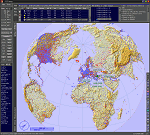
This add-on is an EXE application for Microsoft Flight Simulator and a DLL module for all other simulators. The DLL variant is activated via hotkeys or the simulator menu add-ons or plugins. Window size and layout are configurable for one or more screens. To avoid dazzling, the brightness of the entire application is customizable. Primarily it is a flight management system (FMS) with automatic control from start to landing. This also includes the observance of SID, STAR and Approaches in unmatched quality. The flight plan required for the FMS can be created manually or automatically, interactive changes and additions during the flight are possible. The basis of the flight planner is the 3D world map and the search function for airfields and navigation aids. The FMS by FSTramp relies on the autopilot of the aircraft. In case of incompatibility, the autopilot integrated in FSTramp will be used. This allows FSTramp to control almost all aircraft from airport to airport. The altitude profile of the flight plan, SID, STAR and approach is taken into account. This means that FSTramp extends the often incomplete airport procedures to and from the runway so that they can be flown completely automatically. During the fully automatic flight, the autopilot values ​​for HDG, ALT, VSPEED, SPD and MACH can be manually overridden. This is e.g. useful for being able to react to the instructions of the tower in the final approach without completely stopping the automatic flight. The rotating or north pointing 3D world map with numeric display of the terrain elevation under the mouse arrow is another special feature. It does not need an internet but is synthesized from included height profiles of the globe. The Data of continents, mountains and rivers are included in the setup. Airspaces, Airways, Waypoints and SID, STAR and Approaches are also included in the setup, but can be updated by installing additional AIRAC cycles. Airfields and navigation stations are taken from the simulator. NVIDIA: If the frame rate of the simulator drops sharply about 20 seconds after FSTramp's visibility, the power management of the GPU slows down prematurely. In the NVIDIA Control Panel, change the 'Manage 3D settings - Power management mode' option to 'Adaptive'.
| Filename: | FSTramp_v884_for_Prepart3D_26_MSFS_FSXSE_XPlane_Wi.zip |
| License: | Shareware, time limited |
| Added: | 7th July 2023, 04:35:26 |
| Downloads: | 42 |
| Author: | Helge Schroeder |
| Size: | 358.21 MB |
| Category: Microsoft Flight Simulator (2020) - Utilities | |
| FSTramp v8.84 for MSFS, FSX(-SE), Prepart3D, X-Plane (Win) |
|
Images related to this file:
File Description:

This add-on is an EXE application for Microsoft Flight Simulator and a DLL module for all other simulators. The DLL variant is activated via hotkeys or the simulator menu add-ons or plugins. Window size and layout are configurable for one or more screens. To avoid dazzling, the brightness of the entire application is customizable. Primarily it is a flight management system (FMS) with automatic control from start to landing. This also includes the observance of SID, STAR and Approaches in unmatched quality. The flight plan required for the FMS can be created manually or automatically, interactive changes and additions during the flight are possible. The basis of the flight planner is the 3D world map and the search function for airfields and navigation aids. The FMS by FSTramp relies on the autopilot of the aircraft. In case of incompatibility, the autopilot integrated in FSTramp will be used. This allows FSTramp to control almost all aircraft from airport to airport. The altitude profile of the flight plan, SID, STAR and approach is taken into account. This means that FSTramp extends the often incomplete airport procedures to and from the runway so that they can be flown completely automatically. During the fully automatic flight, the autopilot values ​​for HDG, ALT, VSPEED, SPD and MACH can be manually overridden. This is e.g. useful for being able to react to the instructions of the tower in the final approach without completely stopping the automatic flight. The rotating or north pointing 3D world map with numeric display of the terrain elevation under the mouse arrow is another special feature. It does not need an internet but is synthesized from included height profiles of the globe. The Data of continents, mountains and rivers are included in the setup. Airspaces, Airways, Waypoints and SID, STAR and Approaches are also included in the setup, but can be updated by installing additional AIRAC cycles. Airfields and navigation stations are taken from the simulator. NVIDIA: If the frame rate of the simulator drops sharply about 20 seconds after FSTramp's visibility, the power management of the GPU slows down prematurely. In the NVIDIA Control Panel, change the 'Manage 3D settings - Power management mode' option to 'Adaptive'.
| Filename: | FSTramp_v884_for_MSFS_FSXSE_Prepart3D_XPlane_Win.zip |
| License: | Shareware, time limited |
| Added: | 7th July 2023, 04:35:12 |
| Downloads: | 111 |
| Author: | Helge Schroeder |
| Size: | 358.21 MB |


© 2001-2026 AVSIM Online
All Rights Reserved
Privacy Policy |