
Where Flight Simulation Enthusiasts Gather from Around the World!
AVSIM Library - Search Results

| Category: Flight Simulator X - AFCAD Files | |
| Somerset Airport (KSMQ), NJ |

|
File Description:
Located 03 miles N of Somerville, New Jersey on 210 acres of land, Somerset is a public airport with one asphalt and two grass runways, the longest of which is 2733' in length. The turf runways have no hard surfaces and you will be landing on terrain so have your mesh set as high as possible - both runways are still selectable in the ATC window for landing/takeoff announcements. AI aircraft will not use them. The helipad is a start location in front of the main terminal if a parking location is not wanted to begin helicopter flights. Parking is divvied up into three categories - GA_SMALL spots will accommodate aircraft with wingspans no greater than 40 feet. GA_MEDIUM spots will accommodate aircraft with wingspans no greater than 60 feet. GA_LARGE spots are named to identify locations suitable for starting in a glider if you wish to do so. They can also accommodate aircraft with wingspans no greater than 60 feet. In addition to tie downs, there are 13 hangars open for parking in various locations - they can be identified by GA_DOCK. Only the N Parking hangar can accommodate aircraft with wingspans no greater than 60 feet - all other hangers are suitable only for aircraft with wingspans no greater than 40 feet. Several of the hangars have attendants - look beside the doors for the NAV2 frequency to set for opening them. AI aircraft will only spawn on the north tarmac/hangars (largely to prevent AI traffic crossing the runway on taxi). All objects and static aircraft in the immediate vicinity of parking and taxiways have collision disabled. If your aircraft has a wingspan greater than 40 feet it is NOT recommended that you taxi down the middle taxiway leading to the main tarmac from N Parking as you will not clear the hangars - go either via the NW taxiway past the grass tie downs (NW Parking) or around East to the next taxi way on the other side of the east hangars (E Parking) which has more wing clearance. Fuel is available on both tarmacs north and south of the runway by stopping on the asphalt in front of the tanks/pump.
Scenery constructed with use of satellite images/streetview/aerial photos - the author has not been there in person.
This scenery is meant to be used in conjunction with MegaScenery Earth New York 005. It is not required, but apron use is minimized to allow satellite scenery to show through as much as possible, and objects are placed based on the MSE textures - lack of it may make scenery look out of place.
| Filename: | Somerset_Airport_KSMQ_NJ.zip |
| License: | Freeware |
| Added: | 27th September 2011, 01:15:53 |
| Downloads: | 306 |
| Author: | Drew Sikora |
| Size: | 1.47 MB |
| Category: Flight Simulator X - Scenery | |
| St. Helena, Ascension, and Tristan da Cunha Islands |
|
Images related to this file:
File Description:
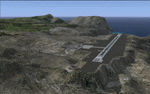
This project was begun to add the new airport (FHSH) to St. Helena Island and eventually was expanded to include a complete remake of Ascension Island (FHAW) and Tristan da Cunha (with an optional airport FHTC) and Gough Island with the actual weather station heliport (FHGH). Tested in both the default FSX/Acceleration and with FTX Global/Vector, accurate coastlines, lakes, road data, and SRTMGL1 (30m) mesh, as well as corrected landclass are provided based on the latest available satellite imagery. Flight plans are provided for the proposed commercial service to St. Helena, and some additional GA and military flights to the island are added as well.
The FSX St. Helena (FHSH) airport was created by aligning master plans for the airport with current satellite data and by studying many of the pictures that have been posted as the airport has taken shape. The official opening of the real airport on May 21, 2016, has been pushed back for more field tests due to challenging crosswinds. The Ascension Island (FHAW) airport was updated after I realized that Ascension could receive commercial service as a result of the new St. Helena airport. The entire airfield is redesigned to allow the volcanic terrain to display properly. The airbase, towns, BBC Atlantic relay station, and numerous satellite dishes, radomes, and wind turbines now appear in their real-world locations. Since I was already in the region, I added the Tristan da Cunha Islands (including Inaccessible, Nightingale and Gough Islands) and the Gough Island weather station maintained by the South African National Antarctic Programme. I also added an optional airport (and flight plans) to Tristan da Cunha (FHTC), which can be easily enabled/disabled. The FHTC airport is placed on the only part of the island that appears to be free of people or farmland, and the area is just long enough to accommodate a pared-down version of the St. Helena airport.
Updates were created or rebuilt in a manner which carefully aligns airport data with current satellite imagery. Scenery was created using Airport Design Editor X v1.67.5684, SBuilderX 3.13, and the FSX Object Placement Tool. Scenery objects were added and modified from stock FSX scenery to resemble as closely as possible the actual airports. The animated flag model is by Dietmar Loleit, the FSX apron lights included are from the set created by Jim Dhaenens, and the animated wind turbines and radomes are from the freeware package by Ray Porter.
| Filename: | St_Helena_Ascension_and_Tristan_da_Cunha_Islands.zip |
| License: | Freeware |
| Added: | 1st May 2016, 11:23:05 |
| Downloads: | 6,070 |
| Author: | Carlyle Sharpe |
| Size: | 10.52 MB |
| Category: Prepar3D V1-4 - Utilities | |
| Flightplan Visualizer 1.12 |
|
Images related to this file:
File Description:
Flightplan Visualizer (FV) version 1.12.0. Copyright 2018-2019 by Pelle F. S. Liljendal ([email protected]), all rights reserved.
FV comes with 540 pre-imported Commercial AI flightplans (+380 BizJet flightplans are available as a separate download). However you are able to import additional (AI) flightplans yourself. Once imported these (AI) flightplans can be visualized on a map-view, and the user will be able to search accross all these. Hence you can use the program as inspiration as to which routes to fly. E.g. you can search across all imported flightplans to find all flights in an A321 flying into/out from LDDU, or simply to look for all flights in a Boeing 747-8F.
Simply run the included installer to install the software. The program will be installed into "C:\Program Files (x86)\Flightplan Visualizer" and all datafiles will be installed into: "C:\Users\[UserName]\AppData\Roaming\FlightplanVisualizer". The program comes with a full manual explaining everything, and a 3 page quick manual to get you started. The first 3 times you run the program the quick manual will automatically open. The forum is hosted here: https://forum.aerosoft.com/index.php?/forum/919-flightplan-visualizer/
Version 1.12 Contains the following changes: ⦠Ability to automatically check for available program-updates. The actual download of the new installer is still a manual process, but the program will at least list the download-URL. However You cannot see this feature in action until the next version will be released ;-) Updated the flightplan file-format to accommodate changes in the latest versions of (AI) flightplans. The program remains backward compatible and can still read older flightplans, however these might “miss†some (at this time) non-essential information. As a result all “Wi18-19†and “Su19†(and a few “Su18) flightplans have been re-imported and have been bundled with the version 1.12 installer, using the new file-format. Added new "Generate redirection report" button to the redirection edit form. Pressing this button will generate- and display a report of all active pseudo airports and redirections per flightplan. Added new menu-item to re-process all flightplans, according to specified airport-redirections. The "UserAirportRedirect.xml" file bundled with the installer have been updated, based on output from the new "Generate redirection report". These updated airport-redirections have been used to re-process/update all flightplans bundled with the installer. Buttons have been added to the "Leg Info" which allows you to transfer data for a particular leg/flight from FV to SimBrief in order to kick-start your "paper work" for a flight to fly. The "Leg Info" form also got buttons to show decoded METAR/TAF, and the raw METAR/TAF is also embedded in the text copied to the clipboard (when pressing the appropriate button). In settings you can now speficy the path of the folder holding the files that MakeRunway generates (if not specified it will use the UserData folder). Once set to the folder where MakeRunway generates its files (e.g. the P3D folder), you only have to run MakeRunway, you no longer have to copy the 3 files to the UserData folder. A few new traffic-charts were added to the "Airport Info" form (traffic per: region, sub-region and country), and a combo-box was added to switch between inbound- and outbound-traffic. The "Nearby Airport" form that can be opened from the "Flightplan Import" form now have an extra comment-column with information about the non-pseudo/pseudo airports. The comment column on the airport tab-sheet of the "Flightplan Import" form now also contains more info about non-pseudo/pseudo airports. The Generic Randomizer form got a new button called "Pick random flight", which will display info for a flight, randomly picked from all flights for the selected flightplan, or last search. In the "Search legs" form, you can now enter multiple ICAO-codes (separated by comma) to search for flights to/from these (e.g. search for all flights to/from EBLG or ELLX, by entering "EBLG,ELLX"). If you press SHIFT while clicking the airport browser button, the selected airport will be added to the comma separated list. If you do not hold SHIFT, the list will only contain the newly selected airport. Added support for using FS Global Real Weather (FSGRW) as a Weather provider for METAR-messages (FSGRW does not support TAF-messages). To use FSGRW you must go to settings and specify a full path (including filename) of the file generated by FSGRW. When editing a flightplan the user will be warned if trying to close the form, if changes were made. The menu-item to generate report with all defuct-/obsolete flightplans have been removed from the main-menu, but can now be generated using a button on the "Enable/disable flightplans" form. Now all applicable authors are shown when hoovering the mouse over the flightplan combo-box when a search is active. In previous versions the "Edit" buttons next the flightplan combo-box (on the main form) was only active when a flightplan was selected. Now its also active when "[Last Search]" is selected. However it will instead launch the "Search Legs" form, where you can then edit the criteria of the search. A few airports and airlines have been added/updated in the data-files bundled with the updated installer to accommodate the additional bundled flightplans. The Beluga XL Freighter was added as well as many of the other aircraft were updated with various changes. Added support for a bunch of military aircraft: A6/AE6, A10, C5, C17, E2, E3, EF2000, F14, F15, F16, F18, F22, F35, F111, F117, JAS39, KC10, KC135, MiG 21/23/25/27/29/31, Mirage III/5/2000, Rafale, SU 17/20/22/24/25/27/30/32/34, V22. New "Exclude military aircraft" setting have been added (defaults to true). When true military aircraft will not be shown (can be changed in the settings form). Added new menu-item to load/display current log-file. FV tend to be somewhat memory-hungry while (re)loading all active flightplans, and you might see a peek in memory consumption. But from this release and forward it will try to free up most of the memory once all flightplans have been loaded. Minor changes to the "Enable/disable flightplans" form, to make it more responsive, and added a progressbar that is visible while flightplans are being moved, copied or deleted. Fixed: issue when trying to import a flightplan zip-file containing multiple "Flightplan_XXX" files. If the same zip contains multiple sets of matching files (Flightplan, Aircraft and Airport) the user will now be presented with a combo-box from where the user can pick which set of files to import (only the flightplan-file will be shown). Fixed: The file "f5.csv" was missing from previous installers. Fixed: issue with pseudo-airports when using the "Nearby airports" tab-sheet in the Airport Info form. Fixed: Saving a flightplan that was edited, it would try to save it in the (flightplan) [ROOT] folder even if it was loaded from a sub-folder. Now it will always try to save it in the same location with the same filename. If you want it saved elsewhere/with another filename use the "Save As" button in stead. Imported flightplans will still be saved to the [ROOT] flightplan folder. Fixed: Pressing ENTER in the Flightplan import/edit-form while the comments-field had focus, would close the form (saving the flightplan). Fixed: Result-viewer will no longer display with all text selected. Fixed: METAR/TAF decoder will no longer display with raw-message selected. Fixed: In some cases the program needed to be restarted if changes were made to the weather-provided data in the settings-form. Installer: Comes with +30 new pre-imported (Summer 2019) flightplans of which some are replacements of obsolete flightplans (from previous installers), and 2 of the "old" flightplans have been marked as defunct.
Pelle
| Filename: | Flightplan_Visualizer_112.zip |
| License: | Freeware, limited distribution |
| Added: | 23rd August 2019, 17:15:13 |
| Downloads: | 195 |
| Author: | Pelle Liljendal |
| Size: | 30 MB |
| Category: Prepar3D V1-4 - Utilities | |
| Flightplan Visualizer 1.13 |
|
Images related to this file:
File Description:
Flightplan Visualizer (FV) version 1.13.0. Copyright 2018-2019 by Pelle F. S. Liljendal ([email protected]), all rights reserved.
FV comes with 586 pre-imported Commercial AI flightplans (+380 BizJet flightplans are available as a separate download). However you are able to import additional (AI) flightplans yourself. Once imported these (AI) flightplans can be visualized on a map-view, and the user will be able to search accross all these. Hence you can use the program as inspiration as to which routes to fly. E.g. you can search across all imported flightplans to find all flights in an A321 flying into/out from LDDU, or simply to look for all flights in a Boeing 747-8F.
Simply run the included installer to install the software. The program will be installed into "C:\Program Files (x86)\Flightplan Visualizer" and all datafiles will be installed into: "C:\Users\[UserName]\AppData\Roaming\FlightplanVisualizer". The program comes with a full manual explaining everything, and a 3 page quick manual to get you started. The first 3 times you run the program the quick manual will automatically open. The forum is hosted here: https://forum.aerosoft.com/index.php?/forum/919-flightplan-visualizer/
Version 1.13 Contains the following changes: Flightplans can now be exported in AIFP/TrafficTool-format (the same format that FV is able to import). It means if you have made any changes to a flightplan (e.g. redirected some airports) the flightplan can be exported from FV, and imported into AIFP (AI Flight Planner, by Don Grovestine) where it can be compiled into an AI-traffic bgl-file (traffic "scenery"). A new setting called "Adjust flight-time on airport-redirect" have been added. This setting defaults to "false" (un-checked), however if changed to "true" (checked) the flight-time will be changed if/when departure/destination-airports are changed due to airport-redirections (both automatic and manually). The flight-time is the result of the difference between departure-/destination-time, hence if the flight-time is changed either- or both departure-/destination-time will change as well. The original flight-time is scaled based on the original- and the redirected distance between the departure/destination-airports. When importing/editing flightplans you can now select one or multiple aircraft and delete them. When deleting an aircraft all schedules attached to that aircraft will be deleted as well. One use of this feature could be to remove aircraft you don't have a AI aircraft, prior to exporting the flightplan in AIFP/TT-format, and loading it into AIFP. When importing/editing flightplans a "Similar" button will appear next to the flightplan name if a similar named flightplan exists (e.g. "same name", but different season), or other flighplans exists for the same airline (ICAO). Hoovering the mouse over this button will show the names of these flightplans as a tool-tip, and if you click the button the list will be shown in a window (with some additional information), from where it can be copied to the clipboard if you need to. On the Edit/Import-flightplan form, the Aircraft- and Airport tab-sheets have been swapped, and a new tab-sheet was added to list all routes of the flightplan. For each route the distance is listed along will all aircraft types of the flightplan servicing that route. The "Aircraft" tabsheet of the form to import/edit flightplans now contains a button called: "Fleet report". Pressing this button will generate a report showing the fleet of an airline (based on the flightplan), that is sorted by Aircraft type and registration. For each aircraft it will show a list of all the airports served by that particular aircraft. A "Word-wrap" check-box have been added to the Result-viewer to toggle word-wrap on/off (word-wrap defaults to "on"). In previous versions any changes made in the settings form resulted in all flightplans having to reload (while showing the splash-screen). Changing the path for MakeRunway-files still results in an automatic "reboot" of the program. The combo-box for choosing default direction (outbound/inbound/both) for the leg-search (on reset) have been removed from settings, and it now defaults to "Outbound or Inbound". However in the search legs form you can now save your own preferred "Reset" criteria. When you press the reset-button, it will load this Reset-file (with your preferred reset criteria). If you hold SHIFT while pressing the reset-button (or you have not saved a personal reset-file), it will reset to the default factory-criteria. In the traffic tabsheet of the airport info form there is a combo-box letting you switch between "Selected flightplan" or last-search on main-form" and "All flights to/from this airport". In previous versions it did not perform the search of flights to-/from- the viewed airport until you selected the 2nd item from the combo-box. Now this search is performed in the background as soon as the form is opened, hence choosing the 2nd item in the combo-box is now instantaneous. The "Nearby Airports" tab-sheet in the "Airport Info" form, now have a column listing direction (from the airport to the nearby airports). When listing number of runways and gates (e.g. in the form showing nearby airports, or in the redirection-report), the radius of the largest gate is now included, as there is no need to redirect any 747 traffic to an airport where the largest gate is 23m (a 747 requires a gate with a radius of at least 36m). The frequency-count was removed from the before mentioned listing of runways and gates, to make more room for listing the aircraft serving each airport. The search for airport browse now have a new optional column listing comments (e.g. length of longest rwy and largest gate). The "show" combo-box lets you choose to show comments in stead of "Size/Rank/Traffic" or "Hint-text". Opening the search airport browser from the import/edit flightplan form, will automatically choose to show the comments column, as information regarding rwy length/gate radius can be relevant when redirecting airports. Form "Nearby Airports" now show the GPS-position in the caption of the form. Added runway/gate summary to caption-bar of airport info form, so you no longer need to look at both the runway- and gate- tab-sheet in order to see: number of runways, longest runway, number of gates and largest rate (radius). New check-box added to settings allowing you to include the before mentioned runway/gate info in the airport marker tool-tip on the main map. Region/sub-region added to "Airport Info" form (top/left corner). A new setting (default to disabled) lets you add region/sub-region to the airport marker-hint on the map as well. Added a button to the "airport info" to show the airport at flightradar24 (opens the default browser), and the button on the leg info form to show route the route at flightaware (also using the browser) have been replicated on the route info form. The METAR-/TAF-buttons on the leg info form now shows the raw METAR/TAF-message - as a tool tip - when you hoover the mouse over the buttons. As before, when you press these buttons it will open a window showing the decoded messages. Various minor changes to the leg info form: added info regarding longest runway and largest gate for each airport, and re-positioned some of the fields. Likewise the info copied to the clipboard when you click the appropriate button have been re-ordered as well. Changed flightplan format to accommodate additional information, but the format remains backward compatible. Button added to about-box allowing the user to copy version-info to the clipboard. Managed to "shave off" approx ½ a second during start-up (on my pc). Not a lot but still an improvement :-) Fixed: In the form for importing/editing flightplans the leg-page showed the original distance even if the airports were redirected. Fixed: On leg info form "Dest.Country" and "Dest.Apt" column-order were swapped. Fixed: Tweaked aircraft type detecting to better detect 740-400 and 767-200/300 freighters. In previous versions a few aircrafts were wrongly detected as pax, when they should have been detected as freighter. Data: Airbus 330-800/900 Neo, Boeing 747-400LCF (Dreamlifter), and Embraer 175/190/195-E2 have been added as supported aircraft, and a few additional airlines and airports were added as well. Flightplans: Installer comes with +70 new pre-imported (Summer 2019) flightplans of which some are replacements of obsolete flightplans (from previous installers), and 2 of the "old" flightplans have been marked as defunct, as "Adria Airways" and "Aigle Azur" have filed for bankruptcy and ceased their operations. Flightplans: Among the added flightplans you will find the first flightplan I have made myself, a flightplan for Airbus Transport International covering their 5 Beluga's an 2 Beluga XL's (the latter 2 are stil performing test-flights and have yet to be implemented into their "normal schedule").
| Filename: | Flightplan_Visualizer_113.zip |
| License: | Freeware, limited distribution |
| Added: | 13th October 2019, 17:50:53 |
| Downloads: | 355 |
| Author: | Pelle Liljendal |
| Size: | 30.45 MB |
| Category: Prepar3D V1-4 - Utilities | |
| Flightplan Visualizer 1.17 |
|
Images related to this file:
File Description:
Flightplan Visualizer (FV) version 1.17.0. Copyright 2018-2020 by Pelle F. S. Liljendal ([email protected]), all rights reserved.
FV comes with 783 pre-imported Commercial AI flightplans (+380 BizJet flightplans are available as a separate download). However you are able to import additional (AI) flightplans yourself. Once imported these (AI) flightplans can be visualized on a map-view, and the user will be able to search accross all these. Hence you can use the program as inspiration as to which routes to fly. E.g. you can search across all imported flightplans to find all flights in an A321 flying into/out from LDDU, or simply to look for all flights in a Boeing 747-8F.
Simply run the included installer to install the software. The program will be installed into "C:\Program Files (x86)\Flightplan Visualizer" and all datafiles will be installed into: "C:\Users\[UserName]\AppData\Roaming\FlightplanVisualizer". The program comes with a full manual explaining everything, and a 3 page quick manual to get you started. The first 3 times you run the program the quick manual will automatically open. The forum is hosted here: https://forum.aerosoft.com/index.php?/forum/919-flightplan-visualizer/
Version 1.17 Contains the following changes:
- A big Thank You to Alex for the donation, it is appreciated ... You are actually the first one to donate, but then again I never expected to get rich writing this software :-)
- Both version 1.16 and 1.17 are mandatory, so if updating from a previous version you MUST install/run both versions as outlined on the forum. Running version 1.17 will forcefully update all flightplans to the latest file-version, as version 1.18 will remove some of the backward comparability.
- Added support for importing flightplans from the new .aigfp file-format used by Alpha India Group. Export of flightplans (in aifp-format) is disabled for flightplans originally imported from .aigfp files, because the repaint-info is not imported from these.
- Beside the supplied aircraft-types contained in the ("factory") aircraft-database, users can now add their own user-aircraft, both in form of owned (flyable) 3rd party aircraft and aircraft-types (used in flightplans, or as basis for owned aircraft).
- Added support for Helicopters (simply created the "aircraft" with the engine-type set to "Heli"). They will be listed/treated as an "aircraft" with a specific engine-type (and in stead of a "wingspan" they have a "rotor diameter").
- Many reports have been added to list "suitable" substitute aircraft based on match-score (a value between 0 and 100, where 100 is a perfect match). Likewise reports have been added to visualize repaints that you have, and those you might be "missing" for a particular aircraft/airline.
- In form leg-info you can now "tag" a leg by pressing the new "Tag" button. Doing so will add the leg to the new "Tagged legs" menu-item found in the "Misc" menu. This menu can contain the last 10 tagged legs (flights). Selecting any of these 10 menu-items will open the leg-info form and show the details of the tagged leg.
- The AIG flightplan download-form will now only pre-select flightplans with a new season or a new revision, as you have to pay attention to flightplans with status "Not installed" since the reason these are not installed can be due to airlines being defunct or have changed their names.
- The AIG flightplan download-form now have 2 numbers above the list-view. The first tells the number of flightplans being listed for the selected season, and the 2nd number in parentheses tells the number of checked flightplans. So choosing a season, you can simply look at the number in the parentheses to see the count of new seasons/revisions to install (without the need to scroll throgh the list).
- The "Defunct list" (list of all defunct airlines, as marked by AIG) that can both be displayed in the "AIG flightplan downloader" and the "Enable / disable flightplans" forms, is now both sorted by Name (first) and by ICAO (last), making it more easy to look for a particular airline.
- The Leg-info and Edit flightplan -forms now both list the (flightplan) sub-folder name and the name of the original imported filename (in case you need to see the version/revision number that AIG append to this filename).
- The same sub-foldername and original imported flightplan filename are also added in the top when generating a leg-info report.
- If the departure/destination airports have gates marked as favorites, or gates with comments, therse are added to the leg-info report. E.g. "Gate G47 (36.0): B744F, no-jetway", where "36.0" is the radius of the gate (in meters), and "B744F, no-jetway" is the comment.
- Many "behind the scene" changes were made to the Leg-info report, and more data have been added (e.g. carrier/operator-callsign, time-zone/offset, airport-size, rank and traffic-density).
- Added a button to the Leg-info form to show list of possible substitute aircraft, sorted by scored (based on how well these match the parameters of the original aircraft).
- Internally the program stores- and perform all weight-calculations in lbs, however in settings you can now choose if weights should be shown in lbs or kg.
- Using EOW- or MTOW- filter sub-type in the aircraft filter the specified weight will now be according to the chosen weight-unit specified in the settings form (in previous version it was fixed to be lbs).
- Obtaining METAR/TAF messages from the internet takes a few fractions of a second, hence the "Show as Report" button on the Leg info form, now contains an asterisk until the METAR/TAF messages have been obtained, as these would otherwise appear as "not obtained" in the generated report. So if you need these messages in the report, you should wait pressing the "Show as Report" button, until the asterisk is removed.
- The form for creating user-airlines now contains a "Lookup" button that lets you search for airlines, so you can check if an airline already exists before creating it as a user airline.
- Airlines without official iCAO/IATA-codes are sometime created with an artificial ICAO code of "---". Airlines with this ICAO-codes are no longer listed as alternatives.
- Reordered the two "fields" in the "Min. Rank" and "Min. Traffic-density" combo-boxes, to make it more easy reading- and picking- the correct.
- Improved scanning of readme-files during import (more files are excluded such as "Repaints.txt").
- Changed the default size of the about-form, to make it more easy to being reading the history-text without having to first resize the form.
- All forms in FV have been made with a HD resolution (1920x1080) in mind. Some users are running at this resolution, but have chosen to scale the font-size to 125%. If doing so, some forms were not fully visible. Hence there is now a new setting item called "Reduced desktop". If defaults to be disabled, however once enabled some forms will be reduced in their size (e.g. the flightplan-, airline and aircraft- list-views in the Leg Search form will be more narrow, allowing the form to be fully visible).
- The country sub-filter no longer supports wildcards (nor partial codes), but now it accepts both 2 and 3 letter (ISO) country-codes. The filter-text will be colored red, if an invalid country-code is entered.
- The result-viewer now have a "Save as" button that allows you to save its content. Also an "Enable edit" check-box have been added, which puts the text-box into edit-mode, so you can change its conent (e.g. before copying to clipboard, or saving to disk).
- Right-clicking the main-map there is now a menu-item to show country, time-zone/offset (as a hint) at the GPS-position of the mouse-cursor. These information are downloaded from the web, hence there will be a small delay.
- Added more logging, to better identify which actions might have led to the program displaying an error-message. Also tweaked the log-format a bit to make it more readable.
- Updated all external libraries to the latest versions.
- Added release dates for each version in this version-history text.
- Fixed: If marking gates as favorites or adding comments to gates these data were not saved unless other user-data were added to the airport (e.g. marking the airport as favorite, setting rank/traffic-density, manually specifying size, taxi-in/out times, entering comments or hint-text for the airport).
- Fixed: If changing the ICAO-code of a user-airline, the alternative-list was not updated until next time the form was opened. The form also got a minor optimization in the process. When editing an user-airline you can now press enter in stead of clicking the "Save" button (as long as the Comments field does not have focus).
- Fixed: In a few cases the week-number was not calculated correctly for multi-week flightplans.
- Fixed: In some cases the week-day was still shown as a "name" (2 letters), even if the user had selected to display these as numbers in settings.
- Fixed: Aircraft/Airline search forms would not perform initial search when opening the form, if the search-text was blank. You had to enter a letter, and delete it again, before the search was performed.
- Fixed: Aircraft search form did not use natural-sort when sorting by name (e.g. "CRJ1000" was listed before "CRJ200").
- Fixed: Setting core-affinity to a non-zero mask, and change it back to zero, it would not return to its initial state (e.g. all cores selected) until the program was re-started.
- Data: Updated a few airports with missing country-code and/or missing time-zone.
- Data: A few new aircraft were added and some aircraft were split in dedicate pax/freight-versions.
- Data: A few helicopters have been added.
- Data: Aircraft-data updated as there were still a couple of freighters with non-zero passenger-count. Also the weight constraints were updated for A LOT of aircraft.
- Data: Cumulative aircraft-types (such as "[32S] Airbus A318/A319/A320/A321") are now removed in many views, unless the type is in use by at least one active flightplan.
- Flightplans: Compared the list of flightplans bundled with FV to the list of flightplans available in AIG AIM. This meant a few flightplans were marked as defunct (and removed from the installer) and a few missing were added (primarily from 2017).
- Flightplans: The first Summer 2020 flightplans have been added (FedEx and UPS).
- Flightplans: All new/updated flightplans have been added to the installer, and all obsolete have been removed. A total of 783 active flightplans are bundled with the installer.
Pelle
| Filename: | Flightplan_Visualizer_117.zip |
| License: | Freeware, limited distribution |
| Added: | 8th August 2020, 17:44:15 |
| Downloads: | 414 |
| Author: | Pelle Liljendal |
| Size: | 29.48 MB |


© 2001-2026 AVSIM Online
All Rights Reserved
Privacy Policy |