
Where Flight Simulation Enthusiasts Gather from Around the World!
AVSIM Library - Search Results

| Category: Flight Simulator X - Aircraft Repaints, Textures and Modifications | |
| Silkway West Airlines Boeing 747-83QF (VQ-BVC) |

|
Images related to this file:
File Description:
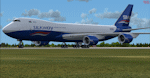
This repaint is based on VQ-BVC, the second -8F freighter for Silkway West Airlines.
The aircraft was hand painted using the PMDG paint kit and features and includes DDS DXT5 textures, updated specular textures, custom night lighting with increased illumination and custom cockpit views.
PMDG 747-400X for FSX and 747-8i/8F add-on packages are BOTH required. See readme for important installation instructions and enjoy the repaint.
| Filename: | Silkway_West_Airlines_Boeing_74783QF_VQBVC.zip |
| License: | Freeware |
| Added: | 1st March 2015, 15:47:12 |
| Downloads: | 230 |
| Author: | Mark Aldridge |
| Size: | 2.89 MB |
| Category: Flight Simulator X - Aircraft Repaints, Textures and Modifications | |
| Air New Zealand "All Blacks" Boeing 747-400 ** UPDATE ** |
|
Images related to this file:
File Description:
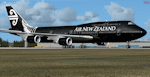
This is an update to the original FSX repaint and fixes a couple of minor defects. This PMDG 747-400 Queen of the Skies represents how the All Blacks livery would have appeared on the -400 variant of the 747.
The aircraft was painted using the PMDG paintkit and features updated day and night DDS DXT5 textures plus custom night illuminations for the tail and fuselage areas.
PMDG 747-400 for FSX required. See readme for important installation instructions and enjoy the repaint.
| Filename: | Air_New_Zealand_All_Blacks_Boeing_747400__UPDATE_.zip |
| License: | Freeware |
| Added: | 1st March 2015, 15:48:02 |
| Downloads: | 458 |
| Author: | Mark Aldridge |
| Size: | 1.26 MB |
| Category: Flight Simulator X - Scenery | |
| RNAS Anthorn (HMS Nuthatch) - Cumbria, UK |
|
File Description:
This scenery is a representation of RNAS Anthorn (HMS Nuthatch) prior to runway and taxiway upgrades completed in 1948. It is not 100% accurate and no claim is being made that it is.
The scenery was made using ADE and is intended for use in FSX along with Horizon GenX VFR scenery but should work ok in Basic FSX.
Some History: Anthorn air field (also known as RAF Anthorn, RNAS Anthorn and HMS Nuthatch) was an airfield approximately 430 KM north-northwest of London
The airfield was built in february 1918 as a Fleet Air Arm (FAA) airfield. It was abandoned after World War I ended, however. The RAF reinstated the airfield at the beginning of World War II as an emergency landing ground for nearby RAF Silloth.
The site was taken over by the Royal Navy in December 1942, and renamed the site RNAS Anthorn. It was commissioned in September 1944 as 'HMS Nuthatch'.
The airfield served as No. ARDU (Aircraft Receipt and Dispatch Unit), a unit that accepts aircraft from their manufacturers and prepares them for operational use.
The last official flight took off from the airfield in November 1957. It was then put on Care and Maintenance, before it closed down in March 1958.
In 1961 the site was chosen to become a NATO VLF transmitting site for communicating with submarines. Construction of the site, by Continental Electronics of Dallas, U.S.A., began in 1962.
The station was accepted on behalf of the MoD in November 1964.
| Filename: | RNAS_Anthorn_HMS_Nuthatch__Cumbria_UK.zip |
| License: | Freeware |
| Added: | 1st March 2015, 23:11:58 |
| Downloads: | 435 |
| Author: | Mark Byers |
| Size: | 21.34 MB |
| Category: Flight Simulator X - Scenery | |
| Silloth Aerodrome plus Great Orton |
|
File Description:
RAF Station Silloth is a former Royal Air Force station located 1 mile (1.6 km) north-east of Silloth, Cumbria, England and 6.7 miles (10.8 km) south-west of Kirkbride, Cumbria. The station was used by RAF Coastal Command during WW2.
I designed this scenery primarily for my own pleasure using Airport Design Editor and FSX SDK. I use FSX Acceleration and Horizon VFR photo scenery but it should work with standard FSX SP2.
This scenery depicts the airfield as closely as i can get it with the available information. I have modelled all of the Airfield buildings as closely as I could with the information available to me and this was done using Sketchup, the models were then converted for use in FSX using Model converter X.
It is not 100% accurate and no claim is being made by the author that it is. I have depicted the buildings in wartime camo.
All the buildings can be used as as you wish. My only request is that if you should design better textures for them that you let me have a copy, my textures are pretty basic.
Some buildings have night lighting, lights and smoke effects, these should be in your FSX effects files already.
I have not yet completed the Domestic Site but i may do this in the future...(I've hit the buffers for now though!!)
Included in this scenery pack is the Satellite Airfield RAF Great Orton. Built in 1943 to accommodate the larger bombers now being used by the RAF. This airfield is very sparse as i am unable to get much info about it.
Runways, Taxiways, Watch Office and Ground Signals are all that is included in this scenery pack, along with Sloped flattens, crosswind runways and AGN files.
I have included this as a destination for the Bristol Beaufort AI aircraft that i have included with the scenery.
The Bristol Beaufort AI is a freeware model from Alphasim and is used with their permission. I have altered the model textures and aircraft file and it works well enough as AI.
I have used other scenery libraries within this scenery (mainly to depict the village of Silloth) and these will need to be downloaded from the appropriate sources and activated within FSX.
| Filename: | Silloth_Aerodrome_plus_Great_Orton.zip |
| License: | Freeware |
| Added: | 6th December 2015, 22:32:18 |
| Downloads: | 491 |
| Author: | Mark Byers |
| Size: | 357.87 MB |
| Category: Flight Simulator X - Scenery | |
| Anthorn VLF Transmitter - Cumbria, UK |
|
File Description:
Formerly RNAS Anthorn until 1958, work began on the VLF Transmitter in 1962.
Work was completed in 1964 and the station was accepted by the MoD the same year.
This Scenery depicts only the masts and thier lights, I have not modelled any of the site buildings.
It works well enough in FSX Accelleration with Horizon VFR Scenery.
I have not tested it in any other FSX versions though I suspect it will work fine.
For image of the scenery please use "ZipDive".
| Filename: | Anthorn_VLF_Transmitter__Cumbria_UK.zip |
| License: | Freeware |
| Added: | 23rd December 2015, 12:34:09 |
| Downloads: | 397 |
| Author: | Mark Byers |
| Size: | 1.61 MB |
| Category: X-Plane - Utilities | |
| X-Camera 2.2.1 |
|
Images related to this file:
File Description:
The X-Camera 2.1.1 plugin for X-Plane 9 and 10 is a replacement camera system that lets you define multiple view categories and multiple views within those categories that are associated with specific aircraft. X-Camera is similar to EzDok for FSX only for X-Plane. Watch this short X-Camera demo on YouTube: https://www.youtube.com/watch?v=PgOxG8ejq9A
Each view can have options:
- TrackIR:
Each view can enable or disable the TrackIR input. If the view is out the cockpit window having TrackIR enabled is desirable. However, if the view is a close-up of an instrument panel then having TrackIR disabled is probably the better choice since the view will be stable making it easy to click on cockpit controls with the mouse. We also support LinuxTrack on Linux and Mac systems.
- HeadShake:
If the HeadShake plugin from SimCoders is installed then the view can accept input from HeadShake. Similar to the TrackIR feature you will likely want this enabled for certain views but disabled for views on instrument panel close-ups where a stable camera makes it easier to use a mouse to control cockpit knobs and switches. The HeadShake plugin must be at version 1.3 or higher for the integration to work.
- Scenic Flyer:
If the Scenic Flyer plugin from Digital Avionics is installed then the view can choose to display either the Scenic Flyer Glass panel or GA panel.
- Smooth Transition:
When this option is enabled the camera with smoothly transition from one view to another over approximately half a second. When the option is off the view will transition immediately.
- Views can be controlled in a number of ways:
> Each view can be positioned by using keyboard keys or a control panel
> The camera'™s X, Y, Z, Heading, and Pitch can all be adjusted for each view
> Views can be assigned to a HotKey or JoyStick button for easy selection
> HotKey or JoyStick button can be used to navigate to next or previous views
> The views for a specific aircraft can be saved to a CSV file for easy editing
- Walk Mode:
Any view'™s camera can be placed in Walk Mode. While in this mode the camera can be walked or floated around using keyboard input. If you ever played the video game asteroid that is what walk mode is like. The mode is particularly useful for pre-flight inspections of your aircraft. You can create a external view and after selecting that view you can "Walk" the camera around checking out your landing gear, props, etc.
- Linear Transitions and Auto Advance:
Linear transitions allows you to define a transition between two adjacent cameras in category. This capability, in conjunction with the auto advance feature, allows you define fairly sophisticated animations that can be used for automated Pre-flight inspections, scenery viewing, and cool transitions affects that can be used when creating flight videos. All the transitions in our YouTube video were done with X-Camera.
- Bezier Curve Transitions:
Bezier curve transitions allows you to define a transition between three or more adjacent cameras in a category. This capability, in conjunction with the auto advance feature, allows you define fairly sophisticated animations that have an ultra smooth movement between the curve control points.
- Many Unique Camera Attributes:
Tracking Cameras - Camera Leveling - Smooth Camera Joining - Auto Advance to the Next Camera - Individual Zoom and Field of View Setting - External Cameras - Free Cameras - Target Following Cameras - Cineflex Cameras - Automatically Generate Unique Orbit and Fly-By Animations
X-Camera can create unique orbit and fly-by camera sequences by providing a few key parameters
- Airport Cameras:
You can define a set of free cameras associated with an airport. You can create up to 2,000 cameras per airport. X-Camera can also automatically populate airport cameras by reading the airport scenery files and creating cameras at runways, starting locations, taxiway signs, and airport viewpoints. You can map a joystick button to quickly switch between your aircraft camera set and the nearest camera at the nearest airport.
- Target Following Cameras:
Targets are locations defined by a latitude, longitude, and elevation in meters. Target following cameras are a special type of external camera that is attached to your plane and it has the ability to track a selected target. You can also view the target reciprocal which as a view from the target back to you plane.
X-Camera Tutorial Videos: There is also a four part series of tutorial videos that will help you get started with X-Camera. You can access them from the X-Camera Tutorial Page: https://www.stickandrudderstudios.com/x-camera-tutorial-videos/
The full manual is included in the zip file you can also view it here: https://www.stickandrudderstudios.com/downloads/User_Guide.pdf
| Filename: | XCamera_221.zip |
| License: | Shareware, limited functionality |
| Added: | 27th January 2017, 15:14:21 |
| Downloads: | 478 |
| Author: | Mark Ellis |
| Size: | 4.61 MB |
| Category: Flight Simulator X - Utilities | |
| FlyLive |
|
Images related to this file:
File Description:

FlyLive is a fully free and fully featured* flight simulation streaming suite.
Looking to beef up your FSX/P3D livestream for zero charge? You're at the right place! FlyLive is dedicated to satisfying even the most serious flight simulator streamers. The features are packed together in a sophisticated yet simple and user friendly interface - making it surprisingly easy to set up, with the help of the documentation.
The purpose of FlyLive is to inject flight data from your simulator into your livestream, so your audience don’t have to look at the tiny numbers on the flight instruments to know what’s going on. It is designed specifically for streamers who want to “up their game†in Flight Simulation streaming, but don’t have the knowledge to code something.
Perquisites
FlyLive relies on FSUIPC to extract data from the Simulator. You MUST have FSUIPC installed (free or registered) on your computer to use this software. FSUIPC can be downloaded from http://www.schiratti.com/dowson.html
You must have a broadcaster/recorder that can read from text files constantly. OBS Studio is an excellent, open source free broadcasting suite which FlyLive supports. OBS can be downloaded from https://www.obsproject.com
A *legal* working copy of any FSX version or P3D (except v1) with FSUPC must be installed on your computer.
*compared to similar programs
| Filename: | FlyLive.zip |
| License: | Freeware |
| Added: | 19th May 2017, 16:40:58 |
| Downloads: | 370 |
| Author: | Mark Ng |
| Size: | 100.24 KB |
| Category: X-Plane - Original Aircraft | |
| DeHavilland Beaver DHC-2 |
|
File Description:
The backbone of the North, with extensive documentation thanks to Fred Banting.
| Filename: | DeHavilland_Beaver_DHC2.zip |
| License: | Freeware |
| Added: | 14th November 2002, 01:49:36 |
| Downloads: | 505 |
| Author: | Mark Fisher |
| Size: | 2.24 MB |
| Category: X-Plane - Original Aircraft | |
| DeHavilland Beaver DHC-2 with floats |
|
File Description:
Canada's favorite boat, with extensive documentation from Fred Banting.
| Filename: | DeHavilland_Beaver_DHC2_with_floats.zip |
| License: | Freeware |
| Added: | 14th November 2002, 01:52:09 |
| Downloads: | 581 |
| Author: | Mark Fisher |
| Size: | 2.21 MB |
| Category: Flight Simulator 2002 - Scenery | |
| KTUL (Tulsa International Airport) Taxiway Signs |
|
File Description:
Taxiway Signs for Tulsa Internataional Airport (KTUL)
These signs were created using the online api creator provided by Taxiwaysigns.com (http://www.taxiwaysigns.com).
These signs were designed to have as minimal an effect as possible on framerates.
| Filename: | KTUL_Tulsa_International_Airport_Taxiway_Signs.zip |
| License: | Freeware, limited distribution |
| Added: | 21st November 2002, 17:01:44 |
| Downloads: | 934 |
| Author: | Mark Brummett |
| Size: | 52.94 KB |


© 2001-2026 AVSIM Online
All Rights Reserved
Privacy Policy |