
Where Flight Simulation Enthusiasts Gather from Around the World!
AVSIM Library - Search Results

| Category: Flight Simulator X - Aircraft Repaints, Textures and Modifications | |
| Citation X XOJET |

|
Images related to this file:
File Description:
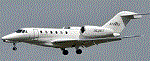
Real world XOJET livery for Eaglesoft Citation X 2.0 payware.
| Filename: | Citation_X__XOJET.zip |
| License: | Freeware |
| Added: | 11th September 2012, 00:36:40 |
| Downloads: | 429 |
| Author: | Johnny Rosario |
| Size: | 1.31 MB |
| Category: Flight Simulator X - Scenery | |
| Concord NC X |
|
File Description:
Kaleem Beats Sceneries Concord NC X includes:
- Up to date KJQF (Concord Regional Airport) (June 2015)
- Photoreal scenery in and around the Concord Regional Airport
- Custom night lighting!!
- Charlotte Motor Speedway (with Autogen)
- New parking at KJQF
- Longer runway to current 7000+ ft length at KJQF
- Autogen on photoscenery (not just textures but also autogen!)
REQUIRES these textures for scenery to work: ConcordXTextures1.zip , ConcordXTextures2.zip , ConcordXTextures3.zip , ConcordXTextures4.zip , ConcordXTextures5.zip , ConcordXTextures6.zip , ConcordXTextures7.zip , ConcordXTextures8.zip
Kaleem Beats Sceneries is a local Charlotte, NC scenery maker. This is our first project and a V2 will be in the making soon.
| Filename: | Concord_NC_X.zip |
| License: | Freeware |
| Added: | 24th June 2015, 14:16:01 |
| Downloads: | 663 |
| Author: | William Campbell |
| Size: | 49.05 MB |
| Category: Flight Simulator X - Scenery Design | |
| Soarfly Illuminations X |
|
Images related to this file:
File Description:

Are you sick and tired of the standard taxiway lights in FSX? are you bored of seeing your taxiway edge bare when you want to see a taxiway light?
Well I think this will fix your issue.
14 library objects that can be placed into FSX using ADE or any other object placement tool.
These lights come in 3 colours, 2 variations and 2 variations of the original 2 variations.
Pylon, no pylon, on all day, night only. Also included is a ramp light with optical flare and a Calvert Approach light rack. for that extra bit of realism.
| Filename: | Soarfly_Illuminations_X.zip |
| License: | Freeware, limited distribution |
| Added: | 11th January 2015, 14:43:19 |
| Downloads: | 2,643 |
| Author: | Mark Piccolo - Soarfly Concepts |
| Size: | 1.35 MB |
| Category: Prepar3D V1-4 - Scenery | |
| LUKK Chisinau X |
|
Images related to this file:
File Description:
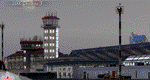
LUKK Chisinau X, the first commercial airport scenery in Moldova, features a highly detailed representation of LUKK Chisinau International Airport. This product is compatible with Prepar3D v1/v2/v3.
It's a fully functional DEMO version of the commercial payware product. It features same airport layout as in the full version but with limited 3D objects and low resolution textures. Using this free demo ensures no problems with online (VATSIM, IVAO, multiplayer etc.) flying in case some users use the payware scenery and some don't.
Chisinau International Airport is Moldova's main international airport, located 13 km (8.1 mi) southeast of the centre of Chisinau. Currently airport features one 3580m concrete, ILS-equipped runway, able to accomodate airliners of any type, including B747. Nowadays 19 airlines operate flights to 33 destinations and the most popular destination is Moscow.
It's equipped with an automatic installer, which means that the scenery will be automatically added to the Flight Simulator Scenery Library. Please uninstall all previous versions of this airport you may have installed before. Please make also sure that no duplicated AFCAD files are installed! Enjoy your virtual flying with Drzewiecki Design!
| Filename: | LUKK_Chisinau_X.zip |
| License: | Commercial demo |
| Added: | 12th March 2016, 22:31:48 |
| Downloads: | 912 |
| Author: | Drzewiecki Design |
| Size: | 12.64 MB |
| Category: Flight Simulator X - Scenery | |
| Guernsey X-HD |
|
Images related to this file:
File Description:

Guernsey Airport is located on the island of Guernsey which is on of the few islands that make up the English Channel Islands. With a runway just shy of 1.6 kilometres this airports offers a challenging departure and approach for large aircraft.
Also, the island is small and unguarded from winds gusting through the English Channel so this adds to the challenge.
This scenery is provided with surrounding Photo-scenery for extra realism. it features High definition ground image and detailing, perfectly placed 3d objects overall a very nice bit of eye candy for your FSX world
| Filename: | Guernsey_XHD.zip |
| License: | Freeware, limited distribution |
| Added: | 4th February 2017, 20:01:56 |
| Downloads: | 2,772 |
| Author: | Mark Piccolo - Soarfly Concepts |
| Size: | 67.26 MB |
| Category: Flight Simulator X - Scenery | |
| Alderney X-HD |
|
Images related to this file:
File Description:

Alderney is the smallest populated island in the cluster of Channel Islands, Again winds, fog and plenty of short runway makes for a very nice challenge. This scenery is perfect for VFR operations as it features the entire island of Alderney recreated in Photo-scenery. Also included are all the usual bells and whistles. This Scenery is perfect when joined with our other Channel Island products
| Filename: | Alderney_XHD.zip |
| License: | Freeware, limited distribution |
| Added: | 5th February 2017, 19:23:39 |
| Downloads: | 1,914 |
| Author: | Mark Piccolo - Soarfly Concepts |
| Size: | 127.09 MB |
| Category: Flight Simulator X - Scenery | |
| Bembridge X-HD |
|
Images related to this file:
File Description:

Bembridge is one of only two airports on the Isle of Wight, it is small but a very picturesque area. This scenery is provided with photo real surround to give you a smoother transition from HD to default scenery.
The airport offers pleasure flights for a small fee and of course a flight school operates at the airport.
This scenery is perfect for anyone with a love of GA flying, the surrounding photo scenery allows for VFR operations and the airport is accurately placed in the virtual world.Feature include:
High definition ground image.
High definition ground detailing.
Filler objects from "SFC Airfield Objects".
Precision placed trees and vehicles.
Fuel trucks hidden inside closed hangars.
Real water in the pond.
Hold short guards.
Many static vehicles and details.
Accurate BN Aviation hangars.
Very low frame impact.
| Filename: | Bembridge_XHD.zip |
| License: | Freeware, limited distribution |
| Added: | 8th January 2017, 23:55:14 |
| Downloads: | 1,566 |
| Author: | Mark Piccolo - Soarfly Concepts |
| Size: | 30.34 MB |
| Category: Flight Simulator X - Scenery | |
| Jersey X-HD |
|
Images related to this file:
File Description:

Jersey is a small airport located on the island of Jersey in the English Channel. Originally opened in March 1937 the airport has been through several changes and improvements. This scenery is an accurate representation of the airport today.
Features include: -High definition ground image. -High definition ground detailing. -Accurate ground markings. -Vehicles hidden inside closed hangars. -Beautiful night lighting. -Custom AFCAD for improved AI. -3D Approach lights. -Many static objects. -Reflective windows on tower. -Very frame rate friendly. -Hold short guards and PAPIs. -Illuminated Taxiway center light effect.
| Filename: | Jersey_XHD.zip |
| License: | Freeware, limited distribution |
| Added: | 20th January 2017, 17:42:42 |
| Downloads: | 3,366 |
| Author: | Mark Piccolo - Soarfly Concepts |
| Size: | 23.66 MB |
| Category: X-Plane - Utilities | |
| X-Camera 2.2.1 |
|
Images related to this file:
File Description:
The X-Camera 2.1.1 plugin for X-Plane 9 and 10 is a replacement camera system that lets you define multiple view categories and multiple views within those categories that are associated with specific aircraft. X-Camera is similar to EzDok for FSX only for X-Plane. Watch this short X-Camera demo on YouTube: https://www.youtube.com/watch?v=PgOxG8ejq9A
Each view can have options:
- TrackIR:
Each view can enable or disable the TrackIR input. If the view is out the cockpit window having TrackIR enabled is desirable. However, if the view is a close-up of an instrument panel then having TrackIR disabled is probably the better choice since the view will be stable making it easy to click on cockpit controls with the mouse. We also support LinuxTrack on Linux and Mac systems.
- HeadShake:
If the HeadShake plugin from SimCoders is installed then the view can accept input from HeadShake. Similar to the TrackIR feature you will likely want this enabled for certain views but disabled for views on instrument panel close-ups where a stable camera makes it easier to use a mouse to control cockpit knobs and switches. The HeadShake plugin must be at version 1.3 or higher for the integration to work.
- Scenic Flyer:
If the Scenic Flyer plugin from Digital Avionics is installed then the view can choose to display either the Scenic Flyer Glass panel or GA panel.
- Smooth Transition:
When this option is enabled the camera with smoothly transition from one view to another over approximately half a second. When the option is off the view will transition immediately.
- Views can be controlled in a number of ways:
> Each view can be positioned by using keyboard keys or a control panel
> The camera'™s X, Y, Z, Heading, and Pitch can all be adjusted for each view
> Views can be assigned to a HotKey or JoyStick button for easy selection
> HotKey or JoyStick button can be used to navigate to next or previous views
> The views for a specific aircraft can be saved to a CSV file for easy editing
- Walk Mode:
Any view'™s camera can be placed in Walk Mode. While in this mode the camera can be walked or floated around using keyboard input. If you ever played the video game asteroid that is what walk mode is like. The mode is particularly useful for pre-flight inspections of your aircraft. You can create a external view and after selecting that view you can "Walk" the camera around checking out your landing gear, props, etc.
- Linear Transitions and Auto Advance:
Linear transitions allows you to define a transition between two adjacent cameras in category. This capability, in conjunction with the auto advance feature, allows you define fairly sophisticated animations that can be used for automated Pre-flight inspections, scenery viewing, and cool transitions affects that can be used when creating flight videos. All the transitions in our YouTube video were done with X-Camera.
- Bezier Curve Transitions:
Bezier curve transitions allows you to define a transition between three or more adjacent cameras in a category. This capability, in conjunction with the auto advance feature, allows you define fairly sophisticated animations that have an ultra smooth movement between the curve control points.
- Many Unique Camera Attributes:
Tracking Cameras - Camera Leveling - Smooth Camera Joining - Auto Advance to the Next Camera - Individual Zoom and Field of View Setting - External Cameras - Free Cameras - Target Following Cameras - Cineflex Cameras - Automatically Generate Unique Orbit and Fly-By Animations
X-Camera can create unique orbit and fly-by camera sequences by providing a few key parameters
- Airport Cameras:
You can define a set of free cameras associated with an airport. You can create up to 2,000 cameras per airport. X-Camera can also automatically populate airport cameras by reading the airport scenery files and creating cameras at runways, starting locations, taxiway signs, and airport viewpoints. You can map a joystick button to quickly switch between your aircraft camera set and the nearest camera at the nearest airport.
- Target Following Cameras:
Targets are locations defined by a latitude, longitude, and elevation in meters. Target following cameras are a special type of external camera that is attached to your plane and it has the ability to track a selected target. You can also view the target reciprocal which as a view from the target back to you plane.
X-Camera Tutorial Videos: There is also a four part series of tutorial videos that will help you get started with X-Camera. You can access them from the X-Camera Tutorial Page: https://www.stickandrudderstudios.com/x-camera-tutorial-videos/
The full manual is included in the zip file you can also view it here: https://www.stickandrudderstudios.com/downloads/User_Guide.pdf
| Filename: | XCamera_221.zip |
| License: | Shareware, limited functionality |
| Added: | 27th January 2017, 15:14:21 |
| Downloads: | 478 |
| Author: | Mark Ellis |
| Size: | 4.61 MB |
| Category: Fly! - Miscellaneous Files | |
| X-Metar 0.9.2 |
|
File Description:
Add-on for regular METAR-wheather-data downloads from the internet to use actual "real-weather" in X-Plane or Fly!
Supports cycle-files, flat-files and manual METAR station-requests.
| Filename: | XMetar_092.zip |
| License: | Freeware |
| Added: | 2nd June 2003, 00:06:46 |
| Downloads: | 174 |
| Author: | Odo Maletzki |
| Size: | 49.72 KB |


© 2001-2026 AVSIM Online
All Rights Reserved
Privacy Policy |