
Where Flight Simulation Enthusiasts Gather from Around the World!
AVSIM Library - Search Results

| Category: Flight Simulator X - Scenery | |
| Polish Airports VOL. 3 X DEMO |

|
Images related to this file:
File Description:
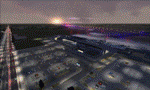
POLISH AIRPORTS VOL. 3 X DEMO is a package of detailed sceneries of EPPO Poznan, EPWR Wroclaw and EPBY Bydgoszcz airports in Poland, fully compatible with FSX, P3Dv1, P3Dv2 (till v2.1).
This product is a fully functional DEMO version of the commercial payware product. It features same airports layout as in the full version but with limited 3D objects and low resolution textures. Using this free demo ensures no problems with online (VATSIM, IVAO, multiplayer etc.) flying in case some users use the payware scenery and some don't.
Poznan-Lawica Henryk Wieniawski Airport (POZ/EPPO), built in 1913, is one of the oldest airports in Poland and the 6th largest airport in Poland. Bydgoszcz Ignacy Jan Paderewski Airport (BZG/EPBY) is a Polish regional airport in the city of Bydgoszcz. EPBY is the 9th largest airport in Poland offering the runway 08/26 which is 2,500 x 60 m. Wroclaw Copernicus Airport (WRO/EPWR) is an international commercial airport in Wroclaw in southwestern Poland. EPWR is the 4th largest airport in Poland having one runway, two passenger terminals and one cargo terminal.
The product is equipped with an automatic installer, which means that the scenery will be automatically added to the Flight Simulator Scenery Library. Please uninstall all previous versions of this airport you may have installed before. Please make also sure that no duplicate AFCAD files are installed.
Enjoy your virtual flying with Drzewiecki Design!
| Filename: | Polish_Airports_VOL_3_X_DEMO.zip |
| License: | Commercial demo |
| Added: | 2nd September 2015, 22:20:44 |
| Downloads: | 1,614 |
| Author: | Drzewiecki Design |
| Size: | 42.23 MB |
| Category: Flight Simulator 2004 - Aircraft Repaints, Textures and Modifications | |
| Beech King Air A100 |
|
Images related to this file:
File Description:
Beechcraft King Air A100 for FS9
This is a series of repaints for Dee Waldron's King Air A100. I have recently revised the textures, adding details and shadowing thanks to Henry Tomkiewicz' AI paint kits. There are 14 repaints in this file. Screen shots are enclosed. I have also included a paint kit. The visual model, aircraft configuration file and air files are included.
This aircraft, and other members of the King Air family are projects Dee and I worked together on some years ago. The textures are newly refreshed. I have many hours happily flying these aircraft.
Dee's model is very sparing of resources. This aircraft can be used for AI and can be flown as well. As far as panels and sounds, I've left this to the user. The stock Microsoft King Air is an obvious starting point. Pierre Fasseux has designed three alternatives to the default panel, which represent a better choice. Leon Medado has created a very good freeware alternative to the default sounds. These are all available in the Flightsim.com library.
Instructions:
Unzip into a separate folder. Move the folder named labeled Dee Waldron King Air A100 into your FS9 folder. Use it as an AI aircraft or add panel and sound of your choice if you wish to fly it.
These files are provided on an as-is basis. I have tested them and have found them to work as intended.
Michael Verlin
[email protected]
January 27, 2015
| Filename: | Beech_King_Air_A100.zip |
| License: | Freeware, limited distribution |
| Added: | 29th January 2015, 12:23:39 |
| Downloads: | 325 |
| Author: | Michael Verlin, Dee Waldron |
| Size: | 6.38 MB |
| Category: Flight Simulator 2004 - Aircraft Repaints, Textures and Modifications | |
| Beech King Air C90B |
|
Images related to this file:
File Description:
Beechcraft King Air C90B for FS9
This is a series of repaints for Dee Waldron's King Air C90B. I have recently revised the textures, adding details and shadowing thanks to Henry Tomkiewicz' AI paint kits. There are 12 repaints in this file. Screen shots are enclosed. I have also included a paint kit. The visual model, aircraft configuration file and air files are included.
This aircraft, and other members of the King Air family are projects Dee and I worked together on some years ago. The textures are newly refreshed. I have many hours happily flying these aircraft. Dee's model is very sparing of resources. This aircraft may be used as an AI aircraft or a fully flyable aircraft.
As far as panels and sounds, I've left this to the user. The stock Microsoft King Air is an obvious starting point. Pierre Fasseux has designed three alternatives to the default panel, which represent a better choice. Leon Medado has created a very good freeware alternative to the default sounds. These are all available in the Flightsim.com library.
Instructions:
Unzip into a separate folder. Move the folder named labeled Dee Waldron King Air C90B into your FS9 folder. Add panel and sound of your choice.
These files are provided on an as-is basis. I have tested them and have found them to work as intended.
Michael Verlin
[email protected]
January 29, 2015
| Filename: | Beech_King_Air_C90B.zip |
| License: | Freeware, limited distribution |
| Added: | 29th January 2015, 12:21:12 |
| Downloads: | 258 |
| Author: | Michael Verlin, Dee Waldron |
| Size: | 7.76 MB |
| Category: Flight Simulator 2004 - Aircraft Repaints, Textures and Modifications | |
| Beech King Air 200 |
|
Images related to this file:
File Description:
Beechcraft King Air 200 for FS9
This is a series of repaints for Dee Waldron's King Air 200. I have recently revised the textures, adding details and shadowing thanks to Henry Tomkiewicz' AI paint kits. There are 11 repaints in this file. Screen shots are enclosed. I have also included a paint kit. The visual model, aircraft configuration file and air files are included.
This aircraft, and other members of the King Air family are projects Dee and I worked together on some years ago. The textures are newly refreshed. I have many hours happily flying these aircraft.
Dee's model is very sparing of resources. This aircraft can be used for AI and can be flown as well. As far as panels and sounds, I've left this to the user. The stock Microsoft King Air is an obvious starting point. Pierre Fasseux has designed three alternatives to the default panel, which represent a better choice. Leon Medado has created a very good freeware alternative to the default sounds. These are all available in the Flightsim.com library.
Instructions:
Unzip into a separate folder. Move the folder named labeled Dee Waldron King Air 200 into your FS9 folder. Use it as an AI aircraft or add panel and sound of your choice if you wish to fly it.
These files are provided on an as-is basis. I have tested them and have found them to work as intended.
Michael Verlin
[email protected]
January 27, 2015
| Filename: | Beech_King_Air_200.zip |
| License: | Freeware |
| Added: | 29th January 2015, 12:24:22 |
| Downloads: | 241 |
| Author: | Michael Verlin, Dee Waldron |
| Size: | 5.35 MB |
| Category: Flight Simulator X - Scenery | |
| ZGGG Guangzhou Baiyun Int'l Airport 2017 |
|
File Description:
Guangzhou Baiyun International Airport (ZGGG) is the major airport of Guangzhou, China. Located in Guangzhou's Baiyun District, it opened on August 5, 2004, but has gone through major changes since FSX was created. The default version only has one terminal and two runways and is slightly out of place from the actual location. I placed the airport in its real location based upon the charted latitude and longitude of the airport reference point. Guangzhou Baiyun Int'l Airport now has three runways. The third runway opened in February 2015. The centerpiece is the new Terminal 2, faithfully rendered here as much as possible. The terminal footprint and gates are accurate. The 3D terminal itself is a simple Sketchup project with generic textures (including night textures). The scenery converted and placed using MCX's amazing Convert and Place Wizard. I added the FBO ramp and the FEDEX Cargo Ramp Aprons and added some hangars to both locations, all default FSX buildings, so no additional library downloads are required. The new runway (now called 02R/20L) was added with Airport Design Editor. The old runway 02R/20L was renamed to the current runway 02L/20R and the old runway 02L/20R was renamed to the current runway 01/19. All taxiways are accurately drawn and designated with taxisigns using the latest AIRAC 1712 Jeppesen chart for ZGGG. All six ILS approaches are rendered as well as ADE would let me.
| Filename: | ZGGG_Guangzhou_Baiyun_Intl_Airport_2017.zip |
| License: | Freeware |
| Added: | 26th November 2017, 22:43:37 |
| Downloads: | 1,083 |
| Author: | Randy Tyndall |
| Size: | 490.4 KB |
| Category: Flight Simulator 2004 - Scenery | |
| RAF Wittering 1990 |
|
Images related to this file:
File Description:

Wittering was opened as an RAF station in 1924, but flying here started way back in 1916 with the Royal Flying Corps.
Initially the Central Flying School was based here from 1926 until 1935. During World War 2, Wittering was a part of 12 Group, which was responsible for the defence of the Midlands.
The station took on a nuclear responsibility in 1956 with the arrival of the V-Force Valiants, and later Victor bombers. Because of this, the runway was increased in length.
After the V-Bombers left, the station took on the mantle of Home of the Harrier, a title it carried with it from 1969, until the stations closure in 2010.
This scenery is made up of various library objects, using ScruffyDuck's ADE9X, to make a close representation of the base, as opposed to being factually accurate.
Brian has incorporated most of the extra runways and representations of deck landing areas that were used at Wittering for V/STOL training - these runways are not active, but may still obviously be used for taking off and landing yourself.
Also included are repaints of John Young's Harrier GR3/T4 AI model, available from flightsim.com. These represent the aircraft of No.1(F) Squadron and No.233 OCU, during 1989-90.
There are also a set of representative flightplans to allow the Harriers to fly "typical" missions and flights.
| Filename: | RAF_Wittering_1990.zip |
| License: | Freeware, limited distribution |
| Added: | 6th October 2013, 17:17:42 |
| Downloads: | 1,392 |
| Author: | Brian Clarke, Daryl Payne |
| Size: | 20.58 MB |
| Category: Flight Simulator 2002 - Original Aircraft | |
| Dreamfleet 737-400 Panel/Air and Ariane Gmax Visual Model Merge |
|
File Description:
Dreamfleet/Flight1 Panel and air file merged With Gmax Ariane 737-400 Aeroflot visual model in FS2002. NOTE: users may have both Dreamfleet and Ariane products to run my merge beacuse I don't send any *.bmp, *.mdl or *.air but only a rewritten aircraft.cfg and the instrctions! This merge of the excellent Dreamfleet/Flight1 panel and the Ariane Gmax Aeroflot 737-400 is a combination of adjustments made by me, Mirko Masiero, on previus work of Jason Barlow and Lou Betti. Do not bother Dreamfleet/Flight1 or Ariane with any problems due to this merge. They will not support it in any way. I may support it a bit as I find time, but you're basically on your own. I'm just contributing this to the community. If and when Dreamfleet/Flight1 release a Gmax visual model, I will cease to use this. The flight model should be exactly the same as the Dreamfleet/Flight1 737-400. This merge uses the Dreamfleet/Flight1 air file and most of the aircraft.cfg too. The station loads in the weighting section come right out of an aircraft.cfg edited by the Load Manager, so you could copy in your own station loads if you desire. Known problems: For some reason regard Flight One 737 air file and Ariane model interactions,the ailerons do not work VISUALLY (only!) even though they work on Ariane 737-400. I do not believe there is anything I can do about this. The virtual cockpit, I Think due to a particolar Ariane model design, is not usable, but this is a minor issue... Enjoy! Mirko Masiero Mirko Masiero - [email protected] Avio Club Virtuale Padova - http://www.acvpadova.net PPL F.I.V.S. - http://www.fivs.it VirtualAlitalia Pilot 1546 - http://www.virtualitalia.it
| Filename: | Dreamfleet_737400_PanelAir_and_Ariane_Gmax_Visual_.zip |
| License: | Freeware |
| Added: | 4th October 2002, 14:14:29 |
| Downloads: | 1,665 |
| Author: | Mirko Masiero |
| Size: | 13.55 KB |
| Category: Flight Simulator 2004 - Scenery | |
| Lismore Regional Airport (YLIS) |
|
File Description:
A very attractive small airport approximately 130 nautical miles from Coffs Harbour and a slightly shorter distance to Grafton and Ballina. This makes a good stopover for hopping down the east coast of Australia. The airport handles around 7 flight a day from Sydney and is also a busy GA aiport. A new terminal is a major feature of the airport with a very modern design. This terminal was opened on Dec 9 2000 and replaces an older style building to be found in the general aviation area. The terminal is at the northern end of the aiport and the GA area the furthest south.
The size of the airport has allowed me to put in that extra detail which makes the terminal and surrounds very much "as in real life". Photographic textures are used throughout for the buildings, trees and shrubs. Thanks to the cooperation of the airport manager and Lismore Council, the owners of the airport, a very accurate model of the airport has been produced from over 250 photographs taken on site. AFCAD and Traffic Tools files are included to add extra AI traffic. For that reason and because of limited apron space few static planes have been used. In addition a landclass is included to make the airport ground texture resemble the real thing and also to widen the river and show the lake to the east of the airport..
The scenery concentrates on adding a realistic terminal to the airport and hangars which are as close as possible to the real thing. Many other details have been added all authentically Lismore.
Some night lighting is included including some very distinctive airport lights in the car park.
| Filename: | Lismore_Regional_Airport_YLIS.zip |
| License: | Freeware |
| Added: | 11th April 2004, 06:31:42 |
| Downloads: | 3,677 |
| Author: | John Ross |
| Size: | 4.21 MB |
| Category: X-Plane - Scenery | |
| San Diego, Ca. 2004 - v6.70thru v7.30 |
|
File Description:
San Diego Scenery Package
for X-Plane v6.51+v7.XX
by Bill Moore
January 3, 2004
Here is a new San Diego scenery package that I designed for my personal use. I have had numerous requests to do more cities and airports so this is my first free scenery for 2004. Being the lazy person I am, no research was done and no claim to real life designs are implied.
I have added many objects to the airports and cities including terminals, hangers, buildings, stadiums, balloons, city scapes and other fun and interesting things. All of which were begged, borrowed or stolen from all the wonderful designers in the X-Plane Community such as Ken Spiker, Christian Franz, Ted Davis, Robert Bunce, Tom Curtis, B. Brooks and all the others who have inspired me. Many thanks to each of you for your contributions to the X-Plane community.
Like all my scenery packages, the additions to the citys and airports are purely fictional. The airports themselves are unaltered. I have enhanced "San Diego Intl.-Lindburg Fld. (KSAN), "North Island NAS. (KNZY), Miramar MCAS (KNKX), Imperial Beach NOLF (KNRS), General Abelardo L. Rodriquez Intl. (MMTJ) and a few other near by airports. A special thanks to Ted Davis for creating the orignal San Diego scenery that led me to adding to his great work. Also, Ken Spikers new KWIKCITYS package contributed to the completion of my version of San Diego and surrounding areas. His cities really added the crowning touch. Thanks Ken. If I inadvertently left out other object designers, it was purely unintentional and I offer my apologies.
Installation: Place the extracted "San Diego" folders in your "Custom Scenery" folder.
Please send any comments or suggestions to [email protected]. If you choose to rate my Scenery Packs and give less than a "9" rating, I would appreciate knowing what I can do to improve them. I can only do that with your feedback.
Have fun and FLY SAFE!
| Filename: | San_Diego_Ca_2004__v670thru_v730.zip |
| License: | Freeware |
| Added: | 4th January 2004, 05:18:56 |
| Downloads: | 814 |
| Author: | Bill Moore |
| Size: | 7.96 MB |
| Category: Flight Simulator X - AFCAD Files | |
| Spitfire Aerodrome Airport (7N7), NJ |
|
File Description:
Located 02 miles S of Pedricktown, New Jersey on 48 acres of land, Spitfire Aerodrome Airport is a public asphalt single-strip field that allows transient craft to tie down on the apron. There are also helicopters based here on this field (note there is no Jet-A fuel available) so the helicopter start location will place you on the ramp.
Although this airport has a beacon, FSX for some reason does not include one with the stock airport file and I can't yet create rotating beacons so it is there and lit at night but does not rotate and is not as visible as the rotating ones. This will be addressed in a later update. Also take note of the layout of this airport, it requires that AI traffic cross the runway in order to taxi to either end for take off. AI aircraft DO NOT hold short when taxiing across runways (this is an FSX limitation), so use extreme caution on approach and departure to avoid any unfortunate runway incursions. Aircraft can fuel up by parking near the fuel truck beside the hangar south of the runway. If you have trouble locating the windsock, look on top of the hangar roof north of the runway. The crashed aircraft in the pond is fictional, there is a distinctive airplane-shaped object there in the satellite textures but I could not determine what this might be from aerial photos so I just crashed a plane there for kicks :)
Scenery constructed with use of satellite images/streetview/aerial photos - the author has not been there in person.
This scenery is meant to be used in conjunction with MegaScenery Earth New Jersey/Delaware 004. It is not required, but apron use is minimized to allow satellite scenery to show through as much as possible, and objects are placed based on the MSE textures - lack of it may make scenery look out of place.
| Filename: | Spitfire_Aerodrome_Airport_7N7_NJ.zip |
| License: | Freeware |
| Added: | 11th February 2011, 15:29:36 |
| Downloads: | 241 |
| Author: | Drew Sikora |
| Size: | 833.54 KB |


© 2001-2026 AVSIM Online
All Rights Reserved
Privacy Policy |