
Where Flight Simulation Enthusiasts Gather from Around the World!
AVSIM Library - Search Results

| Category: Flight Simulator X - Scenery | |
| Alf's UK airfields Volume 11 |

|
File Description:
This set of UK airfields for use with FSX generic scenery is Sheffield City Airport EGSY, Sutton Bank XSUT, home of Yorkshire Gliding Club, set on the edge of an escarpment and finally Welshpool EGCW, Mid Wales Airport.
| Filename: | Alfs_UK_airfields_Volume_11.zip |
| License: | Freeware |
| Added: | 25th August 2008, 23:46:27 |
| Downloads: | 3,405 |
| Author: | Alf Denham |
| Size: | 10.97 MB |
| Category: Flight Simulator X - Scenery | |
| Sao Paulo Congonhas Airport SBSP |
|
Images related to this file:
File Description:
This is a update to FSX's default São Paulo Congonhas airport based on satelite
imagery, information from the brazilian AIP and airport charts. This was tested
with Orbx's global base, FTX Vector and FreeMeshX for South America.
| Filename: | Sao_Paulo_Congonhas_Airport_SBSP.zip |
| License: | Freeware |
| Added: | 22nd October 2022, 19:46:18 |
| Downloads: | 953 |
| Author: | Arthur Coelho |
| Size: | 12.27 KB |
| Category: Flight Simulator 2004 - Scenery | |
| Palm Springs International Airport (KPSP) |
|
Images related to this file:
File Description:
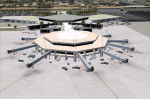
Detailed scenery for Palm Springs International Airport, Palm Springs, California (KPSP). This scenery has been designed and developed to capture the real airport 'feel' as much as possible. [NOTE: Reupload of previous corrupted file - not a new scenery]
| Filename: | Palm_Springs_International_Airport_KPSP.zip |
| License: | Freeware |
| Added: | 6th January 2010, 22:01:45 |
| Downloads: | 16,988 |
| Author: | Shehryar Ansari |
| Size: | 6.96 MB |
| Category: Flight Simulator X - Scenery | |
| Plataforma Aeroportuaria Teruel (Spain) LETL V1.0 |
|
Images related to this file:
File Description:
Because FSX does not provide an airport for LETL - Plataforma Aeroportuaria Teruel (Spain) - this scenery is build from scratch. It is an easy one created with ADE (Airport Design Editor) using only standard library objects. Nothing else needed.
| Filename: | Plataforma_Aeroportuaria_Teruel_Spain_LETL_V10.zip |
| License: | Freeware |
| Added: | 10th March 2023, 02:47:03 |
| Downloads: | 273 |
| Author: | Klaus-Gerhard Zissel |
| Size: | 3.76 MB |
| Category: Flight Simulator X - Scenery | |
| Alfs UK Airfields-Volume 36 - Shoreham EGKA |
|
Images related to this file:
File Description:
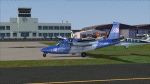
Shoreham EGKA (Brighton City Airport) is a busy local airport known for it's large vintage hangar and much filmed 1930's Art Deco terminal building. A handy departure point for hopping across The Channel to France for lunch!
| Filename: | Alfs_UK_AirfieldsVolume_36__Shoreham_EGKA.zip |
| License: | Freeware |
| Added: | 17th June 2017, 18:56:29 |
| Downloads: | 1,406 |
| Author: | Alf Denham |
| Size: | 19.47 MB |
| Category: Flight Simulator 2004 - AI Aircraft | |
| European F-16 Series - Kleine Brogel - EBBL |
|
Images related to this file:
File Description:

This freeware AI package, produced by Military AI Works, is the first in a series of MAIW packages bringing
to life the Lockheed Martin F-16 Fighting Falcon in service with the various air forces and air arms of the
European countries it has been exported to. This package gives you the F-16s based at Kleine Brogel (EBBL) airbase
in northern Belgium, not far from the border with the Netherlands. Included in the package are a total of 34 flightplans
and repaints of F-16AM (single seater) and BM (twin seater) aircraft models and detailed scenery for Kleine Brogel.
Credits: AFCADs: Tony Dalton, John Stinstrom, Gary Barker and Nick Black, Models: F-16C/D by Henry Tomkiewicz,
FDE and Effects Design: Henry Tomkiewicz, Repaints: Mark Heimer, Voicepacks: Stewart Pearson, Flightplans:
Giacomo Gramazio, Custom Scenery: John Stinstrom.
| Filename: | European_F16_Series__Kleine_Brogel__EBBL.zip |
| License: | Freeware |
| Added: | 23rd January 2014, 00:19:01 |
| Downloads: | 611 |
| Author: | Nick Black / MAIW |
| Size: | 26.36 MB |
| Category: Microsoft Flight Simulator (2020) - Aircraft Repaints, Textures and Modifications | |
| Supermarine Spitfire Mk.IX No 144 Wing JE-J Johnnie Johnson |
|
Images related to this file:
File Description:

This folder contains a repaint for the Spitfire Mk.IX by FlyingIron, in the colors of Spitfire IX MK392 JE-J of Wing Commander J.E. 'Johnnie' Johnson, No 144 Wing, based in Ford and B3 St Croix sur Mer, June-July 1944. He was the highest scoring Spitfire pilot of WW2, with 34 individual victories over enemy aircraft, as well as seven shared victories, three shared probable, 10 damaged, three shared damaged and one destroyed on the ground. Johnson flew 700 operational sorties and engaged enemy aircraft on 57 occasions. Included in his list of individual victories were 14 Messerschmitt Bf 109s and 20 Focke-Wulf Fw 190s destroyed making him the most successful RAF ace against the Fw 190. This score made him the highest scoring Western Allied fighter ace against the German Luftwaffe. Repaint by Jan Kees Blom.
| Filename: | Supermarine_Spitfire_MkIX_No_144_Wing_JEJ_Johnnie_.zip |
| License: | Freeware |
| Added: | 31st March 2021, 17:24:28 |
| Downloads: | 45 |
| Author: | Jan Kees Blom |
| Size: | 102.8 MB |
| Category: Flight Simulator 2004 - Aircraft Repaints, Textures and Modifications | |
| Malev Hungarian Airlines Boeing B737-7Q8 (HA-LOL) |
|
Images related to this file:
File Description:

MALEV Hungarian Airlines Boeing B737-7Q8 (HA-LOL) repaint, one of 7 currently in Malev fleet. Mal���©v Hungarian Airlines (Hungarian: Magyar L���©gik���¶zleked���©si V���¡llalat, abbreviated Mal���©v) is the flag carrier and principal airline of Hungary. It has its head office in the Lurdy House in Budapest, with its main operations at Budapest Ferihegy International Airport. From there, the airline flies to 50 cities in 34 countries worldwide using a fleet of 22 airplanes. Mal���©v is a member of the Oneworld alliance, joining 29 March 2007.[2] Mal���©v - the accent indicates that the E is long, and the first syllable is always stressed in Hungarian, so the name is pronounced MAH-lev. The company's logo was designed by L���¡szl���³ Zs���³t���©r in 1989. Aircraft is hand painted, using iFly paintkit, with some slight modifications in order to represent real HA-LOL in best possible way. Textures are saved in 32 bit format, for best image quality.
| Filename: | Malev_Hungarian_Airlines_Boeing_B7377Q8_HALOL.zip |
| License: | Freeware, limited distribution |
| Added: | 10th September 2010, 22:07:57 |
| Downloads: | 700 |
| Author: | Predrag Danicic | iFly |
| Size: | 17.9 MB |
| Category: Flight Simulator 2004 - Scenery | |
| Mackenzie CYZY in British Columbia, Canada |
|
Images related to this file:
File Description:
Mackenzie is around 120 miles west of Peace River and the BC/Alberta border, at the southern end of Williston Lake. The lake is 135 miles long and the population of the town is about 3,500; those figures illustrate typical Canada, a huge area enjoyed by the few. The main occupations relate to timber and mining in some form, plus tourism (in particular winter sports tourism). The airport is 2 miles southwest of the town, with no regular scheduled flights but it is not unusual to find Central Mountain Air there delivering either charter passengers or freight. The single runway is aligned 16-34 and 100 feet wide lit asphalt that is just over 5,000 feet long, with (in 2010 or so) an additional 1,500 feet of gravel. There is PAPI at both ends of the asphalt. The largest operation based at the airfield is a helicopter company, at the northern end of the apron. There is a "mandatory frequency" of 123.5 which is a Canadian invention; you MUST have a radio. There is no control tower at the actual airfield, and if or when there is no response from further afield then you announce your intentions etc. In FS9 there is no way to "switch off or on" the monitoring of a MF radio frequency so you will find that this one is always silent.
| Filename: | Mackenzie_CYZY_in_British_Columbia_Canada.zip |
| License: | Freeware, limited distribution |
| Added: | 27th December 2018, 20:19:05 |
| Downloads: | 135 |
| Author: | Roger Wensley |
| Size: | 19.81 MB |
| Category: Microsoft Flight Simulator (2020) - Utilities | |
| Flightplan Visualizer 1.18 |
|
Images related to this file:
File Description:
Flightplan Visualizer (FV) version 1.18.0. Copyright 2018-2020 by Pelle F. S. Liljendal ([email protected]), all rights reserved.
FV comes with 787 pre-imported Commercial AI flightplans (+380 BizJet flightplans are available as a separate download). However you are able to import additional (AI) flightplans yourself. Once imported these (AI) flightplans can be visualized on a map-view, and the user will be able to search accross all these. Hence you can use the program as inspiration as to which routes to fly. E.g. you can search across all imported flightplans to find all flights in an A321 flying into/out from LDDU, or simply to look for all flights in a Boeing 747-8F.
Simply run the included installer to install the software. The program will be installed into "C:\Program Files (x86)\Flightplan Visualizer" and all datafiles will be installed into: "C:\Users\[UserName]\AppData\Roaming\FlightplanVisualizer". The program comes with a full manual explaining everything, and a 3 page quick manual to get you started. The first 3 times you run the program the quick manual will automatically open. The forum is hosted here: https://forum.aerosoft.com/index.php?/forum/919-flightplan-visualizer/
Version 1.18 Contains the following changes:
- GREATLY improved the search-legs feature (by a factor of +50).
- In the past the application was forced to 32 bit. This is no longer the case, hence if needed its able to allocate more memory than before. I have never heard of anyone getting an "out of memory" exception, buy anyway.
- In the settings form, the field for entering the path to where to look for the Make Runways -files, have been replaced with a (MRU) combo-box, remembering the last 5 paths entered. So now you don't need to remember these paths each time you want to change it (e.g. if you switch between a set of files generated for P3D and another generated for MSFS). Remark that when this path is changed, FV will automatically restart when saving the settings, as the MkRwy-data are only loaded at startup.
- Added new command-line argument /MkRwy="G:\FS\MakeRunways". If this argument is set, FV will try to locate the files generated by Pete Dowson's MakeRunway in the specified folder, no matter the value of the MkRwy-path set in the settings-form.
- Added new command-line argument /FilePrefix=XXX. If this prefix is set (in the short-cut starting FV) it will look for files in the UserData-folder using this prefix and an underscore (e.g. open "XXX_UserAirportInfo.xml" in stead of "UserAirportInfo.xml"). If FV is started with this argument it will be displayed in the caption of the main-form to notify the user "which prefix is in use".
- Added new command-line argument /ForceReprocessFlightplans which forces all flightplans to be reprocessed on startup (e.g. process all airport redirections according to loaded redirection file).
- Added new command-line argument /? or /help. Using either of these, or having specified a wrong command-line argument will show a small example of the correct way to use these arguments.
- Added a new "Auto-activation prefixes" entry field to the "Edit owned aircraft" form where you can now enter a comma separated list of prefixes for which each aircraft should set to active. If entered, the aircraft will automatically be set active when FV have been started with the /FilePrefix argument set to the entered value (e.g. P3D). If one or more prefixes have been entered into this field, and FV have been started with another prefix, those aircraft will be set to not-active.
- Added new setting to reprocess all loaded flightplans on startup if FV was started with another /FilePrefix argument than used the previous time FV was started (e.g. if you switch between two different simulators).
- Improved how pseudo-airports tries to look-up airport data from the bundled airport-database. So there is now a higher chance that: name, country/state, and time-zone will be populated with useful data for the pseudo airports.
- In previous versions when opening the airport-info form, the checkbox "Exclude small/grass/dirt" (runways) was always checked, meaning you had to uncheck this checkbox before being able to see any runway-information for small airports. In this version a new setting have been added where you can chose if this checkbox should default to being: Checked, Unchecked or (default) Automatic. if choosing "Automatic", this checkbox will default to un-checked for airports only having few/small runways.
- Redesigned the settings-form so things are less "cluttered", and it will be more easy for me to add additional items in the future.
- The Search Airport form now contains fields that lets you specify min/max criteria for rwy-length and airport elevation, and min/max distance to a specified airport (e.g. find all airports within 20-50 Nm of XXXX). Also you can specify required rwy-type (e.g. "All Hard", "Have Soft" ...).
- Added an "Edit" menu-item to the context menu in the Search Airport form, which opens the Airport Info form, and returns back to the Search Airport form (e.g. see details for a few found airports before chooing one of them).
- If Transition Altitude (TA) is not known for a particular airport, the program will now try to estimate TA based on nearby airports in the same country, where those nearby are weighted more than those further away (its not perfect, but "better" than 0). An estimated TA will be postfixed by a asterisk to mark that it is estimated.
- Minor (internal) changes to the automatic version-check.
- Fixed: Issue importing some AigFP flightplans where airports were being redirected (e.g. "AIG_AviaTrafficCompany_Winter_2019-2020v2").
- Fixed: Using the context menu in the list-view showing all owned aircraft, the changes were sometimes not saved.
- Fixed: In the conversion-form when converting weight/volume into US-Gal, the calcuation was wrong (converting from US-Gal was not an issue).
- Fixed: In the leg-info report the value of Transition Altitude was in some cases used in stead of the length of the longest runway.
- Fixed: Leg-info report only contained taxi-out time for all airports. Now it only contains the taxi-out time for the departure airport, but both departure- and destination airports contains a taxi-in time.
- Fixed: In some cases an airport that was currently being edited, could be edited in another window at the same time (opening multiple Airport Info forms).
- Data: The bundled airport-database had a MAJOR face-lift. Various data were corrected, and it have more than doubled in number of airports/helipads contained within the database.
- Data: Improved detection of aircraft-type "IAI 1126 Galaxy" (as "Gulfstream G200"). Thanks to Bruce Nicholson for notifying me of the issue when importing a particular AIG flight-plan.
- Flightplans: All new/updated flightplans have been added to the installer, and all obsolete/defunct have been marked/removed. A total of 787 active flightplans are bundled with the installer.
Pelle
| Filename: | Flightplan_Visualizer_118.zip |
| License: | Freeware, limited distribution |
| Added: | 9th November 2020, 20:09:24 |
| Downloads: | 479 |
| Author: | Pelle Liljendal |
| Size: | 34.48 MB |


© 2001-2026 AVSIM Online
All Rights Reserved
Privacy Policy |