
Where Flight Simulation Enthusiasts Gather from Around the World!
AVSIM Library - Search Results

| Category: Flight Simulator X - AFCAD Files | |
| KVJI - Virginia Highlands Airport - Abingdon, Virginia |

|
File Description:
Virginia Highlands Airport in Abingdon, VA
Added aprons and buildings. Also added ILS/DME for Runway 5.
| Filename: | KVJI__Virginia_Highlands_Airport__Abingdon_Virgini.zip |
| License: | Freeware |
| Added: | 8th November 2012, 03:33:54 |
| Downloads: | 203 |
| Author: | Wayne Roberts |
| Size: | 6.79 KB |
| Category: Flight Simulator X - Aircraft Repaints, Textures and Modifications | |
| Zlin Z-142 Red (N4956R) |
|
Images related to this file:
File Description:
DESCRIPTION: FSX Zlin Z-142 repaint textures red N4956R for the
wonderful freeware PWDT Zlin Z-142, which you must have previously installed in FSX.
Repaint by Tom Tiedman.
| Filename: | Zlin_Z142_Red_N4956R.zip |
| License: | Freeware |
| Added: | 18th October 2014, 09:24:54 |
| Downloads: | 135 |
| Author: | PWDT / Tom Tiedman |
| Size: | 7.4 MB |
| Category: Flight Simulator X - Aircraft Repaints, Textures and Modifications | |
| Zlin Z-142 Blue and White (N4879W) |
|
Images related to this file:
File Description:
FSX Zlin Z-142 repaint textures blue and white N4879W for the freeware PWDT Zlin Z-142, which you must have previously installed in FSX.
Repaint by Tom Tiedman.
| Filename: | Zlin_Z142_Blue_and_White_N4879W.zip |
| License: | Freeware |
| Added: | 19th October 2014, 13:54:22 |
| Downloads: | 158 |
| Author: | PWDT / Tom Tiedman |
| Size: | 8.97 MB |
| Category: Flight Simulator 2004 - AFCAD Files | |
| Mega Airport Frankfurt - ILS update 2009 |
|
Images related to this file:
File Description:
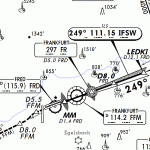
This package updates the ILS signals in Frankfurt to the correct frequencies as of August 2009. The new frequency for runway 25L (IFSW) is 111.15 MHz. The new frequency for runway 25R (IFNW) is 111.55 MHz. Everything else is untouched. These files are for use with Aerosoft's Mega Airport Frankfurt X for FS2004.
| Filename: | Mega_Airport_Frankfurt__ILS_update_2009.zip |
| License: | Freeware |
| Added: | 18th November 2009, 03:47:19 |
| Downloads: | 845 |
| Author: | Alberto Molteni |
| Size: | 70.95 KB |
| Category: Flight Simulator 2004 - Miscellaneous Files | |
| Active ILS - KMCO (Orlando International Airport) |
|
File Description:
This is the 3rd Airport in a series of new ILS runways. As most know initiating the ILS at certain airports for AI Traffic is not a function at this time when using AFCAD2. If you add a new ILS runway to an airport such as KMCO (Orlando International Airport 17L/35R) only the user aircraft can use this runway when visibility falls below 3 miles. ATC will no longer use this runway for AI Traffic because FS9 sees it as a visual runway. This will cause ATC to vector your AI Traffic back to 17/35 (old numbers) 17R/35L (new numbers) which is also a Terminal departure runway. This file adds all NAVAIDS for making 17L/35R a Precision Instrument Runway. I have added all the radar fixes for both the ILS approach portion and the proper missed approach procedures, altitudes and intersections as per current published plates. All AI Aircraft will now continue to use 17L/35R when Airport visual conditions are less than 3 miles.
| Filename: | Active_ILS__KMCO_Orlando_International_Airport.zip |
| License: | Freeware, limited distribution |
| Added: | 25th June 2004, 01:50:15 |
| Downloads: | 3,846 |
| Author: | Jim Vile |
| Size: | 45.38 KB |
| Category: Flight Simulator 2004 - Miscellaneous Files | |
| Active ILS - KMIA (Miami International Airport) |
|
File Description:
By design KMIA is now the most advanced ATC controlled airport in the FS9 database. This is the 4th Airport and the most complex in a series of new ILS runways. As most know initiating the ILS at certain airports for AI Traffic is not a function at this time when using AFCAD2. If you add a new ILS runway to an airport such as KMIA (Miami International Airport 8L/26R) only the user aircraft can use this runway when visibility falls below 3 miles. ATC will no longer use this runway for AI Traffic because FS9 sees it as a visual runway. This will cause ATC to vector your AI Traffic back to 9L/27R (old numbers) 8R/26L (new numbers) which is also a Terminal departure runway. All 4 runways for KMIA are now simultaneously active for both departure and arrival. In the past only the runways closest to the Terminal were for departure, and arrivals used the outer parallel runways. This no longer applies with KMIA. The many options written in the XML are to numerous to list for KMIA so follow the instructions in the README and just sit back (or fly) and plane spot either VMC or IMC for a very active airport.
*** FlyTampa-Miami Scenery AFCAD2 and special ILS bgl also included ***
| Filename: | Active_ILS__KMIA_Miami_International_Airport.zip |
| License: | Freeware, limited distribution |
| Added: | 4th July 2004, 03:33:01 |
| Downloads: | 2,217 |
| Author: | Jim Vile |
| Size: | 128.67 KB |
| Category: Flight Simulator 2004 - Miscellaneous Files | |
| Active ILS - EHAM (Amsterdam - Schiphol Airport) |
|
File Description:
As most know initiating the ILS at certain airports for AI Traffic is not a function at this time when using AFCAD2. If you add a new ILS runway to an airport such as EHAM (Schiphol 18R/36L) only the user aircraft can use this runway when visibility falls below 3 miles. ATC will no longer use this runway for AI Traffic because FS9 sees it as a visual runway. This will cause ATC to vector all your AI Traffic back to (01L/19R old numbers) 18C/36C (new numbers) which is also a Terminal departure runway. This bgl file adds all NAVAIDS for making 18R/36L a Precision Instrument Runway. All AI Aircraft will now continue to use 18R when Airport weather conditions are less than 3 miles. Read the text file for all the enhancements added to EHAM *** 3rd Party Scenery Designers Special ILS bgl and FS2004 Default Scenery AFCAD included ***
| Filename: | Active_ILS__EHAM_Amsterdam__Schiphol_Airport.zip |
| License: | Freeware, limited distribution |
| Added: | 6th October 2004, 18:16:17 |
| Downloads: | 5,583 |
| Author: | Jim Vile |
| Size: | 43.27 KB |
| Category: Flight Simulator 2004 - Miscellaneous Files | |
| Active ILS - Niagara International Airport KBUF |
|
File Description:
As most know initiating the ILS at certain airports for AI Aircraft or User Planes is not a function at this time when using AFCAD2 if visibilty falls below 3 miles. This is do to the somewhat complex XML code that has to be written for NAVAIDS and then the compiling into a bgl file. If you add a new ILS runway to an airport such as KBUF (rwy 32) only the user aircraft can use this runway when visibility falls below 3 miles if a GPS/LDA is unavailable. ATC will no longer use 32 ILS runway for AI Traffic or User Aircraft (by default) because FS9 sees it as a visual runway and will now vector your Planes back to 5/23 ILS which is also being used as a Terminal Departure Runway. The KBUF_ILS_jv.bgl file adds all NAVAIDS for making 32 a Precision Instrument Runway by adding all the radar fixes for both the ILS/DME approach portion and the proper missed approach procedures as per current published plates for runway 32. See the readme for what's new at the KBUF airport. **** AFCAD2 included for FS9 default scenery. ****
| Filename: | Active_ILS__Niagara_International_Airport__KBUF.zip |
| License: | Freeware, limited distribution |
| Added: | 30th January 2005, 17:21:34 |
| Downloads: | 1,306 |
| Author: | Jim Vile |
| Size: | 117.25 KB |
| Category: Flight Simulator 2002 - AFCAD Files | |
| ILS-Correction for Yangon's International Airport |
|
File Description:
Only for FS2002. With the default settings of MS, you will land outside the runway right. With this correction, you will land precisely after it on the center line. IFR-Flights are now referred to the runway 21 directly. The park-area was also modified by a new AFCAD-File. Now, also big airplanes, how 747 or 777, after the landing can request and progress taxi to the Gates. The place before the middle building is exclusive reserved for the government, that right from it for international and that left from it for domestic flights (seen from the runway). Read through the installation-instruction point by point exactly please! Instruction in english, deutsch, français, italiano, português and español.
| Filename: | ILSCorrection_for_Yangons_International_Airport.zip |
| License: | Freeware |
| Added: | 30th January 2004, 02:04:26 |
| Downloads: | 137 |
| Author: | Robby Pauletto |
| Size: | 141.69 KB |
| Category: Flight Simulator 2004 - Scenery | |
| Sion LSGS Suisse 2004 |
|
File Description:
5th biggest airport of Switzerland, Sion is located in the middle of the Alps. Civil and military area. Updated for FS2004 but works perfectly with FS2002.
| Filename: | Sion_LSGS_Suisse_2004.zip |
| License: | Freeware, limited distribution |
| Added: | 2nd October 2003, 15:28:41 |
| Downloads: | 26,102 |
| Author: | Daniel Gauthier |
| Size: | 5.21 MB |


© 2001-2026 AVSIM Online
All Rights Reserved
Privacy Policy |