
Where Flight Simulation Enthusiasts Gather from Around the World!
AVSIM Library - Search Results

| Category: Prepar3D V5 - Aircraft Repaints, Textures and Modifications | |
| Captain Sim B767-II Varig Airlines PP-VOI |

|
Images related to this file:
File Description:
Enclosed is a Varig (PP-VOI) repaint for the Captain Sim B767-II with the GE Expansion. This repaint was built in P3D v5.2.
This particular aircraft, PP-VOI (SN 24752), is a GE CF6-80C2B6 powered variant and was delivered new from Boeing to Varig (Viação Aérea Rio-Grandense) Airlines on December 12, 1989.
The relatively new ETOPS-120 certification was first awarded for TWA's B762's in May 1985 with ETOPS-180 certification for GE equipped B767's approved in 1989 through the demonstrated reliability and the continued confidence from the design of this long haul, wide bodied, twin engined aircraft.
PP-VOI was the first of sixteen B767-300's delivered that, along with the new fleet of MD11's, were intended to support Varig's long haul network and replace the aging, expensive, and limited numbers B747-300 fleet, with plans of further route expansion.
She was adorned from delivery with the "classic/retro" paint scheme seen here, which was prominent for Varig Airlines between 1961 and 1996. VOI served both scheduled and chartered North American, South American and Trans-Atlantic International Routes in this livery from Varig's bases in Rio de Janeiro (SBGL) and Sao Paulo (SBGR) for almost a dozen years before being repainted in the "newer" 1996 design scheme.
This particular airframe continued to serve Varig Airlines (once Brazil's Flag Carrier) until that airline's unfortunate split/financial restructuring into Flex Linhas Aéreas and Gol Airlines in 2006, continuing to fly charter routes for Flex until 2010.
Between 2010 and 2015, this airframe went on to be leased to Business Air Thailand continuing to fly passenger charter revenue flights under registration HS-BIC.
As of December 2021, this particular airframe continues to fly freight (an ERBDSF conversion) since 2016 for Kalitta Airways under contract to DHL as registration N761CK.
Hope you enjoy the photos and the brief history of this particular B767-341ER!
Note: This repaint was completed for the CS B767-II with the GE Expansion.
| Filename: | Captain_Sim_B767II_Varig_Airlines_PPVOI.zip |
| License: | Freeware |
| Added: | 17th December 2021, 17:11:16 |
| Downloads: | 66 |
| Author: | Rob Meier |
| Size: | 95.12 MB |
| Category: Flight Simulator X - Scenery | |
| RAF East Moor |
|
File Description:
RAF East Moor was opened in 1942 and was originally a 4 Group facility and first hosted No. 158 Squadron RAF which had moved from RAF Driffield on 6 June 1942. The squadron flew the Handley Page Halifax Mk. II with detachments at RAF Beaulieu and RAF Manston before moving to RAF Rufforth on 6 November 1942.
Royal Canadian Air Force use
The first squadron was No. 429 Squadron RCAF which formed at the airfield on 7 November 1942 initially only flying the Vickers Wellington Mk.III until January 1943 when the Wellington Mk. X was added. The squadron left on 13 August 1943 going to RAF Leeming where the unit re-equipped with Halifaxes. On 19 September 1943 the next squadron arrived being 432 Squadron which initially used the Avro Lancaster Mk.II before being re-equipped with the Halifax Mk. III in February 1944 and the Mk. VII Halifax in July 1944. The squadron disbanded on 15 May 1945 at the airfield.
The last Canadian squadron to use the airfield was 415 Squadron which flew the Halifax III from 26 July 1944. The unit inherited the additional Mk.VII versions during March 1945 but disbanded shortly after on 15 May 1945 at the airfield.
Royal Air Force use
Not long after the last Canadian squadron disbanded the airfield was handed back to the Royal Air Force (RAF). The first RAF unit to use the airfield was No. 54 Operational Training Unit (OTU) which had moved in during November 1945 flying the de Havilland Mosquito. By May 1946 No. 288 Squadron RAF joined with their Supermarine Spitfire IX's and their Vultee Vengeance Mk. IV's with a detachment at RAF Acklington. The squadron disbanded on 15 June 1946. No. 54 OTU stayed until June 1946 when the unit moved to RAF Leeming but a detachment stayed until 15 November 1946.
The airfield closed to flying in November 1946. Most of the buildings were taken down and the land has reverted largely to agricultural use.
| Filename: | RAF_East_Moor.zip |
| License: | Freeware |
| Added: | 14th March 2017, 19:41:08 |
| Downloads: | 129 |
| Author: | Terry Boissel |
| Size: | 154.38 KB |
| Category: Flight Simulator X - Aircraft Repaints, Textures and Modifications | |
| Boeing 747-8i Delta Northwest |
|
File Description:
FSX Boeing 747-8i Delta Northwest with advanced VC by Alejandro Rojas Lucena and VC Texture Upgrade by Enrique Cornejo. This gives the b747 a payware Virtual Cockpit look! It even has a pilot jacket hanged in the rear of the cockpit (besides the right jumpseat).
The panel.cfg and the aircraft.cfg have been assembled and edited by the Flightsim Workshop Team. Now you can pop up "My icons" window in the Virtual Cockpit to easily reach the following windows: GPS, avionics, map, ATC, Climb/Radio Altimeter/Spoiler switch, auto-break switch, throttle quadrant, clock, descentometer, kneeboard and overhead panel.
The aircraft has new engine views (from both wings) and new Virtual Cockpit interior views from the left, right and central jump seats.
The Delta Northwest texture is wonderful and it has a unique paintscheme by Mcphat Studios with a repaint by Enrique Cornejo which also includes details such as some stains caused by humidity and other details just like a real aircraft.
This aircraft uses the Project Opensky FSX Boeing B747-800 Model OSX748V4_GENX(MDL), and includes the gauge window Posky Utility to view the main stairs, ground cargo servicing, etc. The engine sounds are edited like the real ones with cockpit ambient, so you can enjoy a pleasant flight. The Flight Management Computer (FMC) is fixed and looks like a payware instrument. The VC includes FMC, Primary Flight Display (PFD) and Multi-Function Display (MDF) displayed in the correct size.
The virtual cockpit also has an Engine-Indicating and Crew-Alerting System also known as EICAS, Ground Proximity Warning System (GPWS), working wipers, cabin lights, fire suppression, avionics switch, fuel crossfeed, and you can identify those intruments in the overhead panel because they are bordered with color lines. You can also find landing lights switches, taxi light switch, engine generators, APU generator, battery switch, starter switches, de-ice switch, general lights switches which are a great work of Alejandro. So now the whole cockpit and texture upgrade with all these improvements looks better than a payware version. The clock numbers are now in orange which makes them look better and easily recognizable.
Assembled and edited for FSX by Enrique Cornejo.
| Filename: | Boeing_7478i_Delta_Northwest.zip |
| License: | Freeware |
| Added: | 13th January 2013, 01:02:31 |
| Downloads: | 990 |
| Author: | Enrique Cornejo |
| Size: | 78.26 MB |
| Category: Flight Simulator X - Aircraft Repaints, Textures and Modifications | |
| Boeing 747-8i Delta Northwest |
|
File Description:
FSX Boeing 747-8i Delta Northwest with advanced VC by Alejandro Rojas Lucena and VC Texture Upgrade by Enrique Cornejo. This gives the b747 a payware Virtual Cockpit look! It even has a pilot jacket hanged in the rear of the cockpit (besides the right jumpseat).
The panel.cfg and the aircraft.cfg have been assembled and edited by the Flightsim Workshop Team. Now you can pop up "My icons" window in the Virtual Cockpit to easily reach the following windows: GPS, avionics, map, ATC, Climb/Radio Altimeter/Spoiler switch, auto-break switch, throttle quadrant, clock, descentometer, kneeboard and overhead panel.
The aircraft has new engine views (from both wings) and new Virtual Cockpit interior views from the left, right and central jump seats.
The Delta Northwest texture is wonderful and it has a unique paintscheme by Mcphat Studios with a repaint by Enrique Cornejo which also includes details such as some stains caused by humidity and other details just like a real aircraft.
This aircraft uses the Project Opensky FSX Boeing B747-800 Model OSX748V4_GENX(MDL), and includes the gauge window Posky Utility to view the main stairs, ground cargo servicing, etc. The engine sounds are edited like the real ones with cockpit ambient, so you can enjoy a pleasant flight. The Flight Management Computer (FMC) is fixed and looks like a payware instrument. The VC includes FMC, Primary Flight Display (PFD) and Multi-Function Display (MDF) displayed in the correct size.
The virtual cockpit also has an Engine-Indicating and Crew-Alerting System also known as EICAS, Ground Proximity Warning System (GPWS), working wipers, cabin lights, fire suppression, avionics switch, fuel crossfeed, and you can identify those intruments in the overhead panel because they are bordered with color lines. You can also find landing lights switches, taxi light switch, engine generators, APU generator, battery switch, starter switches, de-ice switch, general lights switches which are a great work of Alejandro. So now the whole cockpit and texture upgrade with all these improvements looks better than a payware version. The clock numbers are now in orange which makes them look better and easily recognizable.
Assembled and edited for FSX by Enrique Cornejo.
| Filename: | Boeing_7478i_Delta_Northwest.zip |
| License: | Freeware |
| Added: | 13th January 2013, 01:24:18 |
| Downloads: | 1,962 |
| Author: | Enrique Cornejo |
| Size: | 78.71 MB |
| Category: Flight Simulator 2004 - Scenery | |
| Victoria, Canada area scenery |
|
File Description:
This is a complete upgrade of vicenh05, Victoria, Canada area scenery for FS9. New in this version: automated installer and configurator from Ken Peters; several detailed models including the Empress Hotel, the Legislature, the Regent Hotel and the Johnson St. Bridge; greatly enhanced Inner Harbour; many generic buildings representing buildings throughout the area; 7 new small airfields with sloping runways; seven new floatplane bases (owners of Vancouver+ get extensive floatplane traffic in local liveries); 7 new heliports (Vancouver+ users get additional heli AI traffic) and a myriad of minor fixes and improvements. Included from previous versions are revised shorelines, landclass and 19m mesh and buffer meshes for South-Eastern Vancouver Island; boat docks with static boats, seaplane docks and terminal buildings for Harbour Air, Kenmore Air and West Coast Air; piers, buildings, breakwater and other components of the Ogden Point Terminal; dock, service building and pilot boats of the Pacific Pilotage Authority; Odgen Point Cafe and Dive Shop; marine navigational lights for Victoria Harbour and area, including Esquimalt harbour and Oak Bay; antennae location corrections for the area; AFCADs included: Land based (CML2), Floatplane (CAB3, CAP5, CAP8, CAV8, CAW7, CAX6, CMAP, CYWH), Heli (CAL7, CBF5, CBF7, CBK8, CBW7, CBW9, CBZ7, CMBH); AI craft models and repaints (Cruise ships are repaints of Asuka model by Mitsuya Hamaguchi: MS Amsterdam of the Holland America Line travelling from Victoria to Vancouver, MS Summit of the Celebrity Cruise Line travelling from Seattle to Victoria); S-61 Sea-King helicopter in Helijet colours; Pacific Pilot custom vessel working from the Pilot dock; 22, 30 and 40 foot vessels plying the harbour and nearby Straight of Juan de Fuca. Effects included for lights, water, smoke effects. Many flights are offered, including two flights for owners of the Aerosoft Beaver (not required). Ultimate Terrain compatible (not required). Users of Misty Fjords will also get additional cruise ship traffic: the Island Princess and the Volendam alternating with the Amsterdam and Summit. Fully compatible with Don Grovestine's excellent CYYJ 2007. Replaces viflat.zip, ve4_tr1.zip, vicenh02.zip, vicenh03.zip, vicenh04.zip and vicenh05.zip. Detailed documentation included. By Jon Patch and Holger Sandmann.
| Filename: | Victoria_Canada_area_scenery.zip |
| License: | Check within download |
| Added: | 29th January 2010, 21:22:09 |
| Downloads: | 5,324 |
| Author: | Jon Patch and Holger Sandmann |
| Size: | 24.28 MB |
| Category: Flight Simulator X - Original Aircraft | |
| Eurocopter EC-505 Tiger |
|
File Description:
TIGER HAP
The Tiger HAP/HCP (Helicoptere d'Appui Protection / Helicopter for Close Protection) is a medium-weight air-to-air combat and fire support helicopter built for the French Army. The Tiger HAP is an air-to-air combat and fire support medium-weight (6 tonnes) helicopter fitted with 2 MTR 390 engines. It is daytime and night combat capable and is operable in NBC environments. Three basic parameters were taken into account right from the start of the development phase: low (visual, radar and infrared) detectability, which provides excellent survivability on the battlefield, maximum efficiency of the weapons and the associated fire control systems without heavier workload for the crew, and an optimized logistic concept offering minimum possession costs. The Tiger HAP is fitted with a 30-mm gun turret; 68-mm submunition rokets, and air-to-air Mistral missiles. It also features a firing sight with 3 sensors: infrared, TV camera and direct optical channel. The complete avionics suite includes multi-purpose color displays and radar/laser warning receivers.
TIGER UHT
The UHT (from Unterstützungshubschrauber Tiger; Ger. supporting helicopter Tiger) is a medium-weight multi-role fire support helicopter built for the Bundeswehr (German Army).The Tiger UHT is a multi-role fire support helicopter. The Trigat Fire and Forget missiles and/or the Hot missiles it carries offer anti-tank capability, while 68-mm rockets ensure air-to-ground fire support. A 12.7 mm air-to-air gun pod and air-to-air Stinger missiles can also be installed. The helicopter also features a mast-mounted sight with a second-generation IRCCD infrared channel and a TV channel, as well as a nose-mounted IRCCD control FLIR for the pilot. Countermeasures include radar/laser/missiles launch/missile approach warning receivers and decoy launchers.
TIGER ARH
The Tiger ARH (Armed Reconnaissance Helicopter) is the version ordered by the Australian Army to replace its OH-58 Kiowas and UH-1 Iroquois-based 'Bushranger' gunships.[2] The Tiger ARH is a modified and upgraded version of the Tiger HAP with upgraded MTR390 engines as well as a laser designator incorporated in the Strix sight for the firing of Hellfire II air-to-ground missiles. Instead of SNEB unguided rockets, the ARH will operate 70 mm (2.75 in.) rockets from Belgian developer, Forges de Zeebruges (FZ).
Model, textures by www.afs-design.de - Author: A.Meyer.
| Filename: | Eurocopter_EC505_Tiger.zip |
| License: | Commercial demo |
| Added: | 5th October 2007, 23:56:41 |
| Downloads: | 5,321 |
| Author: | Andreas Meye |
| Size: | 3.25 MB |
| Category: Flight Simulator 2004 - Original Aircraft | |
| Eurocopter Tiger (EC 665) - HAP/HCP, UHT and ARH variants |
|
Images related to this file:
File Description:
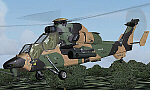
The Tiger HAP/HCP (Helicoptere d'Appui Protection / Helicopter for Close Protection) is a medium-weight air-to-air combat and fire support helicopter built for the French Army. The Tiger HAP is an air-to-air combat and fire support medium-weight (6 tonnes) helicopter fitted with 2 MTR 390 engines. It is daytime and night combat capable and is operable in NBC environments. Three basic parameters were taken into account right from the start of the development phase: low (visual, radar and infrared) detectability, which provides excellent survivability on the battlefield, maximum efficiency of the weapons and the associated fire control systems without heavier workload for the crew, and an optimized logistic concept offering minimum possession costs. The Tiger HAP is fitted with a 30-mm gun turret; 68-mm submunition rockets, and air-to-air Mistral missiles. It also features a firing sight with 3 sensors: infrared, TV camera and direct optical channel. The complete avionics suite includes multi-purpose colour displays and radar/laser warning receivers.
The Tiger UHT (from Unterstuetzungshubschrauber Tiger; Ger. supporting helicopter Tiger) is a medium-weight multi-role fire support helicopter built for the Bundeswehr (German Army).The Tiger UHT is a multi-role fire support helicopter. The Trigat Fire and Forget missiles and/or the Hot missiles it carries offer anti-tank capability, while 68-mm rockets ensure air-to-ground fire support. A 12.7 mm air-to-air gun pod and air-to-air Stinger missiles can also be installed. The helicopter also features a mast-mounted sight with a second-generation IRCCD infrared channel and a TV channel, as well as a nose-mounted IRCCD control FLIR for the pilot. Countermeasures include radar/laser/missiles launch/missile approach warning receivers and decoy launchers.
The Tiger ARH (Armed Reconnaissance Helicopter) is the version ordered by the Australian Army to replace its OH-58 Kiowas and UH-1 Iroquois-based Bushranger gunships. The Tiger ARH is a modified and upgraded version of the Tiger HAP with upgraded MTR390 engines as well as a laser designator incorporated in the Strix sight for the firing of Hellfire II air-to-ground missiles. Instead of SNEB unguided rockets, the ARH will operate 70 mm (2.75 in.) rockets from Belgian developer, Forges de Zeebruges (FZ).
Model, textures by www.afs-design.de - Author: A.Meyer. (Ex-payware package, now released as freeware).
| Filename: | Eurocopter_Tiger_EC_665__HAPHCP_UHT_and_ARH_varian.zip |
| License: | Freeware, limited distribution |
| Added: | 12th January 2013, 19:07:14 |
| Downloads: | 927 |
| Author: | Andreas Meyer |
| Size: | 11.72 MB |
| Category: Flight Simulator X - Aircraft Repaints, Textures and Modifications | |
| Qantas Consolidated PBY-5 5 paints |
|
Images related to this file:
File Description:
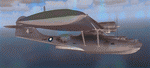
Five repaints for the Aerosoft PBY-5 Catalina in the colors of PBY-5's operated by Qantas on the 'Double Sunrise Service' between Western Australia and Ceylon between 1943 and 1945.
In 1943, Royal Australian Air Force personnel were seconded to operate Catalinas under the banner of Qantas. The plan called for flights between Perth, Western Australia, and RAF Base Koggala in southern Ceylon (now Sri Lanka). The flights were the longest non-stop air route of any airline, over 3,500 nautical miles (6,480 km) across the Indian Ocean. Navigating without the aid of radio, the crews relied solely on rudimentary navigation by compass and stars during the trip.
Only Catalinas had that kind of range, so five PBY-5 flying boats were converted to make them suitable for the trip.
They received camouflage paint, with a RAAF roundel on the fuselage, but also a civilian registration, since they were officialy operated by Qantas, and they were named after the stars they would be using for navigation:
Vega Star (G-AGFL/FP221 - tail code 1)
Altair Star (G-AGFM/FP244 - tail code 2)
Rigel Star (G-AGID/JX575 - tail code 3)
Antares Star (G-AGIE/JX577 - tail code 4)
Spica Star (G-AGKS/JX287 - tail code 5)
Taking between 27 and 33 hours, with departure timed so that the flight crossed Japanese occupied territory during darkness, the crews would observe the sunrise twice, which led to the service being known as "The Double Sunrise". The flight route flown was along the coast from Perth to Exmouth then setting out towards Cocos (Keeling) Island or Christmas Island (though neither was actually sighted during the flight) and onto Kogalla, a journey of approximately 3,580 nautical miles (6,630 km). After the success of the initial flights, it was decided to run a weekly service, with some services flying over Rottnest Island and then taking a direct line to Kogalla. As part of the Australia-England air route there was a surface component from Kogalla to Karachi that added considerable time to the service. This was later replaced by the Double Sunrise service, with Karachi to England flown by BOAC. Air crews would change in Kogalla taking the next plane in either direction minimising the time taken to complete the journey.
Though stripped of all non-essential equipment, including de-icing equipment and insulation, the average takeoff weight was 15,900 to 16,000 kg; this included 9,040 liters of fuel, which gave the Catalina a range of 3,600 nautical miles (6,700 km). The service made 271 crossings, delivered over 4,500 kg of mail and carried 860 passengers, including among them British MP Edith Summerskill and the journalist Keith Murdoch. 'The Secret Order of The Double Sunrise' was an illustrated certificate given to passengers aboard the flying boats of the Australia-England air link, to attest they had been airborne for more than 24 hours.
After the war the five modified Catalinas that had flown The Double Sunrise service were scuttled.
Repaints by Jan Kees Blom, based on the paintkit by Aerosoft
| Filename: | Qantas_Consolidated_PBY5_5_paints.zip |
| License: | Freeware |
| Added: | 13th July 2018, 20:38:43 |
| Downloads: | 179 |
| Author: | Jan Kees Blom |
| Size: | 49.87 MB |
| Category: Flight Simulator 2004 - Scenery | |
| Gander CYQX in Newfoundland Canada |
|
Images related to this file:
File Description:
Gandeer is on the east coast of Canada and is the closest North American airport to Europe on the great circle route. In the early days of transatlantic flight, and in fact into the 1960's, this made it very important as a refueling stop either before the ocean hop or just after. Since then it's importance as an airport has faded somewhat as planes now fly directly to the larger city destinations. It is still an active air force base for ocean patrol and search and rescue planes, and military flights are around half of the total flights into and out of the airport. The main attractions of the airport now are the long runways and the cheaper landing fees, and there are some cargo flights and cheap charter passenger flights. This version of Gander is based upon a forgotten-about video taken in October 2010. By then the two longer runways, 13-31 at 8,900 feet and 03-21 at 10,200 feet (though in FS9 this is still designated 04-22, as it had been in 2003) had been closed (one at a time) and totally resurfaced. The third runway 09-27 (3,500 feet in 2003) was closed and starting the process of being broken up, along with associated aprons. This was part of a long process of demolition of some of the older buildings, aprons, and taxiways as they became unused with the fall in the number of daily flights. I have made it clear which of the 2010 taxiways and aprons were still in use by showing them as asphalt, while those in the process of decaying disuse or removal are in the darker tarmac texture; this is somewhat realistic as when asphalt aprons are "ploughed" for removal the darker underside becomes visible. In the renovation process of taxiway repairs only the centre strip of the taxiways was repaired and this is marked by new and closer edge lines. One end of the closed runway was still being used in 2010 for access and parking. There is a warning note in the April 2010 edition of the NAV CANADA Flight Supplement that states "surface rut on Gander Flight Training's private taxiway" (written with extremely shortened words). The Gander layout page is included here, showing that in the Spring of 2010 a much-shortened version (1,875 feet) of the 09-27 runway was still in use; my version is for late 2010 and after that runway was closed. The older buildings (and some of them are now 70 years old or more) are built in concrete and flat roofed with bitumen water proofing; hence the almost black roofs. The terminal building is one of these, though it has been enlarged by the inclusion of a hangar that is now used as the main terminal space. Almost all of the buildings are correctly replicated here. The main GA parking area is to the east of 03-21 where there are two large hangar buildings. One of them is for maintenance and the other is for a large FBO called Gander Aviation. There are other FBO's on the airport, closer to the terminal. These are Irving and Woodward, both to the west, and Allied to the south. There is a further FBO at the eastern end of the apron, name unknown. Shell, who only did refueling, were next to Woodward in 2010 but left, I believe, in 2012. The large red building behind Woodward and Shell is for the maintenance of all airport equipment (from luggage trolleys, snow clearers, de-icing trucks etc to air conditioning, radar, and radios). Most of the remaining buildings are for the air force base, though there are some private companies (such as Universal Helicopters) and even a small private cottage.
| Filename: | Gander_CYQX_in_Newfoundland_Canada.zip |
| License: | Freeware, limited distribution |
| Added: | 29th April 2020, 19:15:01 |
| Downloads: | 686 |
| Author: | Roger Wensley |
| Size: | 29.37 MB |
| Category: Flight Simulator X - Aircraft Repaints, Textures and Modifications | |
| Virgin Galactic Boeing 747-8i |
|
Images related to this file:
File Description:
FSX Boeing 747-8i Virgin Galactic with advanced VC by Alejandro Rojas Lucena and VC Textures Upgrade by Enrique Cornejo, founder of the Flightsim Workshop Project. This gives the b747 a payware Virtual Cockpit look and now with green leather tapestry on the sides of the seats. It even has a pilot jacket hanged in the rear of the cockpit (besides the right jumpseat). The panel.cfg and the aircraft.cfg have been assembled and edited by the Flightsim Workshop Team. Now you can pop up "My icons" window in the Virtual Cockpit to easily reach the following windows: GPS, avionics, map, ATC, Climb/Radio Altimeter/Spoiler switch, auto-break switch, throttle quadrant, clock, descent meter, kneeboard and overhead panel. A new feature in My Icons Window I added is a new Pitot Heat switch with ON and Off features, (XML gauge by Enrique Cornejo). cold weather, the Pitot Heat switch works just like in real life, so if its turned off the air speed indicator will stop working, so make sure you turn the Pitot Heat switch on before taking off!
The autopilot ON switches have green lights which make them look more realistic. Center ATC identification in this aircraft is "Boeing 747". We have also fixed the position of the strobe lights so when the aircraft is flying they are in the right place, so turn on the strobe lights switch after take off. The cockpit view from the pilots seat is now more comfortable because the distance between the cockpit and the seat is longer.
The aircraft has new engine views (from both wings) and new Virtual Cockpit interior views from the left, right and central jump seats. The brakes has a differential brake system to make smoother turns in ground. The Virgin Galactic Spaceship texture is wonderful and it has a unique paint scheme by Enrique Cornejo which also includes details such as some stains caused by humidity in the fuselage and the wing flaps and other details just like a real aircraft. Real smoke in the four engines, just select key, more cabin views, realistic cockpit and engines sound & more realistic night VC lights and fuselage night textures, in the VC just select key and reset the overhead Instrument panel light dim switch in the overhead panel. The aileron parameters have also improved, so now the right and left turns are smoother. This aircraft uses the Project Opensky FSX Boeing B747-800 Model OSX748V4_GENX(MDL), and includes the gauge window Posky Utility to view the main stairs, ground cargo servicing, etc. The engine sounds are edited like the real ones with cockpit ambient, so you can enjoy a pleasant flight. The Flight Management Computer (FMC) is fixed and looks like a payware instrument. The VC includes FMC, Primary Flight Display (PFD) and Multi-Function Display (MDF) displayed in the correct size. The virtual cockpit also has an Engine-Indicating and Crew-Alerting System also known as EICAS, Ground Proximity Warning System (GPWS), working wipers, cabin lights, fire suppression, avionics switch, fuel cross feed, and you can identify those instruments in the overhead panel because they are bordered with color lines. You can also find landing lights switches, taxi light switch, engine generators, APU generator, battery switch, starter switches, de-ice switch, general lights switches which are a great work of Alejandro. So now the whole cockpit and texture upgrade with all these improvements looks better than a payware version. The clock numbers are now in orange which makes them look better and easily recognizable. Assembled and edited for FSX by Flightsim Workshop Founder Enrique Cornejo. 78 MB
| Filename: | Virgin_Galactic_Boeing_7478i.zip |
| License: | Freeware |
| Added: | 21st February 2013, 18:56:28 |
| Downloads: | 1,941 |
| Author: | Enrique Cornejo |
| Size: | 77.73 MB |


© 2001-2026 AVSIM Online
All Rights Reserved
Privacy Policy |