
Where Flight Simulation Enthusiasts Gather from Around the World!
AVSIM Library - Search Results

| Category: Flight Simulator X - Scenery | |
| Freeware Project Kobe X (RJBE) Japan |

|
Images related to this file:
File Description:
Freeware project KOBE X (RJBE) Japan. Contains fully detailed airport with custom ground polygons. Accurate 3d model and texture of all the building of the airport including the terminal, control tower, hangars, bridge and many more. Please note that this project was my initial experience in many fields of scenery design so take it as it is and enjoy flying in Japan. The design is never done but I think it was ready to be released. Still have some work to do with the animated jetways and night lighting for my next "payware" project (KSAN, San Diego Intl). It's going to be far better than this freeware.
You can download the world of ai installer and install the All Nippon Airways package and maybe the JAL too. The jetways are not animated but you can park a 747 in gate 1, a 767 in gate 5 and a 737 in gate 6 and be perfectly aligned with the jetway door.
Also I've not try this scenery in a less powerful computer than mine. I run a Windows 7, I7-950 @ 3.8 GHz and a GTX 570. So don't get mad if you're having bad performances :). With all sliders in the "display settings" set to max I've around 20 fps in the virtual cockpit of the level-d 767. You'll get a nicer airport with also the global texture resolution set to max, water effects set to High 2.x and traffic to ultra-high. Do not turn on Ground scenery shadows as it will make a shadow for the entire airport (ground poly).
I've some tutorial on my YouTube channel (n170toga) on how to make fsx sceneries if you are interested. Don't forget to subscribe there and have updates for the upcoming scenery. Please review this airport if you like as I will learn a lot for my next
project and it's only going to be better.
This scenery is a freeware and should be considered as a freeware. Arigato, Sagga Toure (Devinci), Devinci Design and Development (3De)
| Filename: | Freeware_Project_Kobe_X_RJBE_Japan.zip |
| License: | Freeware |
| Added: | 12th June 2011, 08:28:51 |
| Downloads: | 6,649 |
| Author: | Sagga Toure |
| Size: | 66.48 MB |
| Category: Flight Simulator 2004 - Scenery | |
| Nenana Municipal Airport PANN in Alaska |
|
Images related to this file:
File Description:
Nenana is a village on the river of the same name around 40 miles west of Fairbanks, which is the second largest urban area in Alaska after Anchorage. Nenana, as a result of this proximity, is served by road and railway and unlike other Alaskan villages is not reliant on air cargo for necessities. The current population is just under 400, which is way down from its peak of 5,000 in the 1920's when gold was being mined and the railroad being built. Nenana's main claim to fame is as the starting point for the 1925 mushing delivery to Nome of the serum to combat an outbreak of diphtheria. Any Nenana Municipal Airport history is difficult to find, even the date of construction. It has two runways 3L-21R and 3R-21L, the first being asphalt and just under 5,000 feet with PAPI at both ends, the second grass and 1,800 feet. Both are lit. It also has a further water runway similarly aligned and 3,000 feet long. Maintenance is available and there is also fuel at the end of the northern apron, close to the crashed and stripped DC4 that sits among other unwanted items that are too large to make it worth the cost of moving them off the site. There are no regular scheduled flights to the airport, with air taxi or owner operated being in the majority. The scenery, in addition to the terrain, town, bridges, and airport items also modifies the terrain in an area further south where FS9 depicted as a city an Air Force base that is mainly concerned with radar and communications and in fact has very few buildings. The AI includes some Beavers on floats that were used in previous BC scenery with the kind permission of FSAddon. As I have already posted them I have not included them again here. The float plane AI uses the same radio frequency as the land based planes, but they fly to PANX and not to PANN as FS9 has problems with getting floats and wheels separated. Or maybe I just haven't worked out how to cope with FS9. A note here about my scenery making. There will not be many more to follow this as I am almost at the end of the photos I either took or found for scenery purposes, plus I expect to move on from FS9 at some point during next year.
| Filename: | Nenana_Municipal_Airport_PANN_in_Alaska.zip |
| License: | Freeware, limited distribution |
| Added: | 2nd December 2019, 18:12:42 |
| Downloads: | 154 |
| Author: | Roger Wensley |
| Size: | 7.36 MB |
| Category: Flight Simulator 2004 - Scenery | |
| Dawson Creek CYDQ in British Columbia, Canada UPDATED |
|
Images related to this file:
File Description:
This is a revised version of Dawson Creek CYDQ and the floats base CBD3, made primarily to provide one of the parked planes with it's textures but also to improve the apron markings and the AI. The float AI now includes Beavers and I also removed two planes that were not properly showing their textures in my current FS9 installation. The Beavers were included in my post of Nimpo Lake CAF8 and will need to be installed to show up here. This version is complete in itself and can be installed as-is if you do not have the original scenery. Dawson Creek is at 2,148 feet asl just east of the Rocky Mountains, less than 10 miles west of the BC/Alberta border and where the Rockies are at their narrowest. The population grew when the Northern Alberta Railway was extended to Dawsons Creek in 1932, and grew even more more when the Alaska Highway was built in 1942, starting from Dawsons Creek. In the 1950's the town was linked through the Rockies by a railway and a road to the BC interior, and the town grew again. Now it is static at just under 12,000 and once again has become a farming centre, with Fort St John and Grand Prairie winning out for new industry and commerce. The airport is just to the east of the town. The runway is 5,000 feet of wide asphalt (150 feet) aligned 06/24, lit, and with PAPI and approach lights. There is also a water runway for float planes, separately designated as Dawson Creek CBD3. The two effectively operate as one; traffic for both use the mandatory frequency of 122.2 and talk to one controller in one control tower. However, in FS9 the ATC for two separately designated airfields (or float fields) operates as if they are nowhere near each other and takes no notice of near misses between the two lots of planes. As a result I have put them both in un-manned tower mode so you will announce your position and intentions and select your own parking spots, either next to one of the hangars or on the grass. The aprons vary from asphalt, to concrete, onwards to gravel, and then further onwards to some gravel amid the bare dirt; I have replicated this variation as far as FS9 permits.
| Filename: | Dawson_Creek_CYDQ_in_British_Columbia_Canada_UPDAT.zip |
| License: | Freeware, limited distribution |
| Added: | 17th December 2018, 17:50:08 |
| Downloads: | 204 |
| Author: | Roger Wensley |
| Size: | 26.71 MB |
| Category: Flight Simulator X - Original Aircraft | |
| Boeing 787-942 VIP-BBJ |
|
Images related to this file:
File Description:
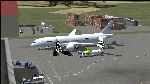
Boeing 787-942 Boeing Business Jet (VIP), AKA "DreamJet", is the Corporate version of this aircraft, modified for individual client specs. The range is extended beyond the normal 787-9 due to additional fuel tanks, a lot less payload weight, and more powerful and efficient engines. The Cabin Pressure is decreased to 6,000 ft, allowing for higher Flight Levels than normal. The tail number on this model can be changed to match the user's preference, since it is not apparent on the exterior (No Airline Call used on Private Aircraft).
This is a huge aircraft and normally seats about 300 passengers, but there are only 48 (including Pilots/Attendants) on this plane. A lot of space remains for luxuries that are well beyond any Business Jet of any kind other than the 747 or A380. Some of these luxuries include automated beds that are hidden in the floorboard and activated by the attendants when requested, and each of these includes a privacy barrier. There is one Large Screen TV with stereo surround sound with theater seating in the fore section, and separate small screen monitors located at every assigned seat (including flight data relay of all positioning and aircraft data viewable). The kitchen is fully equipped with 935 lbs of various food and drinks, with one attendant being a Master Chef. There is a automated Dance Floor that can be activated in the theater area, after the seating chairs are automatically stored below deck. The crew also experiences luxury as the pilots have a twin-bed sleeping area with a private kitchen (2 sleep while 2 fly), as do the attendants (fore and aft upper deck) with twin beds and private kitchens. The aircraft is also more luxurious in that it has 6.000 ft of pressure continuous to 47,000 ft, and has a very low interior noise level. There are also many added safety features that provide for survival in the event of a mishap, making it possible to survive a water crash for several days through the use of 6 inflatable skiff-rafts with engines, radios, and supplies. All attendants are trained and certified Registered Nurses, and they have 25 lbs of medications and supplies stored in the aft. Some of these features add to the empty weight, so the MTOW is the same as a normal aircraft of this design for commercial use (the gear are also modified for these accommodations).
This aircraft is designed for educational use protected under the Fair Use Doctrine:
(http://www.expertlaw.com/library/intellectual_property/fair_use.html)
It cannot be sold or bundled for sale, and such will never be approved by me or the original authors. FREEWARE DISTRIBUTION ONLY!!!
Model design and paint by: Camil Valiquette;
Sound by: Emil Serafino;
Engine/Aerodynamics and Details by: Douglas E. Trapp, ([email protected]) May 2018
| Filename: | Boeing_787942_VIPBBJ.zip |
| License: | Freeware |
| Added: | 20th May 2018, 16:58:42 |
| Downloads: | 876 |
| Author: | Douglas E Trapp |
| Size: | 77.99 MB |
| Category: Flight Simulator 2004 - Scenery | |
| Gander CYQX in Newfoundland Canada |
|
Images related to this file:
File Description:
Gandeer is on the east coast of Canada and is the closest North American airport to Europe on the great circle route. In the early days of transatlantic flight, and in fact into the 1960's, this made it very important as a refueling stop either before the ocean hop or just after. Since then it's importance as an airport has faded somewhat as planes now fly directly to the larger city destinations. It is still an active air force base for ocean patrol and search and rescue planes, and military flights are around half of the total flights into and out of the airport. The main attractions of the airport now are the long runways and the cheaper landing fees, and there are some cargo flights and cheap charter passenger flights. This version of Gander is based upon a forgotten-about video taken in October 2010. By then the two longer runways, 13-31 at 8,900 feet and 03-21 at 10,200 feet (though in FS9 this is still designated 04-22, as it had been in 2003) had been closed (one at a time) and totally resurfaced. The third runway 09-27 (3,500 feet in 2003) was closed and starting the process of being broken up, along with associated aprons. This was part of a long process of demolition of some of the older buildings, aprons, and taxiways as they became unused with the fall in the number of daily flights. I have made it clear which of the 2010 taxiways and aprons were still in use by showing them as asphalt, while those in the process of decaying disuse or removal are in the darker tarmac texture; this is somewhat realistic as when asphalt aprons are "ploughed" for removal the darker underside becomes visible. In the renovation process of taxiway repairs only the centre strip of the taxiways was repaired and this is marked by new and closer edge lines. One end of the closed runway was still being used in 2010 for access and parking. There is a warning note in the April 2010 edition of the NAV CANADA Flight Supplement that states "surface rut on Gander Flight Training's private taxiway" (written with extremely shortened words). The Gander layout page is included here, showing that in the Spring of 2010 a much-shortened version (1,875 feet) of the 09-27 runway was still in use; my version is for late 2010 and after that runway was closed. The older buildings (and some of them are now 70 years old or more) are built in concrete and flat roofed with bitumen water proofing; hence the almost black roofs. The terminal building is one of these, though it has been enlarged by the inclusion of a hangar that is now used as the main terminal space. Almost all of the buildings are correctly replicated here. The main GA parking area is to the east of 03-21 where there are two large hangar buildings. One of them is for maintenance and the other is for a large FBO called Gander Aviation. There are other FBO's on the airport, closer to the terminal. These are Irving and Woodward, both to the west, and Allied to the south. There is a further FBO at the eastern end of the apron, name unknown. Shell, who only did refueling, were next to Woodward in 2010 but left, I believe, in 2012. The large red building behind Woodward and Shell is for the maintenance of all airport equipment (from luggage trolleys, snow clearers, de-icing trucks etc to air conditioning, radar, and radios). Most of the remaining buildings are for the air force base, though there are some private companies (such as Universal Helicopters) and even a small private cottage.
| Filename: | Gander_CYQX_in_Newfoundland_Canada.zip |
| License: | Freeware, limited distribution |
| Added: | 29th April 2020, 19:15:01 |
| Downloads: | 665 |
| Author: | Roger Wensley |
| Size: | 29.37 MB |
| Category: Flight Simulator X - Aircraft Repaints, Textures and Modifications | |
| Consolidated PBY-5A VB-126 #20 |
|
Images related to this file:
File Description:

A repaint for the Aerosoft PBY-5a Catalina in the colors of PBY-5a #20 (BuNo 7277) of VB-126 as it looked during a rescue operation on the Greenland ice cap in 1943. On 5 november 1942, a C-53 en route from Iceland to Greenland was reported missing off Greenland's east coast. Four days later, a B-17F, en route for England was aked to to keep a lookout for the missing plane, but it crashed on the ice cap. The crew of suffered only minor injuries, and they soon received food and other supplies that were dropped on the ice. Unfortunately, they had landed in a heavily crevassed part of the icecap, making an evacuation difficult. On 28 november, a USCG Grumman Duck, flown by Lt Pritchard, managed to make a wheels-up landing on the ice and brought out two of the crew. The next day, a ground rescue team arrived on the dite as well, and things looked good....
One crew member and a rescuer died when their sled disappeared in a crevasse, and later the same day, Lt. Pritchard's Duck disappeared as well, with a crew of three. On 6 december, an attempt was made to evacuate the B-17's navigator, Lt. O'Hara, who suffered from gangrene in his feet. One member is the rescue party fell into an crevasse, and the motorsled they were using broke down, so the men had to dig in and wait for help. The days continued until over christmas, but morale was kept high with airdrops whenever the weather permitted. A rescue by sled became impossible however due to bad conditions and heavy snows. Lt.Col Balchen, who had used a PBY the previous summer to rescue the members of the B-17 'My Gal Sal' (currently under restoration in Ohio) of the ice, and was now in charge of the rescue operation, proposed to try the same here. The last summer, the PBY landed on a melt water lake on the icecap however, this time he wanted to belly land the PBY, and nobody knew if the hull could withstand such a battering. In the meantime, a ski-equipped T8P1 aircraft tried the same, but dispappeared over the east coast. The crew members were found five days later in a rubber dinghy. The Navy finally gave permission to try an attempt with the PBY. and two PBY-5a"s were send to airfield BW-8, to wait for the right weather. On 5 febuary 1943, Lt Bernard Dunlop succesfully bellylanded BuNo 7277 / 20 (the above paintjob) at the motorsled camp, and the three survivors were taken on board. It has frozen solid in the ice, but after two hours of hard labor, the crew managed to free the PBY and it took off. Now only the three crew members still at the original site needed to be rescued. A ground rescue party was sent to the wreck to transport the survivors to a spot where the PBY could land, but bad weather prevented any flying until 17 march. On that day, Lt. Dunlop landed on the ice, dropping off Lt.Col Balchen and the rescue party, who reached the wreck the following day. The weather closed in again until finally, on april 5th, Lt Dunlop landed his PBY for the third time on the ice cap. All hands were taken on board, but after five attempts to take off, the starboard engine caught fire. The blaze was extinguished, but repairs were necessary. The next day, they managed to take off, but without the rescue party, to lighten the load. 149 days after their crash, the B-17 crew was finally clear of the ice. It wasn't until 18 may that the last member of the rescue party was finally evacuated, making this a six and a half month rescue operation...
Repaint by Jan Kees Blom, based on the paintkit by Aerosoft
| Filename: | Consolidated_PBY5A_VB126_20.zip |
| License: | Freeware |
| Added: | 13th July 2018, 20:33:17 |
| Downloads: | 135 |
| Author: | Jan Kees Blom |
| Size: | 10.19 MB |
| Category: Microsoft Flight Simulator (2020) - Utilities | |
| Flightplan Visualizer 1.22 |
|
Images related to this file:
File Description:
Flightplan Visualizer (FV) version 1.22. Copyright 2018-2022 by Pelle F. S. Liljendal ([email protected]), all rights reserved.
FV comes with 1599 pre-imported AI flightplans (of which +726 are BizJet flightplans, the rest are commercial, government and military). However you are able to import additional (AI) flightplans yourself. Once imported these (AI) flightplans can be visualized on a map-view, and the user will be able to search accross all these. Hence you can use the program as inspiration as to which routes to fly. E.g. you can search across all imported flightplans to find all flights in an A321 flying into/out from LDDU, or simply to look for all flights in a Boeing 747-8F.
Simply run the included installer to install the software. The program will be installed into "C:\Program Files (x86)\Flightplan Visualizer" and all datafiles will be installed into: "C:\Users\[UserName]\AppData\Roaming\FlightplanVisualizer". The program comes with a full manual explaining everything, and a 3 page quick manual to get you started. The first 3 times you run the program the quick manual will automatically open. The forum is hosted here: https://forum.aerosoft.com/index.php?/forum/919-flightplan-visualizer/
Version 1.22 Contains the following changes:
- I had initially added a feature to download AIG airline-logos, however a later change in AIG's server setup rendered this feature useless. In stead you can now specify the local folder holding AIG's airline logo's (if/when you are using AIG AIM on your computer for AI-traffic). If specified, airline-logo's will be obtained from this folder.
- On the same note, I had to remove the menu-item to download AIG flightplans, as this program no longer have directly access to the AIG servers. For the same reason the menu-item to access the index with flightplans (up to summer 2021) was re-enabled.
- In the past when opening the Airport-Info form it defaulted to show in-/out-going traffic for the selected flightplan or active leg-search only. Now there is a new setting where you can set it up to in stead default to showing all traffic in/out of the airport (the Airport-info form still contains a combobox where you maually can choose what to see).
- "Owned aircraft" was renamed into "Simulator-aircraft", as these are the (flyable) aircraft you have available within your simulator of choise.
- When choosing to use calculated flight-times in a leg-search, you can now specify a percentage-difference (between leg-time and calculated-time). Only when the difference between leg-time and calculated-time exceeds this specified value will the calculated time be used during leg-search (e.g. "only use calc-times if diff. exceeds 50%, otherwise use leg-times").
- Began using (aircraft) short-names many places where the program in the past used IATA/ICAO-code (e.g. when hovering the mouse over a route, or list of aircraft servicing specific airports when editing flightplans). Also added short-name columns to aircraft browser and when choosing favorites (these stil contains columns for IATA/ICAO-codes).
- Pressing the "Usage" button when editing/viewing an aircraft-type or right-clicking an aircraft-type in the browser and choosing "View usage-report..." from the context menu, you will be shown a report that inform you how that aircraft-type is used: which simulator-aircraft are based on that type, which owned aircraft that have been marked as substitute for that type, which airlines are using that type (as carrier/operator), and finally in which (active) flightplans that type is used.
- Items in airline-browser are now by default sorted by (airline) name, and the usage-column shows the size of the airline if its in use. If available a logo for the selected airline is displayed in the upper/right corner.
- Improved performance when searching for ICAO-codes in the airport-browser. Also improved priority of the default selected item, in cases when an airport had a 3 letter ICAO-code, and another was using the same 3 leters for its IATA code.
- When searching for ICAO/IATA-codes in the airline-browser, it will now prioritize non-defunct airlines, if multiple airlines share the same ICAO/IATA-code.
- When enabling/disabling flightplans, you can now select all BizJet flightplans (those prefixed with "Bz_"), all Military (prefixed with "Ml_") or all Goverment (prefixed with "Gv_").
- Individual FP sub-folders can now be setup to leave (not move) defunct- and/or obsolete FP, even if the settings to automatic move these to the disabled folder is set.
- Performing "Search legs" you can now filter on aircrafts you are allowed to fly via type-ratings ("Must be type-rated").
- Performing a substitute of a user-airline, that airline will remain selected (previously the list scrolled to the top, and selected the 1st item).
- Added new check-box to "Search legs" that can exclude round-trips (legs taking-off and landing at same airport).
- Airline/Aircraft-repaint -filter can now filter on size of airline (e.g. "size=major"). Size is determined from usage as carrier/operator in active flightplans. Airlines not in use by active flightplans are listed with a size of "unknown").
- Added GPS-conversion (deg deg,min,sec) to the conversion-form, as requested by a colleague. You can either manually enter lat/lon or look-up an airport to get it. There is both a primary lat/lon and a secondary, and the form will show the (GC)distance between these and the initial/final course.
- Added new "Max airport-distance" for airport-redirections. At the same time added new feature when importing/editing airports to permanent change an airport. If used, it is not saved/handled as a redirection (can't be restored) but rather as a perpament change.
- Reordered- and renamed some of the tab-pages in the Airport-info form.
- Reordered the length/distance-fields in the unit-conversion form.
- The Wind-calculator have been removed from the main-menu, in stead wind-calcuations can now be performed using the unit-conversion form. Also now the speed of the wind is always displayed as a positive value, and in stead the label will either say "Head-wind" or "Tail-wind".
- Added new "Country list" menu-item in the misc-menu. Will list all countries twice (sorted by names, and sorted by ISO3-codes).
- Showing airport-marker tool-tips on the main-map is now prioritized over showing route tool-tips.
- Added "Min take-off fuel ("MTFL") field to user-aircraft weight-fields. As of now its not set for any aircraft in the database, however it can be estimated as 60 minutes of flight at cruise.
- Moved several group-boxes of the settings-form to the 2nd tab-page, and added new fields for defalt simulator/logging-environment based on the File-prefix used when starting the program.
- Also now the header-names that was previous fixed to "Rank" and "Traffic-density" can be changed, so the selectable 6 values can be used for something entirely different, if anyone have the need for this. If/when changed, these new names are shown when editing an airport, or when performing a leg-search (as the leg-search can filter on these fields).
- MakeRunways (MkRwy) by Pete Dowson is challenged handling unicode in the scenery it scans/writes to XML. E.g. the Icelandic airport (BIFL) "Flúðir Airport" is exported by MkRwy as "Flúðir Airport". In this version FV will try to identify when this happens, and then it will fall back using the airport/city-names from the databases bundled with FV. This is not a perfect solution, but at least it improves the result.
- Various minor changes and tweaks to multiple forms (e.g. Unit conversion form can now be closed with ESC, renamed log-archives and so on).
- Fixed: If the main-form had an active flightplan filter when using the search-legs feature the flightplan combo-box still only contained the filtered context. Pressing the Clear button did not resolve the issue.
- Fixed: Since adding support for the AIGFP file-format, there could be flights departing from- and arriving at the same airport (e.g. helicopter flights). In previous versions the calculated flights-time would only consist of taxi-out/in times. In this version the flightplan leg-time will now also be uses for the calculated time, when the same airport is used both for departure and destination.
- Fixed: In some cases re-processing flightplans (resetting and performing redirection) could corrupt the flightplans and remove airport-data from the flightplans. This version will also try to add any missing airport-data to flightplans when re-processing them.
- Fixed: Selecting "only show favorites" in the Search aircraft-type form would filter out all aircraft (including those marked as favories).
- Fixed: In the leg-info form the fields to show times (Out, Off, On, In) were too narrow for multi-week flights, when showing the week-number (e.g. "TH7/14:37").
- Fixed: Issues when estimating cruise/taxi fuel-burn for user-aircraft, where in some cases some fields were not saved, and wrong calcuation if setup to show weight in Kg.
- Fixed: In some cases wrong TimeZone was used when calculating local time for OUT, OFF, ON, IN-times.
- Data: The airport redirection file ("UserAirportRedirect.xml") in the UserData folder have been updated to match the latest MSFS world update. However this new file is only installed by the installer if it does not already exists (in case you made your own changes), hence you need to delete this file manually prior to running the version 1.22 installer.
- Data: Quite a few airports in the airport-database were updated (had wrong names due to issues with unicode-letters). Also some additional airports were added.
- Data: The installer comes bundled with +300 airline-logos (optional install), and a separat package of +1400 airline-logos are avilable for download from AVSIM (in both cases these are encoded into a propriotary format using the ".CAL" extension).
- Data: Added the P2F (Passenger-to-Freighter) versions of the Airbus A320, A321 and A330. Also added the package freighter versions of CRJ100 and CRJ200.
- Data: Improved detection of Boeing 737-700/800 BCF/BDSF when importing flightplans utilizing these (passenger aircraft converted into freighters). Also improved a few other freighter detections.
- Data: Changed a few (aircraft) short-names to either shorten them a bit, or make them "more readable".
- Flightplans: All new/updated flightplans have been added to the installer, and all obsolete/defunct have been marked/removed. A total of 1599 active flightplans are bundled with the installer.
| Filename: | Flightplan_Visualizer_122.zip |
| License: | Freeware, limited distribution |
| Added: | 18th October 2022, 23:31:28 |
| Downloads: | 390 |
| Author: | Pelle Liljendal |
| Size: | 45.57 MB |


© 2001-2026 AVSIM Online
All Rights Reserved
Privacy Policy |