
Where Flight Simulation Enthusiasts Gather from Around the World!
AVSIM Library - Search Results

| Category: Flight Simulator 2002 - Utilities | |
| Mouse Joystick Emulator 1.3 |

|
File Description:
Mouse Joystick Emulator 1.3 for FS2002. New version! Now has a gauge for your favourite panels! It is program that allows you to control your aircraft with your mouse. By right-clicking on a control pad, and dragging a white ball around cross hairs, you can control the elevator, and ailerons of your aircraft. It does not currently support full screen mode in FS, it requires window mode. This program is freeware and may be distributed freely as long as the files are in original condition. This program requires FSUIPC.DLL and runs separately from FS.
| Filename: | Mouse_Joystick_Emulator_13.zip |
| License: | Freeware, limited distribution |
| Added: | 6th May 2003, 23:48:28 |
| Downloads: | 745 |
| Author: | James W. Manning |
| Size: | 5.1 MB |
| Category: Flight Simulator 2004 - Gauges | |
| Fuel Quantity Gauges All Aircraft |
|
File Description:
Installation of any fuel gauge or set of fuel gauges either straight into the aircraft panel, or as a resizable and movable pop-up window (group of 2,3,4,5,6,7 or 8 fuel gauges are grouped in the pop-up options see the pictures in download). The fuel quantity pop-up window can be opened by installing a button in the panel. The gauges correspond with the aircraft.cfg [fuel] section tank designations. To accommodate different tank quantities the gauges are showing the tank loads in percentages, or "Empty, 1/4, 1/2, 3/4 and Full".
| Filename: | Fuel_Quantity_Gauges_All_Aircraft.zip |
| License: | Freeware |
| Added: | 17th December 2021, 17:18:11 |
| Downloads: | 110 |
| Author: | Peter Bendl |
| Size: | 887.55 KB |
| Category: Flight Simulator 2004 - Panels | |
| HUD Panel for Boeing 737NG |
|
File Description:
This is an adaptaion of Jon Gibbs' HGS Hud panel gauge to integrate it into the PMDG 737NG panel. This file only includes the directions on how to integrate the file, it does not contain any gauges or panel files except a readme file and some screenshots. You will need Jon's great HGS available here on AVSIM (jghgsv2.zip) and PMDG's great payware 737NG add-on. This file is useless without these! Word of warning; you need to have some experience with modifying and accessing the files within the Flight Simulator folder.
| Filename: | HUD_Panel_for_Boeing_737NG.zip |
| License: | Freeware |
| Added: | 3rd June 2007, 19:14:06 |
| Downloads: | 5,413 |
| Author: | Mariano Bonaccorso / PMDG |
| Size: | 394.46 KB |
| Category: Flight Simulator X - Miscellaneous Files | |
| Lockheed L-049A Constellation v1.2 FSX SP2/Acceleration Gauges/Effects Reinstaller |
|
File Description:
This file is for users who have downloaded the Lockheed L-049A Constellation v1.2 SP2/Acceleration, then un-installed the plane. An uninstall utility was inadvertantly added to the original setup.exe file. As a result, if you un-installed the v1.2 version of this plane, several default gauge and effects files were inadvertantly removed as well. This file puts those files back where they belong. High Flight Simulations apologizes for any inconvenience.
***Install this file ONLY IF YOU UN-INSTALLED THE LOCKHEED L-049A CONSTELLATION v1.2 FSX SP2/ACCELERATION.***
| Filename: | Lockheed_L049A_Constellation_v12_FSX_SP2Accelerati.zip |
| License: | Freeware |
| Added: | 7th February 2008, 06:32:08 |
| Downloads: | 947 |
| Author: | High Flight Simulations |
| Size: | 3.94 MB |
| Category: Flight Simulator 2004 - Original Aircraft | |
| Fokker 28 - update v1.1 |
|
Images related to this file:
File Description:

The Fokker 28 update v1.1 for BASE PACKAGE v1 includes many fixes and improvements:
- Model: Corrected service-door opening animation
- Panel: Improved autopilot AUTOLAND system
- Improved decimal numbers for COM frequencies
- Corrected autopilot ALT-Hold and NAV-Hold
- Changed gauge and text from OVERSPEED into SPEEDBRAKE
- Switched position of the ALTIMETER and RADIO ALTIMETER gauges
- FDE: Rudder control is made less sensitive
- Many more. The README file provides more information
(by Project Fokker: fokker.avsim.net)
| Filename: | Fokker_28__update_v11.zip |
| License: | Freeware, limited distribution |
| Added: | 13th December 2009, 17:44:16 |
| Downloads: | 20,276 |
| Author: | Ton van de Laar |
| Size: | 2.64 MB |
| Category: Flight Simulator 2004 - Sounds | |
| Complete Boeing 777 altitude callouts |
|
File Description:
Since I uploaded the 777 callouts (777_callouts.zip), I've received emails asking if I could include callouts for the other altitudes, so here thery are.
In this complete package, you'll find all the sounds in the earlier pack, as well as callouts for 2500ft, 1000ft, 500ft, approaching minimums, and minimums-the whole deal :-)
This is an optional package. You do not need this if you've already downloaded the earlier one. I included the extra callouts just to make the set complete in case anyone wants to design a callout gauge.
| Filename: | Complete_Boeing_777_altitude_callouts.zip |
| License: | Freeware |
| Added: | 25th December 2006, 10:37:25 |
| Downloads: | 7,772 |
| Author: | Jimmy Foong |
| Size: | 1.97 MB |
| Category: Flight Simulator 2004 - Gauges | |
| AM Broadcast Radio - The 1930's Nav-Aid and In-Flight Entertainment Appliance |
|
File Description:
This system of scenery, sound, panel, and gauge additions seeks to simulate the use of Commercial AM Broadcast stations for aviation Navigation, Weather, Information, and Music in the 1930’s, before the installation of the Radio Range, and NDB systems. It is intended to predate those systems, and to work with them as appropriate. A set of ten 1-minute WAV files - samples of period music and radio broadcasts - forms the core of this facility. Full instructions are included, together with information on the development of this add-on. January 2007.
| Filename: | AM_Broadcast_Radio__The_1930s_NavAid_and_InFlight_.zip |
| License: | Freeware |
| Added: | 6th January 2007, 07:26:10 |
| Downloads: | 1,086 |
| Author: | Dave Bitzer, Bruce Kennewell |
| Size: | 12.18 MB |
| Category: Flight Simulator 2004 - Sounds | |
| Real Airbus A330/A340 Overspeed Warning |
|
File Description:
This ist the first available A330/A340 overspeed warning sound.
In reality you hear the master warning sound and retard callout at the same time, when you exeed the VMO (Velocity maximum operation).
This folder consists only a wave file.
There is no gauge file inside.
This wave file is an opportunity for you to replace unrealistic Airbus overspeed sounds.
Overspeed sound for the A320 family will follow soon.
If you want to replace your old sound with this one, you can use the windows audio recorder for example.
Have fun!
| Filename: | Real_Airbus_A330A340_Overspeed_Warning.zip |
| License: | Freeware, limited distribution |
| Added: | 27th November 2007, 05:14:05 |
| Downloads: | 2,272 |
| Author: | Ahmed Karoua AVIATION SOUND DESIGN |
| Size: | 668.04 KB |
| Category: Flight Simulator X - Panels | |
| Defaultimate737 |
|
Images related to this file:
File Description:
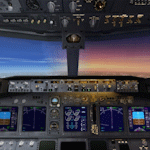
The ultimate virtual cockpit enhancement for Microsoft Flight Simulator X 737-800.
This enhancement includes improved cabin lighting, switchable display units with adjustable brightness, engine starter switches now include FLT & CONT settings, taxi and landing light ground splash effects are decoupled, independent left and right wiper animations, max autopilot bank angle bezel, strobe and navigation lights controlled independently, functional autobrake knob, functional fuel pump switch and cross feed knob, vast majority of switches and knobs animated (although largely non-functional) and various gauge and poly fixes.
| Filename: | Defaultimate737.zip |
| License: | Freeware |
| Added: | 12th September 2026, 20:20:04 |
| Downloads: | 172 |
| Author: | Trent Bennett |
| Size: | 9.63 MB |
| Category: Flight Simulator 2004 - Utilities | |
| GaugeGlow v2.0 |
|
File Description:
GaugeGlow is an easy to use tool that allows you to quickly set or adjust an aircraft's 2D panel lighting and the luminous glow of your MS Flight Simulator aircraft's lumious instruments. The virtual cockpit (VC) lighting is controlled by gauge designer and aircraft modeller, and cannot be modified by GaugeGlow.
GaugeGlow gives you a WYSIWYG (what you see is what you get) view of a sample aircraft panel & instrument with easy to use but sophisticated tools to discover the RGB lighting values to create the right lighting effect for your panel. Before GaugeGlow, a panel designer would have to "estimate" desired RGB values for lighting settings, modify configuration files, and then run Flight Simulator to see if they got it right. With GaugeGlow, you can select colors easily with slider controls, and imediately see the effects on panel and gauge lighting just as it will appear in FS under any lighting conditions.
The licensed registered user will be able to easily open any aircraft's panel, to load existing settings, make changes, then save them. Unregistered you'll have to take the data you see and using your knowledge of the SDK, edit the aircraft's config files to make the actual change in that aircraft's night lighting.
| Filename: | GaugeGlow_v20.zip |
| License: | Shareware, limited functionality |
| Added: | 24th August 2006, 14:24:13 |
| Downloads: | 1,758 |
| Author: | Patrick Waugh (Benchmark Avionics) |
| Size: | 692.17 KB |


© 2001-2026 AVSIM Online
All Rights Reserved
Privacy Policy |