
Where Flight Simulation Enthusiasts Gather from Around the World!
AVSIM Library - Search Results

| Category: Flight Simulator 2004 - Aircraft Repaints, Textures and Modifications | |
| NHL "St.Louis Blues" Beechcraft Twin Bonanza" |

|
File Description:
Simmers,and Hockey fans,
This aircraft includes my NEW Panel so ***BE SURE YOU COPY aircraft.cfg file to your main Twinstar_ Twin_ Bonanza folder.***
These 1951 D Model Beechcraft Twin Bonanzas are pristine,no dirt,grease or oil leaks on these babies!Just fresh out of the paint booth, these are the 15th repaint of my in progress NHL collection.All repaints are of "Eric Dantes" Beechcraft Twin Bonanza. All NHL teams will be represented.These repaints are not layered so each one has to be redrawn in its offical colors.I hope to complete at least two a week,hopefully more :).All repaints will have two liveries,one with team logos and one without logos.All NHL team names were put in two hats, Eastern Conference and Western Conference, they are drawn one from each hat at random.The next repaint will be the Toronto Maple Leafs.Look for it soon. :)I hope you have as much fun collecting all 30 liveries as I will have painting them!
This file includes the texture.Blues"(The St.Louis Blues Edition)",texture.St.Louis,
"(The St.Louis Edition....NOLOGOS)",panel.Blues and the panel.St.Louis folders and the aircraft.cfg file
The following additional file is required.--------------twinstar__twin__bonanza.zip--------------
This file can be downloaded @ http://www.avsim.com/
Go to the file library and just use the Quick Search: type: Chris Tuinstra and you should see the twinstar__twin__bonanza.zip,along with my other NHL and NFL repaints.Again I thank each of you for your downloads.
This file includes a complete matching interior for both liveries".
| Filename: | NHL_StLouis_Blues_Beechcraft_Twin_Bonanza.zip |
| License: | Freeware |
| Added: | 9th January 2008, 10:19:01 |
| Downloads: | 317 |
| Author: | Chris Tuinstra |
| Size: | 7.29 MB |
| Category: Flight Simulator 2004 - Aircraft Repaints, Textures and Modifications | |
| NHL "Philadelphia Flyers" Beechcraft Twin Bonanza" |
|
File Description:
Simmers,and Hockey fans,
This aircraft includes my NEW Twin Bonanza Panel_ V3 so ***BE SURE YOU COPY aircraft.cfg file to your main Twinstar_ Twin_ Bonanza folder.***These 1951 D Model Beechcraft Twin Bonanzas are pristine,no dirt,grease or oil leaks on these babies!Just fresh out of the paint booth, these are the 18th repaint of my in progress NHL collection.All repaints are of "Eric Dantes" Beechcraft Twin Bonanza. All NHL teams will be represented.These repaints are not layered so each one has to be redrawn in its offical colors.All repaints will have two liveries,one with team logos and one without logos.All NHL team names were put in two hats, Eastern Conference and Western Conference, they are drawn one from each hat at random.The next repaint will be the Calgary Flames.Look for it soon. :)I hope you have as much fun collecting all 30 liveries as I will have painting them!
This file includes the texture.Flyers"(The Philadelphia Flyers Edition)",texture.NHL Philadelphia,
"(The NHL Philadelphia Edition....NOLOGOS)",panel.Flyers and the panel.NHL Philadelphia folders and the aircraft.cfg file
The following additional file is required.--------------twinstar__twin__bonanza.zip--------------
This file can be downloaded @ http://www.avsim.com/
Go to the file library and just use the Quick Search: type: Chris Tuinstra and you should see the twinstar__twin__bonanza.zip,along with my other NHL and NFL repaints.Again I thank each of you for your downloads.
This file includes a complete matching interior for both liveries".
| Filename: | NHL_Philadelphia_Flyers_Beechcraft_Twin_Bonanza.zip |
| License: | Freeware |
| Added: | 8th February 2008, 17:55:02 |
| Downloads: | 288 |
| Author: | Chris Tuinstra |
| Size: | 6.7 MB |
| Category: Flight Simulator 2002 - Scenery | |
| Palisades SRTM Altitude Mesh |
|
File Description:
Ever wanted to fly down the VFR corridor over the Hudson River and gawk at all the skyscrapers in New York City? ... in your dreams! The Department of Fatherland Security has closed it down.
But, we still have Flight Simulator. Unfortunately, the altitude mesh for this area is somewhat lacking in detail.
This Palisades altitude mesh remedies that. Covers the Palisades cliffs, of course (but no Amusement Park, sniff), and also Riverside, Morningside, and Washington Heights, and Fort Tryon. In fact, all 5 Boroughs of New York City are covered, as well as most of central and northern New Jersey (visit beautiful downtown Hoboken!), and the larger part of Long Island. Also Rockland, Westchester, Orange, Putnam counties and more. And even Bear Mountain State Park.
Approximate coverage: N40* to N42* and W73* to W75*.
Made from NASA Shuttle Radar Topography Mission data (3 arc-second resampled to LOD9 - horizontal resolution of 76.4 meters) using SRTM to BGL by Matthew Styles (available in the AvSim library.) Very easy to use - give it a try.
BONUS: includes simple instructions so that anyone can make altitude mesh for their area from SRTM data using SRTM to BGL by Matthew Styles. Sorry, SRTM data only available for the Americas at the moment. The rest of the world coming soon. Check inside for more details.
No support of any kind is offered for this package - very sorry.
| Filename: | Palisades_SRTM_Altitude_Mesh.zip |
| License: | Freeware |
| Added: | 12th June 2003, 16:09:26 |
| Downloads: | 2,165 |
| Author: | Luis, scenery design forum |
| Size: | 3.48 MB |
| Category: Flight Simulator X - Scenery | |
| Polish Airports VOL. 3 X DEMO |
|
Images related to this file:
File Description:
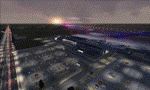
POLISH AIRPORTS VOL. 3 X DEMO is a package of detailed sceneries of EPPO Poznan, EPWR Wroclaw and EPBY Bydgoszcz airports in Poland, fully compatible with FSX, P3Dv1, P3Dv2 (till v2.1).
This product is a fully functional DEMO version of the commercial payware product. It features same airports layout as in the full version but with limited 3D objects and low resolution textures. Using this free demo ensures no problems with online (VATSIM, IVAO, multiplayer etc.) flying in case some users use the payware scenery and some don't.
Poznan-Lawica Henryk Wieniawski Airport (POZ/EPPO), built in 1913, is one of the oldest airports in Poland and the 6th largest airport in Poland. Bydgoszcz Ignacy Jan Paderewski Airport (BZG/EPBY) is a Polish regional airport in the city of Bydgoszcz. EPBY is the 9th largest airport in Poland offering the runway 08/26 which is 2,500 x 60 m. Wroclaw Copernicus Airport (WRO/EPWR) is an international commercial airport in Wroclaw in southwestern Poland. EPWR is the 4th largest airport in Poland having one runway, two passenger terminals and one cargo terminal.
The product is equipped with an automatic installer, which means that the scenery will be automatically added to the Flight Simulator Scenery Library. Please uninstall all previous versions of this airport you may have installed before. Please make also sure that no duplicate AFCAD files are installed.
Enjoy your virtual flying with Drzewiecki Design!
| Filename: | Polish_Airports_VOL_3_X_DEMO.zip |
| License: | Commercial demo |
| Added: | 2nd September 2015, 22:20:44 |
| Downloads: | 1,614 |
| Author: | Drzewiecki Design |
| Size: | 42.23 MB |
| Category: Flight Simulator 2004 - Scenery | |
| RAF Wittering 1990 |
|
Images related to this file:
File Description:

Wittering was opened as an RAF station in 1924, but flying here started way back in 1916 with the Royal Flying Corps.
Initially the Central Flying School was based here from 1926 until 1935. During World War 2, Wittering was a part of 12 Group, which was responsible for the defence of the Midlands.
The station took on a nuclear responsibility in 1956 with the arrival of the V-Force Valiants, and later Victor bombers. Because of this, the runway was increased in length.
After the V-Bombers left, the station took on the mantle of Home of the Harrier, a title it carried with it from 1969, until the stations closure in 2010.
This scenery is made up of various library objects, using ScruffyDuck's ADE9X, to make a close representation of the base, as opposed to being factually accurate.
Brian has incorporated most of the extra runways and representations of deck landing areas that were used at Wittering for V/STOL training - these runways are not active, but may still obviously be used for taking off and landing yourself.
Also included are repaints of John Young's Harrier GR3/T4 AI model, available from flightsim.com. These represent the aircraft of No.1(F) Squadron and No.233 OCU, during 1989-90.
There are also a set of representative flightplans to allow the Harriers to fly "typical" missions and flights.
| Filename: | RAF_Wittering_1990.zip |
| License: | Freeware, limited distribution |
| Added: | 6th October 2013, 17:17:42 |
| Downloads: | 1,392 |
| Author: | Brian Clarke, Daryl Payne |
| Size: | 20.58 MB |
| Category: Flight Simulator X - Scenery | |
| ZGGG Guangzhou Baiyun Int'l Airport 2017 |
|
File Description:
Guangzhou Baiyun International Airport (ZGGG) is the major airport of Guangzhou, China. Located in Guangzhou's Baiyun District, it opened on August 5, 2004, but has gone through major changes since FSX was created. The default version only has one terminal and two runways and is slightly out of place from the actual location. I placed the airport in its real location based upon the charted latitude and longitude of the airport reference point. Guangzhou Baiyun Int'l Airport now has three runways. The third runway opened in February 2015. The centerpiece is the new Terminal 2, faithfully rendered here as much as possible. The terminal footprint and gates are accurate. The 3D terminal itself is a simple Sketchup project with generic textures (including night textures). The scenery converted and placed using MCX's amazing Convert and Place Wizard. I added the FBO ramp and the FEDEX Cargo Ramp Aprons and added some hangars to both locations, all default FSX buildings, so no additional library downloads are required. The new runway (now called 02R/20L) was added with Airport Design Editor. The old runway 02R/20L was renamed to the current runway 02L/20R and the old runway 02L/20R was renamed to the current runway 01/19. All taxiways are accurately drawn and designated with taxisigns using the latest AIRAC 1712 Jeppesen chart for ZGGG. All six ILS approaches are rendered as well as ADE would let me.
| Filename: | ZGGG_Guangzhou_Baiyun_Intl_Airport_2017.zip |
| License: | Freeware |
| Added: | 26th November 2017, 22:43:37 |
| Downloads: | 1,083 |
| Author: | Randy Tyndall |
| Size: | 490.4 KB |
| Category: Flight Simulator 2004 - Aircraft Repaints, Textures and Modifications | |
| Beech King Air C90B |
|
Images related to this file:
File Description:
Beechcraft King Air C90B for FS9
This is a series of repaints for Dee Waldron's King Air C90B. I have recently revised the textures, adding details and shadowing thanks to Henry Tomkiewicz' AI paint kits. There are 12 repaints in this file. Screen shots are enclosed. I have also included a paint kit. The visual model, aircraft configuration file and air files are included.
This aircraft, and other members of the King Air family are projects Dee and I worked together on some years ago. The textures are newly refreshed. I have many hours happily flying these aircraft. Dee's model is very sparing of resources. This aircraft may be used as an AI aircraft or a fully flyable aircraft.
As far as panels and sounds, I've left this to the user. The stock Microsoft King Air is an obvious starting point. Pierre Fasseux has designed three alternatives to the default panel, which represent a better choice. Leon Medado has created a very good freeware alternative to the default sounds. These are all available in the Flightsim.com library.
Instructions:
Unzip into a separate folder. Move the folder named labeled Dee Waldron King Air C90B into your FS9 folder. Add panel and sound of your choice.
These files are provided on an as-is basis. I have tested them and have found them to work as intended.
Michael Verlin
[email protected]
January 29, 2015
| Filename: | Beech_King_Air_C90B.zip |
| License: | Freeware, limited distribution |
| Added: | 29th January 2015, 12:21:12 |
| Downloads: | 258 |
| Author: | Michael Verlin, Dee Waldron |
| Size: | 7.76 MB |
| Category: Flight Simulator 2004 - Aircraft Repaints, Textures and Modifications | |
| Beech King Air A100 |
|
Images related to this file:
File Description:
Beechcraft King Air A100 for FS9
This is a series of repaints for Dee Waldron's King Air A100. I have recently revised the textures, adding details and shadowing thanks to Henry Tomkiewicz' AI paint kits. There are 14 repaints in this file. Screen shots are enclosed. I have also included a paint kit. The visual model, aircraft configuration file and air files are included.
This aircraft, and other members of the King Air family are projects Dee and I worked together on some years ago. The textures are newly refreshed. I have many hours happily flying these aircraft.
Dee's model is very sparing of resources. This aircraft can be used for AI and can be flown as well. As far as panels and sounds, I've left this to the user. The stock Microsoft King Air is an obvious starting point. Pierre Fasseux has designed three alternatives to the default panel, which represent a better choice. Leon Medado has created a very good freeware alternative to the default sounds. These are all available in the Flightsim.com library.
Instructions:
Unzip into a separate folder. Move the folder named labeled Dee Waldron King Air A100 into your FS9 folder. Use it as an AI aircraft or add panel and sound of your choice if you wish to fly it.
These files are provided on an as-is basis. I have tested them and have found them to work as intended.
Michael Verlin
[email protected]
January 27, 2015
| Filename: | Beech_King_Air_A100.zip |
| License: | Freeware, limited distribution |
| Added: | 29th January 2015, 12:23:39 |
| Downloads: | 325 |
| Author: | Michael Verlin, Dee Waldron |
| Size: | 6.38 MB |
| Category: Flight Simulator 2004 - Aircraft Repaints, Textures and Modifications | |
| Beech King Air 200 |
|
Images related to this file:
File Description:
Beechcraft King Air 200 for FS9
This is a series of repaints for Dee Waldron's King Air 200. I have recently revised the textures, adding details and shadowing thanks to Henry Tomkiewicz' AI paint kits. There are 11 repaints in this file. Screen shots are enclosed. I have also included a paint kit. The visual model, aircraft configuration file and air files are included.
This aircraft, and other members of the King Air family are projects Dee and I worked together on some years ago. The textures are newly refreshed. I have many hours happily flying these aircraft.
Dee's model is very sparing of resources. This aircraft can be used for AI and can be flown as well. As far as panels and sounds, I've left this to the user. The stock Microsoft King Air is an obvious starting point. Pierre Fasseux has designed three alternatives to the default panel, which represent a better choice. Leon Medado has created a very good freeware alternative to the default sounds. These are all available in the Flightsim.com library.
Instructions:
Unzip into a separate folder. Move the folder named labeled Dee Waldron King Air 200 into your FS9 folder. Use it as an AI aircraft or add panel and sound of your choice if you wish to fly it.
These files are provided on an as-is basis. I have tested them and have found them to work as intended.
Michael Verlin
[email protected]
January 27, 2015
| Filename: | Beech_King_Air_200.zip |
| License: | Freeware |
| Added: | 29th January 2015, 12:24:22 |
| Downloads: | 241 |
| Author: | Michael Verlin, Dee Waldron |
| Size: | 5.35 MB |
| Category: Flight Simulator 2004 - Utilities | |
| GaugeGlow v2.0 |
|
File Description:
GaugeGlow is an easy to use tool that allows you to quickly set or adjust an aircraft's 2D panel lighting and the luminous glow of your MS Flight Simulator aircraft's lumious instruments. The virtual cockpit (VC) lighting is controlled by gauge designer and aircraft modeller, and cannot be modified by GaugeGlow.
GaugeGlow gives you a WYSIWYG (what you see is what you get) view of a sample aircraft panel & instrument with easy to use but sophisticated tools to discover the RGB lighting values to create the right lighting effect for your panel. Before GaugeGlow, a panel designer would have to "estimate" desired RGB values for lighting settings, modify configuration files, and then run Flight Simulator to see if they got it right. With GaugeGlow, you can select colors easily with slider controls, and imediately see the effects on panel and gauge lighting just as it will appear in FS under any lighting conditions.
The licensed registered user will be able to easily open any aircraft's panel, to load existing settings, make changes, then save them. Unregistered you'll have to take the data you see and using your knowledge of the SDK, edit the aircraft's config files to make the actual change in that aircraft's night lighting.
| Filename: | GaugeGlow_v20.zip |
| License: | Shareware, limited functionality |
| Added: | 24th August 2006, 14:24:13 |
| Downloads: | 1,758 |
| Author: | Patrick Waugh (Benchmark Avionics) |
| Size: | 692.17 KB |


© 2001-2026 AVSIM Online
All Rights Reserved
Privacy Policy |