
Where Flight Simulation Enthusiasts Gather from Around the World!
AVSIM Library - Search Results

| Category: Flight Simulator X - Aircraft Repaints, Textures and Modifications | |
| Boeing B-17G Flying Fortress #43-97976 "A Bit o' Lace" |

|
Images related to this file:
File Description:

This folder contains a repaint for the accu-sim version of the A2A B-17G Flying Fortress. It represents #42-97976 "A Bit o' Lace", which was assigned to the 709th BS /447th BG. The nose art consisted of a cartoon by Milton Caniff. The co-pilot was Lt. John Bauman, a fraternity brother of Milton Caniff. He sent Caniff a detailed idea of the proposed artwork and the sketch was returned with Caniff's annotation: "A Bit-O-Lace for Lt. John H. Bauman, and the rest of the gang, with my best wishes - Milton Caniff NY, Oct. 1944". Nicholas Fingelly, an artist attached to the 709th BS, carried out the work and completed the painting in about six hours and gave Milton Caniff full credit for his his character. Her first crew flew 35 missions over Europe with no injuries, although returning with a good many holes, at times. The closest call was when a piece of shrapnel came up through Navigator's table and "Ike" Eisenhart's arms, but missed him. A surprise souvenir for Ike, which he still has. She flew more missions with different crews, until the april 4, 1945 flight. From the navigator, John Kirkwood: "Right over Kiel, and seconds before the bomb release, I heard the co-pilot say that "This airplane feels funny." Seconds later the tail gunner, who had regained his power of speech, blurted out something to the effect that part of "The tail was gone." A flak shell had gone right through the left horizontal tail, leaving only a partial surface, and completely removing the left elevator.
We dropped out of the formation, and tried to drop the bombs, but the electrical system failed. We flew north a minute or so, the plane now in the hands of the pilot. The pilot did not want to drop over Denmark, so we turned out over sea, and dropped via screwdriver. Actually, we were over Schleswig-Holstein, according to my position, but it was close, and Tom did not want to chance killing danes.
We flew on, at a reduced speed, far out to sea on a west-south-west course with occasional ETA's to the pilot. Several fighters joined us, and finally we got back to the base, and the runway was cleared for us. A decision had to be made by the pilot: To jump or ride her in.. Tom decided that he could land the plane, so we all congregated to the radio room, and that was that.
I might add that none of us had any desire to jump. Most of the photos of 976 were taken after repairs, hence the dark colored rudder and left elevator. As you know, the color prior to the damage was silver. 976 flew one or two missions after that, but I never saw her again, other than in a color photo of the moth-balled fleet in Arizona."
Repaint by Jan Kees Blom, based on the repaint kit by A2A.
| Filename: | Boeing_B17G_Flying_Fortress_4397976_A_Bit_o_Lace.zip |
| License: | Freeware |
| Added: | 20th August 2010, 22:14:46 |
| Downloads: | 721 |
| Author: | Jan Kees Blom |
| Size: | 19.95 MB |
| Category: Flight Simulator 2004 - Utilities | |
| FlightSim Manager v2.6.1 |
|
File Description:
Compatible with both FS2002 and FS2004
FlightSim Manager is a great tool for managing add-ons to Microsoft Flight Simulator. Using easy to Wizard - FSM can install aircraft, panels, textures and scenery directly from distribution ZIP files you may have downloaded, with proper uninstallation of add-ons. From an easy to use Aircraft editor to add or remove aircraft variants, to an comprehensive Hangar management allows you to manage and configure your add-ons off your live FS installation.
You can now create Virtual Fleets, and enable/disable the complete fleet with ease. For serious pilots, FSM also offers a complete Logbook.
Lan View feature allows you to create virtual cockpits with multiple monitor support, using networked PCs.
With FSM, you can create Texture Sets - i.e.. different Tree Sets, and you can install any set with a single click, capture screenshots from Flight Simulator, Benchmark with log, launch it with Random Splash Screens, and fly from anywhere in the world using an map view.
You can also control Flight Simulator with speech commands using FSM. It also supports auto-saving flight, warning sytem, and custom event sounds.
Finally with a comprehensive Diagnostic Tools and Repository feature, FSM keeps your FS installation clean. Apart from the usual Missing and unused gauges, FSM can also locate Aircraft problems, Missing and unused effects, Scenery Problems with a LandClass File relocate feature - say bye-bye to all the memory leaks.
You can find the latest version from: http://www.ranainside.com/
To provide you - the user with the best Freeware FS-Addon, I need your help... if you have any suggestions, recommendations or problem using this software, please contact me through our Forum at: http://softwares.ranainside.com/forum/
You may not distribute the original archive/setup utility of the program(s) to anyone else, any Bulletin Board System, Portable Media or any web-site unless EXPRESS PERMISSION FROM THE AUTHOR is granted. You may not sell, lease, rent, or include this program or its original archive by any media without EXPRESS PERMISSION FROM THE AUTHOR. You are not required to pay for this program in any way, shape or form, but you are not licensed to distribute this program or its original archive for any financial gain.
| Filename: | FlightSim_Manager_v261.zip |
| License: | Freeware, limited distribution |
| Added: | 15th September 2004, 12:51:52 |
| Downloads: | 5,440 |
| Author: | Rana Hossain |
| Size: | 4.43 MB |
| Category: Flight Simulator X - Original Aircraft | |
| Airbus A318 FD Special Version V3 - Light Pack |
|
Images related to this file:
File Description:

This is the new version of my Airbus A318 with the Panel in V3 opened on the A321 - here in a light pack version, included is 1 livery only (Frontier Airlines NR807 Painted by Derek Mayer & Steve Mac Bee of PA Team).
This light pack contains only the user manual in english version (and low resolution). If you want the french version of this manual, use the "zipdrive" function with the complete pack of this aircraft (search by name file "pa318fd_v3.zip"). This light version has been made by request for all those with low download speeds and limits.
The original complete pack is available HERE (filename: pa318fd_v3.zip)
I remind you that this aircraft is based on the Project Airbus A318, with an ehanced panel based on the work of stefan Liebe.
This latest development can see the more realistic Airbus available as freeware. With a new version of the panel, the aircraft has a 100% cold & dark Status at the start of a flight, a real fuel system management with all valves, piumps and crossfeed work, the complete Bleed circuit with X-bleed, a real engines manual startup procedure like the real aircraft. I have also ehanced the navigation display with TCAS function in ARC and NAV mode; There is also the engines failure procedure to work (fire, oil leaks....) and many improved function that I cannot describe here. The aircraft comes with user manual in English and in French, and it is essantial to read it before you fly.
All the functions of the V2 have been kept and improved, like the vertical navigation gauge, the terrain radar map on the navigation display, the autolanding function, the SFCC.
This version is only in CFm engines, but with real engine data (CFM56-5B9) and custom HD sounds. Now, the Fly By wire works in 2 modes: "Normal Law" and "Direct Law". I put 300 hours into the development of this panel and I hope that you will like it.
Please, note that this panel is the v3.05 version, witch fixes the bugs of the first version that came with the A321 (there is an update panel for the A321).
So, It seems that this aircraft works with PREPAR3D
Francois Dore
| Filename: | Airbus_A318_FD_Special_Version_V3__Light_Pack.zip |
| License: | Freeware, limited distribution |
| Added: | 14th July 2012, 15:34:06 |
| Downloads: | 6,725 |
| Author: | Francois Dore, Project Airbus |
| Size: | 64.88 MB |
| Category: Flight Simulator 2004 - Miscellaneous Files | |
| The Steamer PATRIA, pearl on VFR of Lario - Como Lake, Italy |
|
Images related to this file:
File Description:
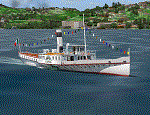
Steamship sailing, GMax model with photo real textures and panel with exterior views.
The History: Born with the name of "Savoia" this steamer was placed in the yard June 7, 1926 by the Odero's workers at the construction site of Dervio, and in a very short time, triumphantly launched July 31, 1926 first in the waters of Dervio , to start shipping in the Como Lake.
Soon after this launch, the site was put on the twin " October 28 ", which later became the "Concordia". In December 1926, the " Savoia " incorporates a major change : the distribution system of the machine new one "Caprotti" type that has excellent results and is , up to date, the only example in the world (reduction of rolling steam). In May 1927, the " Savoia " has the honor to welcome on board the King of Italy Vittorio Emanuele III , escorted by the steamers " October 28" and " Plinio". During World War II , following the fall of the fascist regime , July 25, 1943 , is required to change the name of the steamer. Even public opinion is mobilized and decide to rename the steamer by the name of "PATRIA". At the same time the twin " October 28 " is renamed "Concordia". Back after a break in service , January 10, 1945 is attacked and strafed while browsing the center of the lake . At the end of was counted 5 victims and 17 injured of which one will die as a result. At the height of the bridge spread of a fire, for piercing and incendiary bullets used by the Anglo-Americans, but soon subdued by the crew. In June 1951, the PATRIA is back in service with some modifications. The smokestack is shortened to about 3 mts and boilers and burners are converted from coal to oil. In August 1952, the boat service on the lake shift from "Lariana " to Government Management, which taken the steamer. In 1973 the interior of the " Patria" is restored according to the original scheme: the magnificent ship back into service June 10, 1973.
Great new features are the stained glass windows in the inner surface that allow you to see the paddle wheels in motion. In the 80s the PATRIA is used mainly for special cruises and rentals, limiting the use of the line. The summer of 1990 is the last one that sees the "PATRIA" in service. In the fall it is stopped at the construction site of Tavernola, later transferred to Dervio where it remains moored for years waiting to know his fate ... between demolition or renovation (this strongly desired by the Lariana population). Finally in 2003, the Province of Como takes the field by engaging in the recovery of the steamer, with PATRIA's historic "friends" of "Famiglia Comasca"; February 27, 2004 the remains of the steamer is formally sold to the Province of Como in the symbolic figure of " 1 Euro". After a series of bureaucratic delays, in August 2008 is finally contracted the first batch of works and the renovation starts. On 8 May 2013, PATRIA comes to Dervio for a short cruise, and for testing stability on the lake, and received a "Certificate of Class" that officially renames it as a ship. After 23 years it is the first time that the PATRIA sails again, since 1990, the year of its disarmament. The inauguration takes place July 19, 2013, at Villa Olmo in Como present authorities, proponents of the huge recovery and many other enthusiasts ... as me. Enjoy.
Check video available here: http://youtu.be/KALgHsGiPu8
| Filename: | The_Steamer_PATRIA_pearl_on_VFR_of_Lario__Como_Lak.zip |
| License: | Freeware |
| Added: | 22nd February 2014, 01:25:28 |
| Downloads: | 589 |
| Author: | Aldo Della vedova, Daniele Lanfranchi, Gian Mario Verga |
| Size: | 10.5 MB |
| Category: Flight Simulator X - Aircraft Repaints, Textures and Modifications | |
| P-47D 334th FS "Miss Plainfield" |
|
File Description:
This folder contains a repaint for the A2A Wings of Power III P-47D Thunderbolt, representing P-47C 42-7945 flown by Lieutenant Spiros 'the Greek' Pisanos of the 334th FS, 4th FG, Finschhafen, New Guinea, 1944. Born in Athens, Greece, in the suburb of Kolonos, on 10 November 1919, Spiros Nicholas "Steve" Pisanos, the son of a subway motorman, came to America in April 1938, as a crew member on a Greek Merchant ship. Arriving in Baltimore, Maryland and unable to speak English, Steve found his way to New York City, where he worked in bakeries and restaurants. As he earned money he started flying lessons at Floyd Bennett Field. In August 1940, he setled i Plainfield, New Jersey, his adopted home town, and continued flying lessons at Westfield Airport. He earned a private pilot's license and, although still a Greek national, in October 1941 he joined the British Royal Air Force sponsored by the Clayton Knight Committee in New York City.
Steve began his military flight training at Polaris Flight Academy in Glendale, California. Upon graduation, Pilot Officer Pisanos was transferred to England where he completed RAF Officers Training School at Cosford, England and OTU (Operational Training Unit) at Old Sarum Aerodrome in Salisbury. Pilot Officer Pisanos was posted to the 268 Fighter Squadron at Snailwell Aerodrome in Newmarket flying P-51A's. He later transferred to the 71 Eagle Squadron, one of the three Eagle squadrons in the RAF, comprised of American volunteers flyin Spitfires at Debden RAF Aerodrome.
When the USAAF 4th Fighter Group absorbed the American members of the Eagle Squadrons in September and October 1942, Pilot Officer Pisanos was commissioned a lieutenant in the U.S. Army Air Forces. On 3 May 1943, Lt. Pisanos was naturalized as an American citizen in London, England, becoming the first individual in American history to be naturalized outside the Continental United States.
Flying his first mission in his P-47 "Miss Plainfield" out of Debden Aerodrome with the 334th Fighter Squadron, 4th Fighter Group, Lt. Pisanos, "The Flying Greek," scored his first victory on 21 May 1943, when he downed a German FW-190 over Ghent, Belgium. by 1 January 1944 he had become an ace with five confirmed victories. On 5 March 1944, he obtained his 10th victory and while returning from that B-17 escort mission to Limoges and Bordeaux, France, Steve experienced engine failure in his P-51B and crash-landed south of Le Havre. For six months he evaded the Germans and worked with the French Resistance and the American OSS sabotaging the German war machine in occupied France. Lt. Pisanos returned to England on 2 September 1944, following the liberation of Paris.
Upon returning to the United States, Captain Pisanos was assigned to the Flight Test Division at Wright Field, Ohio. He attended the USAF Test Pilot School and subsequently served as a test pilot at Wright Field and Muroc Lake, California, testing the YP-80 jet aircraft. During his career in the USAF, Steve graduated from the University of Maryland, attended the Air Command and Staff College and the Air War College. In December 1973, after a distinguished thirty years of service in the United States Air Force, he retired with the rank of Colonel. Repaint by Jan Kees Blom, based on the paintkit by Martin Catney
| Filename: | P47D_334th_FS_Miss_Plainfield.zip |
| License: | Freeware |
| Added: | 14th March 2009, 10:55:44 |
| Downloads: | 730 |
| Author: | Jan Kees Blom |
| Size: | 7.17 MB |
| Category: Flight Simulator 2004 - Aircraft Repaints, Textures and Modifications | |
| Royal Air Force 101Sqn Douglas DC10-30 (Fictional) |
|
Images related to this file:
File Description:
SGA/FFX DC10-30 Royal Air Force 101 Squadron: This is a fictional repaint based on the paint scheme used on the Lockheed Tristar of Transport Command. To the best of my knowledge, 101 Squadron has never used DC10-30's. SGA DC-10 model included - This is a complete package containing the aircraft, panel, gauges & sounds. Credit for the work is contained within the readme file.
Number 101 Squadron was formed at South Farnborough on 12 July 1917, and two weeks later went to St Andre-aux Bois, France with FE2s as a night bomber squadron. It main tasks involved attacking enemy communications and aerodromes in Northern France and Belgium, with occasional strafing attacks on troops aimed at drowning the noise of tanks and soldiers positioning for battle in the trenches. In March 1919, the squadron was reduced to a cadre and returned to the UK before disbandment at the end of the year. It remained dormant until March 1928, when it reformed at Bircham Newton and flew Sidestrands in the day-bomber role until these were replaced by Overstrands in early 1935.
At the outbreak of World War II, the squadron was equipped with Blenheim IVs and was involved in attacks against enemy barge concentrations in the Channel Ports. In mid-1941, No. 101 Sqn became part of Bomber Command's medium-bomber force with Wellingtons and flew many night sorties against Germany and Italy. These aircraft were replaced barely 18 months later by the Lancaster and became specialised in airborne radar jamming to disrupt German night-fighters interceptions. After the war, Lincolns replaced the Lancasters and the unit moved to Binbrook. In June 1951, No. 101 became the RAF's first jet-bomber squadron when it received Canberras, and it was with this aircraft that the squadron was involved in operations in both Malaya and Suez before once again disbanding on 1 Feb 1957.
A brief period of inactivity ended on 15 Oct 1957, when No. 101 Sqn joined the V-bomber force with Vulcans as part of the Finningley Wing before moving to Waddington four years later. The squadron became synonymous with the type, and took part in Operation Corporate, the Falklands Conflict, operating from Ascension Island. Shortly after the conflict, the squadron relinquished its Vulcans and disbanded again, until it reformed on 1 May 1984 to operate VC10s in the air-to-air-refuelling role, and has since demonstrated the flexibility the aerial refuelling offers to combat aircraft in such operations as the Gulf War and Operation Allied Force.
Following the disbanding of sister VC10 squadron, No 10, 101 became the sole operator of the type in October 2005.
| Filename: | Royal_Air_Force_101Sqn_Douglas_DC1030_Fictional.zip |
| License: | Freeware |
| Added: | 18th August 2013, 15:04:44 |
| Downloads: | 392 |
| Author: | Andy Kewley, SGA |
| Size: | 36.36 MB |
| Category: Flight Simulator X - Scenery | |
| hythevillage_pier.zip |
|
File Description:
Hythe Village and Pier
Hythe Village [Town] nestles between the edge of Southampton Water and the New Forest, some 500 yards west of the ‘American Base – RAF Hythe’; the surrounding area is known as ‘The Waterside’. Hythe, with its waterfront, boasts incredible views across Southampton Water, while the village [town] centre, with its Georgian High Street, offers a range of shops, services, traffic-free precincts and parking facilities. Nearby is ‘Hythe Marina’, to be found on Southampton Water's southern shore; it’s a unique development of a 206 berth marina, together with waterside homes, shops, restaurants, bars and a boutique hotel.There is also a passenger ferry which sails back-and-forth from Hythe Pier to the City of Southampton every 30 minutes. Before Hythe Pier was built, ferry and other boats arriving at Hythe had to use a gravel hard ramp which ran from the land out to the low tide point in Southampton Water. Walking along the hard gravel was not easy and travellers often got very wet. Various ideas to improve the situation were suggested at the time and construction of Hythe Pier was eventually started in October 1879 and officially opened on the 1st January 1881. Many World War II heroes departed from this pier on D-Day in June 1944.The pier itself stretches some 640 meters into Southampton Water and is one of the ten longest piers in the British Isles. In 1922, a narrow gauge electric railway opened in order to take passengers the full length of the Pier. This railway, with its original engine and rolling stock, is the oldest operating electric pier train in the world and is still operational to this day – playing an important part in the local transportation system between Hythe and Southampton.
Scenery Features
* Bus Shelter
* Ferry Ticket Collectors (On pier landing platform)
* Ferry Ticket Office
* High Street Shops
* Hotspur House
* Hythe Library & Car Park
* Hythe Pier
* Hythe Pier Landing Platform
* Hythe Promenade
* Library Road & Shops
* Lidl Superstore & Car Park
* People (Static & animated)
* Pier Railway & Safety Railings
* Pier Train (Parked at village end of pier)
* Lord Nelson Public House
* Prospect Place Park
* Public Toilets
* Seashells Lounge Bar & Restaurant
* St. John's Church & Cemetery
* Street Lighting
* Streets & Roadways
* ‘The Marsh’ & New Road
* Vegetation (Trees, bushes)
* Vehicles (Buses & cars)
* Waitrose Supermarket & Car Park
* WWII Remembrance Plaque (Prospect Place)
Special Effects
* Animated Birds (seagulls-close to village & pier)
* Chimney Smoke
* Night, Dusk & Dawn Lighting Effects
* Seagull Cry Sounds
| Filename: | hythevillage_pierzip.zip |
| License: | Freeware |
| Added: | 21st November 2025, 12:42:28 |
| Downloads: | 68 |
| Author: | Barrie Semmens |
| Size: | 16.37 MB |
| Category: Flight Simulator X - Original Aircraft | |
| TU-95MS Bear H |
|
Images related to this file:
File Description:
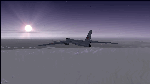
The Russian Air Force 37th Air Army operates the TU-95MS (TU-95M 55 Bear H) from the 182th TBAP unit based in Zavitinsk and 6213 BKHUAT based at Engels Air Base in the Moscow Region. It's use is primarily in maritime operations. She carries cruise missiles even if only used for submarine comms. Her initial design is a competitor with the B-52, but uses 4 Turboprop engines with 8 contra-rotating props. She can fly about as far as, but not as high as the B-52, nor can she fly as fast. She is often monitored off the coast of Alaska and easily met with F-22 Raptors every time. She is also often met by NATO fighters near European borders. Since 45,000 feet is about the highest she can cruise, most fighters can meet her. Her real danger is the cruise missiles which, if launched, have a range more than 1,500 nm and can pinpoint any directed target using GPS ground control. She is normally flown in formations of 3 or more, but sometimes only 2 are observed. She is not designed to fly fast over low terrain, like the B-52, but can do-so if necessary, and dangerously. The aircraft has not seen any major improvements or modifications since the cold war era, and several have crashed due to lack of maintenance. It is currently unknown how many are in service condition. Since much is unknown about this aircraft, yet enough is known to re-create an authentically working model, I have done-so here. Every bit of the aircraft.cfg file and associated .air file has been re-worked to match what known data can offer, and known aerodynamic formulas can equate. The most difficult aspect is the Turboprop aspect, since Turboprop engines do not work like jet engines in any way. Luckily for the simmer, there is no need to adjust feathering or anything like that would be necessary in a normal Turboprop because these engines are self-adjusting. Even though they meet the full known specs of the real engines, I have actually worked all the math to make them actual Turboprop engines (not pseudo-jet engines). That may sound exciting, but you must remember that she is a prop-driven aircraft, and not a jet. Even though you can fly her like a jet, the engines do not adjust like a jet. All aspects have been configured to meet realistic standards, including the MOI factors, weight/balance (including payload positions), gear locations, aircraft dimensions, light positions, engine smoke locations and operations, and weight. I did not simply throw this together, but have been perfecting her for many years. Original Modeler/Sounds: Vladimir Zhyhulskiy (2006); Panel: Marco Spada; Auto Smoke Effects: Richard Wisman; Aero/Engine Dynamics, effects, and details: Douglas E. Trapp, FS Flight Dynamics Engineer, [email protected], November 2018. The use of this model, and the configuration of such, is designed for free educational purposes, and protected by the Free Use Act: (https://www.law.cornell.edu/uscode/text/17/107). This model and/or aspects of such cannot be used for monetary purposes!
| Filename: | TU95MS_Bear_H.zip |
| License: | Freeware |
| Added: | 3rd November 2018, 23:28:41 |
| Downloads: | 742 |
| Author: | Douglas E. Trapp |
| Size: | 42.71 MB |
| Category: Prepar3D V1-4 - Utilities | |
| Flightplan Visualizer 1.15 |
|
Images related to this file:
File Description:
Flightplan Visualizer (FV) version 1.15.0. Copyright 2018-2020 by Pelle F. S. Liljendal ([email protected]), all rights reserved.
FV comes with 738 pre-imported Commercial AI flightplans (+380 BizJet flightplans are available as a separate download). However you are able to import additional (AI) flightplans yourself. Once imported these (AI) flightplans can be visualized on a map-view, and the user will be able to search accross all these. Hence you can use the program as inspiration as to which routes to fly. E.g. you can search across all imported flightplans to find all flights in an A321 flying into/out from LDDU, or simply to look for all flights in a Boeing 747-8F.
Simply run the included installer to install the software. The program will be installed into "C:\Program Files (x86)\Flightplan Visualizer" and all datafiles will be installed into: "C:\Users\[UserName]\AppData\Roaming\FlightplanVisualizer". The program comes with a full manual explaining everything, and a 3 page quick manual to get you started. The first 3 times you run the program the quick manual will automatically open. The forum is hosted here: https://forum.aerosoft.com/index.php?/forum/919-flightplan-visualizer/
Version 1.15 Contains the following changes:
- As a first, you can now import flightplans even if one or more aircraft-types cannot be automatically detected during import. These will instead be assigned to a dummy-type during import, however you need to manually assign substitute aircraft-type(s) before being able to save the imported flightplan. If/when the program gets support for the aircraft-type(s) that were missing during import, the substitute aircraft-types can either be re-detected manually or by using the "Re-process aircraft/airport-redirects" menu-item.
- Added a combo-box that can be used to filter the flightplans that are shown in the flightplan combo-box on the main-form (e.g. enter "west" to see only flightplans containing "west" in the name). Hovering the mouse over this new filter combo-box will show examples of the more complex filters (e.g. filter by provider, author, season, year, and so on).
- In version 1.14 user-airlines were added, and these could be accessed via a menu-item on the main-form. However in version 1.15 you can now also add user-airlines from the import-flightplan form, so you don't have to abort a pending import, and go to the main form in case you find you are missing a user-airline.
- Added MRU-lists (Most Recent Used) to the browser-forms used to search for: Airport, Aircraft and Airline. The text-edit in the top of these forms have been replaced by a combo-box holding up to 20 items (in chronological order, with the most recent at the top).
- Added a new chart to the Airport Info form showing: "Daily flights per international/domestic/same state".
- Added Utilization-pct to the fleet report (both total for the entire fleet, and per aircraft). The Utilization-pct is also visible for the displayed schedule (for a single aircraft) in the Leg-Info form. This value tells the pct of time the aircraft spends servicing the schedule (the remaining time the aircraft "sits at the gate", including the time spend loading/unloading passenger and cargo, loading fuel, being serviced by ground-crew and what not).
- On the main-form, renamed menu-item "Re-process airport-redirects" into "Re-process flightplans".
- Distance from selected airport to mouse-position on main-map moved from the bottom of the form to the upper/right-corner of the form (where info of selected airport is listed).
- Using the (right-click) context-menu on the main-form airports can now be toggled (on/off) as being favorites.
- A few minor changes were made to the default leg search criteria. If you have saved your own default, you should go to the leg search form, press-and-hold SHIFT while clicking the "Reset" button (to reset to "factory default"), then set the criteria to your perferences, and finally press the "Save Reset" button to re-save your preferences.
- Added MRU-list (Most Recent Used) to fuel-density combo-box on Unit Conversion form. If empty, the list will be preloaded with the values 0.7850 (old default), 0.8040 (often used as a standard for Jet-A), 0.8200 (often used as a standard for Jet-A1). The user is still able to enter another value.
- The values used in the unit-conversion form are saved with the settings file, so each time you open the form will contain the values entered last time you used the form.
- Tweaked the method for calculated flight-time. In previous version the same parameters were used for calculating flight-time for all flights. Now these parameters are dependant on distance, resulting in calculated flight times that are closer to those used in the flight-plans (based on statistic-data from +700.000 AI flights).
- Some of the aircraft have been marked as "Retro", and in settings you can choose to exclude the "Retro" (they are enabled by default).
- Improved (Boeing) aircraft-type detection when importing flightplans using non-standard naming, such as "B744F" in stead of "747-400F" or "B736" in stead of "737-600".
- Updated all libraries in use to the latest versions, and addressed some minor issues with the map.
- Fixed: Newer versions of MyRwy are outputting airport elevation as a floating point value (e.g. "629.92") whereas older versions were outputting it as an integer value (e.g. "630"). In previous versions of FV the floating point value "629.92" was wrongly read as an elevation of 62992 ft. The program can now both handle floating point and integer values, hence can be used with both old- and new versions of MkRwy.
- Fixed: When adding new user-airlines in version 1.14, callsign was being set to the name of the airline, in stead of the entered callsign. If you added any user-airlines in version 1.14, you should edit these with version 1.15, and set the callsigns again.
- Fixed: If a Leg search was active (combo-box in bottom of main-form showing "[Last Search]") and all flightplans were disabled in "Enable/Disable -flightplans" the program would shut-down with an exception.
- Fixed: The list of the airline-codes (gate-tab on Airline-Info form) started with a comma, however comma should only be used to separate the items when multiple airline-codes were associated with the same gate (3rd party scenery only).
- Fixed: In some cases the cruise-speed was not shown correctly in the Aircraft search form.
- Fixed: Some of the menu-items for launching the (YouTube) tutorial-videos were missing the tool-tip text ("Hold SHIFT to copy url to clipboard").
- Fixed: About-box can now be closed with ESC, like most other forms.
- Fixed: potential issue reading xml-data, perhaps with a the benefit of a slightly better performance.
- Data: Added support for flightplans using "retro" aircraft types such as: Aerospatiale SE-210 Caravelle, British Aerosapce ATP/BAC One Eleven, Concorde, DC-3, DC-4, DC-6, DC-8, De Havilland Comet, Fokker F28, Hawker Siddeley HS 121 Trident, Ilyushin Il-18/20/22/24/86, Lockheed Constellation/L-188 Electra, Shorts SC-5, Tupolev TU-134, Vickers VC10/Viscount, and thanks to user Aucery Lockheed 1011.
- Data: Support for additional aircraft-types added as well: BN-2A Trislander, CASA C-212/C-235, CubCrafters XCub, DHC-2 Beaver/Turbo-Beaver, DHC-3 Otter, DHC-5 Buffalo, Diamond DA-42/62, Extra EA-300, Honda HA-420, ICON A5, NAMC YS-11, Mooney, Mudry CAP 10, Pilatus PC-6/PC-24, Piper Cub/Super Cub, Robin DR-300/400, Shorts SC-7, Tecnam P2012/P2006T
- Data: Some of the aircraft-types, for which multiple ICAO/IATA-codes exists, were split into two (one for Pax and one for Freight), e.g. Convair 580, DC-9-10/30/40, and Il-96. As a result you should execute "Re-process flightplans" (found in the "Flightplan" menu), and "Re-detect all" aircraft.
- Data: A few missing aircraft IATA/ICAO codes were added, and some "behind the screen" data for multiple aircraft were updated as well.
- Data: A few Airlines were added/updated (a big THANK YOU to Bruce Nicholson for the assistance keeping these data up-to-date).
- Flightplans: The good people over at AIG (Alpha India Group) have once again been VERY busy since the last release, hence the installer comes with 298 new/updated pre-imported flightplans, bringing the total of flightplans bundled with the installer to 738.
- Flightplans: A few flightplans were bundled with the program in duplicates (2 slightly different names, or 2 different seasons). These duplicates have been marked as obsolete, and have been removed from the installer. Using the "Select all obsolete flightplans" menu-item in "Enable/disable-flightplans" you can mark these flightplans and move them to the "Disabled" folder, from where they can be deleted.
Pelle
| Filename: | Flightplan_Visualizer_115.zip |
| License: | Freeware, limited distribution |
| Added: | 20th March 2020, 17:08:52 |
| Downloads: | 377 |
| Author: | Pelle Liljendal |
| Size: | 28.9 MB |


© 2001-2026 AVSIM Online
All Rights Reserved
Privacy Policy |